
Modrinth · Fabric, Forge, NeoForge
Order to cook下单了! auf deinem Minecraft Server
Order to cook下单了! läuft auf Minecraft Servern mit Fabric oder Forge oder NeoForge. Bestell deinen Server, stell den Loader im Panel ein und installiere die Mod mit einem Klick im Mod-Browser.
本模组提供了完整的餐厅经营模拟体验,包含接单、烹饪、打包、配送全流程及丰富的经济系统。This mod offers a complete restaurant management experience: order taking, cooking, packaging, delivery, and a rich economy system.
- Downloads
- 532.1K
- Autor
- breezeth.
- Loader
- Fabric, Forge, NeoForge
- Minecraft
- 1.20.1 – 1.21.1
- Aktualisiert
- –
Screenshots
So sieht Order to cook下单了! aus
Bilder: Order to cook下单了! auf Modrinth, vom Projektteam veröffentlicht.
Einrichtung
Order to cook下单了! auf dem Server installieren
Server und Spieler brauchen denselben Loader und dieselbe Minecraft-Version. Sichere die Welt, bevor du Mods hinzufügst oder aktualisierst.
- 01
Konfigurieren
4 GB RAM sind vorausgewählt. Laufzeit und Add-ons wählst du selbst, bezahlt wird per Kreditkarte oder PayPal.
- 02
Loader einstellen
Stell im Panel die Serversoftware auf Fabric oder Forge oder NeoForge und wähl die passende Minecraft-Version, zum Beispiel 1.21.1.
- 03
Mod installieren
Such im Mod-Browser nach „Order to cook下单了!“ und installiere die Version für deinen Loader. Alternativ lädst du die .jar per SFTP in den Ordner mods. Erforderliche Abhängigkeiten stehen auf der Projektseite.
- 04
Verbinden
Alle Spieler installieren Order to cook下单了! in derselben Version lokal und verbinden sich über die Serveradresse aus dem Panel.
- Auf dem Server
- Erforderlich
- Auf dem Client
- Erforderlich
- Loader
- Fabric, Forge, NeoForge
- Minecraft
- 1.21.1, 1.20.1
- Lizenz
- GNU General Public License v3.0 only
Das Panel
Mods installieren, Fehler finden.
Echte Screenshots aus dem Mado Panel. Beides ist bei jedem Minecraft Server enthalten.
Mod-Browser
Modrinth und CurseForge direkt im Panel.
Der Browser filtert nach deiner Minecraft-Version. Mods installierst du mit einem Klick, ohne .jar-Dateien hochzuladen.

KI-Crash-Analyse
Wenn ein Mod crasht, liest die Analyse das Log.
Mods scheitern oft an einer falschen Loader-Version, Java-Version oder fehlenden Abhängigkeit. Die Analyse nennt eine wahrscheinliche Ursache und einen Lösungsvorschlag.

Versionen
Veröffentlichte Versionen
Nimm die Datei, die zu Loader und Minecraft-Version deines Servers passt. Server und Spieler brauchen dieselbe Version.
Order to cook下单了! · Modrinth- Order to cook下单了! 1.3.612. August 2026Minecraft 1.21.1 · NeoForge
- Order to cook下单了! 1.3.612. August 2026Minecraft 1.20.1 · Forge
- Order to cook下单了! 1.3.612. August 2026Minecraft 1.21.1 · Fabric
- Order to cook下单了! 1.3.612. August 2026Minecraft 1.20.1 · Fabric
Originalbeschreibung des Projektautors
🍳 Order To Cook(下单了)
想开一家属于自己的餐厅吗? 本模组为你提供完整的餐厅经营体验——从接单、烹饪、打包到配送,配合丰富的经济系统,打造深度又有趣的游戏玩法。
📋 模组概览
- 模组名称:Order To Cook(下单了)
- 核心玩法:设定菜单 → 接取外卖/堂食订单 → 制作食物 → 打包交付 → 赚取奖励
- 特色机制:餐厅等级、加急订单、超远距离配送、小费系统、彩蛋顾客、小电驴、餐盘系统、餐厅排行、细致动画、高级厨电(新)
- 货币自定义:默认货币为 oTc币,可在配置文件中自定义奖励货币,模组兼容
🎮 基础玩法
核心设备
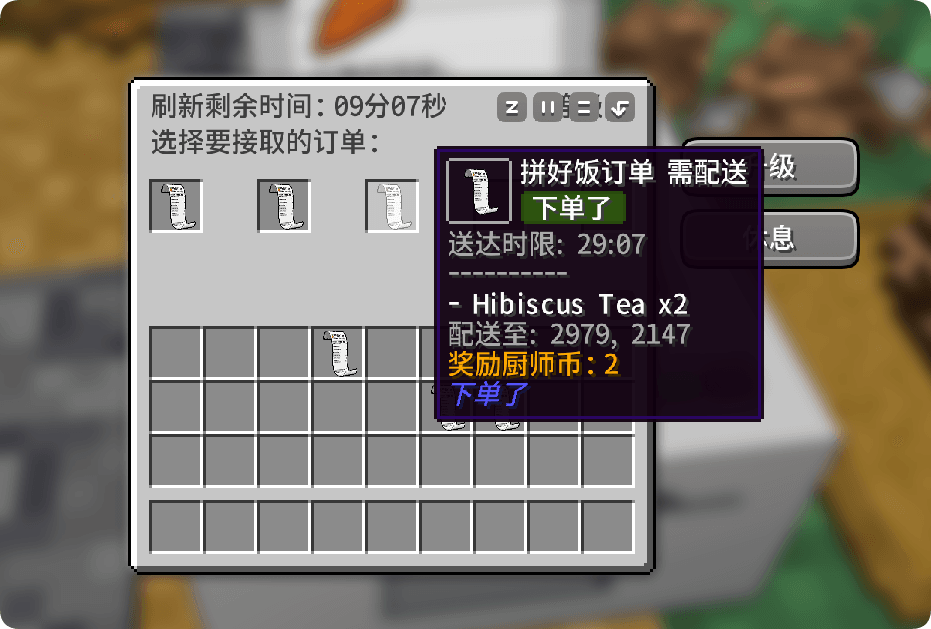
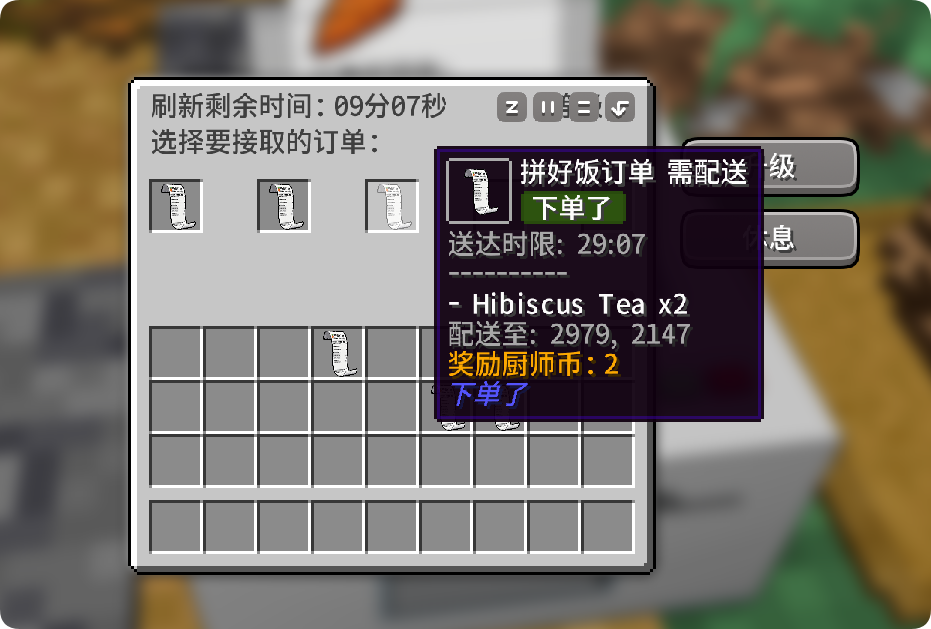
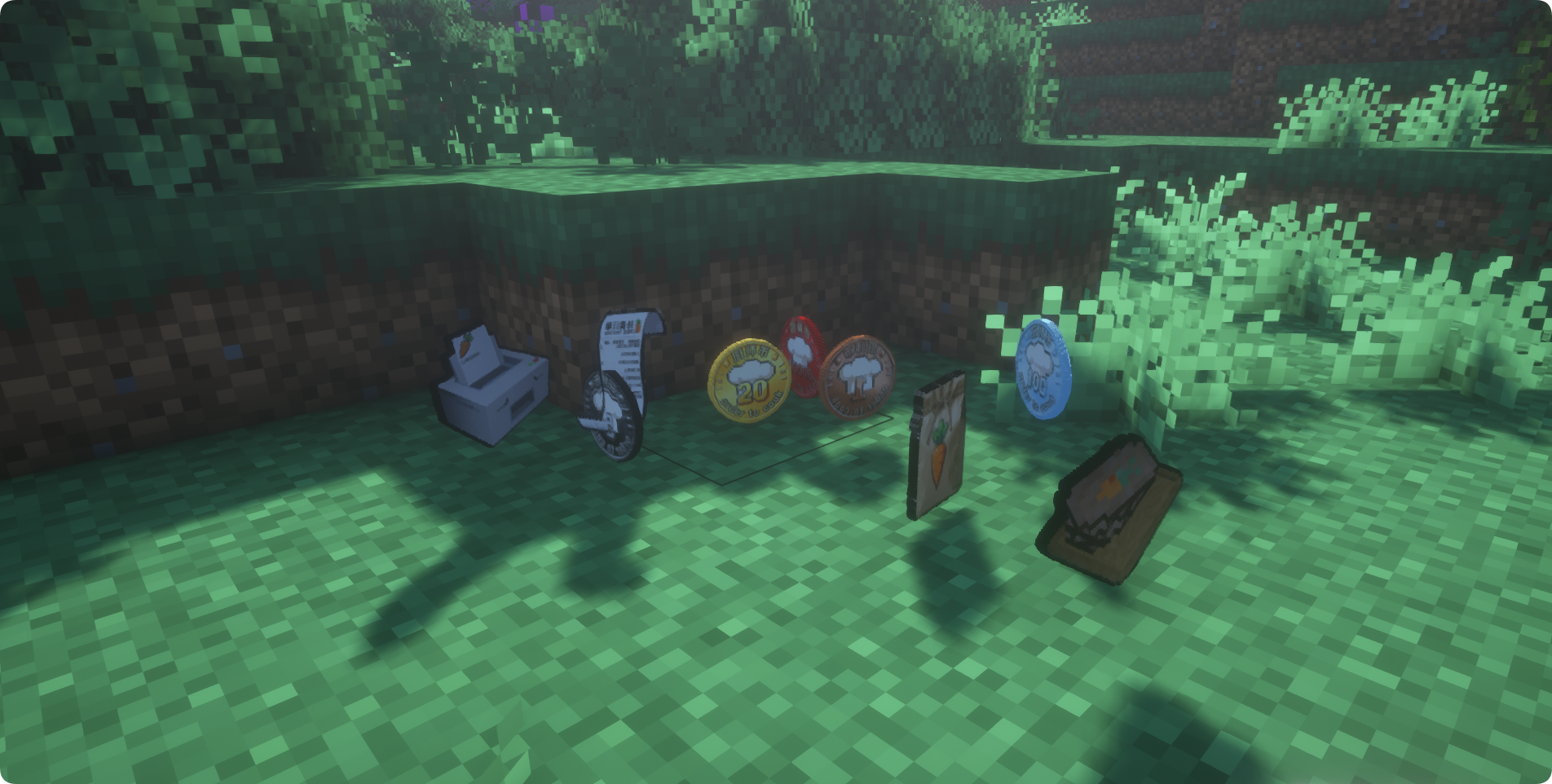
- 打单机:放置在世界中,点击打开界面等待订单刷新
- 椅子:配合堂食顾客使用
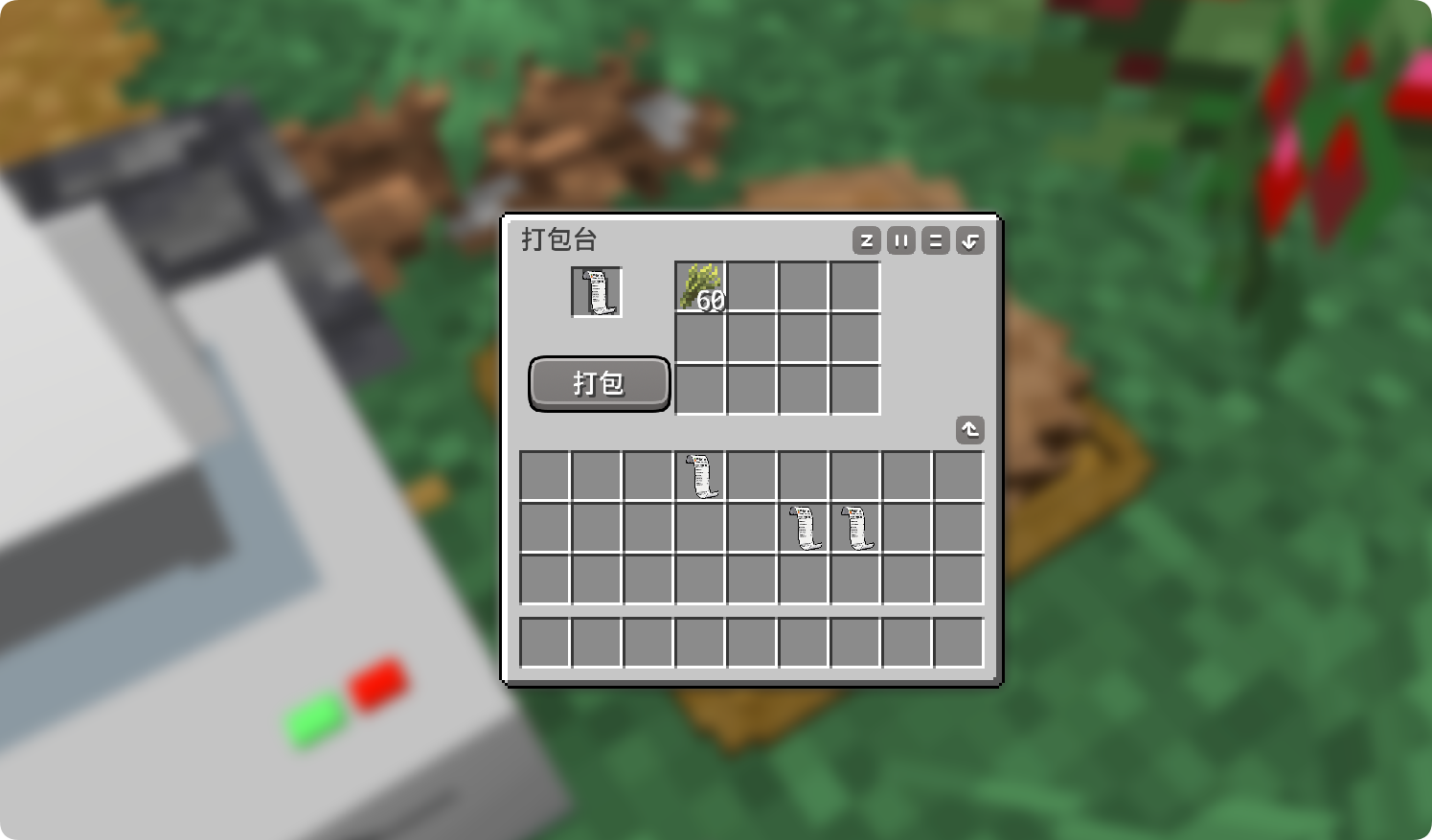
- 操作台:装盘和打包食物的核心工作区
- 立牌:用于设置店铺菜单
- 包装架:用皮革右键补充,以填充包装袋
- 餐盘架:用空餐盘右键补充,以填充餐盘
- 洗碗池:放入脏餐盘,空手长按右键刷盘子
订单系统
多种订单类型:不同等级订单、加急订单、超远距离配送订单、自动到店顾客(黄色边框,右键获取订单)
自由选择:按需接单,在操作台制作食物后打包/装盘交付
菜单系统(全新机制)
- ✨ 移除了原版的黑/白名单模式
- ✨ 新增「立牌」方块:放置后可在其中配置你的店铺菜单
- ✨ 智能菜单识别:订单食物只会从立牌设置的菜单中生成
- ✨ 设置高级食物:同等级下的高饱食度食物会有额外奖励
📈 等级系统重制
打单机等级
- 等级上限提升:餐厅等级从原来的等级扩展至 8级!
- 更多增益:每升一级都能获得更丰厚的奖励加成
- 饱食度影响:打单机升级现在会受到立牌设置的菜单总饱食度影响——鼓励你提供更丰富、更高级的菜品!
🎉 1.3版本更新,新增更多玩法
细致动画
1.3版本开始持续更新制作了玩家、顾客以及方块等动画,包括:
- 玩家坐在椅子上的待机动画
- 椅子上按鼠标左键的喝彩动画
- 洗碗动画
- 电瓶车骑行动画
- 方块动画,包括打单机新订单、冰箱、洗碗机、炉灶等
- 顾客的4种待机动画,出现和消失动画等
小电驴
新增载具「小电驴」,送外卖怎么能缺少它!
- 左键按喇叭、右键开车灯
- 用红色、蓝色、黄色、白色染料可以为小电驴染色
- 上车会自动为玩家戴上安全帽(安全第一)
- Shift+右键或在骑行时按E键可以打开保温箱,存入保温箱的包裹会在提示栏中带有箭头指示,支持多个外卖包裹
餐厅排行
- 你可以在打单机中进入排行榜,其中有服务器各个餐厅的经营情况
- 金牌餐厅(默认为按总收益排序)获得隐藏成就,暂无其他增益
餐盘系统
新增方块:
- 餐盘货架:你可以在操作台中使用"装盘"功能,为堂食顾客提供可重复利用的餐盘盛放食物,而不再消耗皮革打包。装盘会提供多种随机食物模型,以增加趣味性。
- 洗碗池:食物被顾客食用后会在桌上留下"脏盘",放入洗碗池中空手右键开始刷盘子吧!
使用餐盘效果:
- 使用餐盘顾客会有进食动画,同时有概率触发"好吃到爆炸"效果
- 未来将有助于提升你的餐厅评价和收益!
高级家电(1.3.5 新增)
使用 oTc 工具箱 升级高级家电方块:
- 冰箱 — 双开门2格高,食材堆叠上限128,允许使用打包台时消耗冰箱食材,升级自两格高木桶
- 洗碗机 — 全自动洗碗,升级自洗碗池
- 炉灶 — 一次烧制3种食物,允许作为 农夫乐事 /Let's do / 森罗厨房的炉灶,升级自烟熏炉
🔧 模组适配与前置
- 前置模组:Geckolib
- 兼容性:Forge 1.20.1、Fabric 1.20.1、Fabric 1.21.1、NeoForge 1.21.1
- 联动说明:
- 联动车万女仆模组可见顾客更换为女仆,需在配置文件中开启
- 支持将货币设置为SDM数字货币,需在配置文件中开启
- NeoForge适配航空学模组,需额外安装我的另一个模组 下单了:兼容
- 推荐安装:安装我的另一个模组 消费了 用于设置商店,消耗你赚取的oTc币!
🌐 English Version
🍳 Order To Cook
Want to run your own restaurant? This mod offers a complete restaurant management experience — from taking orders and cooking to packaging and delivery, all backed by a rich economy system for deep and engaging gameplay.
📋 Mod Overview
- Mod Name: Order To Cook
- Core Gameplay: Set your menu → Accept takeout/dine-in orders → Cook the food → Package and serve → Earn rewards
- Key Features: Restaurant leveling, rush orders, long-distance deliveries, tipping, easter egg customers, scooter, dish system, restaurant leaderboard, detailed animations, and advanced kitchen appliances (new!)
- Customizable Currency: Default currency is oTc Coin. You can change the reward currency in the config file — the mod is compatible with other currency systems.
🎮 Basic Gameplay
Core Equipment
- Order Machine: Place it in the world, right-click to open the interface and wait for orders to appear.
- Chairs: Used by dine-in customers.
- Countertop: The main workstation for plating and packaging food.
- Sign Board: Used to set your restaurant's menu.
- Package Shelf: Right-click with leather to restock packaging bags.
- Plate Shelf (new): Right-click with empty plates to restock plates.
- Sink (new): Place dirty plates inside, then hold right-click with an empty hand to wash them.
Order System
Multiple order types are available:
- Orders of different levels
- Rush orders
- Long-distance delivery orders
- Walk-in customers (yellow border, right-click to take their order)
Pick and choose which orders to accept. Prepare the food at the Countertop, then either package it for delivery or plate it for dine-in service.
Menu System (Brand New!)
- ✨ Removed the old blacklist/whitelist system
- ✨ New "Sign Board" block: Place it and configure your restaurant's menu inside.
- ✨ Smart menu recognition: Orders will only generate items that are on your Sign Board menu.
- ✨ Premium food bonuses: Higher-satiety foods within the same level provide extra rewards.
📈 Level System Rework
Order Machine Levels
- Increased level cap: Your restaurant can now reach up to Level 8!
- More perks: Each level grants better reward bonuses.
- Satiety influence: Upgrading the Order Machine now takes into account the total satiety of all items on your Sign Board menu — encouraging you to offer a richer, higher-quality selection of dishes!
🎉 What's New in Version 1.3
Detailed Animations
Starting with version 1.3, we've been adding smooth animations for players, customers, and blocks, including:
- Player idle animation when sitting on a chair
- Cheer animation (left-click while seated)
- Dishwashing animation
- Scooter riding animation
- Block animations for the Order Machine (new order alert), Refrigerator, Dishwasher, Stove, and more
- 4 idle animations for customers, plus entrance and exit animations
Scooter
A new vehicle — the scooter! How could you deliver food without one?
- Left-click to honk, right-click to toggle headlights
- Dye it with red, blue, yellow, or white dye
- Automatically equips a helmet when you mount up (safety first!)
- Shift+right-click, or press E while riding, to open the insulated storage box. Packages stored inside will show an arrow indicator in the tooltip. Supports multiple delivery packages at once.
Restaurant Leaderboard
- Access the leaderboard from the Order Machine to see how all restaurants on the server are performing.
- The top restaurant (sorted by total earnings by default) earns a hidden achievement. No other bonuses for now.
Dish System
New Blocks:
- Plate Shelf: Use the "Plate" function at the Countertop to serve dine-in customers on reusable plates instead of consuming leather for packaging. Plating also displays a variety of random food models for extra visual flair.
- Sink: After customers finish eating, they leave a "dirty plate" on the table. Place it in the Sink, then right-click with an empty hand to start scrubbing!
Effects of Using Plates:
- Customers will play eating animations when served with plates, with a chance to trigger a "so tasty it explodes" effect.
- In future updates, this will also help boost your restaurant's rating and earnings!
Advanced Kitchen Appliances (New in 1.3.5)
Upgrade your kitchen with the OtC Upgrade Box:
- Refrigerator — Double-door, 2-block tall. Food stack limit increased to 128. Allows the Countertop to pull ingredients directly from the fridge. Upgrades from a 2-block tall barrel.
- Dishwasher — Fully automatic dishwashing. Upgrades from the Sink.
- Stove — Cooks up to 3 types of food at once. Also functions as a stove for Farmers' Delight, Farm & Charm, and Forest Kitchen. Upgrades from the Smoker.
🔧 Compatibility & Dependencies
- Required Dependency: Geckolib
- Supported Platforms: Forge 1.20.1, Fabric 1.20.1, Fabric 1.21.1, NeoForge 1.21.1
- Cross-mod Integration:
- Compatible with Touhou Little Maid — enable in config to replace customers with maids.
- Can use SDM digital currency as the reward currency — enable in config.
- For NeoForge + Aeronautics mod, you'll need to install my other mod: OrderToCookCompat.
- Recommended Addition: Install my other mod Coin To Shop to set up shops and spend your hard-earned oTc Coins!
Order to cook下单了! Server crasht beim Start – was tun?
Häufige Ursachen: Loader- oder Minecraft-Version passen nicht zur Mod-Datei, eine Abhängigkeit fehlt oder der RAM reicht nicht. Such im Log (latest.log) nach „OutOfMemoryError“, „Mixin“ oder fehlenden Mods. Bei Mado wertet die KI-Crash-Analyse das Log aus und schlägt eine Ursache vor. Loader und Version änderst du im Panel.
Mit welchem Loader läuft Order to cook下单了!?
Laut Modrinth unterstützt Order to cook下单了! Fabric, Forge, NeoForge für Minecraft 1.21.1, 1.20.1. Forge- und Fabric-Dateien sind nicht untereinander austauschbar: Wähl einen Loader für Server und Clients.
Wie viel RAM braucht ein Server mit Order to cook下单了!?
Als Orientierung 3–4 GB für einen Server mit dieser Mod. Das ist eine Schätzung, keine gemessene Mindestanforderung. Weitere Mods, viele Spieler und große Sichtweiten brauchen mehr. Ob eine Mod die Tick-Zeit belastet, siehst du mit dem spark-Profiler.
Ähnliche Mods
Beliebte Mods aus derselben Kategorie
 Server-fähig

Xaero's Minimap
von thexaero
Displays a map of the nearby world terrain, players, mobs, entities in the corner of your screen. Lets you create waypoints which help you find the locations you've marked.
 Server-fähig

Xaero's World Map
von thexaero
Adds a full screen world map which shows you what you have explored in the world. Works great together with Xaero's Minimap.
 Nur Client

Not Enough Animations
von tr7zw
Bringing first-person animations to the third-person
 Nur Client

3D Skin Layers
von tr7zw
Render the player skin layer in 3d!
Bereit für deinen Server mit Order to cook下单了!?
4 GB RAM ab 8,00 € im Monat. 35 % auf den 1. Monat mit MADO35.