
Patchouli
Accessible, Data-Driven, Dependency-Free Documentation for Minecraft Modders and Pack Makers
Über diese Mod




About
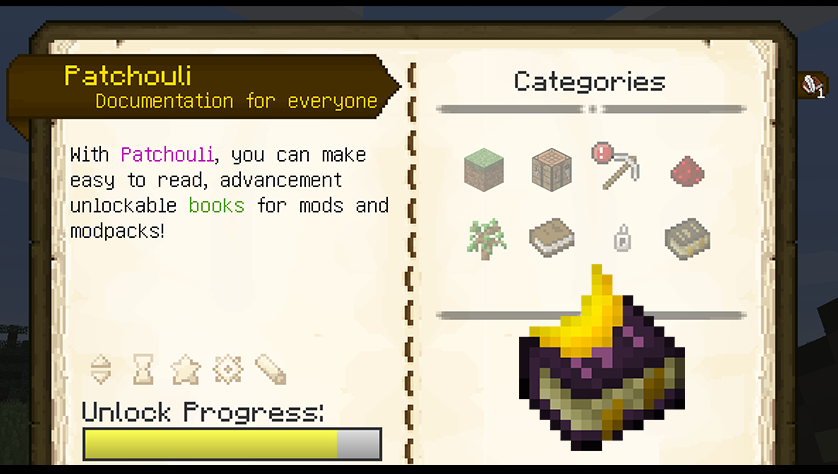
Patchouli is a mod that aims to provide easy to implement, data-driven documentation for minecraft modders and modpack makers alike.
Patchouli's systems allow any modder or modpack maker to quickly create beautiful books full of user experience enhancing features. The user-facing feature set of the mod is designed in function of research done on what features people liked from Botania's Lexica Botania.
Features
- Data-driven content creation, no code required, you don't even need patchouli's code to build
- In-game text preview
- Rich text formatting system that supports macros
- Advancement-driven content unlocking
- Nested categories and bookmarkable entries for quick and easy navigation
- Several ready-to-use page types like text, crafting and image pages
- Multiblock visualization for easy building
- Template system to create custom page types
- Seamless integration with mods, with creative tab and pretending the book is from your mod
- Custom visuals and sounds
- Easily localizable for other languages
- Tons of other user friendly features!
Learn more about Patchouli today
Visit the Wiki to learn about how to use this in your mod or modpack
Credits
Massive shout out to the following people who helped this become a reality:
- Drullkus for testing, providing some code, and the logo
- Ellpeck for extensive testing and tons of help with fixing bugs
- StanHebben, for extensive testing, lots of good feature requests, and also providing fair amount of code
- wiiv, for creating the art I used




Verfügbare Versionen
Patchouli auf dem Server installieren
Server bestellen
Bestelle einen Minecraft Java Server mit mindestens 3 GB RAM (4 GB empfohlen).
fabric Loader setzen
Wähle im Panel unter "Egg" den fabric-Loader und die passende Minecraft-Version (26.1.2).
Mod installieren
Öffne den Mod-Browser im Dashboard und suche nach "Patchouli". Klicke "Installieren" – fertig! Alternativ: Lade die .jar via SFTP in den /mods Ordner.
Kompatibilität
Mod-Loader
Minecraft-Versionen
26.1.2, 26.1.1, 26.1 (+17 weitere)
Server-seitig
✓ ErforderlichEmpfohlener RAM
4 GB(min. 3 GB)Häufige Fragen
Patchouli Server crasht beim Start – was tun?
Häufigste Ursache: falsche fabric-Version oder zu wenig RAM. Prüfe im Server-Log (latest.log), ob ein "OutOfMemoryError" oder "Mixin"-Fehler auftritt. Bei Mado Hosting: Stelle sicher, dass mindestens 3 GB RAM zugewiesen sind und der Loader zur Mod-Version passt (26.1.2). Über das Panel kannst du den Loader mit einem Klick wechseln.
Ist Patchouli mit fabric und forge und neoforge und quilt kompatibel?
Patchouli unterstützt offiziell fabric, forge, neoforge, quilt für Minecraft 26.1.2, 26.1.1, 26.1. Achtung: Forge- und Fabric-Mods sind NICHT untereinander kompatibel – wähle einen Loader und bleibe dabei. Im Mado Dashboard werden inkompatible Loader-Kombinationen automatisch erkannt.
Server laggt mit Patchouli – wie optimiere ich die Performance?
Empfohlener RAM: 4 GB (+1 GB pro 8 Spieler). Prüfe mit /spark profiler, ob Patchouli den meisten Tick-Time verbraucht. Häufige Fixes: Server-View-Distance auf 8-10 reduzieren, bei Forge "performant" oder "starlight" als Zusatz-Mod installieren. Bei Mado Hosting läuft dein Server auf NVMe-SSDs mit dedizierten CPU-Kernen für minimale Latenz.
Ähnliche Mods



Modded Server mieten
Installiere Patchouli mit nur einem Klick auf deinem Server.
Details
- Lizenz
- Creative Commons Attribution Non Commercial Share Alike 3.0 Unported
- Server-seitig
- Erforderlich