
Player Corpses
A highly configurable corpse mod/datapack that adds lootable corpses where the player died, allowing them to retrieve their items whenever
Screenshots

Über diese Mod




About
A highly configurable mod/datapack that adds lootable corpses where the player died
✨ Now with Trinkets Updated, Trinkets Canary and Trinkets Continued support! ✨
Features
Corpses 💀
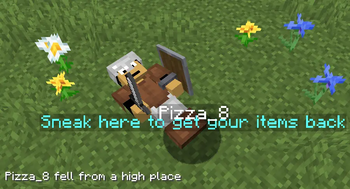
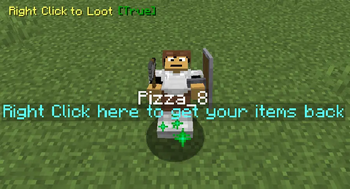
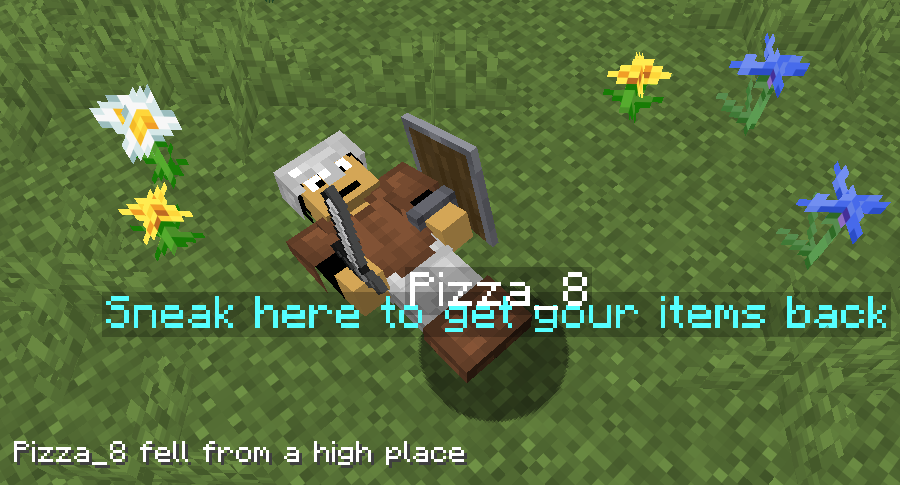
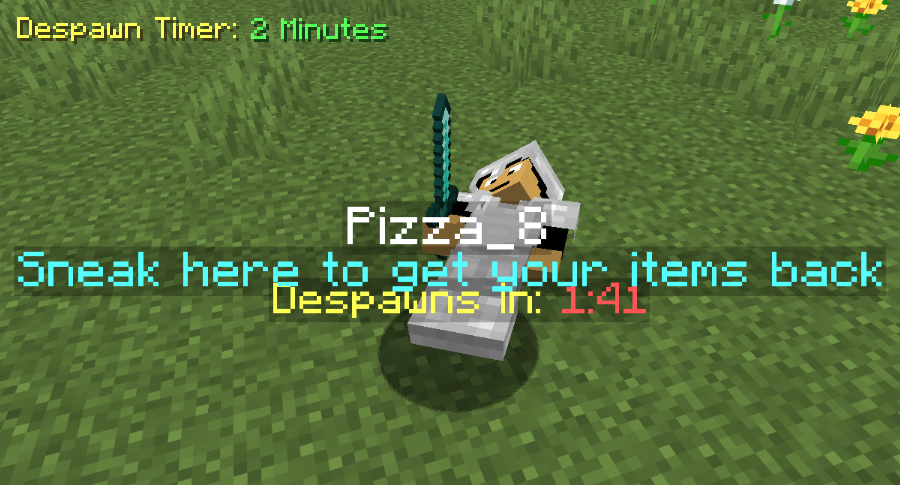
Instead of players dropping their items around randomly, they will now leave behind a corpse with their skin and name from which they can later retrieve their stuff.
To retreieve the items from the corpse the player must locate where they died and sneak near the corpse
(or right click on it if the option is selected) which will make the items appear back in their original slots and the corpse will disappear.
A chat message with the death coordinates will be sent when a player dies
There is no despawn timer unless added via the config screen
Coprse Finder ⚙️
The Corpse Finder Screen allows player to see all currently loaded corpses and their coordinates
It can be accessed by typing: /trigger corpse_finder

Configeration ⚙️
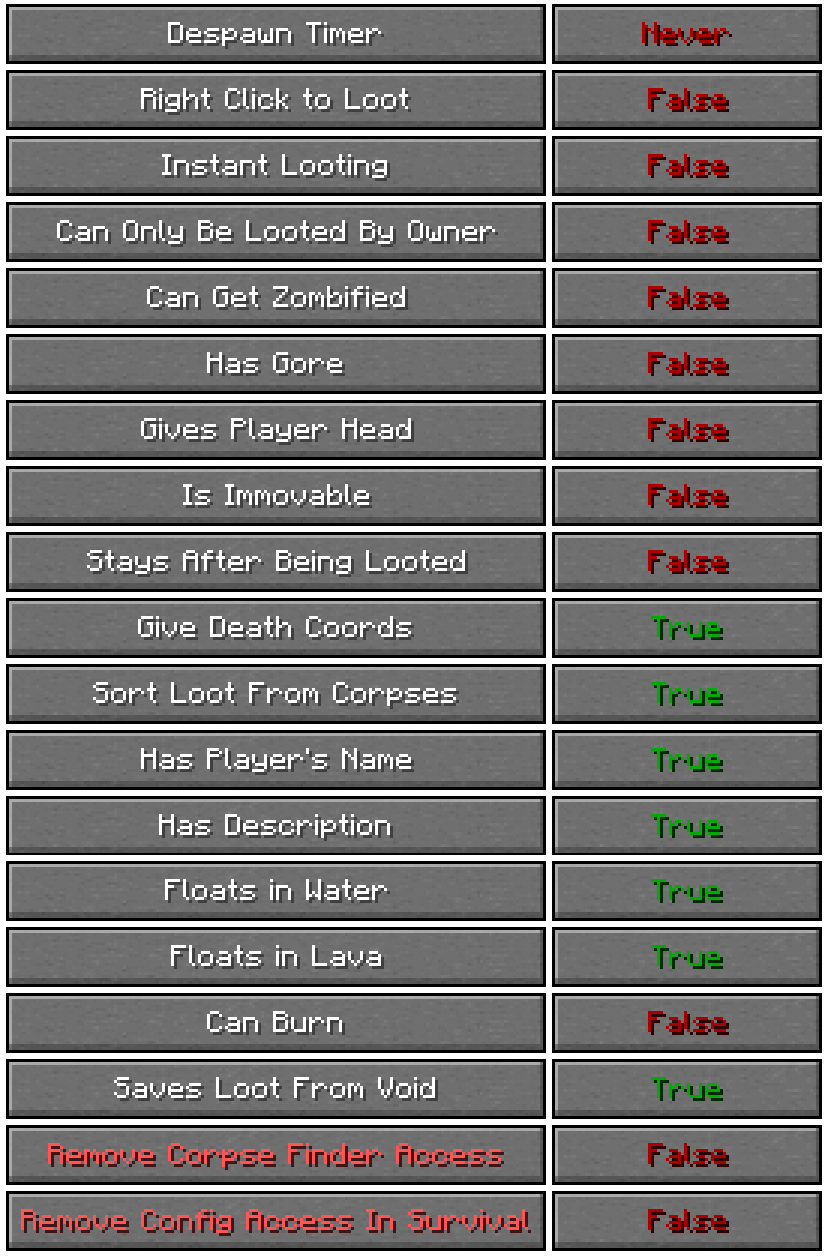
The Config Screen offers many options for players to choose how they want the pack to work to match their playstyle.
It can be accessed by typing: /trigger config
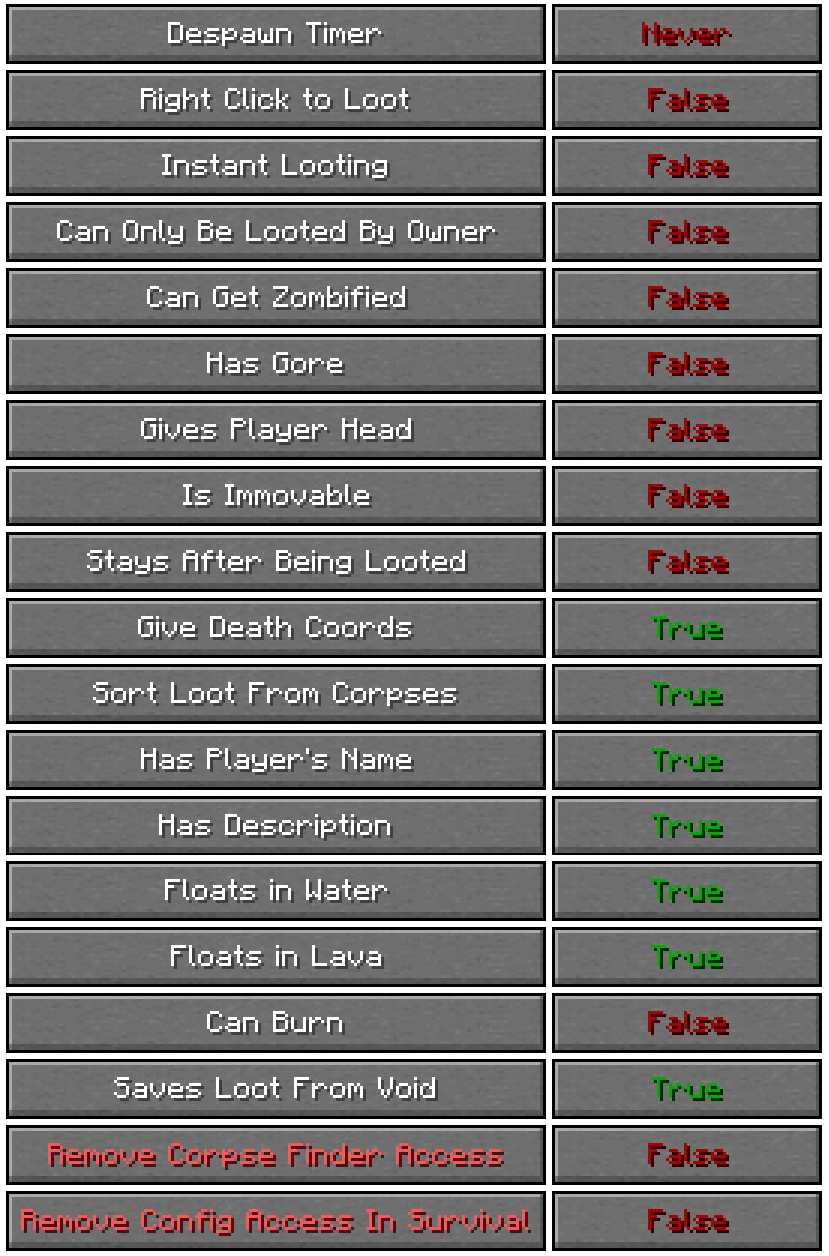
List of all Config Options
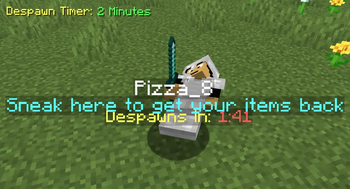
Despawn Timer:
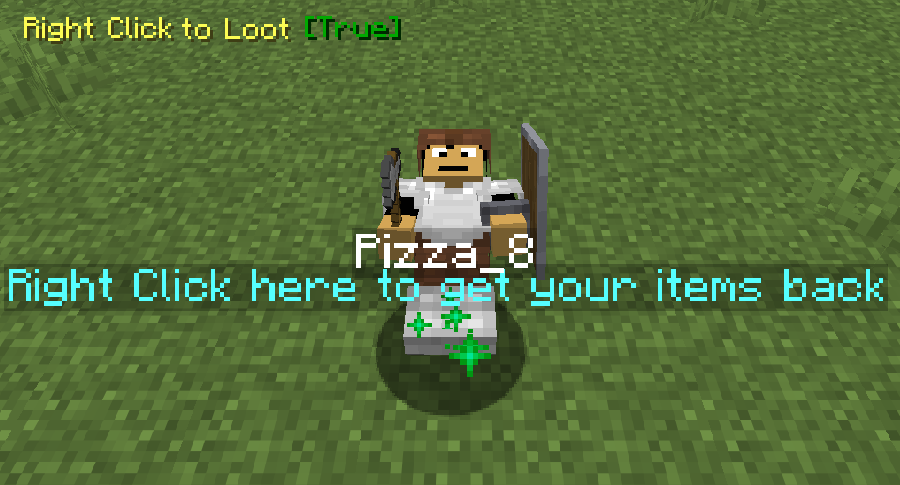
Corpses spawned when a player dies will despawn after that amount of time passesRight Click to Loot:
Corpses will be able to be looted by right clicking on it rather than sneakingInstant Looting:
Corpses will be able to be looted instantly after sneaking near themCan Only be Looted by Owner:
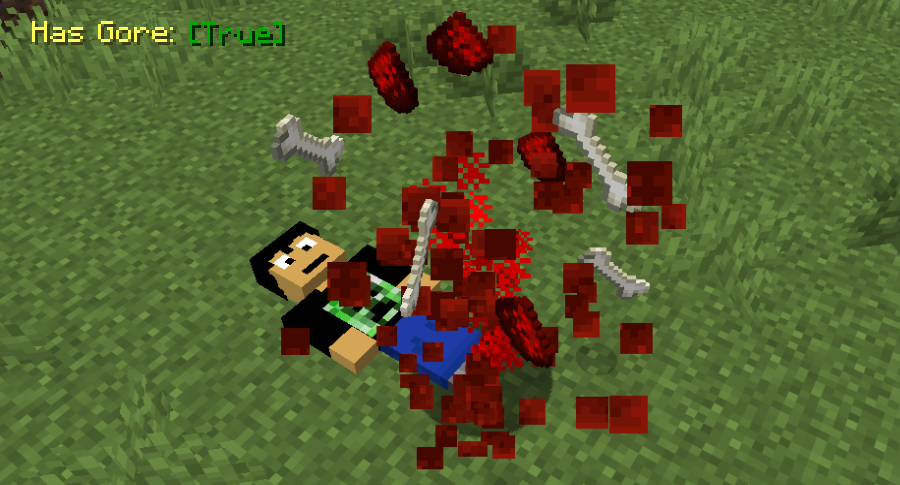
Corpses spawned when a player dies will only be able to be looted by that same playerHas Gore:
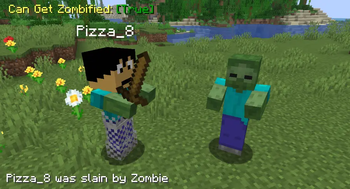
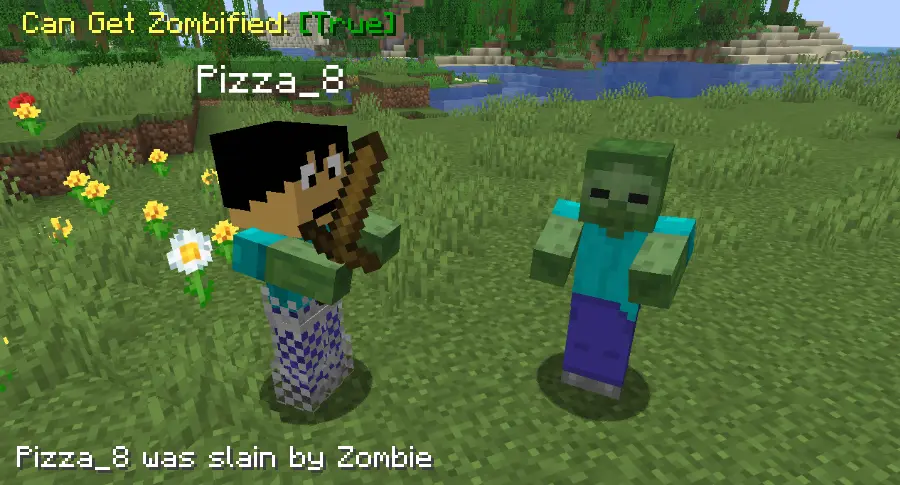
Corpses spawned when a player dies will have blood and bone particles and soundsCan Get Zombified:
When a player dies to a zombie a corpse wont spawn, instead a zombie with that player's head will spawn with all of the player's items, to get them back they must kill itGives Player's Head:
Looting a player's corpse will give that player's head along with the rest of the itemsIs Immovable:
Corpses will be completely immovable when doing actions like punching them, pushing them or even using a fishing rod on them. They will also float in midairStays After Being Looted:
Corpses spawned when a player dies will stay forever, even after they have been looted by a playerGives Death Coords:
Players will get a message with their death coordinates in chat after they dieSorts Loot From Corpses:
When a player loots a corpse, the items from it will be put in the slots the player had them in when they diedHas Player's Name:
Corpses spawned when a player dies will have their nameHas Description:
Corpses spawned when a player dies will have a description explaining how to loot themFloats in Water:
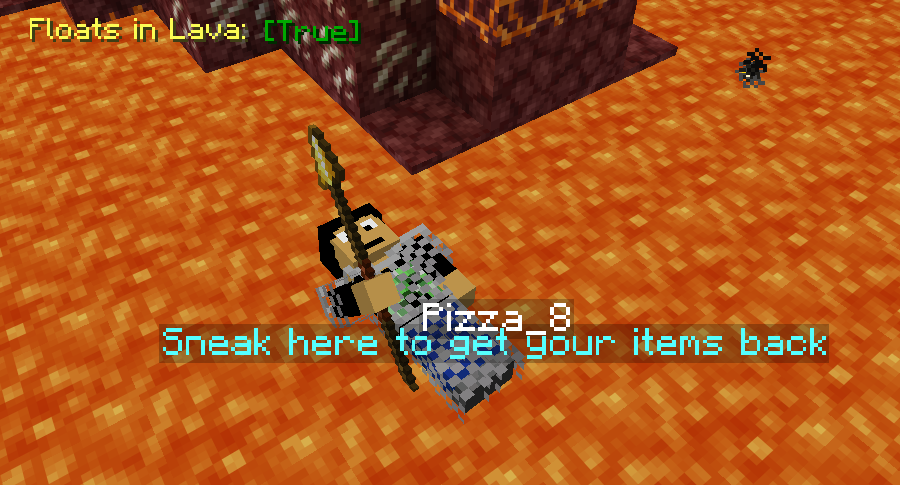
Corpses spawned when a player dies will float in waterFloats in Lava:
Corpses spawned when a player dies will float in lavaCan Burn:
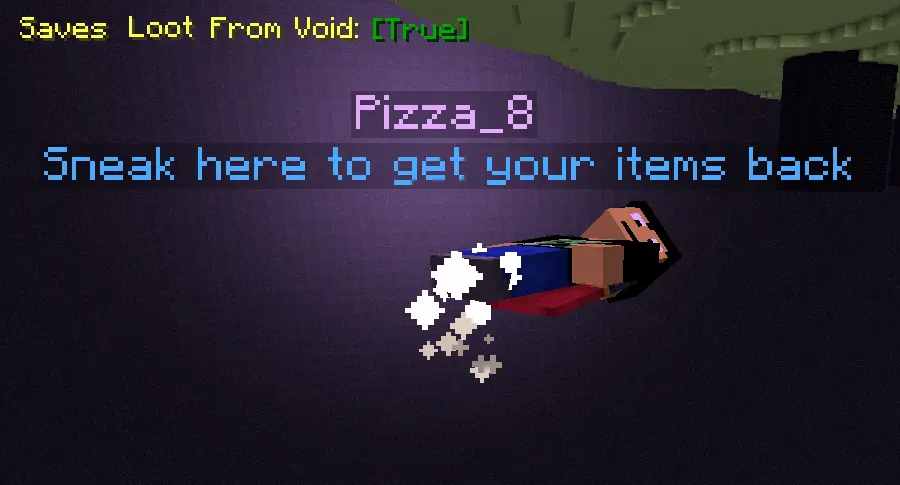
Corpses spawned when a player dies will burn when in lava or fireSaves Loot From Void:
Corpses spawned when a player dies in the void will float before the damage zone, able to be lootedRemove Corpse Finder Screen Access:
No one will be able to access the corpse finder screen, even after typing /trigger corpse_finderRemove Config Screen Access in Survival:
No one will be able to access this config screen in survival mode, even after typing /trigger config
Verfügbare Versionen
Player Corpses auf dem Server installieren
Server bestellen
Bestelle einen Minecraft Java Server mit mindestens 3 GB RAM (4 GB empfohlen).
datapack Loader setzen
Wähle im Panel unter "Egg" den datapack-Loader und die passende Minecraft-Version (26.3).
Mod installieren
Öffne den Mod-Browser im Dashboard und suche nach "Player Corpses". Klicke "Installieren" – fertig! Alternativ: Lade die .jar via SFTP in den /mods Ordner.
Kompatibilität
Mod-Loader
Minecraft-Versionen
26.3, 26.2, 26.1.2 (+7 weitere)
Server-seitig
✓ ErforderlichEmpfohlener RAM
4 GB(min. 3 GB)Häufige Fragen
Player Corpses Server crasht beim Start – was tun?
Häufigste Ursache: falsche datapack-Version oder zu wenig RAM. Prüfe im Server-Log (latest.log), ob ein "OutOfMemoryError" oder "Mixin"-Fehler auftritt. Bei Mado Hosting: Stelle sicher, dass mindestens 3 GB RAM zugewiesen sind und der Loader zur Mod-Version passt (26.3). Über das Panel kannst du den Loader mit einem Klick wechseln.
Ist Player Corpses mit datapack und fabric und forge und neoforge und quilt kompatibel?
Player Corpses unterstützt offiziell datapack, fabric, forge, neoforge, quilt für Minecraft 26.3, 26.2, 26.1.2. Achtung: Forge- und Fabric-Mods sind NICHT untereinander kompatibel – wähle einen Loader und bleibe dabei. Im Mado Dashboard werden inkompatible Loader-Kombinationen automatisch erkannt.
Server laggt mit Player Corpses – wie optimiere ich die Performance?
Empfohlener RAM: 4 GB (+1 GB pro 8 Spieler). Prüfe mit /spark profiler, ob Player Corpses den meisten Tick-Time verbraucht. Häufige Fixes: Server-View-Distance auf 8-10 reduzieren, bei Forge "performant" oder "starlight" als Zusatz-Mod installieren. Bei Mado Hosting läuft dein Server auf NVMe-SSDs mit dedizierten CPU-Kernen für minimale Latenz.
Ähnliche Mods




Modded Server mieten
Installiere Player Corpses mit nur einem Klick auf deinem Server.
Details
- Lizenz
- Creative Commons Attribution Non Commercial Share Alike 4.0 International
- Server-seitig
- Erforderlich