
Modrinth · Fabric, Forge, NeoForge
Player2 AI NPC auf deinem Minecraft Server
Player2 AI NPC läuft auf Minecraft Servern mit Fabric oder Forge oder NeoForge. Bestell deinen Server, stell den Loader im Panel ein und installiere die Mod mit einem Klick im Mod-Browser.
This is not just another companion mod; it is a live showcase of the PlayerEngine framework, built to fundamentally change our perception of AI NPCs in Minecraft.
- Downloads
- 106.4K
- Autor
- Goodbird
- Loader
- Fabric, Forge, NeoForge
- Minecraft
- 1.20.1 – 1.21.1
- Aktualisiert
- –
Screenshots
So sieht Player2 AI NPC aus
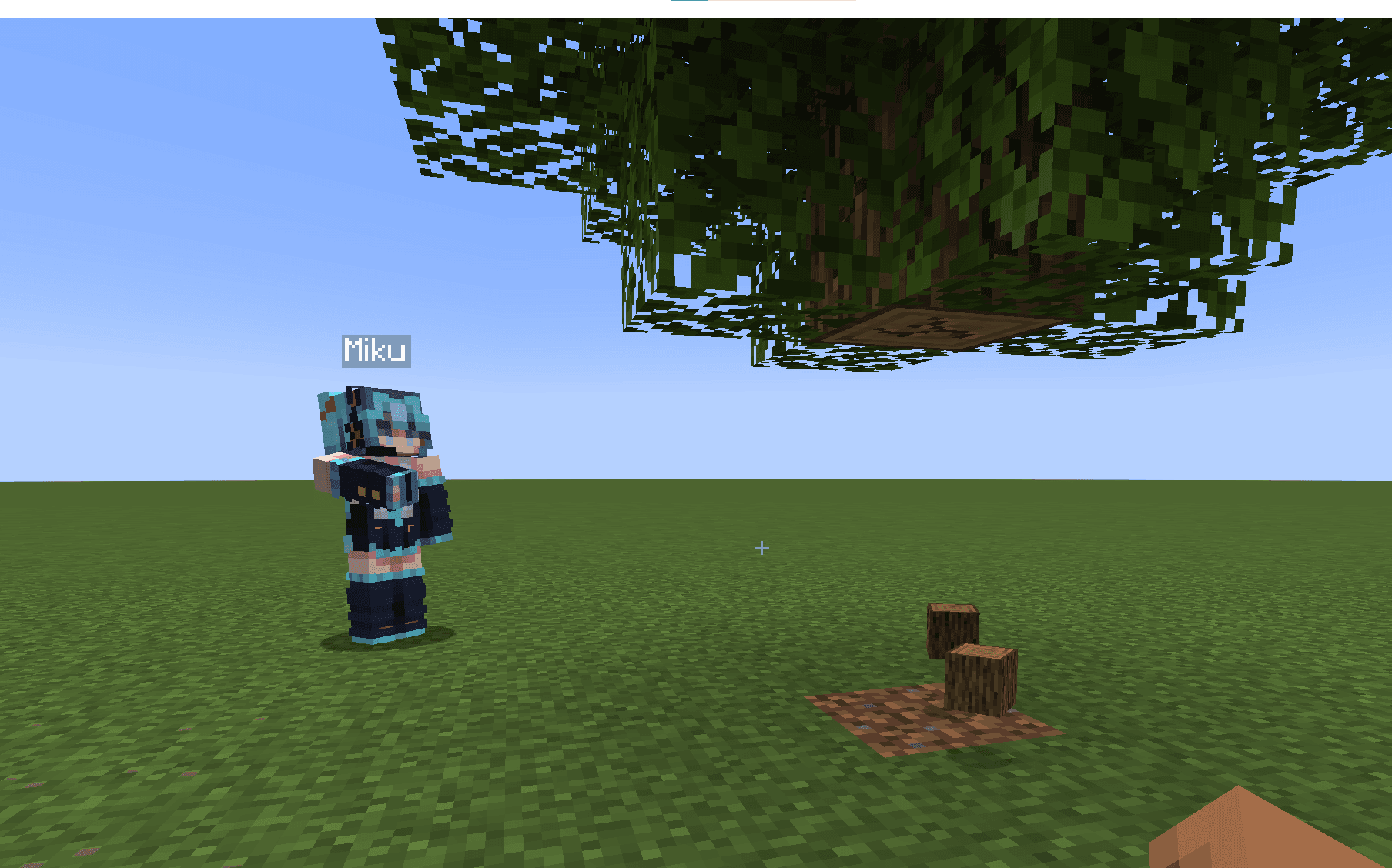
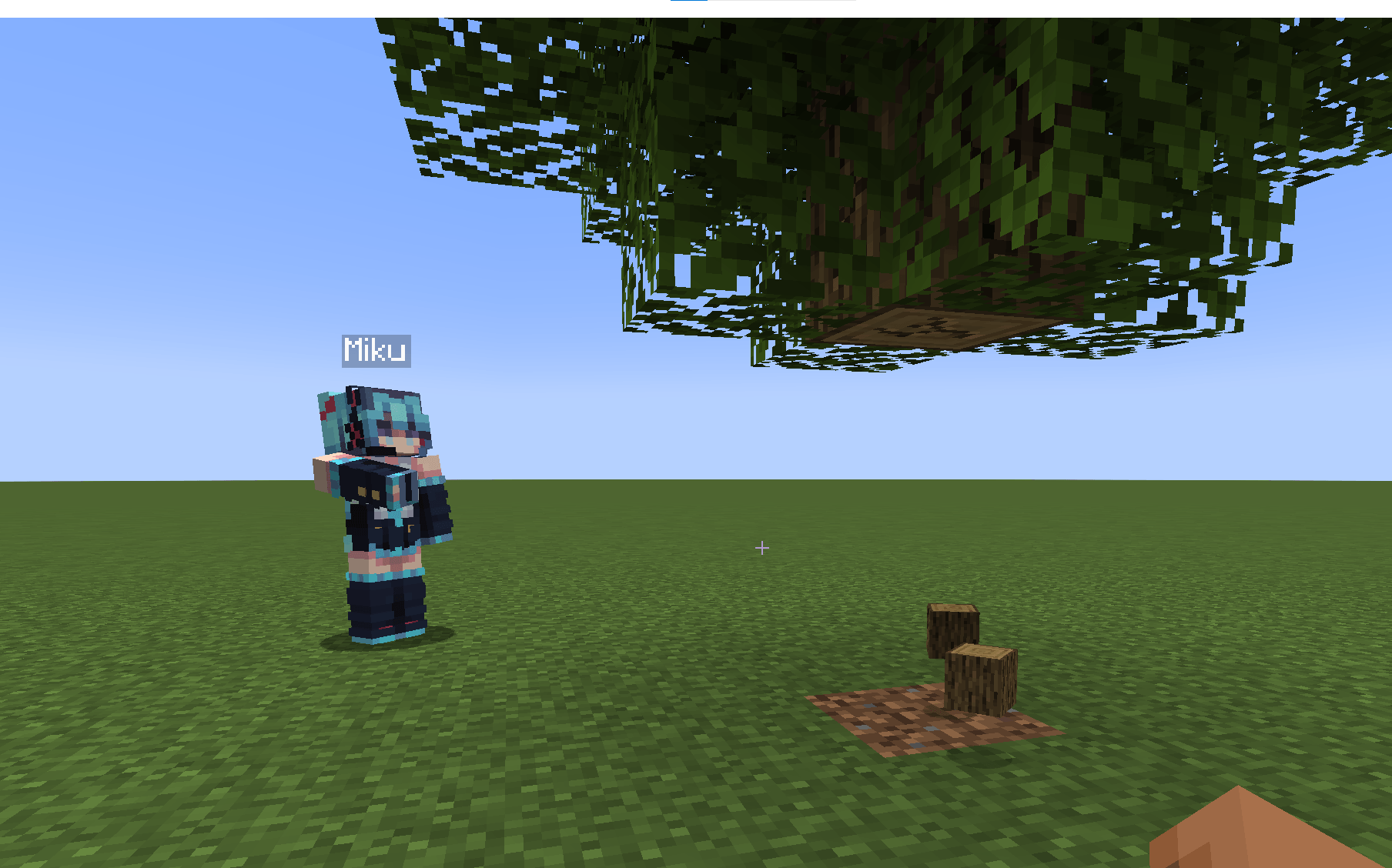 Automatons can interact with blocks - break and place them
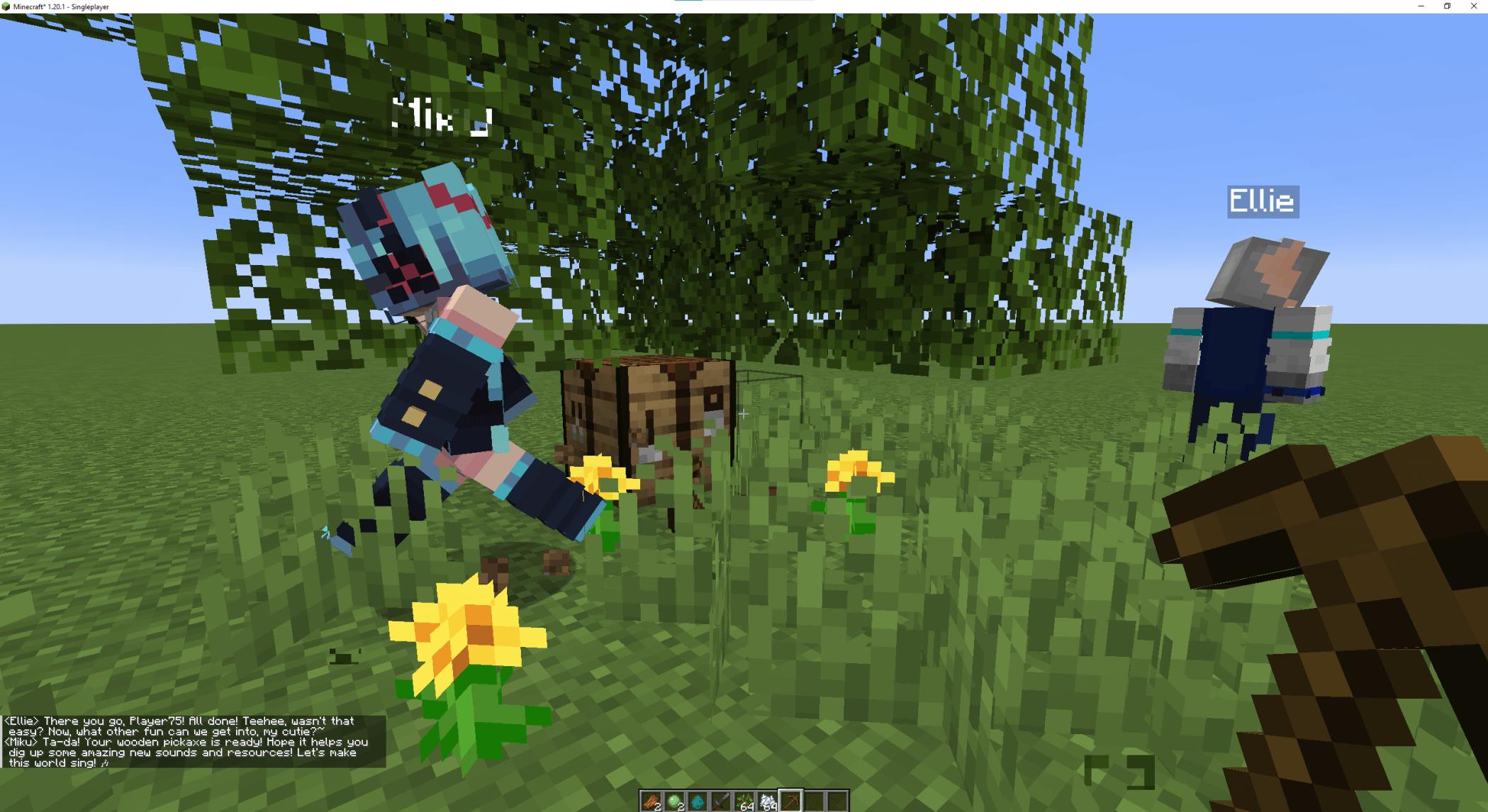 Automatons can talk to you and craft items
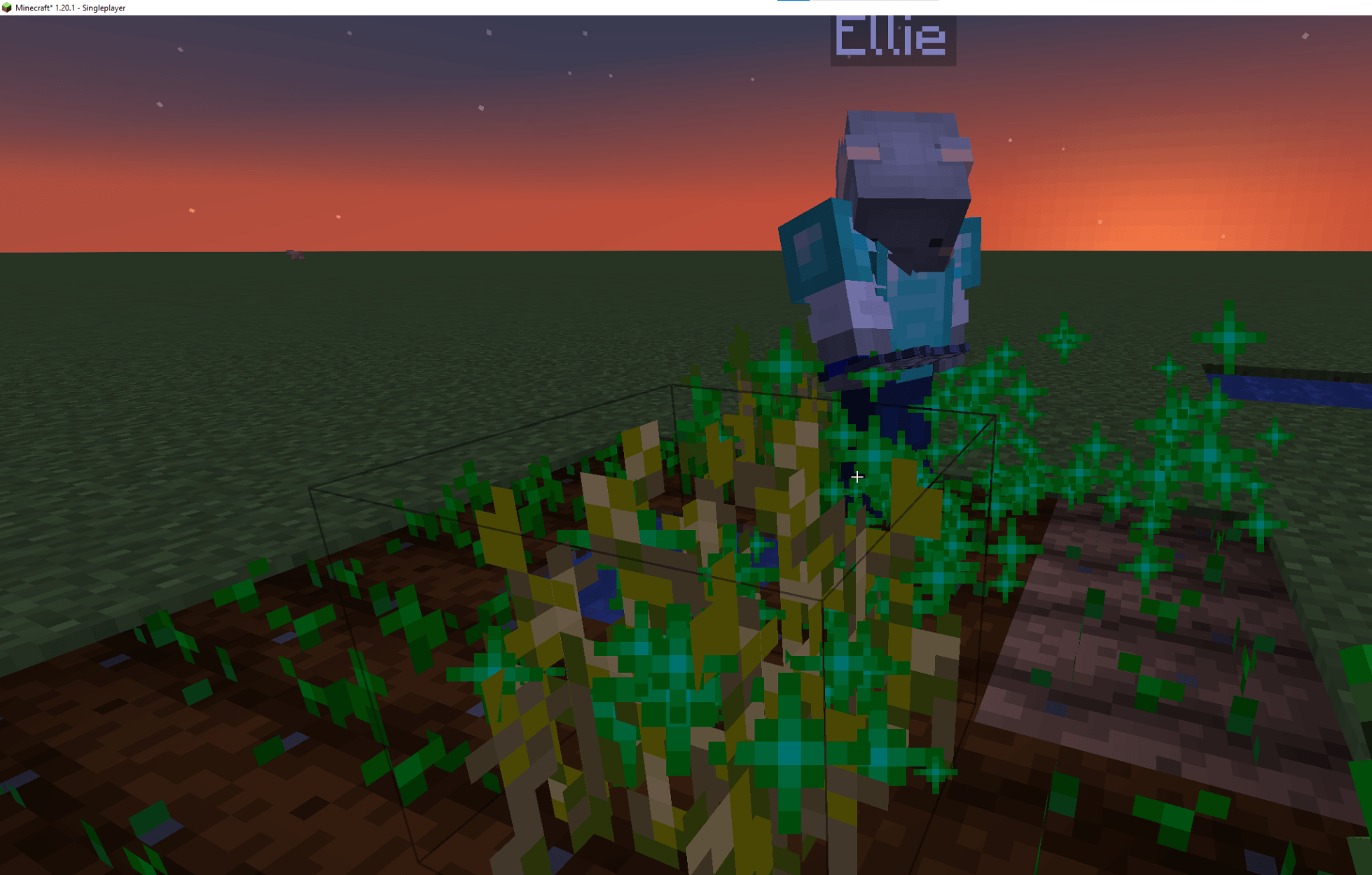 Automatons can farm crops
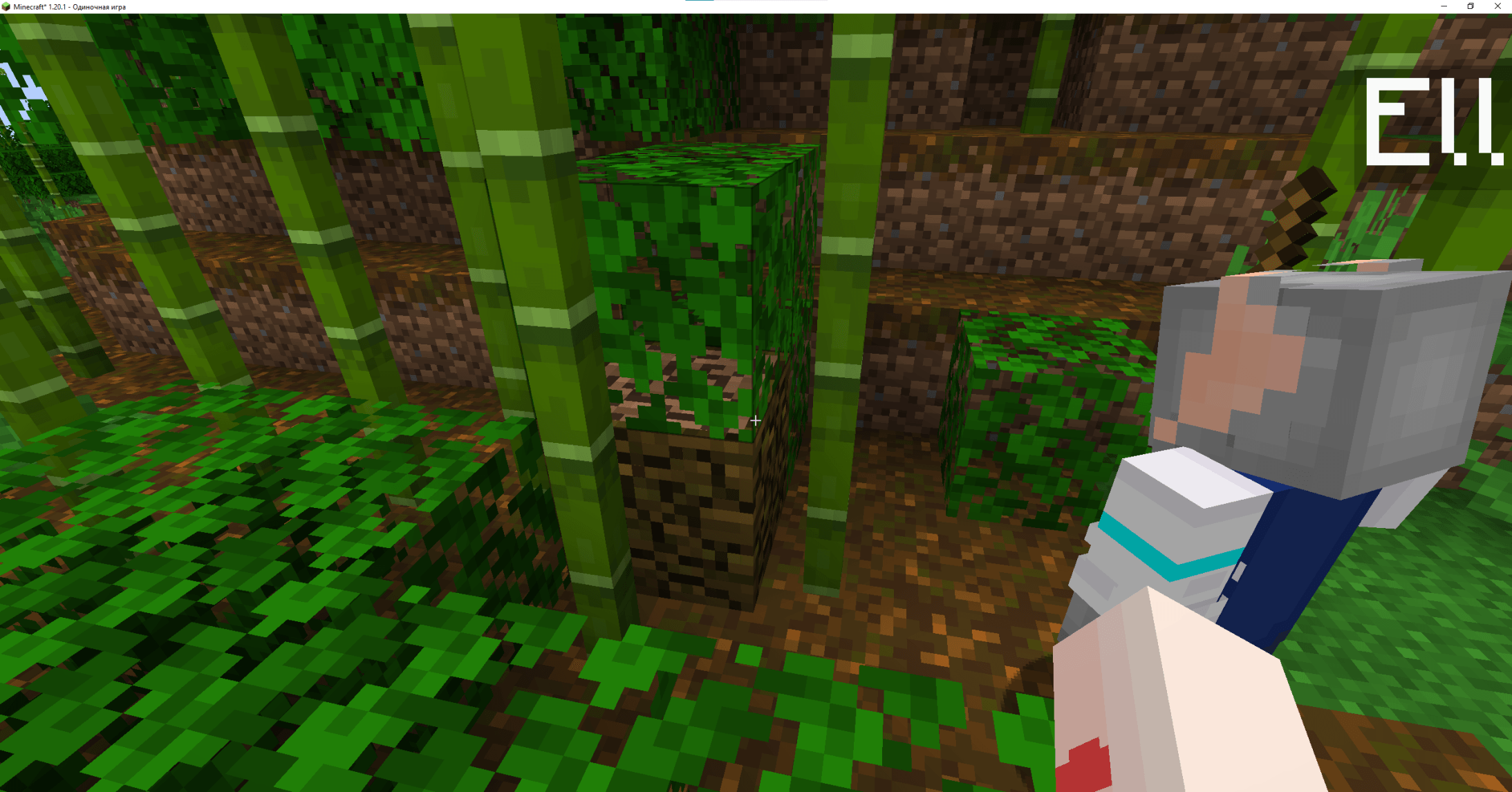 Automatons can navigate through obstacles
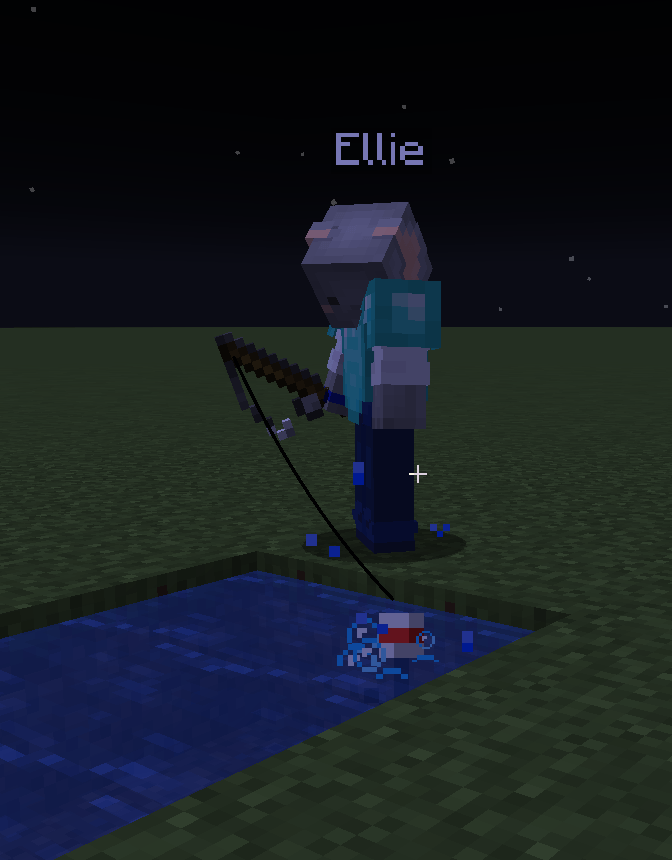 Automatons can fish
Bilder: Player2 AI NPC auf Modrinth, vom Projektteam veröffentlicht.
Einrichtung
Player2 AI NPC auf dem Server installieren
Server und Spieler brauchen denselben Loader und dieselbe Minecraft-Version. Sichere die Welt, bevor du Mods hinzufügst oder aktualisierst.
- 01
Konfigurieren
4 GB RAM sind vorausgewählt. Laufzeit und Add-ons wählst du selbst, bezahlt wird per Kreditkarte oder PayPal.
- 02
Loader einstellen
Stell im Panel die Serversoftware auf Fabric oder Forge oder NeoForge und wähl die passende Minecraft-Version, zum Beispiel 1.21.1.
- 03
Mod installieren
Such im Mod-Browser nach „Player2 AI NPC“ und installiere die Version für deinen Loader. Alternativ lädst du die .jar per SFTP in den Ordner mods. Erforderliche Abhängigkeiten stehen auf der Projektseite.
- 04
Verbinden
Alle Spieler installieren Player2 AI NPC in derselben Version lokal und verbinden sich über die Serveradresse aus dem Panel.
- Auf dem Server
- Erforderlich
- Auf dem Client
- Erforderlich
- Loader
- Fabric, Forge, NeoForge
- Minecraft
- 1.21.1, 1.21, 1.20.6 +5 weitere
- Lizenz
- MIT License
Das Panel
Mods installieren, Fehler finden.
Echte Screenshots aus dem Mado Panel. Beides ist bei jedem Minecraft Server enthalten.
Mod-Browser
Modrinth und CurseForge direkt im Panel.
Der Browser filtert nach deiner Minecraft-Version. Mods installierst du mit einem Klick, ohne .jar-Dateien hochzuladen.

KI-Crash-Analyse
Wenn ein Mod crasht, liest die Analyse das Log.
Mods scheitern oft an einer falschen Loader-Version, Java-Version oder fehlenden Abhängigkeit. Die Analyse nennt eine wahrscheinliche Ursache und einen Lösungsvorschlag.

Versionen
Veröffentlichte Versionen
Nimm die Datei, die zu Loader und Minecraft-Version deines Servers passt. Server und Spieler brauchen dieselbe Version.
Player2 AI NPC · Modrinth- Player2 AI NPC 1.21.1-1.4.019. Juli 2026Minecraft 1.21.1 · NeoForge
- Player2 AI NPC 1.21.1-1.4.019. Juli 2026Minecraft 1.21.1 · Fabric
- Player2 AI NPC 1.20.1-1.4.019. Juli 2026Minecraft 1.20.1 · Forge
- Player2 AI NPC 1.20.1-1.4.019. Juli 2026Minecraft 1.20.1 · Fabric
- Player2 AI NPC 1.21.1-1.0.712. Januar 2026Minecraft 1.21 · Fabric
Originalbeschreibung des Projektautors
Player2NPC - Your AI Companion in Minecraft!

Ever wished you had a friend in Minecraft who could actually help you? Not just a pet that follows you around, but a true companion who can chop wood, mine ores, and even defend you from monsters?
Welcome to Player2NPC! This mod brings AI to life in your Minecraft world like never before. Powered by the groundbreaking Player2 AI and the PlayerEngine framework, these aren't your average villagers. These are fully embodied AI companions that listen to you, talk back, and interact with the world just like a real player.
This mod is an entry for the Player2 AI Game Jam, created by Goodbird.
Features
- 🗣️ Natural Language Commands: Simply talk to your companion in chat. No clunky commands! Say "I need some wood for a chest" or "can you deal with that zombie?" and watch them spring into action.
- 🤖 Embodied AI Agents: Your companions aren't just chatbots. They have bodies, inventories, and the ability to break and place blocks, use tools, and fight. They truly exist and act within your world.
- ⚡ Plug-and-Play: It just works! Once installed, you're ready to join the world and meet with your first AI friend. No complicated in-game setup required.
- 🎭 Select Your Companions: Browse a cast of unique AI characters in, each with their own personality, appearance, and voice, provided by the Player2 platform. Press the 'H' key (configurable) to open the Character Selection screen and summon/dismiss your favourite characters.
- 🤝 A True Companion: Need help crafting a shield? Ask them. Low on food? Send them hunting. Exploring a dark cave? They'll watch your back. Your companion is a dynamic part of your adventure.
Quick Start & Installation
Getting your AI companion into your world is easy! Just follow these two steps.
Step 1: Install the Player2 App
The AI that powers your companions runs through the Player2 desktop application. It acts as a secure gateway to the AI models and is required for the mod to work.
- Download the Player2 App HERE
- Install and launch the app. It will run in the background.
- That's it! The app handles everything else automatically.
The Player2 app provides the AI "brain" for your NPC. The mod provides the "body" in-game.
Step 2: Install the Mod
This works like any other Fabric mod.
- Install Fabric and the Fabric API.
- Install Cardinal Components and PlayerEngine.
- Download the latest version of the Player2NPC mod from the Files tab.
- Drop the JAR file into your
modsfolder. - Launch Minecraft!
How to Play
- Launch Minecraft with the mod installed and the Player2 app running.
- Join a single-player world.
- Select your favourite character in the Player2 app (Optional)
- Your new AI companion will appear nearby!
- Open the chat and start talking to them. Try saying hello, or ask them to do something for you!
Support & Acknowledgements
This mod was made possible by the incredible work of the following:
- Player2 API: For providing the powerful and accessible AI that gives our companions life.
- PlayerEngine Framework: The underlying technology that allows mobs to act like players.
- Automatone/Baritone: For the best-in-class navigation that lets our NPCs move so intelligently.
- Itsuka: For invaluable help with the Player2 API and testing.
This mod was created by Goodbird. And is now maintained by Zardov(Discord:Miliardo)
Disclaimer: This mod uses AI in the generation of UI Assets, and the in-game Logo.
Player2 AI NPC Server crasht beim Start – was tun?
Häufige Ursachen: Loader- oder Minecraft-Version passen nicht zur Mod-Datei, eine Abhängigkeit fehlt oder der RAM reicht nicht. Such im Log (latest.log) nach „OutOfMemoryError“, „Mixin“ oder fehlenden Mods. Bei Mado wertet die KI-Crash-Analyse das Log aus und schlägt eine Ursache vor. Loader und Version änderst du im Panel.
Mit welchem Loader läuft Player2 AI NPC?
Laut Modrinth unterstützt Player2 AI NPC Fabric, Forge, NeoForge für Minecraft 1.21.1, 1.21, 1.20.6. Forge- und Fabric-Dateien sind nicht untereinander austauschbar: Wähl einen Loader für Server und Clients.
Wie viel RAM braucht ein Server mit Player2 AI NPC?
Als Orientierung 3–4 GB für einen Server mit dieser Mod. Das ist eine Schätzung, keine gemessene Mindestanforderung. Weitere Mods, viele Spieler und große Sichtweiten brauchen mehr. Ob eine Mod die Tick-Zeit belastet, siehst du mit dem spark-Profiler.
Ähnliche Mods
Beliebte Mods aus derselben Kategorie
 Server-fähig

Xaero's Minimap
von thexaero
Displays a map of the nearby world terrain, players, mobs, entities in the corner of your screen. Lets you create waypoints which help you find the locations you've marked.
 Server-fähig

Xaero's World Map
von thexaero
Adds a full screen world map which shows you what you have explored in the world. Works great together with Xaero's Minimap.
 Nur Client

Not Enough Animations
von tr7zw
Bringing first-person animations to the third-person
 Nur Client

3D Skin Layers
von tr7zw
Render the player skin layer in 3d!
Bereit für deinen Server mit Player2 AI NPC?
4 GB RAM ab 8,00 € im Monat. 35 % auf den 1. Monat mit MADO35.