
Playerautoma
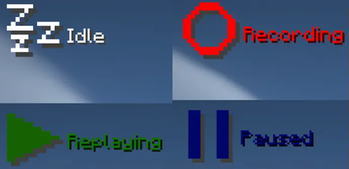
Record and replay player actions to automate tasks. Also, re-stacks blocks when used up like Inventory tweaks. The mod works on servers but can be regarded as cheating by some.
Screenshots
Über diese Mod
Playerautoma
Record and replay player actions. Also, re-stack blocks when used up like Inventory tweaks. The mod works on servers but can be regarded as cheating by some.
The following actions are recorded:
- movement
- block placement and breaking
- item interactions
- moving items around in the inventory, chests and crafting tables as well as crafting itself
The mod will not add support to record chat actions like commands or writing messages as it would allow for the creation of spam bots.
Any troubles?
This mod is still early in development.
If you encounter any bugs or problems or you have a new feature request please let me know here and if you want to contribute feel free to create a pull request.
Alternatively create an issue on discord.
Installation
This mod requires Minecraft Fabric. Simply put the playerautoma-vx.x.jar and Fabric API JAR in .minecraft/mods.
Usage
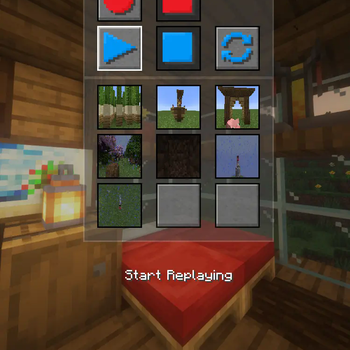
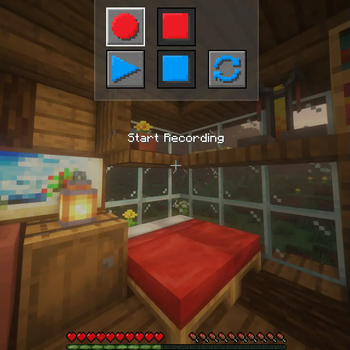
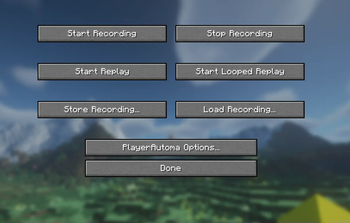
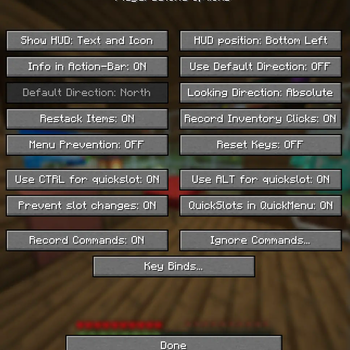
The mod has a menu which should be self-explanatory and can be opened using the O Key.
Other than that the default keybindings are as follows.
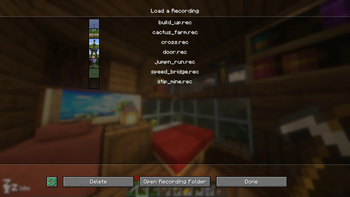
GStart RecordingHStop RecordingJStart ReplayBPause ReplayKCancel ReplayLStart looped ReplayUStore RecordingILoad Recording0Menu PreventionCTRL + [1..9]Store to QuickSlotALT + [1..9]Store to QuickSlot
Commands
From v0.4.3 and onwards commands are available and allow you to control the mod using them.
The commands should be self-explanatory and are as follows. See this for detailed documentation.
/record <start|stop|clear>
/record <store> <name> <json|rec>
/record <load> <name>
/record quickslot <store|load> <slot>
/replay <start|stop|loop|togglepause>
Recording Commands
You can also record commands entered. This option is turned off by default. This specifies to track commands not to replay them. Meaning if you have a replay that contains commands they will be replayed regardless of the option specified. You can also black-list specific commands. Again this only black list them for the recording.
Verfügbare Versionen
Playerautoma auf deinem Client installieren
Mod-Loader lokal installieren
Installiere fabric für deine lokale Minecraft-Version.
Passende Datei herunterladen
Wähle die Playerautoma-Datei für fabric und Minecraft 1.21.11.
Mod installieren
Lege die .jar-Datei in deinem lokalen .minecraft/mods-Ordner ab und starte Minecraft neu. Eine Installation auf dem Server ist nicht nötig.
Kompatibilität
Mod-Loader
Minecraft-Versionen
1.21.11, 1.21.10, 1.21.8 (+15 weitere)
Server-seitig
✗ Nicht unterstütztEmpfohlener RAM
4 GB(min. 3 GB)Häufige Fragen
Muss Playerautoma auf dem Minecraft Server installiert werden?
Nein. Modrinth kennzeichnet Playerautoma serverseitig als nicht unterstützt. Installiere die Mod nur im lokalen Minecraft-Mods-Ordner. Dein Server kann unverändert bleiben, sofern die Mod-Seite keine zusätzliche Abhängigkeit nennt.
Welche Version und welchen Loader braucht Playerautoma?
Nutze eine Datei für fabric und exakt deine Minecraft-Version. Unterstützte Versionen sind unter anderem 1.21.11, 1.21.10, 1.21.8. Loader-Dateien sind nicht untereinander austauschbar.
Playerautoma funktioniert nicht – was kann ich prüfen?
Prüfe zuerst Minecraft-Version, Loader-Version und erforderliche Abhängigkeiten. Lege die .jar-Datei im lokalen .minecraft/mods-Ordner ab und entferne ältere Duplikate. Da die Mod clientseitig ist, löst mehr Server-RAM dieses Problem nicht.
Ähnliche Mods






Minecraft Server für deine Gruppe
Playerautoma bleibt auf deinem Client. Hoste dazu eine kompatible Welt für deine Mitspieler.