
Plenty Plates
Many new pressure plates for all your redstone needs. Greatly customizable!
Screenshots

Über diese Mod









Plenty Plates is a mod all about pressure! Well, pressure plates to be exact. There are multiple new types of pressure plates for detecting all sorts of entities. But that's not all! You can greatly configure each plate after placing it, like making it silent or shrouded.

▶️ All new pressure plates can be placed on all 6 sides of a block, just like buttons!
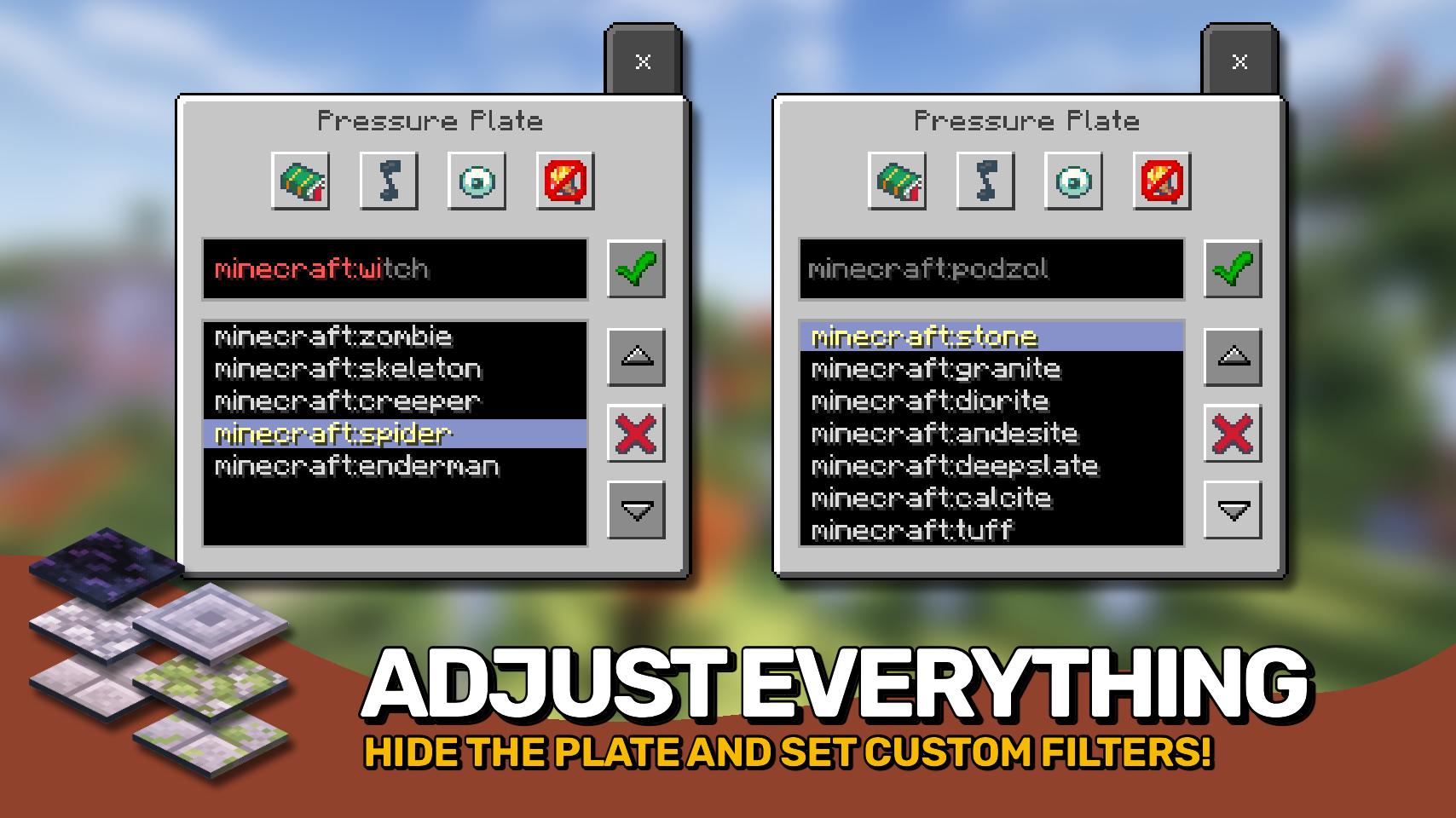
▶️ Pressure plates have a menu accessible by shift + right-clicking, allowing to set whitelist or blacklist filters, and make the plate silent, shrouded, or even make it emit light.
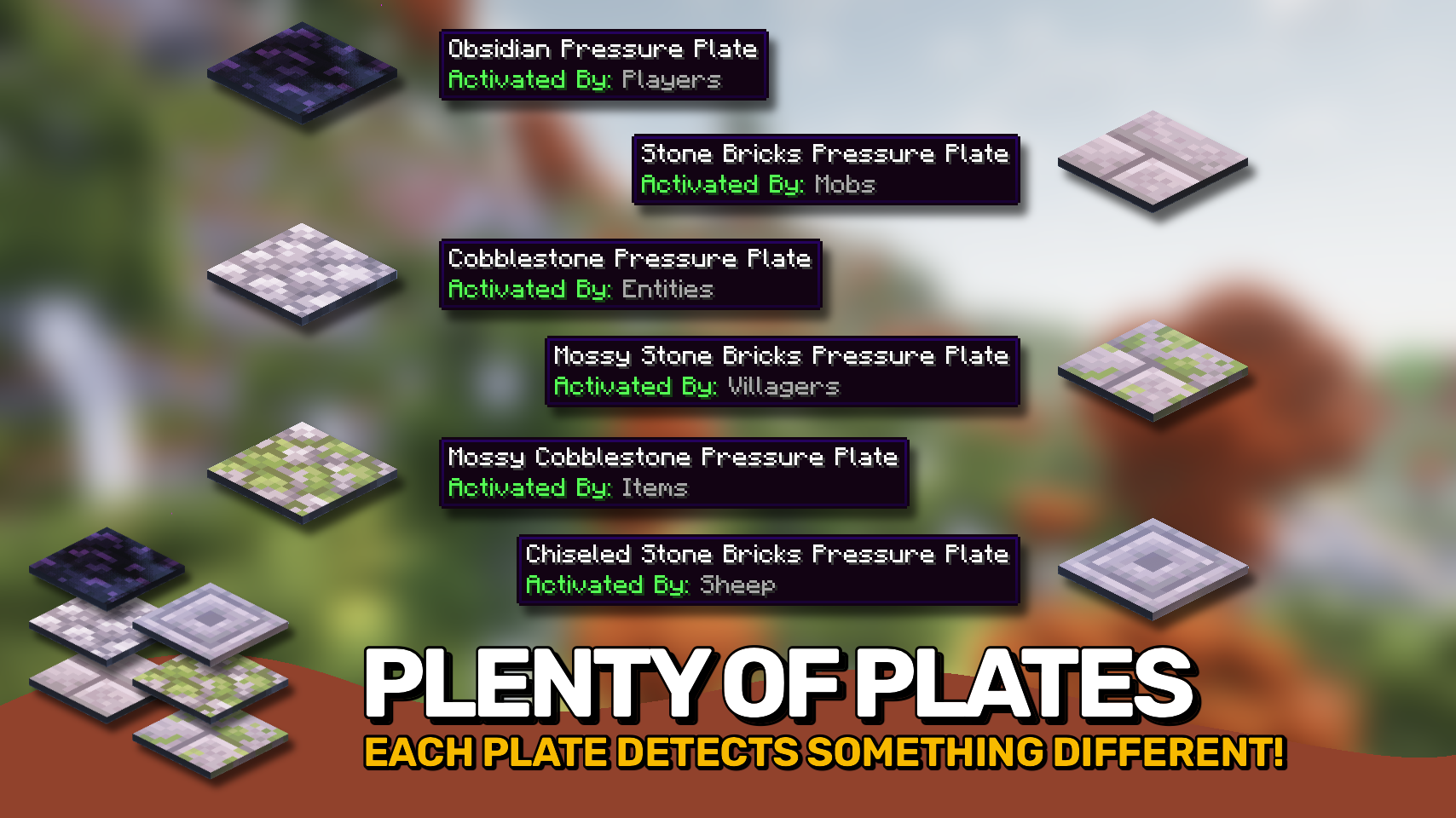
▶️ Obsidian plates for detecting players, allow filtering for specific player names.
▶️ Cobblestone plates for detecting all mobs, can filter for specific mobs.
▶️ Mossy cobblestone plates for detecting items, useful for filtering out specific items.
▶️ Stone bricks plates detect mobs and can even differenciate between adults and babies.
▶️ Mossy stone bricks plates useful for detecting villagers, allows for filtering by profession.
▶️ Chiseled stone bricks plates only trigger for sheep, but can be configured to only respond to specific wool colors.


⏩ INSTALLATION REQUIRED ON CLIENT & REQUIRED ON SERVER
⏩ REQUIRES PUZZLES LIB TO BE INSTALLED (FORGE & FABRIC)
⏩ REQUIRES FABRIC API TO BE INSTALLED (FABRIC)
⏩ REQUIRES FORGE CONFIG API PORT TO BE INSTALLED (FABRIC)

Configuration is easily possible directly from in-game using the mod menu (requires Mod Menu by Prospector to be installed on Fabric) by installing either Configured or Configured (Fabric) by MrCrayfish.
When it comes to manual configuration all files are found at .minecraft/config, named as MOD_ID-client.toml, MOD_ID-common.toml, or MOD_ID-server.toml depending on the type of config. Not all types might exist for this mod if any.
Note that on older mod versions server configuration files are found at .minecraft/saves/WORLD_NAME/serverconfigs, effecticely meaning they must be configured separately for each individual world.

🌟 Thanks a lot to Myrathi and their old ObsidiPlates mod which I loved and which served as main inspiration for this mod.
🌟 Thanks also to Covert_Jaguar and their Railcraft mod, most pressure plate types are based on the detectors from Railcraft.




Verfügbare Versionen
Plenty Plates auf dem Server installieren
Server bestellen
Bestelle einen Minecraft Java Server mit mindestens 3 GB RAM (4 GB empfohlen).
fabric Loader setzen
Wähle im Panel unter "Egg" den fabric-Loader und die passende Minecraft-Version (1.21.5).
Mod installieren
Öffne den Mod-Browser im Dashboard und suche nach "Plenty Plates". Klicke "Installieren" – fertig! Alternativ: Lade die .jar via SFTP in den /mods Ordner.
Kompatibilität
Mod-Loader
Minecraft-Versionen
1.21.5, 1.21.4, 1.21.3 (+7 weitere)
Server-seitig
✓ ErforderlichEmpfohlener RAM
4 GB(min. 3 GB)Häufige Fragen
Plenty Plates Server crasht beim Start – was tun?
Häufigste Ursache: falsche fabric-Version oder zu wenig RAM. Prüfe im Server-Log (latest.log), ob ein "OutOfMemoryError" oder "Mixin"-Fehler auftritt. Bei Mado Hosting: Stelle sicher, dass mindestens 3 GB RAM zugewiesen sind und der Loader zur Mod-Version passt (1.21.5). Über das Panel kannst du den Loader mit einem Klick wechseln.
Ist Plenty Plates mit fabric und forge und neoforge kompatibel?
Plenty Plates unterstützt offiziell fabric, forge, neoforge für Minecraft 1.21.5, 1.21.4, 1.21.3. Achtung: Forge- und Fabric-Mods sind NICHT untereinander kompatibel – wähle einen Loader und bleibe dabei. Im Mado Dashboard werden inkompatible Loader-Kombinationen automatisch erkannt.
Server laggt mit Plenty Plates – wie optimiere ich die Performance?
Empfohlener RAM: 4 GB (+1 GB pro 8 Spieler). Prüfe mit /spark profiler, ob Plenty Plates den meisten Tick-Time verbraucht. Häufige Fixes: Server-View-Distance auf 8-10 reduzieren, bei Forge "performant" oder "starlight" als Zusatz-Mod installieren. Bei Mado Hosting läuft dein Server auf NVMe-SSDs mit dedizierten CPU-Kernen für minimale Latenz.
Ähnliche Mods






Modded Server mieten
Installiere Plenty Plates mit nur einem Klick auf deinem Server.