
Polymorph+
(26.1.2 port) No more recipe conflicts! Adds an option to choose the crafting result if more than one is available.
Screenshots
Über diese Mod

Polymorph+



Polymorph+ resolves recipe conflicts by letting the player pick which output a given set of ingredients should produce. Conflicting recipes stay co-installed, you choose the result.
MC 26+ builds are beta (NeoForge and Fabric 26.x are themselves still in beta), back up your worlds before loading. 1.21.11 is stable.
Features
Crafting table
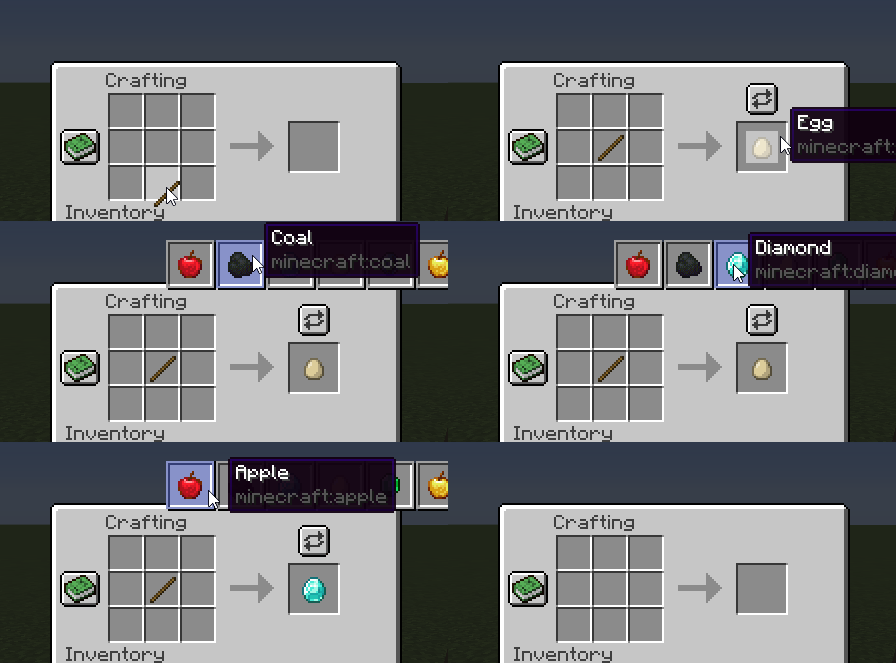
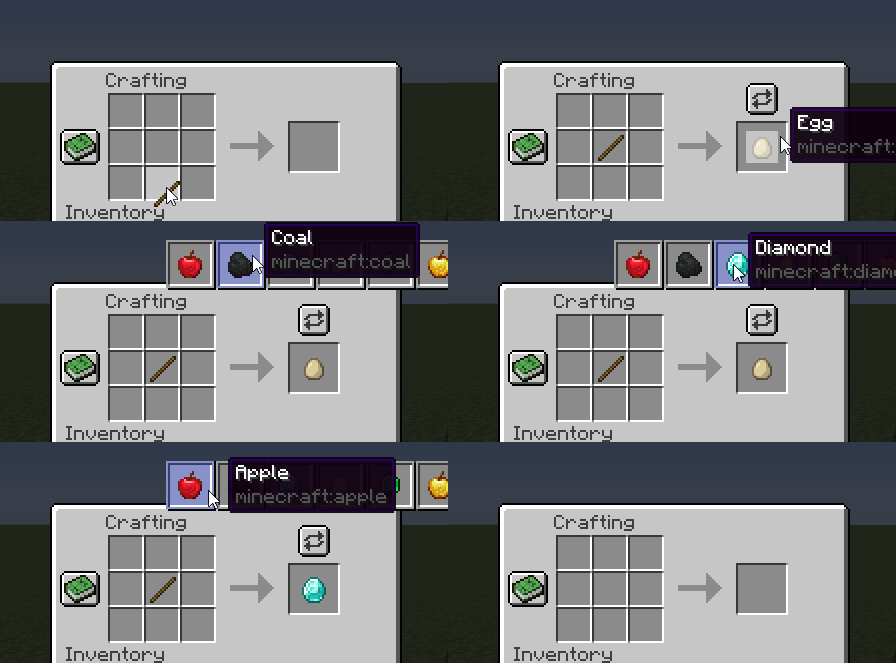
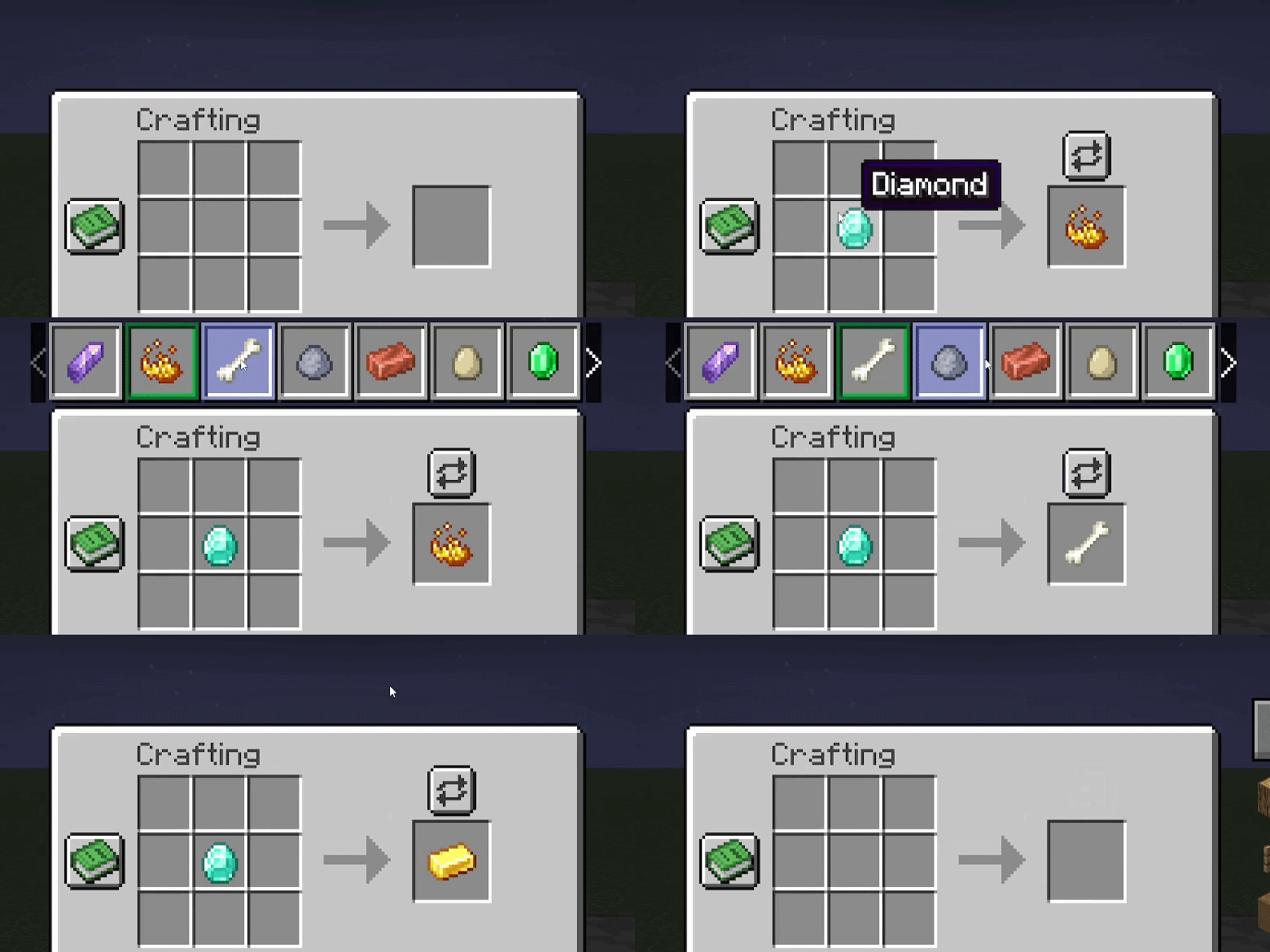
A button appears above the output slot when ingredients match more than one recipe. Click it, pick the result. The selection persists as long as the input stays the same.
Smelting (furnace, blast furnace, smoker)
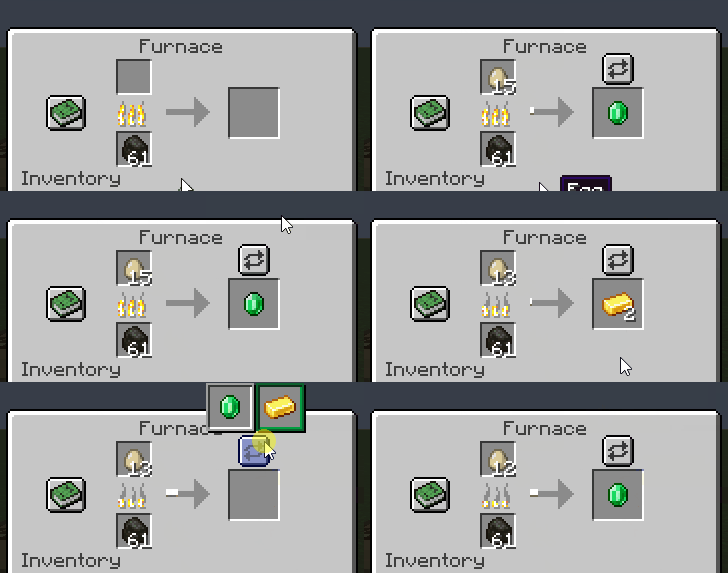
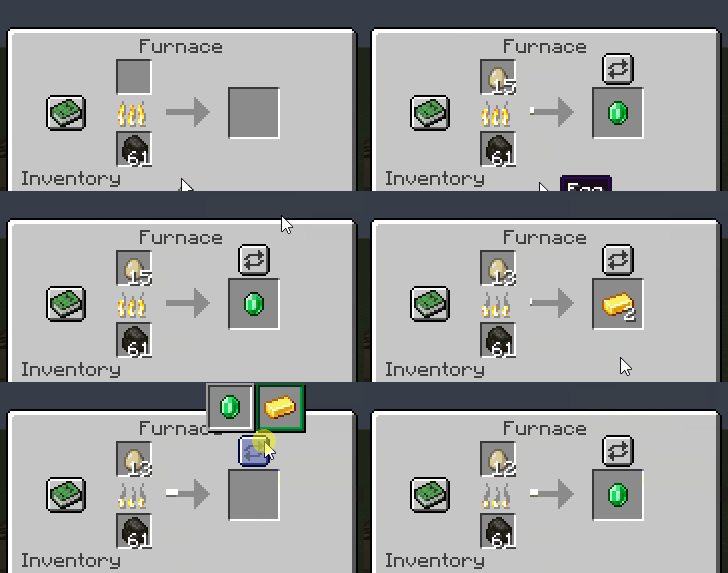
Same selector above the output slot. The choice is saved on the block.
Smithing
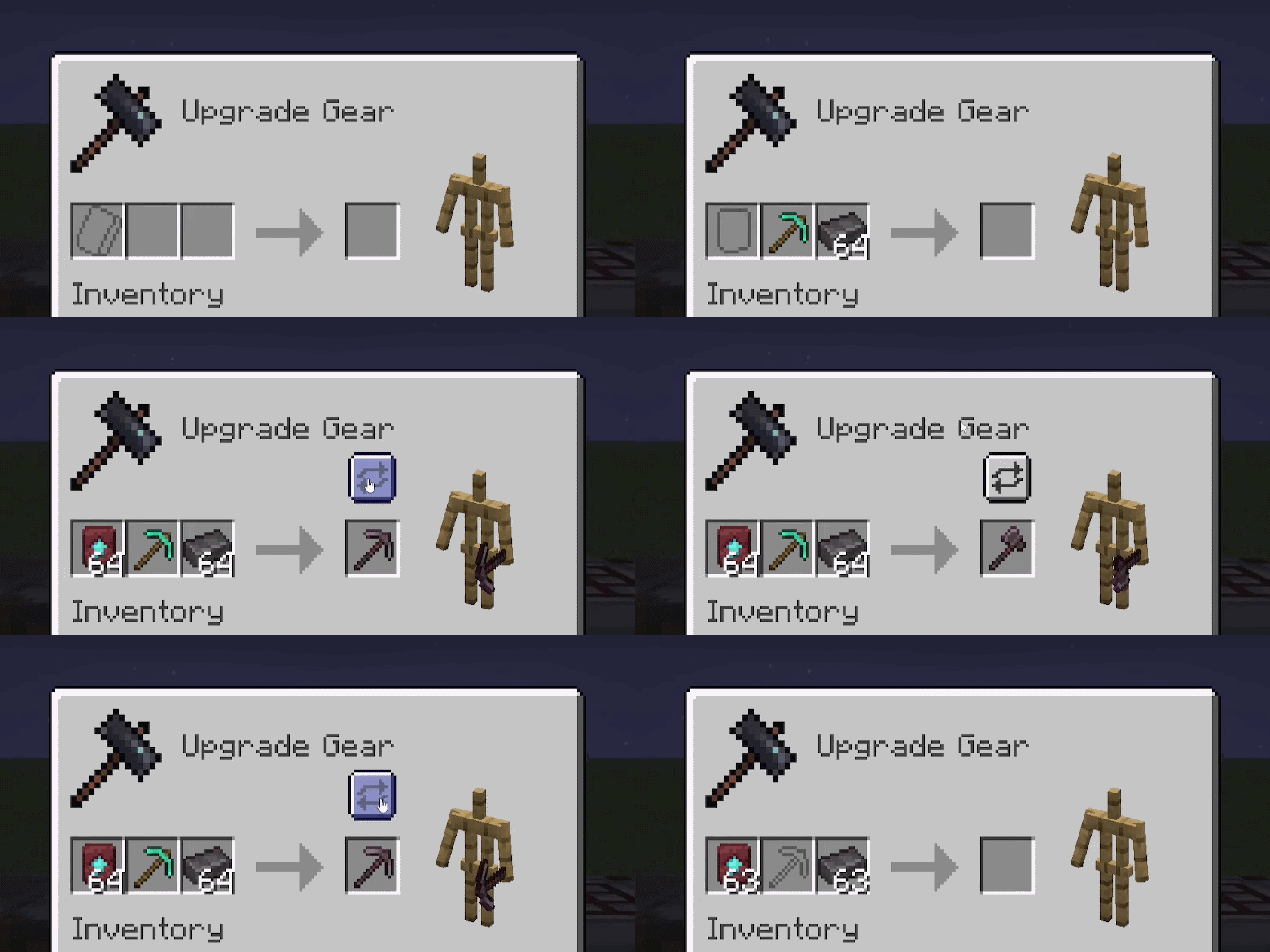
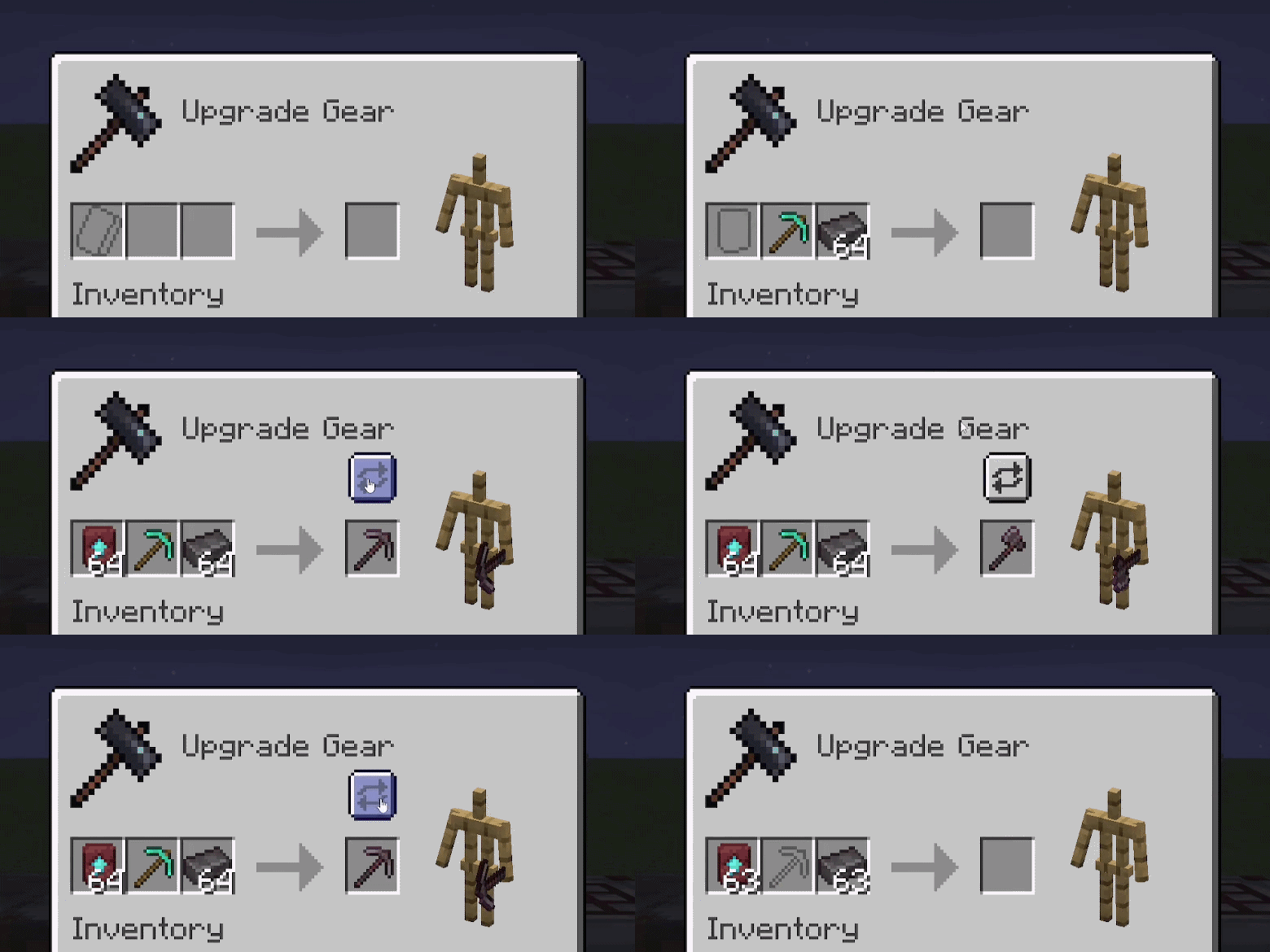
When a smithing transform input matches more than one recipe, the selector appears next to the result slot.
Crafters
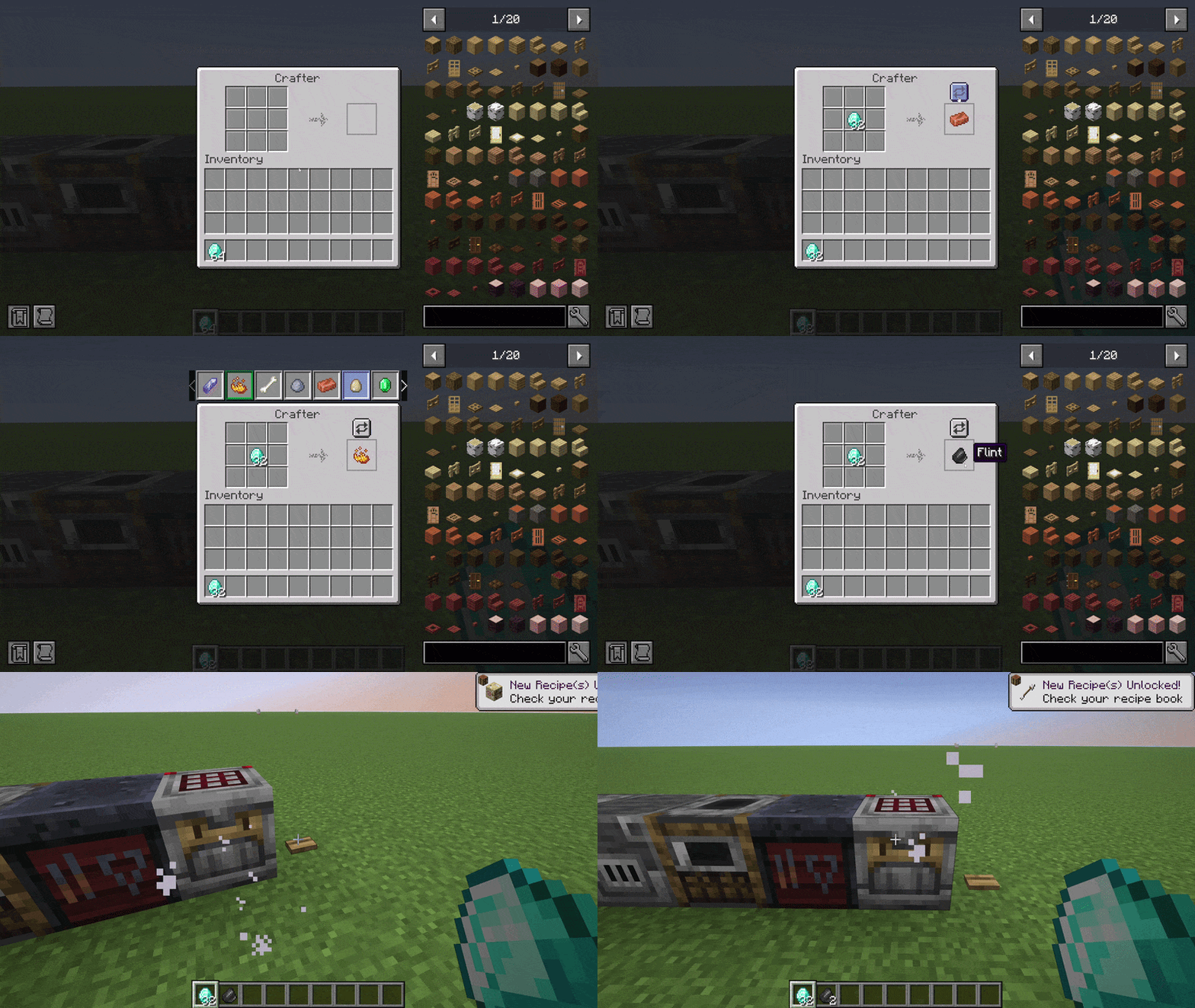
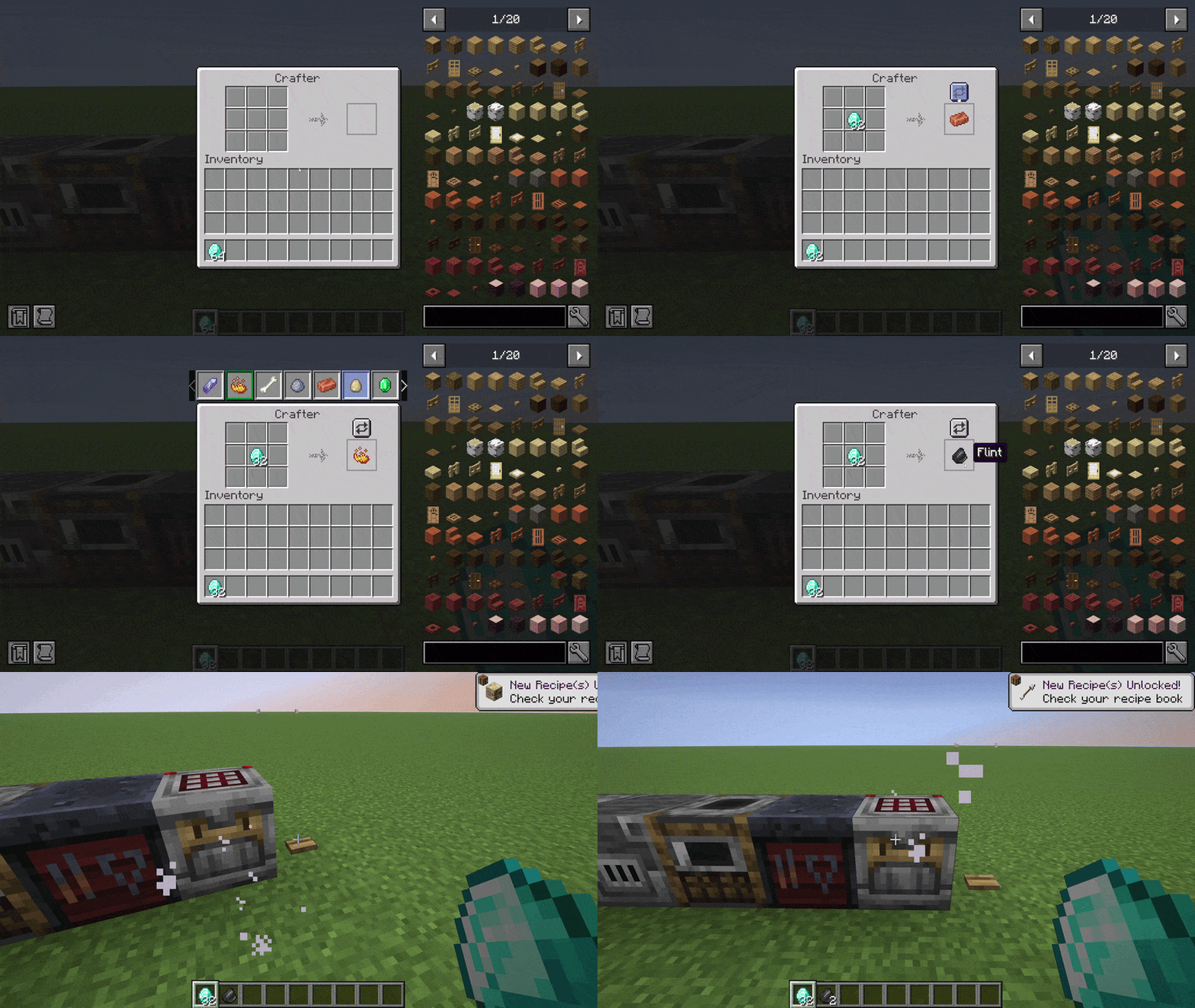
Same selector inside the vanilla Crafter screen. The choice is saved on the block entity so redstone automation respects it across world reloads.
Quality of life
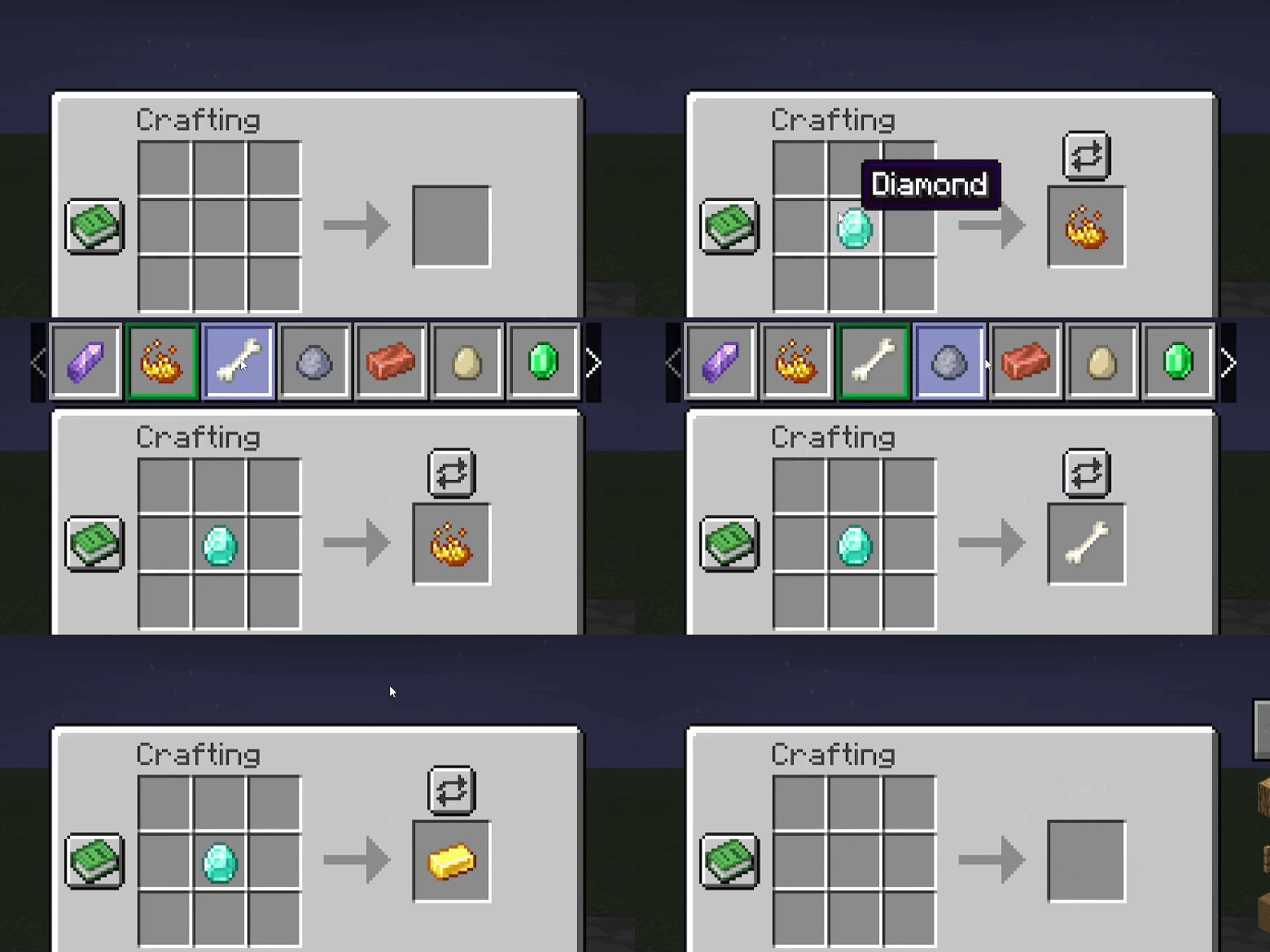
- Scrollable selector when there are more than seven conflicts (mouse wheel or side arrows).
- Pinned panel. Right click the open arrow to dock the selector for the session, left click to unpin. Pin state is saved to
config/polymorph_plus_client.json. - First-run tutorial. Four hint bubbles, English and French, auto-dismiss after eight seconds.
- JEI and REI compatibility (WIP). The "+" fill button (JEI) and auto-craft button (REI) currently keep the previous selection on click. Manual pick via the polymorph selector works fine.
Commands
/polymorph conflicts scans crafting, smelting, blasting, smoking, and smithing recipes and writes a list of detected conflicts to the logs folder.
Credits and license
Original mod by TheIllusiveC4, upstream repo. Port maintained by Aminoquiz. Source and assets are LGPL-3.0-or-later. This port is unofficial.

Help keep these mods going via ko-fi.com/aminoquiz, or host your server on Wabbanode with code AMINE (from 1.49 USD/month).
Verfügbare Versionen
Polymorph+ auf dem Server installieren
Server bestellen
Bestelle einen Minecraft Java Server mit mindestens 3 GB RAM (4 GB empfohlen).
fabric Loader setzen
Wähle im Panel unter "Egg" den fabric-Loader und die passende Minecraft-Version (26.3).
Mod installieren
Öffne den Mod-Browser im Dashboard und suche nach "Polymorph+". Klicke "Installieren" – fertig! Alternativ: Lade die .jar via SFTP in den /mods Ordner.
Kompatibilität
Mod-Loader
Minecraft-Versionen
26.3, 26.2, 26.1.2 (+3 weitere)
Server-seitig
✓ ErforderlichEmpfohlener RAM
4 GB(min. 3 GB)Häufige Fragen
Polymorph+ Server crasht beim Start – was tun?
Häufigste Ursache: falsche fabric-Version oder zu wenig RAM. Prüfe im Server-Log (latest.log), ob ein "OutOfMemoryError" oder "Mixin"-Fehler auftritt. Bei Mado Hosting: Stelle sicher, dass mindestens 3 GB RAM zugewiesen sind und der Loader zur Mod-Version passt (26.3). Über das Panel kannst du den Loader mit einem Klick wechseln.
Ist Polymorph+ mit fabric und neoforge kompatibel?
Polymorph+ unterstützt offiziell fabric, neoforge für Minecraft 26.3, 26.2, 26.1.2. Im Mado Dashboard werden inkompatible Loader-Kombinationen automatisch erkannt.
Server laggt mit Polymorph+ – wie optimiere ich die Performance?
Empfohlener RAM: 4 GB (+1 GB pro 8 Spieler). Prüfe mit /spark profiler, ob Polymorph+ den meisten Tick-Time verbraucht. Häufige Fixes: Server-View-Distance auf 8-10 reduzieren, bei Forge "performant" oder "starlight" als Zusatz-Mod installieren. Bei Mado Hosting läuft dein Server auf NVMe-SSDs mit dedizierten CPU-Kernen für minimale Latenz.
Ähnliche Mods




![[ETF] Entity Texture Features](https://cdn.modrinth.com/data/BVzZfTc1/af683d206d50b05258d865b0d6e4aa2f2cee12f2_96.webp)

Modded Server mieten
Installiere Polymorph+ mit nur einem Klick auf deinem Server.
Details
- Lizenz
- GNU Lesser General Public License v3.0 or later
- Server-seitig
- Erforderlich