Portable Crafting
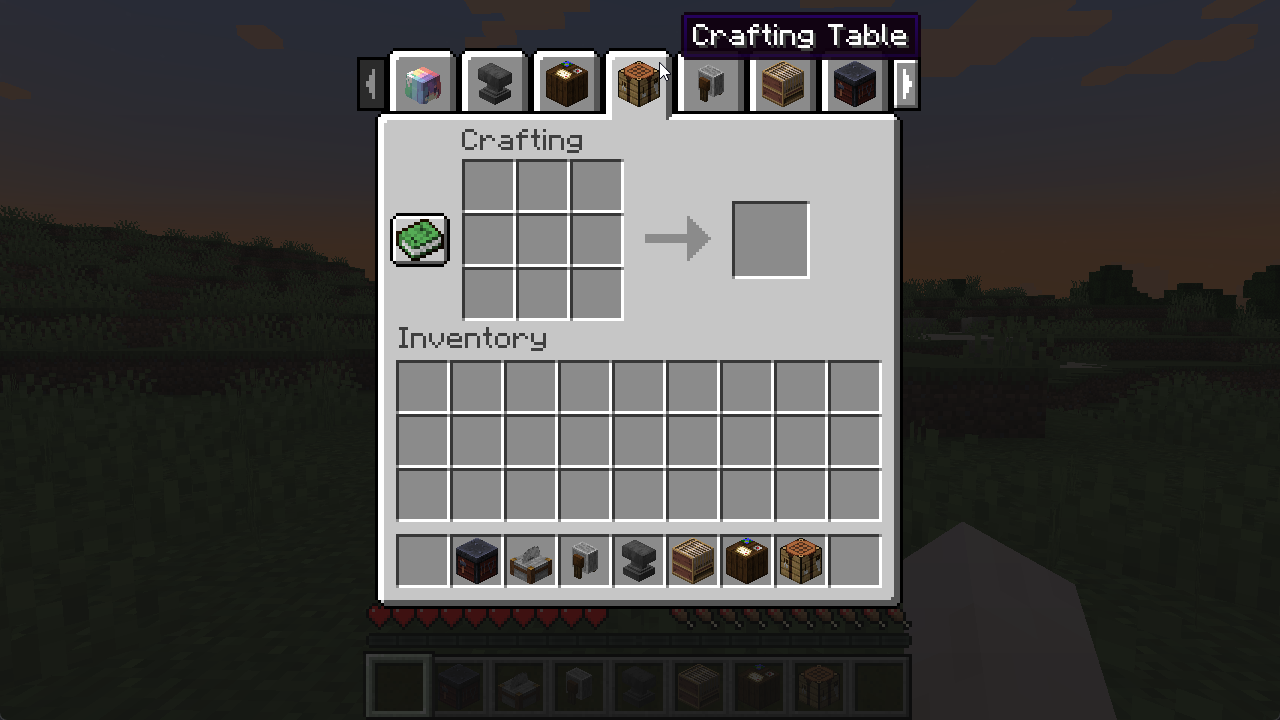
Use crafting stations (tables, smithing, anvils, stonecutters, etc) directly from your inventory.
Screenshots

Über diese Mod
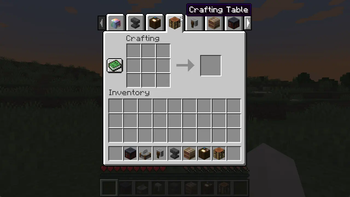
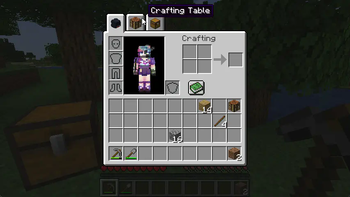
Open crafting screens from your inventory.
Works server-side, with extra polish when installed on the client.
Requires Connector and FFAPI on (neo)forge.
Server Features
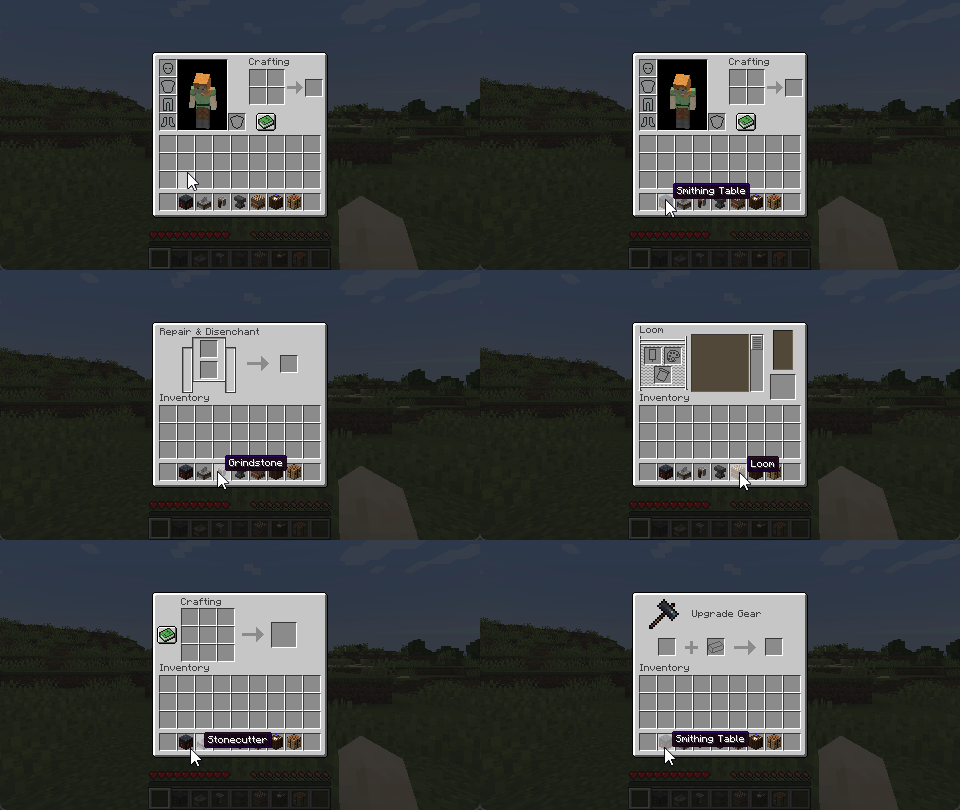
- Open workstation blocks by right-clicking them in the inventory (or using them from the hotbar)
- Supports crafting, smithing, stonecutting, grinding, looms, cartography tables, and anvils by default
- Supports all vanilla and most modded non-container workstations via the config (see below)
Mixed-Side Features
- Opening workstations is seamless, with no ping-dependent "ghost pickup" while the screen is loading
- Quickly open your crafting table via a hotkey (Default:
v) - Swap to portable workstations using Inventory Tabs
Modpack Configuration
You add and change which workstations are portable via config/portable_crafting.toml.
Blocks must open the specified screen handler on use, or this will not work.
[blockItemScreens]
	"minecraft:crafting_table" = "minecraft:crafting"
	"...block_item" = "...screen_handler"

[blockItemTags]
	"c:player_workstations/crafting_tables" = "minecraft:crafting_table"
	"...item_tag" = "...block_item_from_above"
Modded non-container workstations that use vanilla code conventions will work. Others crash, so test as you go.
The config is synchronised to the client when mixed-side to display tabs and apply seam-hiding changes.
Incompatible Blocks
Don't file issues for modded workstations! We can't fix them on our side.
To function as portable workstations, blocks must:
- Have no state/container, i.e. items cannot be left in them
- Override
getMenuProvider/createScreenHandlerFactoryto open their screen - Have a screen that doesn't rely on the existence of a block at the position provided at any time
- Have a screen that can be uniquely identified by a screen handler type
Afterword
All mods are built on the work of many others.
This mod specifically is inspired by a similar feature from Svenhjol's Charm - one of the few implementations of portable crafting grids that didn't introduce new items at the time.
We made this mod for Tinkerer's Quilt - our modpack about ease of play and vanilla content.
Loveletters: Tabs - Atlas - Portable Crafting - Drogstyle
Others: Switchy - Crunchy - Starcaller
Verfügbare Versionen
Portable Crafting auf dem Server installieren
Server bestellen
Bestelle einen Minecraft Java Server mit mindestens 3 GB RAM (4 GB empfohlen).
fabric Loader setzen
Wähle im Panel unter "Egg" den fabric-Loader und die passende Minecraft-Version (1.21.1).
Mod installieren
Öffne den Mod-Browser im Dashboard und suche nach "Portable Crafting". Klicke "Installieren" – fertig! Alternativ: Lade die .jar via SFTP in den /mods Ordner.
Kompatibilität
Mod-Loader
Minecraft-Versionen
1.21.1, 1.21, 1.20.1 (+5 weitere)
Server-seitig
✓ ErforderlichEmpfohlener RAM
4 GB(min. 3 GB)Häufige Fragen
Portable Crafting Server crasht beim Start – was tun?
Häufigste Ursache: falsche fabric-Version oder zu wenig RAM. Prüfe im Server-Log (latest.log), ob ein "OutOfMemoryError" oder "Mixin"-Fehler auftritt. Bei Mado Hosting: Stelle sicher, dass mindestens 3 GB RAM zugewiesen sind und der Loader zur Mod-Version passt (1.21.1). Über das Panel kannst du den Loader mit einem Klick wechseln.
Ist Portable Crafting mit fabric und forge und neoforge und quilt kompatibel?
Portable Crafting unterstützt offiziell fabric, forge, neoforge, quilt für Minecraft 1.21.1, 1.21, 1.20.1. Achtung: Forge- und Fabric-Mods sind NICHT untereinander kompatibel – wähle einen Loader und bleibe dabei. Im Mado Dashboard werden inkompatible Loader-Kombinationen automatisch erkannt.
Server laggt mit Portable Crafting – wie optimiere ich die Performance?
Empfohlener RAM: 4 GB (+1 GB pro 8 Spieler). Prüfe mit /spark profiler, ob Portable Crafting den meisten Tick-Time verbraucht. Häufige Fixes: Server-View-Distance auf 8-10 reduzieren, bei Forge "performant" oder "starlight" als Zusatz-Mod installieren. Bei Mado Hosting läuft dein Server auf NVMe-SSDs mit dedizierten CPU-Kernen für minimale Latenz.
Ähnliche Mods




![[ETF] Entity Texture Features](https://cdn.modrinth.com/data/BVzZfTc1/af683d206d50b05258d865b0d6e4aa2f2cee12f2_96.webp)

Modded Server mieten
Installiere Portable Crafting mit nur einem Klick auf deinem Server.
Details
- Lizenz
- GNU Lesser General Public License v3.0 only
- Server-seitig
- Erforderlich