Prickle
Prickle is a JSON based configuration file format brought to Minecraft.
Screenshots
Über diese Mod
Prickle is a JSON based config format. This mod allows the format to be used in Minecraft! For technical documentation please see the GitHub page.
FaQ
What benefits does Prickle offer?
Prickle is based on JSON but adds several useful features like comments and decorators. Prickle is 100% backwards compatible with JSON and supports all of its features, tools, and syntax highlighting.
Why is this called Prickle?
Prickle is the collective noun for a group of hedgehogs. Hedgehogs are one of my favourite animals and I think they are a fitting metaphor for config files. For example, they both may seen intimidating at first but can be nice once you get to know and understand them.
Why not use an existing format?
In the past I have used JSON for my config files but there were several issues such as the lack of comments and default values. Prickle adds these features to JSON while remaining 100% backwards compatible. I have tried other formats like TOML but was disappointed with a lot of their Java implementations. They often lack features I feel are important, have serious bugs, and are no longer being maintained. Minecraft already uses JSON for datapacks and commands, making it a familiar choice for most players.
Format Specifications
In Prickle property values are wrapped in a JSON object. This allows metadata like comments to be attributed to that property.
For example a standard JSON file would look like this.
{
  "database_host": "192.168.1.222"
}
The same JSON as a Prickle file would look like this.
{
  "database_host": {
    "//": "The IP address of the database to connect to.",
    "value": "192.168.1.222"
  }
}
Comments
The // key is reserved for comments. Comments are only used to provide additional context to the reader and should never influence how the file is parsed. Comments can be a JSON string or an array of strings for multiline comments.
{
  "database_host": {
    "//": [
      "The IP address of the database to connect to.",
      "The port can be defined at the end using an :"
    ],
    "value": "192.168.1.222:1273"
  }
}
Decorators
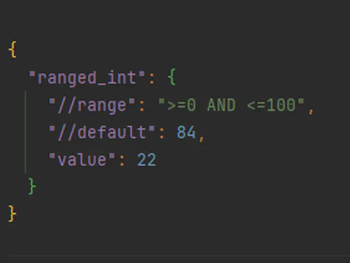
Decorators are named comments that convey a specific attribute of the property. A common example of a decorator is //default which can be used to display the default value of the property. Like comments, decorators have no influence on how the file is parsed, they only describe how the property will be parsed.
You may encounter some of the following decorators in prickle files.
//default- The default value of the property.//reference- A resource that can be used to learn more, like a link to a wiki page.//range- The acceptable range for a value. For example >=5.//regex- A regex pattern that the value must match.//empty-allowed- If the value can be empty or not. (default is true).
Sponsors

This project is sponsored by Nodecraft. Use code DARKHAX for 30% off your first month of service!
Verfügbare Versionen
Prickle auf dem Server installieren
Server bestellen
Bestelle einen Minecraft Java Server mit mindestens 3 GB RAM (4 GB empfohlen).
fabric Loader setzen
Wähle im Panel unter "Egg" den fabric-Loader und die passende Minecraft-Version (26.3).
Mod installieren
Öffne den Mod-Browser im Dashboard und suche nach "Prickle". Klicke "Installieren" – fertig! Alternativ: Lade die .jar via SFTP in den /mods Ordner.
Kompatibilität
Mod-Loader
Minecraft-Versionen
26.3, 26.2, 26.1.2 (+14 weitere)
Server-seitig
✓ ErforderlichEmpfohlener RAM
4 GB(min. 3 GB)Häufige Fragen
Prickle Server crasht beim Start – was tun?
Häufigste Ursache: falsche fabric-Version oder zu wenig RAM. Prüfe im Server-Log (latest.log), ob ein "OutOfMemoryError" oder "Mixin"-Fehler auftritt. Bei Mado Hosting: Stelle sicher, dass mindestens 3 GB RAM zugewiesen sind und der Loader zur Mod-Version passt (26.3). Über das Panel kannst du den Loader mit einem Klick wechseln.
Ist Prickle mit fabric und forge und neoforge und quilt kompatibel?
Prickle unterstützt offiziell fabric, forge, neoforge, quilt für Minecraft 26.3, 26.2, 26.1.2. Achtung: Forge- und Fabric-Mods sind NICHT untereinander kompatibel – wähle einen Loader und bleibe dabei. Im Mado Dashboard werden inkompatible Loader-Kombinationen automatisch erkannt.
Server laggt mit Prickle – wie optimiere ich die Performance?
Empfohlener RAM: 4 GB (+1 GB pro 8 Spieler). Prüfe mit /spark profiler, ob Prickle den meisten Tick-Time verbraucht. Häufige Fixes: Server-View-Distance auf 8-10 reduzieren, bei Forge "performant" oder "starlight" als Zusatz-Mod installieren. Bei Mado Hosting läuft dein Server auf NVMe-SSDs mit dedizierten CPU-Kernen für minimale Latenz.
Ähnliche Mods



Modded Server mieten
Installiere Prickle mit nur einem Klick auf deinem Server.
Details
- Lizenz
- GNU Lesser General Public License v2.1 only
- Server-seitig
- Erforderlich