Modrinth · Fabric, Forge, NeoForge · Client-Mod
Punchy! Moves
Punchy! Moves ist eine clientseitige Mod. Du installierst sie auf deinem Rechner, auf dem Server ist sie nicht nötig.
A mod that adds various third person animations and dynamic third person camera. Brother mod of Punchy!
- Downloads
- 278.2K
- Autor
- –
- Loader
- Fabric, Forge, NeoForge
- Minecraft
- 1.20.1 – 26.3
- Aktualisiert
- –
Screenshots
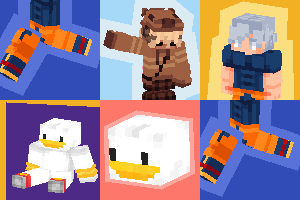
So sieht Punchy! Moves aus


Bilder: Punchy! Moves auf Modrinth, vom Projektteam veröffentlicht.
Einrichtung
Punchy! Moves auf deinem Client installieren
Clientseitige Mods laufen nur auf deinem Rechner. Mehr Server-RAM ändert an ihrer Leistung nichts.
- 01
Loader lokal installieren
Installiere Fabric oder Forge oder NeoForge für deine Minecraft-Version in deinem Launcher.
- 02
Datei herunterladen
Lade die Punchy! Moves-Datei für deinen Loader und exakt deine Minecraft-Version herunter, zum Beispiel 26.3.
- 03
In den Mods-Ordner legen
Lege die .jar-Datei in den lokalen Ordner .minecraft/mods und entferne ältere Duplikate.
- 04
Starten
Starte Minecraft mit dem Loader-Profil. Auf dem Server musst du nichts ändern.
- Auf dem Server
- Unbekannt
- Auf dem Client
- Unbekannt
- Loader
- Fabric, Forge, NeoForge
- Minecraft
- 26.3, 26.2, 1.21.11 +2 weitere
- Lizenz
- LicenseRef-All-Rights-Reserved
Versionen
Veröffentlichte Versionen
Nimm die Datei, die zu Loader und Minecraft-Version deines Servers passt. Server und Spieler brauchen dieselbe Version.
Punchy! Moves · Modrinth- Punchy Moves 1.0.9b (NeoForge) - 26.3beta21. November 2026Minecraft 26.3 · NeoForge
- Punchy Moves 1.0.9b (NeoForge) - 26.2beta21. November 2026Minecraft 26.2 · NeoForge
- Punchy Moves 1.0.9b (NeoForge) - 1.21.11beta21. November 2026Minecraft 1.21.11 · NeoForge
- Punchy Moves 1.0.9b (NeoForge) - 1.21.1beta21. November 2026Minecraft 1.21.1 · NeoForge
- Punchy Moves 1.0.9b (Forge) - 26.3beta21. November 2026Minecraft 26.3 · Forge
Originalbeschreibung des Projektautors







Punchy! Moves gives third person the Punchy! treatment: a camera you can put exactly where you want it, framing that keeps up with whatever you are doing, and animations and emotes that give your character a personality of their own.

Punchy! Moves ships without animations: they come from resource packs.
Get Fluid & Foolish by Crafto to see them, and
support Crafto on Ko-fi.

Your shot, your rules.
Set the camera's position, distance, field of view and rotation until it sits exactly where you like it.
Switch on the orbit camera to look all the way around your character without turning their body.


A camera that keeps up.
Dynamic framing smooths the camera out while you climb, fly with an Elytra
or work on the blocks right next to you.


Maps and spyglasses get a view of their own.


Now you are worth watching.
Animations and emotes add personality to your character as you explore.


Plays well with others.
Punchy! Moves has compatibility for Spatial GUI
and Touch'n Motion, both on CurseForge.


Make your own moves.
Animations, emotes and faces come from resource packs, and Punchy! Studio
lets you make them inside Minecraft.

Tune it without leaving the game.
Everything is configured in the mod's in-game settings menu,
and its keybinds can be changed in Minecraft's own Controls menu.
What you need
Minecraft 1.20.1 (Fabric or Forge), 1.21.1 or 1.21.11 (Fabric, Forge or NeoForge), or 26.3 (Fabric)
Fluid & Foolish for the animations

More of a first person player? Punchy! is where it all started:
fluid first person animations and visible hands with held items.

Made by Punchy Guys Studios.
The animations: Fluid & Foolish by Crafto (support Crafto on Ko-fi),
and Untitled Punchies Remake, coming soon.
Godku for all the help.
Jaredlll08 for the multiloader template:
Jaredlll08 Github Page
Lunggolfs for the Social Connect Icons Pack:
Lunggolfs Site
License
ARR (All Rights Reserved)You are allowed to include this mod in Modrinth or CurseForge modpacks without asking for permission.
Redistribution of the jar files is not allowed.
Muss Punchy! Moves auf dem Minecraft Server installiert werden?
Nein. Modrinth kennzeichnet Punchy! Moves serverseitig als nicht unterstützt. Installiere die Mod nur im lokalen Mods-Ordner. Dein Server kann unverändert bleiben, sofern die Projektseite keine zusätzliche Abhängigkeit nennt.
Welche Version und welchen Loader braucht Punchy! Moves?
Nutze eine Datei für Fabric, Forge, NeoForge und exakt deine Minecraft-Version. Unterstützt werden unter anderem 26.3, 26.2, 1.21.11. Dateien für verschiedene Loader sind nicht austauschbar.
Punchy! Moves funktioniert nicht – was kann ich prüfen?
Prüfe zuerst Minecraft-Version, Loader-Version und erforderliche Abhängigkeiten. Da die Mod clientseitig ist, löst mehr Server-RAM das Problem nicht.
Ähnliche Mods
Beliebte Mods aus derselben Kategorie
 Server-fähig

Xaero's Minimap
von thexaero
Displays a map of the nearby world terrain, players, mobs, entities in the corner of your screen. Lets you create waypoints which help you find the locations you've marked.
 Server-fähig

Xaero's World Map
von thexaero
Adds a full screen world map which shows you what you have explored in the world. Works great together with Xaero's Minimap.
 Nur Client

Not Enough Animations
von tr7zw
Bringing first-person animations to the third-person
 Nur Client

3D Skin Layers
von tr7zw
Render the player skin layer in 3d!
Mods für deinen eigenen Server gesucht?
Im Katalog findest du Mods, die auf Minecraft Servern laufen.