
Puzzle
Adds resourcepack features and a GUI to configure OptiFine alternatives more conveniently.
Screenshots
Über diese Mod
Context: For a long time, OptiFine has been a big part of Minecraft modding.
For an equal amount of time, it has been causing errors with mods – its closed source nature making it especially hard to work with as a mod developer.
For that reason, a lot of alternatives have been created.
But usually they only replicate one specific feature of OptiFine, meaning the user has to install a lot of mods and configure them by searching for the specific mod in ModMenu.
- The first problem is relatively easy to solve, by either downloading a modpack such as Fabulously Optimized or using Lambda's fantastic list of alternative mods
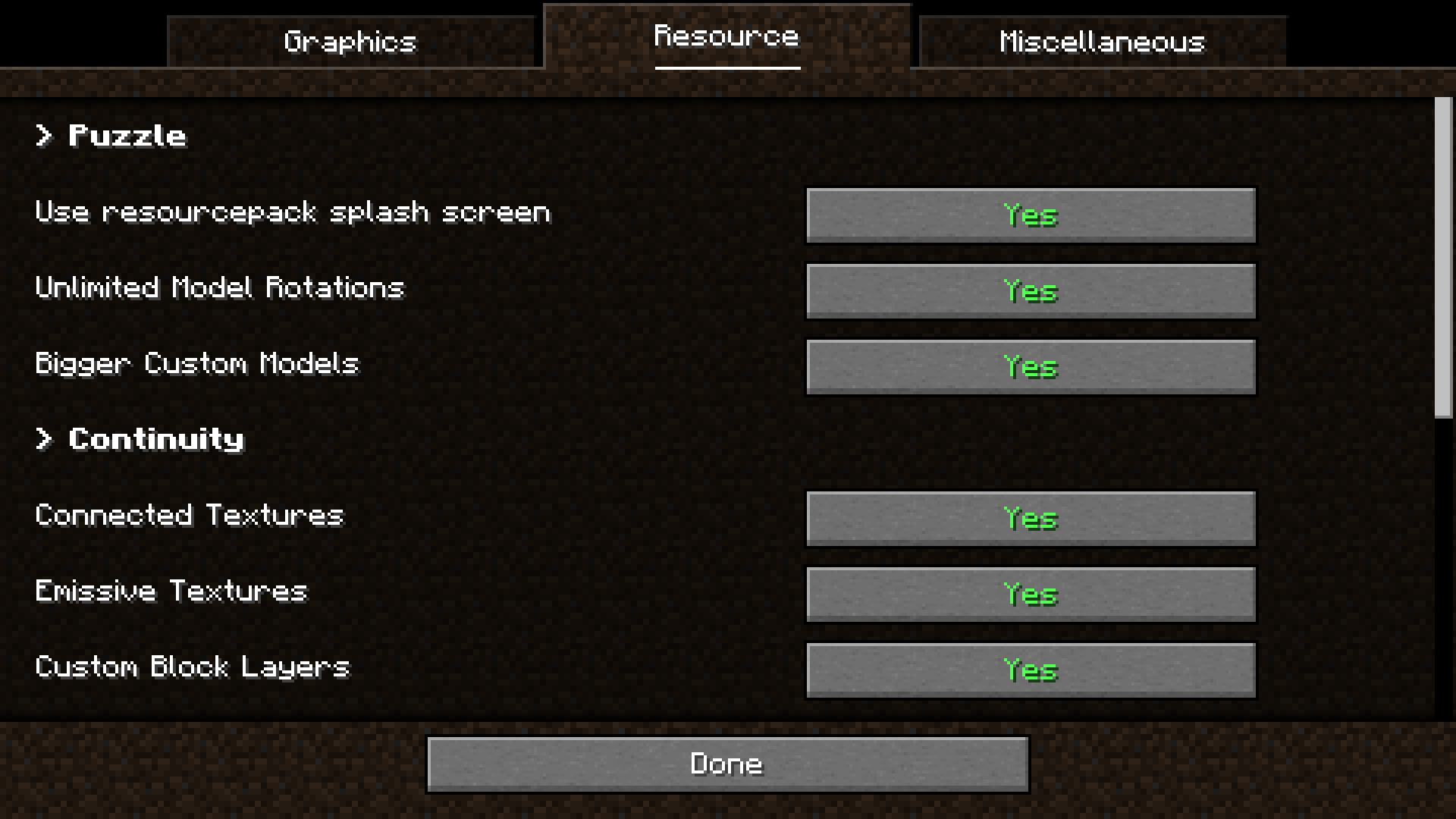
- Puzzle was created to solve the latter by providing a united config for OptiFine replacement mods with built-in support for the most relevant alternatives and an API for other mods to take advantage of.
- Due to many OptiFine features still having no replacement mod, Puzzle also adds certain OptiFine features on it's own, like resourcepack-provided splash screens
- We also offer some new, innovative features to resourcepack developers, such as unlocked rotation values and bigger size for JSON-models.
The configuration screen can be found in the vanilla options screen, as well as ModMenu.
- Cull Leaves
- Iris
- Continuity
- LambDynamicLights
- LambdaBetterGrass
- CITResewn
- Entity Texture Features
- Entity Model Features
Verfügbare Versionen
Puzzle auf deinem Client installieren
Mod-Loader lokal installieren
Installiere fabric für deine lokale Minecraft-Version.
Passende Datei herunterladen
Wähle die Puzzle-Datei für fabric und Minecraft 26.3.
Mod installieren
Lege die .jar-Datei in deinem lokalen .minecraft/mods-Ordner ab und starte Minecraft neu. Eine Installation auf dem Server ist nicht nötig.
Kompatibilität
Mod-Loader
Minecraft-Versionen
26.3, 26.2, 26.1.2 (+28 weitere)
Server-seitig
✗ Nicht unterstütztEmpfohlener RAM
4 GB(min. 3 GB)Häufige Fragen
Muss Puzzle auf dem Minecraft Server installiert werden?
Nein. Modrinth kennzeichnet Puzzle serverseitig als nicht unterstützt. Installiere die Mod nur im lokalen Minecraft-Mods-Ordner. Dein Server kann unverändert bleiben, sofern die Mod-Seite keine zusätzliche Abhängigkeit nennt.
Welche Version und welchen Loader braucht Puzzle?
Nutze eine Datei für fabric, neoforge, quilt und exakt deine Minecraft-Version. Unterstützte Versionen sind unter anderem 26.3, 26.2, 26.1.2. Loader-Dateien sind nicht untereinander austauschbar.
Puzzle funktioniert nicht – was kann ich prüfen?
Prüfe zuerst Minecraft-Version, Loader-Version und erforderliche Abhängigkeiten. Lege die .jar-Datei im lokalen .minecraft/mods-Ordner ab und entferne ältere Duplikate. Da die Mod clientseitig ist, löst mehr Server-RAM dieses Problem nicht.
Ähnliche Mods



Minecraft Server für deine Gruppe
Puzzle bleibt auf deinem Client. Hoste dazu eine kompatible Welt für deine Mitspieler.