
Rabbit Pathfinding Fixed
Fixes rabbit pathfinding efficiently
Screenshots
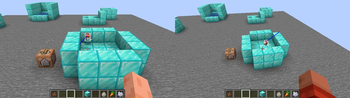
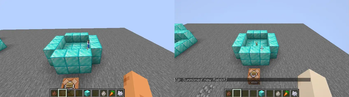
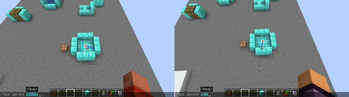
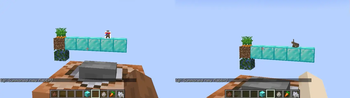
Über diese Mod
Fixes rabbit pathfinding efficiently.
As of 1.21.1 there are multiple problems with rabbit pathfinding:
Basic pathfinding
- The calculation of the jump height/velocity is incorrect and poorly implemented.
This results in too small jumps for climbing over a block. - Rabbits "stall" (no horizontal movement) during jumps - due to this they just jump upwards in the same place when trying to climb a block.
This behavior is caused byRabbitMoveControlwhich only sets the (horizontal) speed correctly during movement but not while jumping. - Rabbits are stuck / try to wander around forever.
- The root cause is that
EntityNavigationsets its timeouts based on movement speed.
If the movement speed is 0 (this is the case when a rabbit/mob is "stuck"), the timeout is also 0... and if the timeout is 0 it's ignored and therefore it's executed forever (or until interrupted by something external like another goal). - Rabbits only have a single goal when idle:
WanderAround(Far). Most other entities also useLookAroundGoal.
Thus the above mentioned infinite navigation is never stopped in favor of executing another goal like in most other mobs. RabbitMoveControl#tickconstantly updates the rabbits speed (RabbitEntity#setSpeed).
While doing this it also indirectly executesmoveControl#moveTothus the rabbit always tries to reach it's last target even when it shouldn't do that.
- The root cause is that
As of
1.21.4/24w46aMC-150224 was fixed, correcting the jump height (1) and fixing the stall (2).
However all other parts - including optimizations and sanity checks in above mentioned fixes - are still missing.
Eating carrot crops
- Rabbits can't reach the crops and always stop one block short of them.
This is due to selecting the incorrect distance from the crop block (it's1but should be0). - Rabbits eat the crop instantly even while still jumping and being in the air.
- The goal/behavior is immediately aborted (after a few ticks - when a target crop block was selected) due to incorrect implementation of
shouldContinueandisTargetPosmethods.
Other fixes
- The client-side rotation of Adults rabbit's head is most of the time slightly upwards - MC-306682 affects 26.1 or later
Detailed video comparisons are also available.
Verfügbare Versionen
Rabbit Pathfinding Fixed auf dem Server installieren
Server bestellen
Bestelle einen Minecraft Java Server mit mindestens 3 GB RAM (4 GB empfohlen).
fabric Loader setzen
Wähle im Panel unter "Egg" den fabric-Loader und die passende Minecraft-Version (26.3).
Mod installieren
Öffne den Mod-Browser im Dashboard und suche nach "Rabbit Pathfinding Fixed". Klicke "Installieren" – fertig! Alternativ: Lade die .jar via SFTP in den /mods Ordner.
Kompatibilität
Mod-Loader
Minecraft-Versionen
26.3, 26.2, 26.1.2 (+59 weitere)
Server-seitig
✓ ErforderlichEmpfohlener RAM
4 GB(min. 3 GB)Häufige Fragen
Rabbit Pathfinding Fixed Server crasht beim Start – was tun?
Häufigste Ursache: falsche fabric-Version oder zu wenig RAM. Prüfe im Server-Log (latest.log), ob ein "OutOfMemoryError" oder "Mixin"-Fehler auftritt. Bei Mado Hosting: Stelle sicher, dass mindestens 3 GB RAM zugewiesen sind und der Loader zur Mod-Version passt (26.3). Über das Panel kannst du den Loader mit einem Klick wechseln.
Ist Rabbit Pathfinding Fixed mit fabric kompatibel?
Rabbit Pathfinding Fixed unterstützt offiziell fabric für Minecraft 26.3, 26.2, 26.1.2. Im Mado Dashboard werden inkompatible Loader-Kombinationen automatisch erkannt.
Server laggt mit Rabbit Pathfinding Fixed – wie optimiere ich die Performance?
Empfohlener RAM: 4 GB (+1 GB pro 8 Spieler). Prüfe mit /spark profiler, ob Rabbit Pathfinding Fixed den meisten Tick-Time verbraucht. Häufige Fixes: Server-View-Distance auf 8-10 reduzieren, bei Forge "performant" oder "starlight" als Zusatz-Mod installieren. Bei Mado Hosting läuft dein Server auf NVMe-SSDs mit dedizierten CPU-Kernen für minimale Latenz.
Ähnliche Mods






Modded Server mieten
Installiere Rabbit Pathfinding Fixed mit nur einem Klick auf deinem Server.