
Radium
A Minecraft mod designed to improve frame rates and reduce micro-stutter
Screenshots
Über diese Mod

Radium
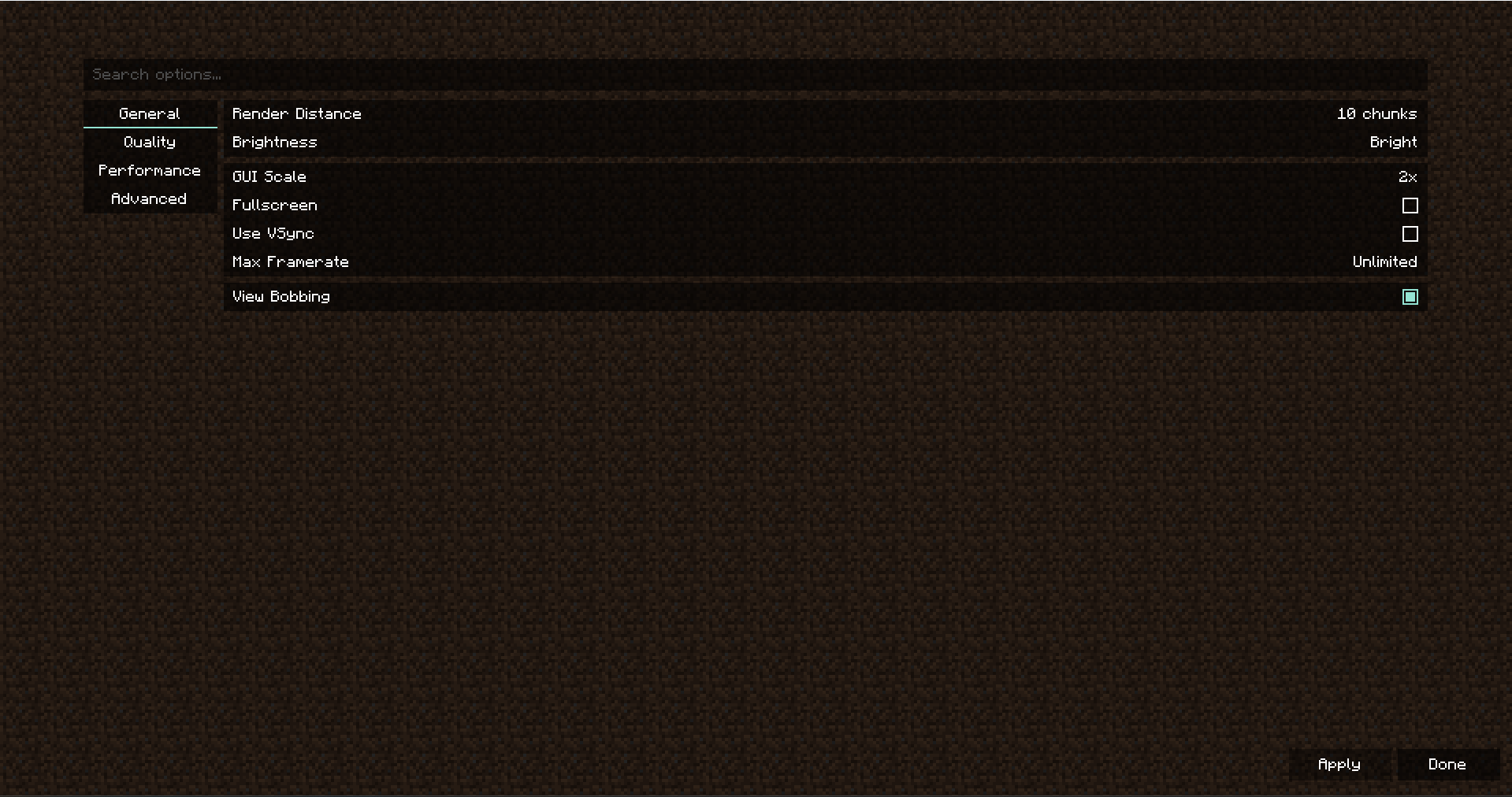
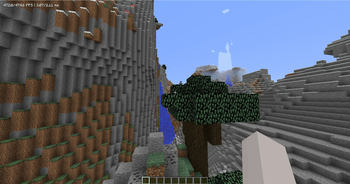
Radium is a fork of Sodium, a rendering optimization mod for the Minecraft client which focuses on reducing microstutter and improving frame rates, made to have compatibility with 1.8.9
Radium is a powerful rendering engine and optimization mod for the Minecraft client which improves frame rates and reduces
micro-stutter, while fixing many graphical issues in Minecraft.
Sodium is the result of thousands of hours of development, and is made possible thanks to players like you. If you
would like to show a token of your appreciation for CaffeineMC's work, and help support the development of Sodium in the process,
then consider donating to CaffeineMC.

📥 Downloads
Nightly builds (for developers)
We also provide bleeding-edge builds ("nightlies") which are useful for testing the very latest changes before they're
packaged into a release. These builds are only provided for other mod developers and users with expert skills, and do
not come with any support or warranty. It is often the case they have issues and lack compatibility with other mods.
The latest nightly build for each current branch of development can be downloaded below.
- Minecraft 1.8.9 (latest): Download nightly or View all builds
🔮 Forge Support
Currently, Radium does not support Forge, and it is likely that will remain the case for some time. Legacy Fabric is a much more lightweight and performant mod loader, and we recommend you use it.
To get the latest updates on this matter, please join our official Discord server.
🙇 Getting Help
For technical support (including help with mod installation problems and game crashes), please use our
official Discord server. Do NOT ask for support in the CaffeineMC discord server.
📬 Reporting Issues
If you do not need technical support and would like to report an issue (bug, crash, etc.) or otherwise request changes
(for mod compatibility, new features, etc.), then we encourage you to open an issue on the
project issue tracker.
Please note that while the issue tracker is open to feature requests, development is primarily focused on
improving compatibility, performance, and finishing any unimplemented features necessary for parity with
the vanilla renderer.
Please do not report issues in the sodium repository
💬 Join the Community
We have an official Discord community for all of our projects. By joining, you can:
- Get installation help and technical support for all of our mods
- Get the latest updates about development and community events
- Talk with and collaborate with the rest of our team
- ... and just hang out with the rest of our community.
✅ Hardware Compatibility
We only provide official support for graphics cards which have up-to-date drivers that are compatible with OpenGL 4.5
or newer. Most graphics cards released in the past 12 years will meet these requirements, including the following:
- AMD Radeon HD 7000 Series (GCN 1) or newer
- NVIDIA GeForce 400 Series (Fermi) or newer
- Intel HD Graphics 500 Series (Skylake) or newer
Nearly all graphics cards that are already compatible with Minecraft (which requires OpenGL 3.3) should also work
with Sodium. But our team cannot ensure compatibility or provide support for older graphics cards, and they may
not work with future versions of Sodium.
OpenGL Compatibility Layers
Devices which need to use OpenGL translation layers (such as GL4ES, ANGLE, etc) are not supported and will very likely
not work with Radium. These translation layers do not implement required functionality and they suffer from underlying
driver bugs which cannot be worked around.
🛠️ Building from sources
Radium uses the Gradle build tool and can be built with the gradle build command. The build
artifacts (production binaries and their source bundles) can be found in the build/mods directory.
The Gradle wrapper is provided for ease of use and will automatically download and install the
appropriate version of Gradle for the project build. To use the Gradle wrapper, substitute gradle in build commands
with ./gradlew.bat (Windows) or ./gradlew (macOS and Linux).
Build Requirements
- OpenJDK 17
- We recommend using the Eclipse Temurin distribution as it's regularly tested by our developers and known
to be of high quality.
- We recommend using the Eclipse Temurin distribution as it's regularly tested by our developers and known
- Gradle 8.10.x
- Typically, newer versions of Gradle will work without issues, but the build script is only tested against the
version used by the wrapper script.
- Typically, newer versions of Gradle will work without issues, but the build script is only tested against the
📜 License
Except where otherwise stated, the contents of this repository are provided under the Polyform Shield 1.0.0 license by Lunasa
The Sodium source code, licensed under Polyform Shield 1.0.0, is provided by JellySquid.
Verfügbare Versionen
Radium auf deinem Client installieren
Mod-Loader lokal installieren
Installiere fabric für deine lokale Minecraft-Version.
Passende Datei herunterladen
Wähle die Radium-Datei für fabric und Minecraft 1.8.9.
Mod installieren
Lege die .jar-Datei in deinem lokalen .minecraft/mods-Ordner ab und starte Minecraft neu. Eine Installation auf dem Server ist nicht nötig.
Kompatibilität
Mod-Loader
Minecraft-Versionen
1.8.9
Server-seitig
✗ Nicht unterstütztEmpfohlener RAM
4 GB(min. 3 GB)Häufige Fragen
Muss Radium auf dem Minecraft Server installiert werden?
Nein. Modrinth kennzeichnet Radium serverseitig als nicht unterstützt. Installiere die Mod nur im lokalen Minecraft-Mods-Ordner. Dein Server kann unverändert bleiben, sofern die Mod-Seite keine zusätzliche Abhängigkeit nennt.
Welche Version und welchen Loader braucht Radium?
Nutze eine Datei für fabric, legacy-fabric, ornithe und exakt deine Minecraft-Version. Unterstützte Versionen sind unter anderem 1.8.9. Loader-Dateien sind nicht untereinander austauschbar.
Radium funktioniert nicht – was kann ich prüfen?
Prüfe zuerst Minecraft-Version, Loader-Version und erforderliche Abhängigkeiten. Lege die .jar-Datei im lokalen .minecraft/mods-Ordner ab und entferne ältere Duplikate. Da die Mod clientseitig ist, löst mehr Server-RAM dieses Problem nicht.
Ähnliche Mods


Minecraft Server für deine Gruppe
Radium bleibt auf deinem Client. Hoste dazu eine kompatible Welt für deine Mitspieler.