
Modrinth · Fabric · Client-Mod
Ravenclaw's Ping Equalizer
Ravenclaw's Ping Equalizer ist eine clientseitige Mod. Du installierst sie auf deinem Rechner, auf dem Server ist sie nicht nötig.
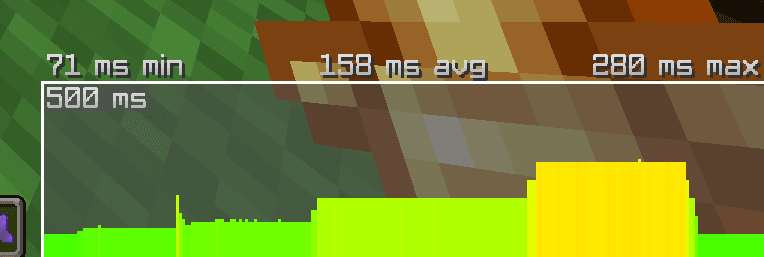
A mod dedicated to equalizing ping for PvP, doing this by adding arbitrary delays before packets are processed and sent out by the client.
- Downloads
- 467.4K
- Autor
- ravineclaw
- Loader
- Fabric
- Minecraft
- 1.20 – 26.3
- Aktualisiert
- –
Screenshots
So sieht Ravenclaw's Ping Equalizer aus


Bilder: Ravenclaw's Ping Equalizer auf Modrinth, vom Projektteam veröffentlicht.
Einrichtung
Ravenclaw's Ping Equalizer auf deinem Client installieren
Clientseitige Mods laufen nur auf deinem Rechner. Mehr Server-RAM ändert an ihrer Leistung nichts.
- 01
Loader lokal installieren
Installiere Fabric für deine Minecraft-Version in deinem Launcher.
- 02
Datei herunterladen
Lade die Ravenclaw's Ping Equalizer-Datei für deinen Loader und exakt deine Minecraft-Version herunter, zum Beispiel 26.3.
- 03
In den Mods-Ordner legen
Lege die .jar-Datei in den lokalen Ordner .minecraft/mods und entferne ältere Duplikate.
- 04
Starten
Starte Minecraft mit dem Loader-Profil. Auf dem Server musst du nichts ändern.
- Auf dem Server
- Nicht nötig
- Auf dem Client
- Erforderlich
- Loader
- Fabric
- Minecraft
- 26.3, 26.2, 26.1.2 +21 weitere
- Lizenz
- MIT License
Versionen
Veröffentlichte Versionen
Nimm die Datei, die zu Loader und Minecraft-Version deines Servers passt. Server und Spieler brauchen dieselbe Version.
Ravenclaw's Ping Equalizer · Modrinth- Ravenclaw's Ping Equalizer 1.5+26.329. Oktober 2026Minecraft 26.3 · Fabric
- Ravenclaw's Ping Equalizer 1.5+26.216. Juli 2026Minecraft 26.1, 26.1.1, 26.1.2, 26.2 · Fabric
- Ravenclaw's Ping Equalizer 1.5+1.2116. Juli 2026Minecraft 1.21, 1.21.1, 1.21.10, 1.21.11, 1.21.2, 1.21.3, 1.21.4, 1.21.5, 1.21.6, 1.21.7, 1.21.8, 1.21.9 · Fabric
Originalbeschreibung des Projektautors
Ravenclaw's Ping Equalizer
Summary
Ravenclaw's Ping Equalizer is a client-side Fabric mod designed to create a fairer PvP environment by allowing players to artificially increase their network latency. Unlike visual-only mods, this tool introduces real packet delay at the network layer.
- Real-time Effect: The delay happens in the Netty event loop; the server and other opponents perceive your higher ping as genuine.
- Purpose: To normalize latency in competitive play (e.g., leveling the field between a 10ms player and a 100ms player).
Commands
| Command | Usage | Description |
|---|---|---|
| Add Delay | /pe add <ms> |
Adds a fixed amount of latency to your connection. Example: /pe add 50 adds 50ms to your native ping. |
| Total Target | /pe total <ms> |
Automatically adjusts delay to stabilize your ping at a specific target. Example: /pe total 100 attempts to keep you at 100ms. |
| Status | /pe status |
Displays your current settings and validation status (Client-side only). |
| Disable | /pe off |
Disables the equalizer and returns connection to native speed. |
Technical Architecture
Packet Manipulation
The mod hooks into the Minecraft client's Netty pipeline. Outgoing and incoming packets are intercepted and held in a scheduled task queue for the duration of the configured delay before being flushed. This ensures the latency is "real" regarding server-side hit registration and movement processing.
Server Control
Servers can directly control and query the equalizer via custom payloads:
- S2C
ravenclawspingequalizer:control: sends aboolean enabledflag. Resets to enabled/off on join and disconnect. - S2C
ravenclawspingequalizer:state_query: sends anint requestId. - C2S
ravenclawspingequalizer:state_response: replies withrequestId,serverEnabled,mode,currentDelayMs,basePingMs, andtotalPingMs.
Ethics & Usage
- Rule Compliance: While this mod is intended for fairness, some public servers may flag artificial latency manipulation as suspicious behavior. Always check server rules before using.
- MCTiers Usage: This mod is explicitly allowed on MCTiers for the sole purpose of equalizing ping in high-tier testing. It must not be used to gain an unfair advantage.
- Transparency: All status changes (enabling/disabling delay) post a public chat message. This prevents "closet usage" where a player might secretly toggle lag to gain an advantage.
License
MIT
Muss Ravenclaw's Ping Equalizer auf dem Minecraft Server installiert werden?
Nein. Modrinth kennzeichnet Ravenclaw's Ping Equalizer serverseitig als nicht unterstützt. Installiere die Mod nur im lokalen Mods-Ordner. Dein Server kann unverändert bleiben, sofern die Projektseite keine zusätzliche Abhängigkeit nennt.
Welche Version und welchen Loader braucht Ravenclaw's Ping Equalizer?
Nutze eine Datei für Fabric und exakt deine Minecraft-Version. Unterstützt werden unter anderem 26.3, 26.2, 26.1.2. Dateien für verschiedene Loader sind nicht austauschbar.
Ravenclaw's Ping Equalizer funktioniert nicht – was kann ich prüfen?
Prüfe zuerst Minecraft-Version, Loader-Version und erforderliche Abhängigkeiten. Da die Mod clientseitig ist, löst mehr Server-RAM das Problem nicht.
Ähnliche Mods
Beliebte Mods aus derselben Kategorie
 Server-fähig

VeinMiner
von Miraculixx
Mine the whole vein on mining a single ore/block. Make the tedious mining experience to something satisfying and fun! FTB Ultimine alternative
 Server-fähig

Geckolib
von Gecko
A 3D animation library for entities, blocks, items, armor, and more!
 Nur Client

VeinMiner Hotkey
von Miraculixx
Veinminer Addon - Use a hotkey to veinmine with a dynamic crosshair & block highlighting
 Server-fähig

Fzzy Config
von fzzyhmstrs
Config API with automatic GUIs, powerful validation options, server-client sync, and more!
Mods für deinen eigenen Server gesucht?
Im Katalog findest du Mods, die auf Minecraft Servern laufen.