
Modrinth · Fabric, Forge, NeoForge
Remnants | RPG Stats, Skills & Progression auf deinem Minecraft Server
Remnants | RPG Stats, Skills & Progression läuft auf Minecraft Servern mit Fabric oder Forge oder NeoForge. Bestell deinen Server, stell den Loader im Panel ein und installiere die Mod mit einem Klick im Mod-Browser.
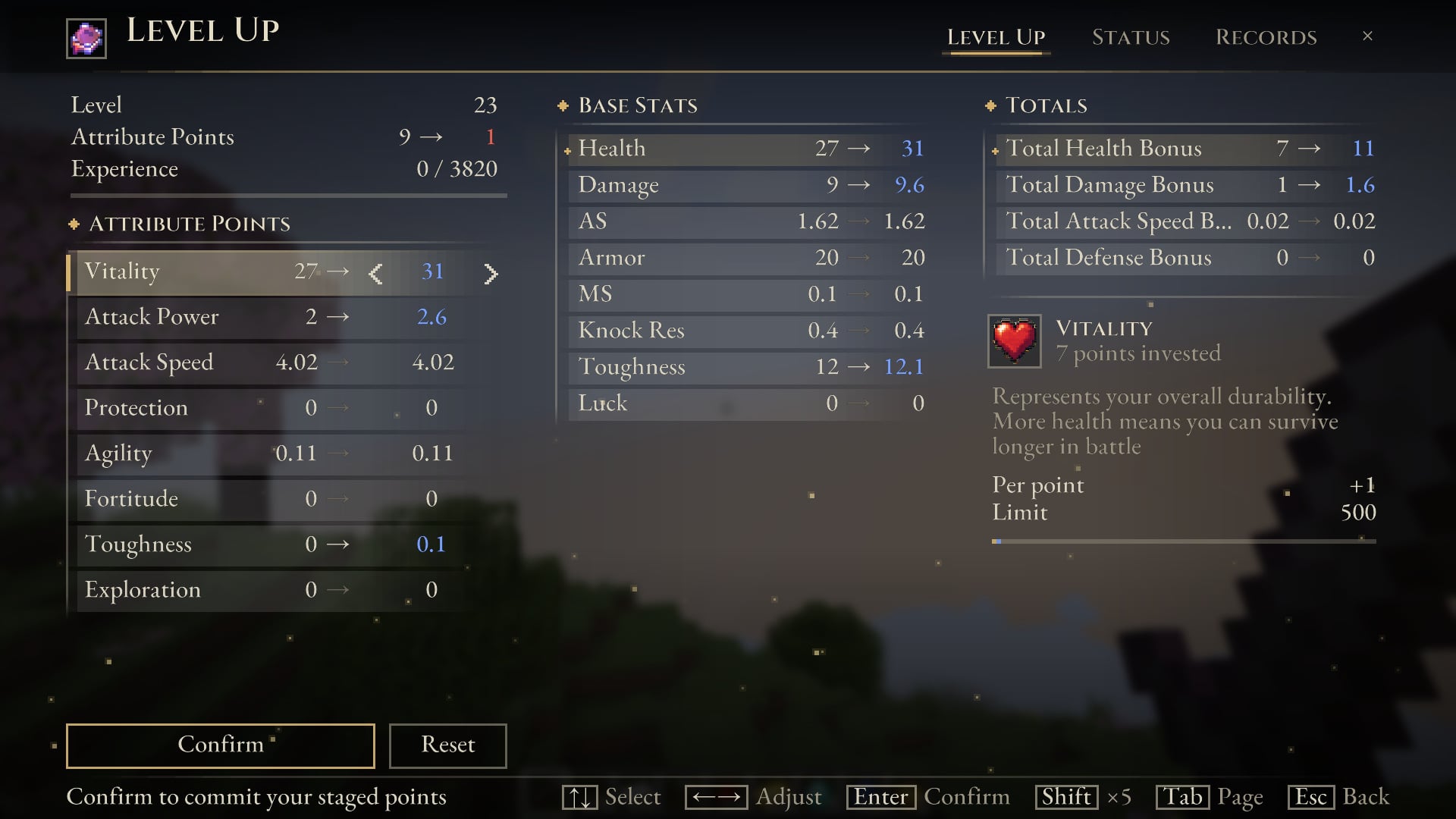
Soulslike leveling for Minecraft: stage attribute points, preview every stat before and after, and confirm your build in one press.
- Downloads
- 101.3K
- Autor
- NAIZO
- Loader
- Fabric, Forge, NeoForge
- Minecraft
- 1.16.5 – 26.3
- Aktualisiert
- –
Screenshots
So sieht Remnants | RPG Stats, Skills & Progression aus


Bilder: Remnants | RPG Stats, Skills & Progression auf Modrinth, vom Projektteam veröffentlicht.
Einrichtung
Remnants | RPG Stats, Skills & Progression auf dem Server installieren
Server und Spieler brauchen denselben Loader und dieselbe Minecraft-Version. Sichere die Welt, bevor du Mods hinzufügst oder aktualisierst.
- 01
Konfigurieren
4 GB RAM sind vorausgewählt. Laufzeit und Add-ons wählst du selbst, bezahlt wird per Kreditkarte oder PayPal.
- 02
Loader einstellen
Stell im Panel die Serversoftware auf Fabric oder Forge oder NeoForge und wähl die passende Minecraft-Version, zum Beispiel 26.3.
- 03
Mod installieren
Such im Mod-Browser nach „Remnants | RPG Stats, Skills & Progression“ und installiere die Version für deinen Loader. Alternativ lädst du die .jar per SFTP in den Ordner mods. Erforderliche Abhängigkeiten stehen auf der Projektseite.
- 04
Verbinden
Alle Spieler installieren Remnants | RPG Stats, Skills & Progression in derselben Version lokal und verbinden sich über die Serveradresse aus dem Panel.
- Auf dem Server
- Erforderlich
- Auf dem Client
- Erforderlich
- Loader
- Fabric, Forge, NeoForge
- Minecraft
- 26.3, 26.2, 26.1.2 +10 weitere
- Lizenz
- Apache License 2.0
Das Panel
Mods installieren, Fehler finden.
Echte Screenshots aus dem Mado Panel. Beides ist bei jedem Minecraft Server enthalten.
Mod-Browser
Modrinth und CurseForge direkt im Panel.
Der Browser filtert nach deiner Minecraft-Version. Mods installierst du mit einem Klick, ohne .jar-Dateien hochzuladen.

KI-Crash-Analyse
Wenn ein Mod crasht, liest die Analyse das Log.
Mods scheitern oft an einer falschen Loader-Version, Java-Version oder fehlenden Abhängigkeit. Die Analyse nennt eine wahrscheinliche Ursache und einen Lösungsvorschlag.

Versionen
Veröffentlichte Versionen
Nimm die Datei, die zu Loader und Minecraft-Version deines Servers passt. Server und Spieler brauchen dieselbe Version.
Remnants | RPG Stats, Skills & Progression · Modrinth- 5.1.3 · neoforge · 26.310. November 2026Minecraft 26.3 · NeoForge
- 5.1.3 · fabric · 26.310. November 2026Minecraft 26.3 · Fabric
- 5.1.3 · neoforge · 26.210. November 2026Minecraft 26.2 · NeoForge
- 5.1.3 · fabric · 26.210. November 2026Minecraft 26.2 · Fabric
- 5.1.3 · neoforge · 26.1.210. November 2026Minecraft 26.1.2 · NeoForge
Originalbeschreibung des Projektautors
Docs · Discord · Source and issues
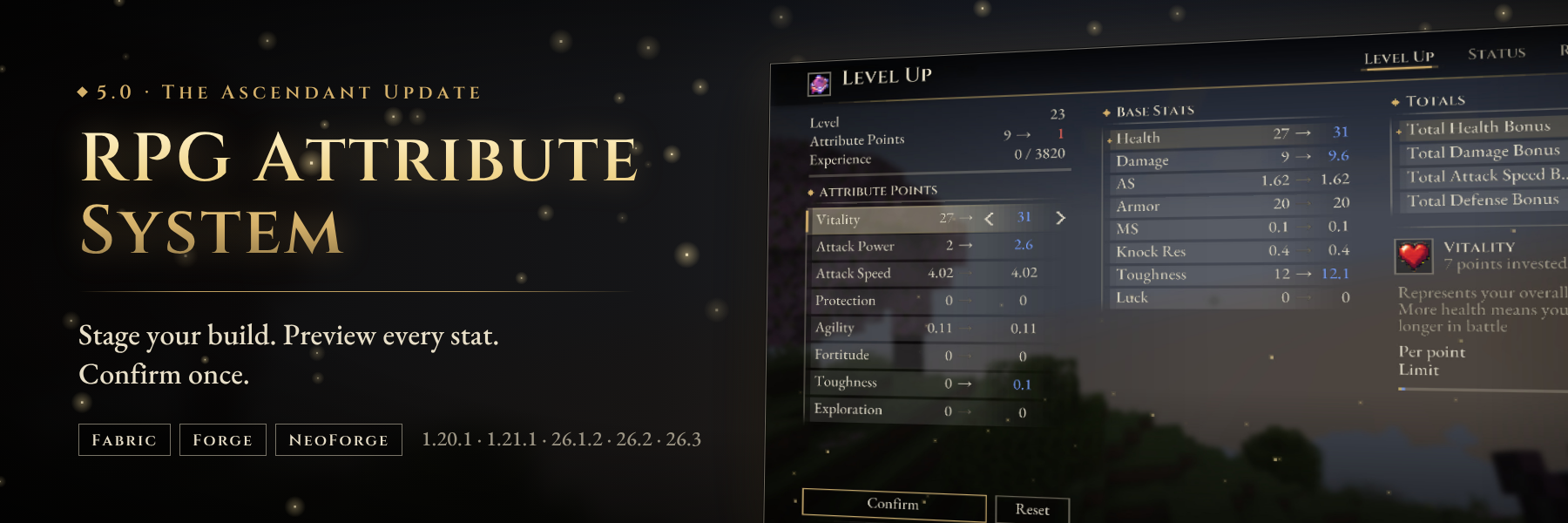
Soulslike leveling for Minecraft
Earn levels from combat, stage your attribute points, watch every stat change before it happens, and confirm your build with one press. Every number on screen comes from the server, so your armor, weapon, potion effects and other mods are already counted.
5.0 "The Ascendant Update" is available for Fabric, Forge and NeoForge on 1.20.1, 1.21.1, 26.1.2, 26.2 and 26.3.
New: the full documentation, with screenshots, every config file, commands, permissions and the API, now lives at nightbeam.dev/docs/remnants-rpg-stats.


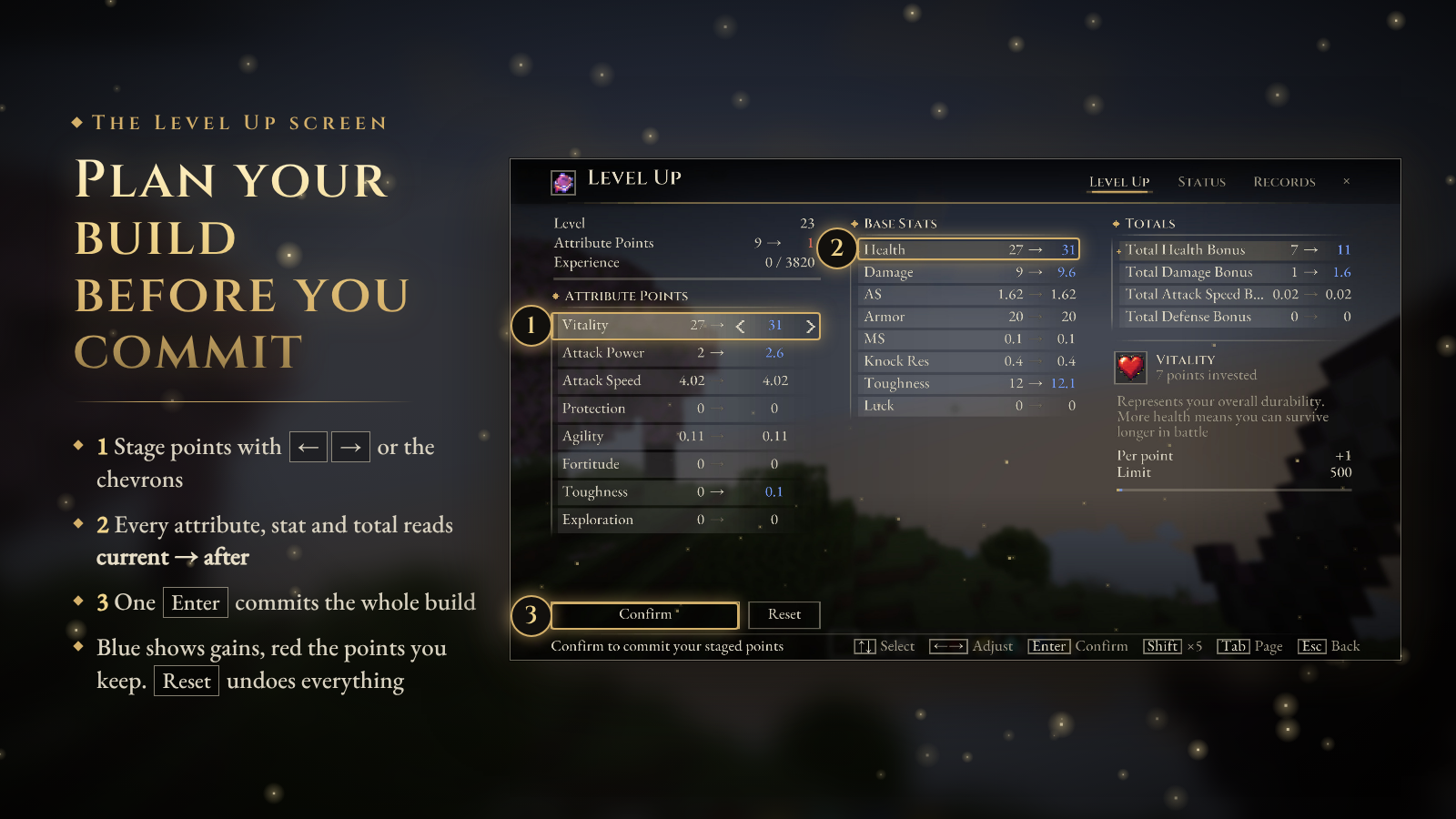
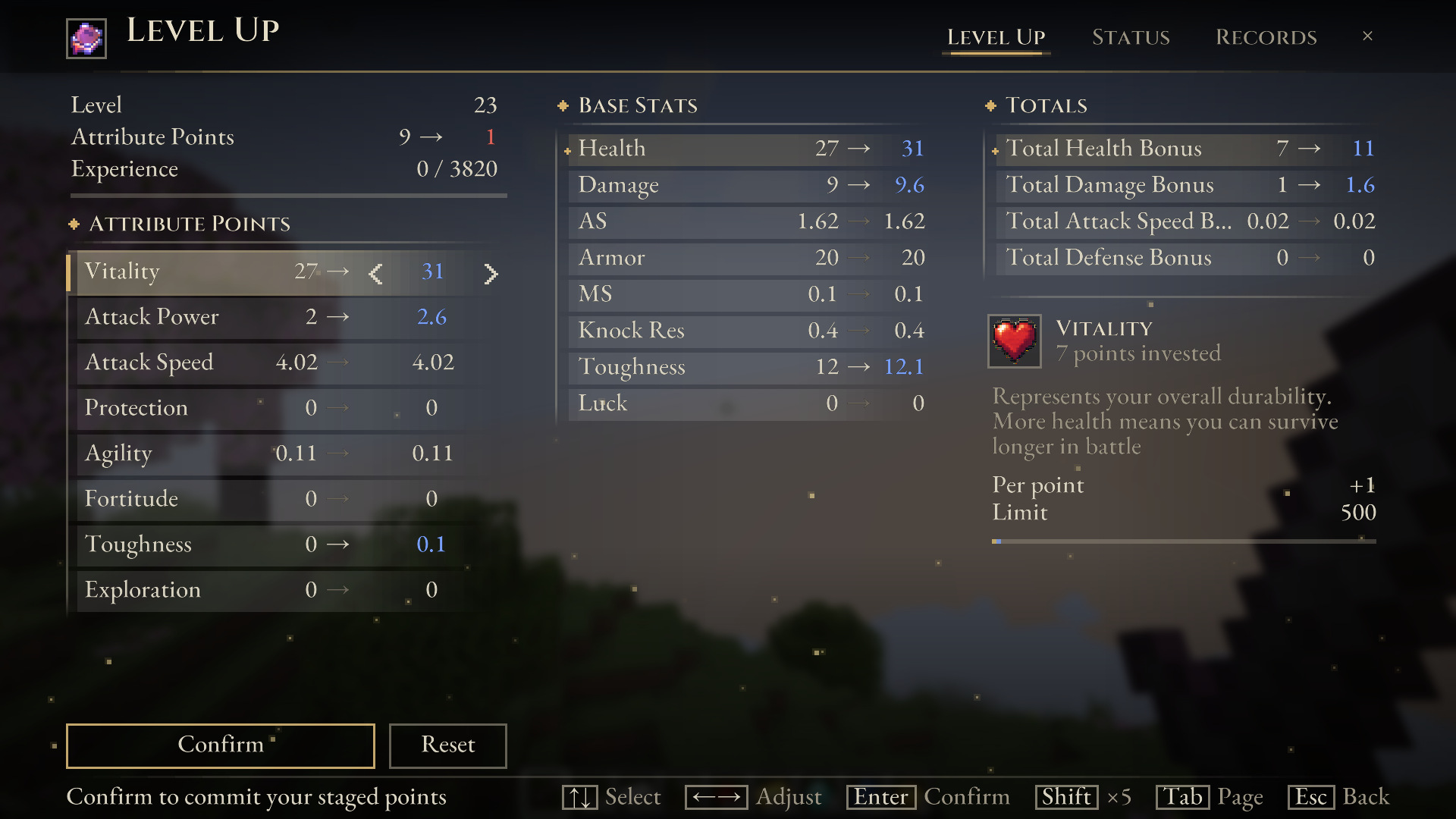
Press K. Your attributes sit on the left, the stats they drive in the middle, and the selected attribute's details on the right.
- Stage. Use ← / → or the chevrons to add or remove points. Hold Shift to move 5 at a time.
- Preview. Every attribute, stat and configured total reads current → after. Gains are blue, and the points you will keep are red. Stats affected by the selected attribute are marked with a gold diamond.
- Confirm. Press Enter to commit the whole build, or Reset to take it all back. Press Esc with unconfirmed points and the screen asks before discarding them.
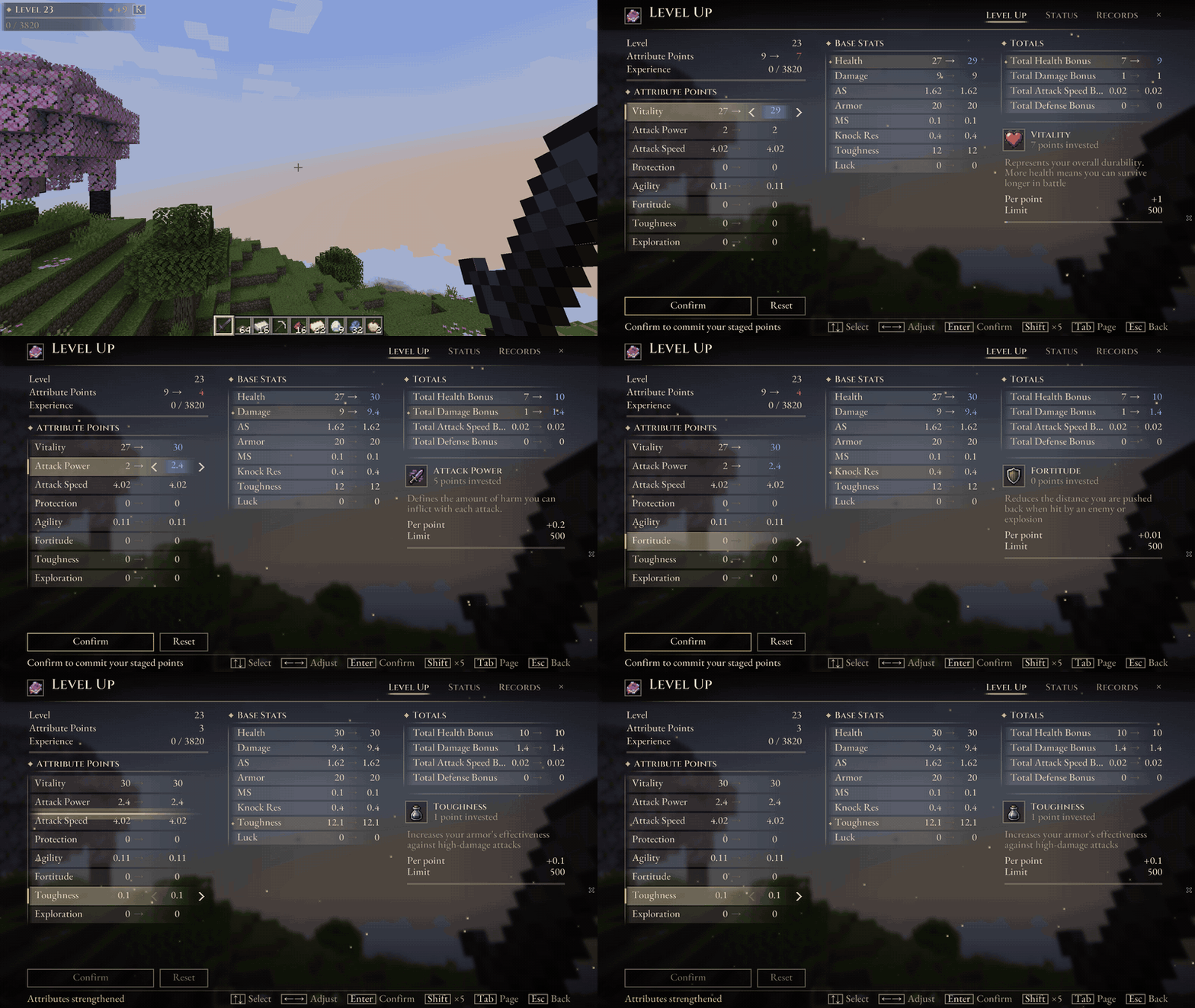

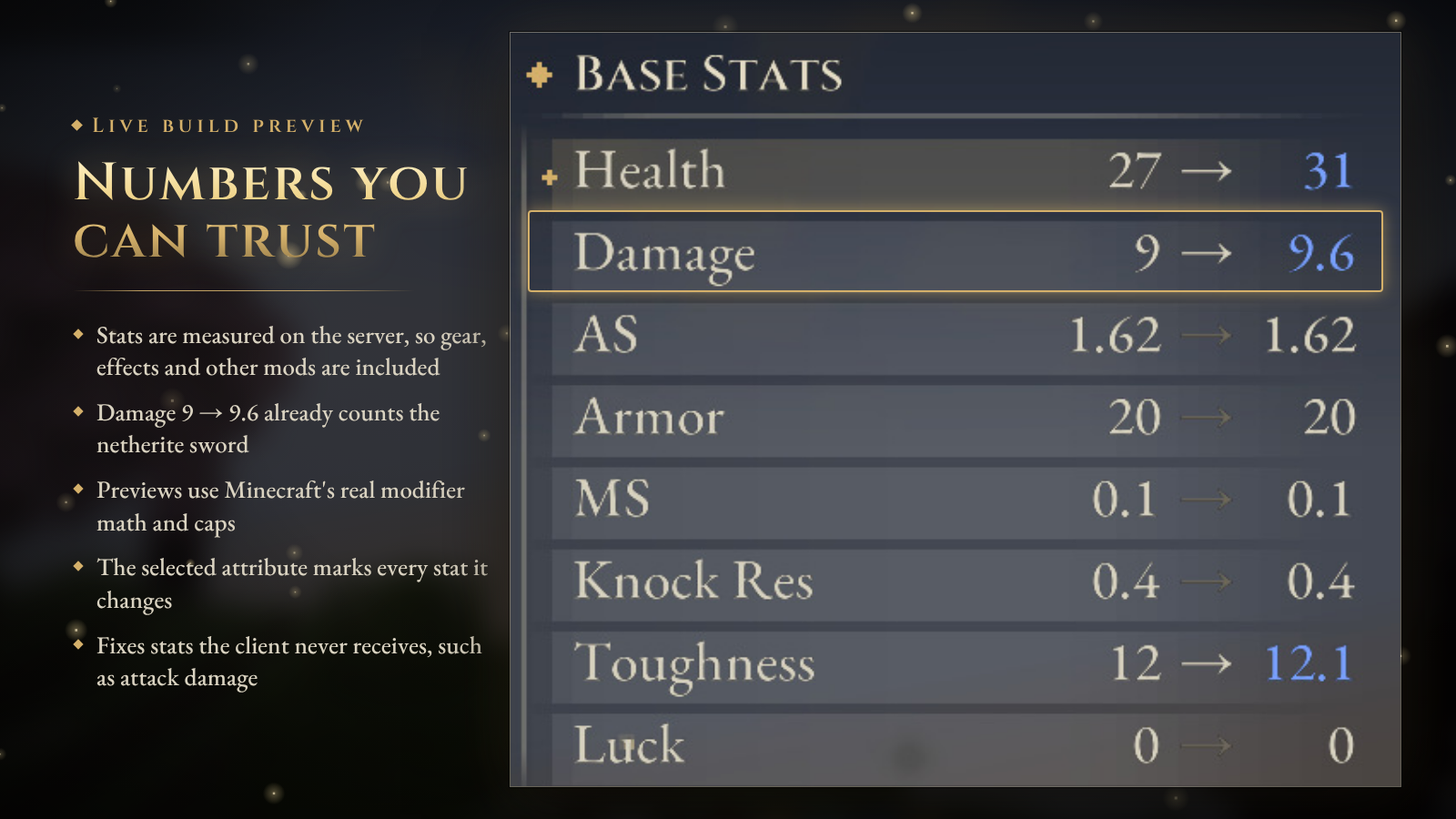
Most stat menus show just what your client can guess. RAS asks the server instead:
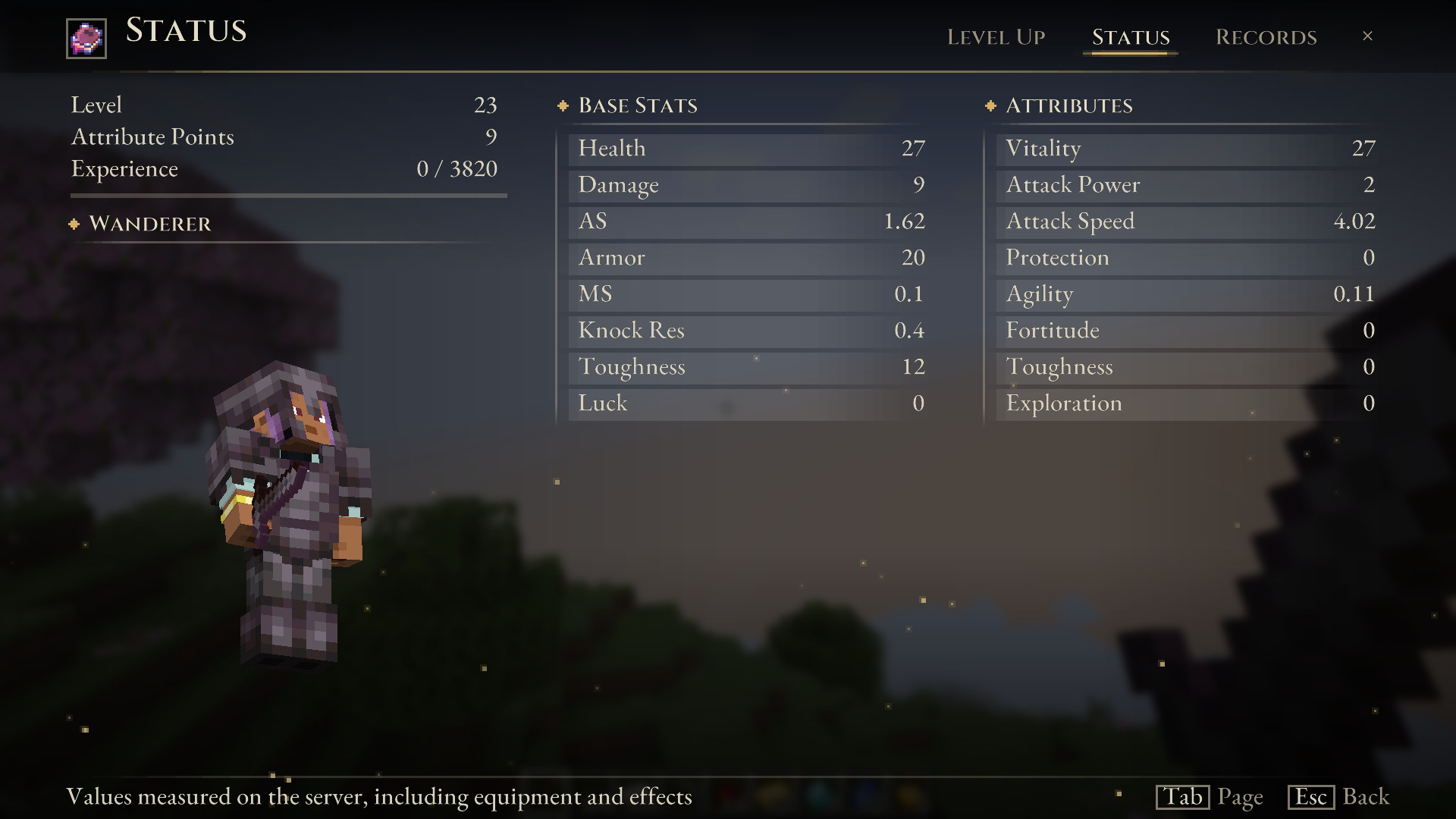
- Base Stats are measured on the server from your live attributes, including equipment modifiers, effects and attribute modifiers added by other mods.
- Previews use Minecraft's real modifier formula and attribute limits. If your armor already pushes a stat to its cap, the preview stops at the cap too.
- Stats the client never receives, such as attack damage, are finally shown correctly.
- The server measures while a RAS menu is open, twice a second, and sends an update just when something changed.
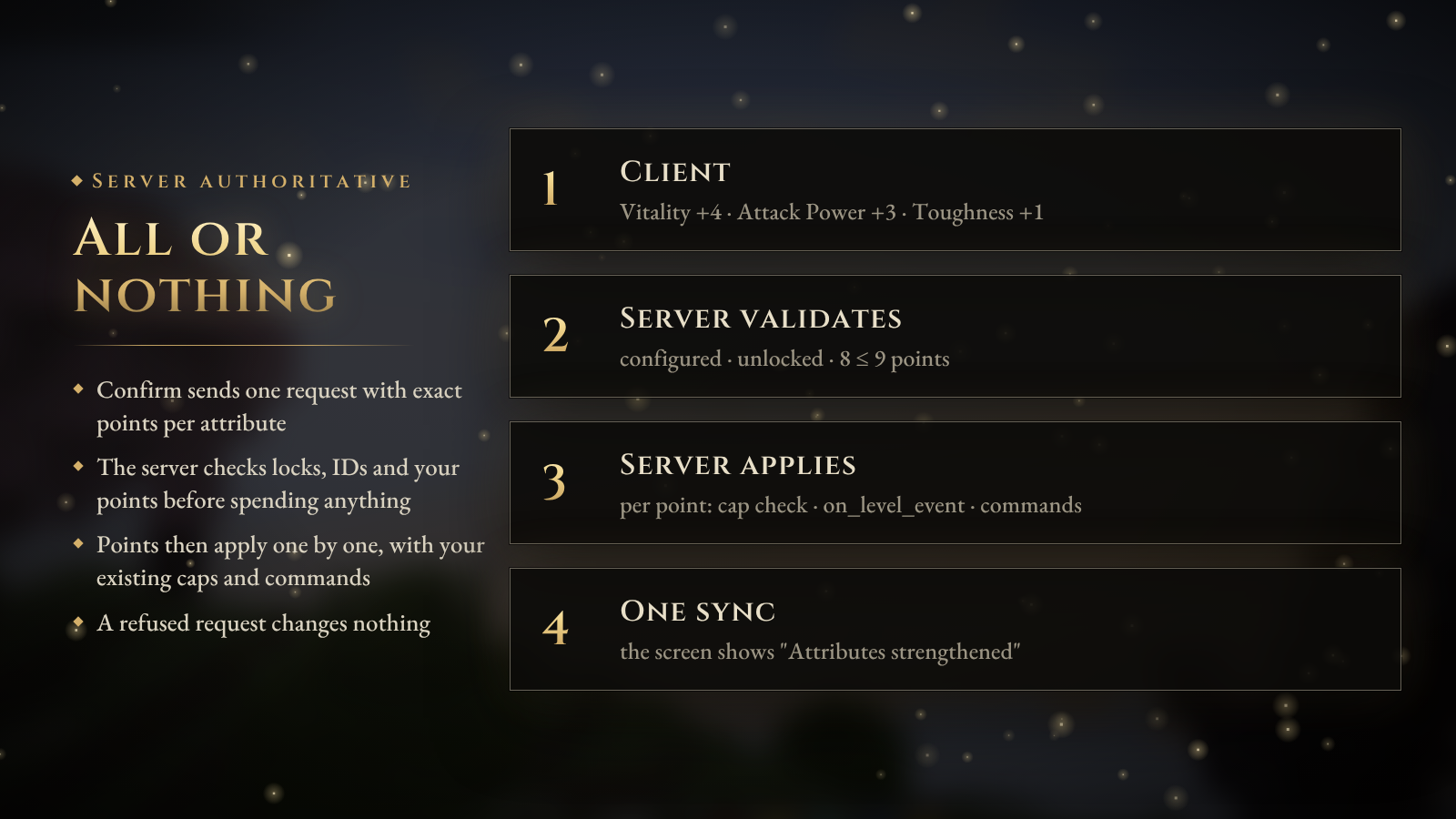
Confirm is atomic. One request carries the exact points for each attribute. The server checks that each attribute exists, is unlocked for you, and that you can afford the total, all before spending anything. It then applies the points with your existing caps and per-point commands. A refused request changes nothing.

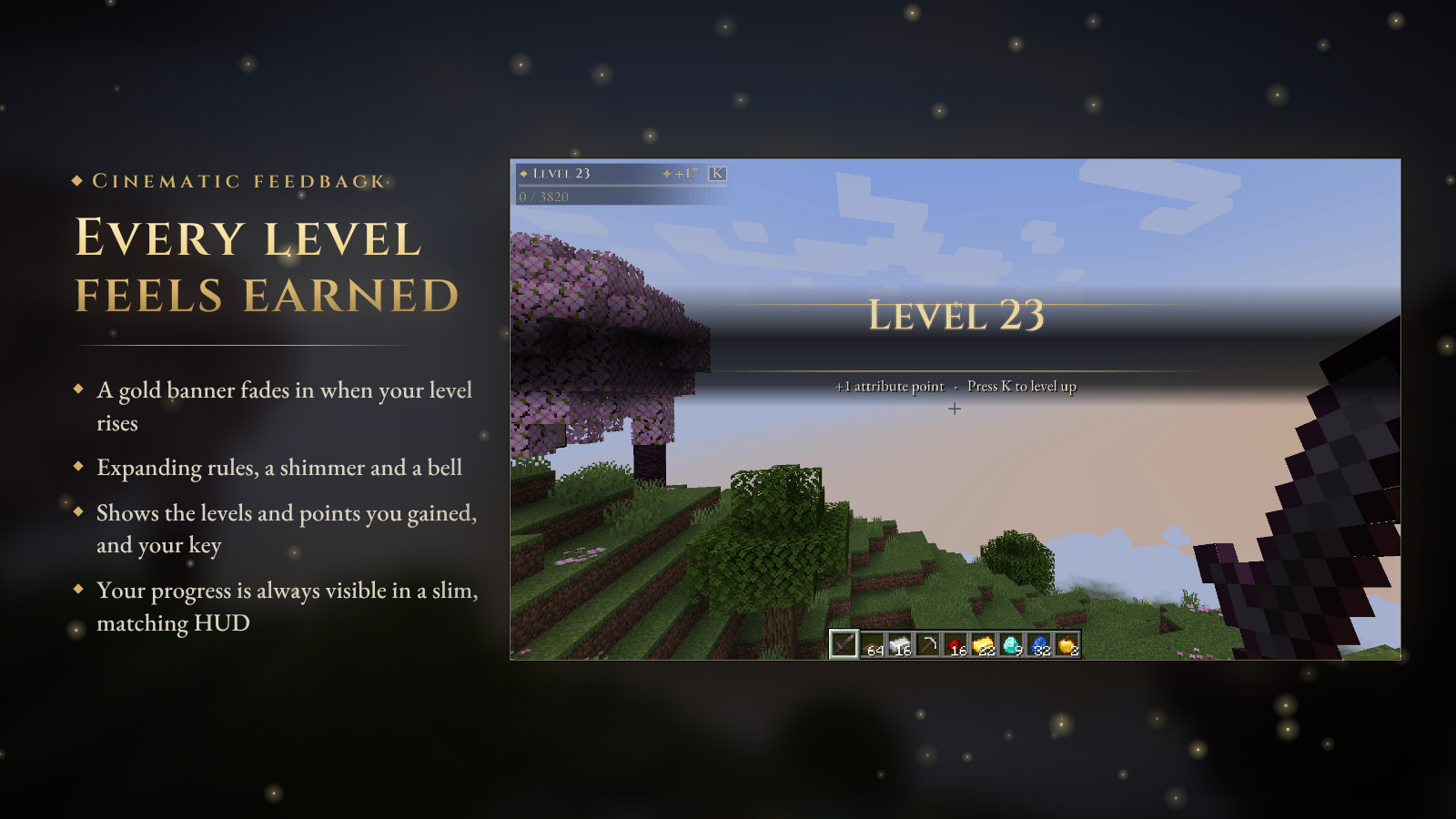
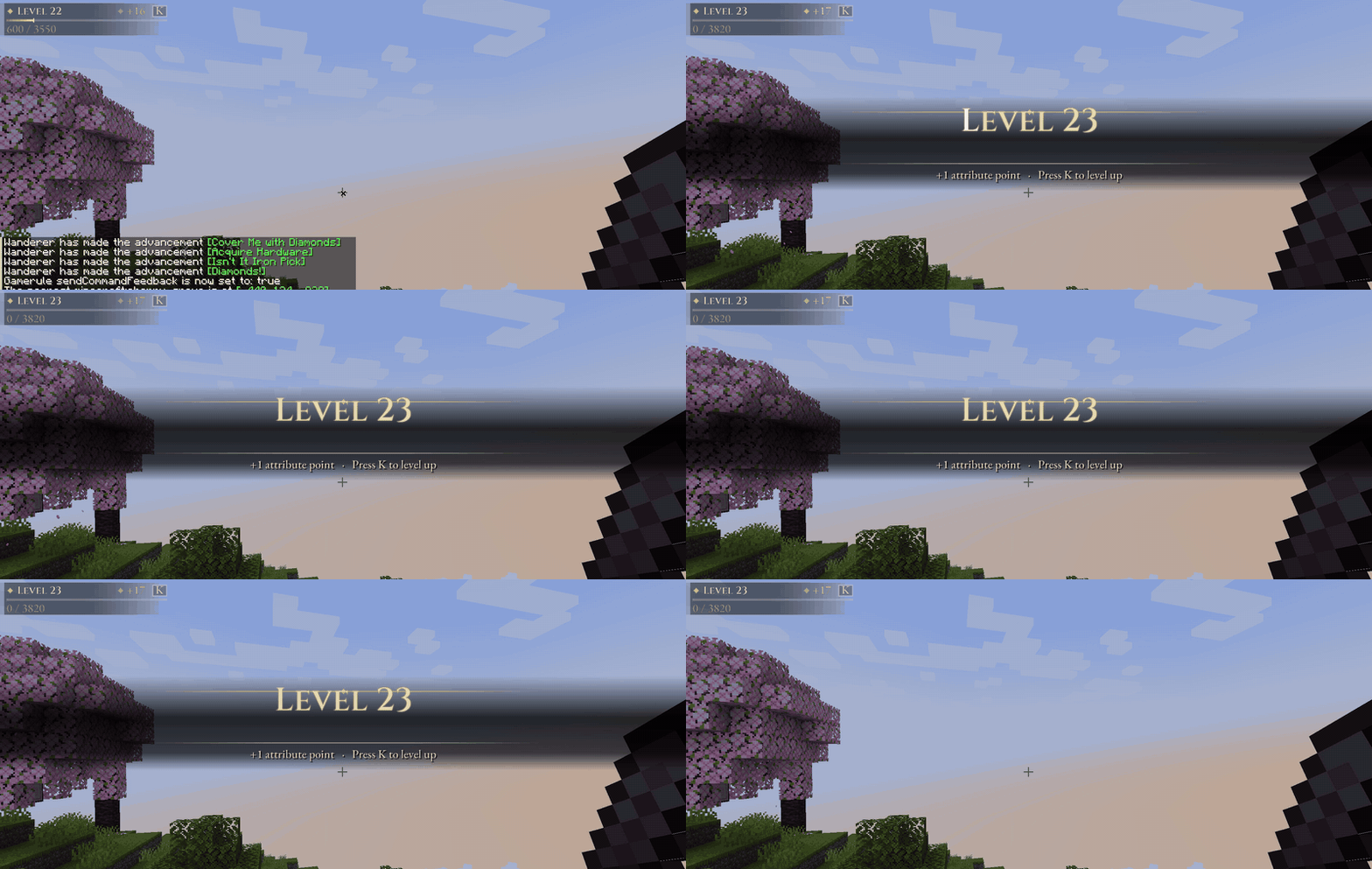
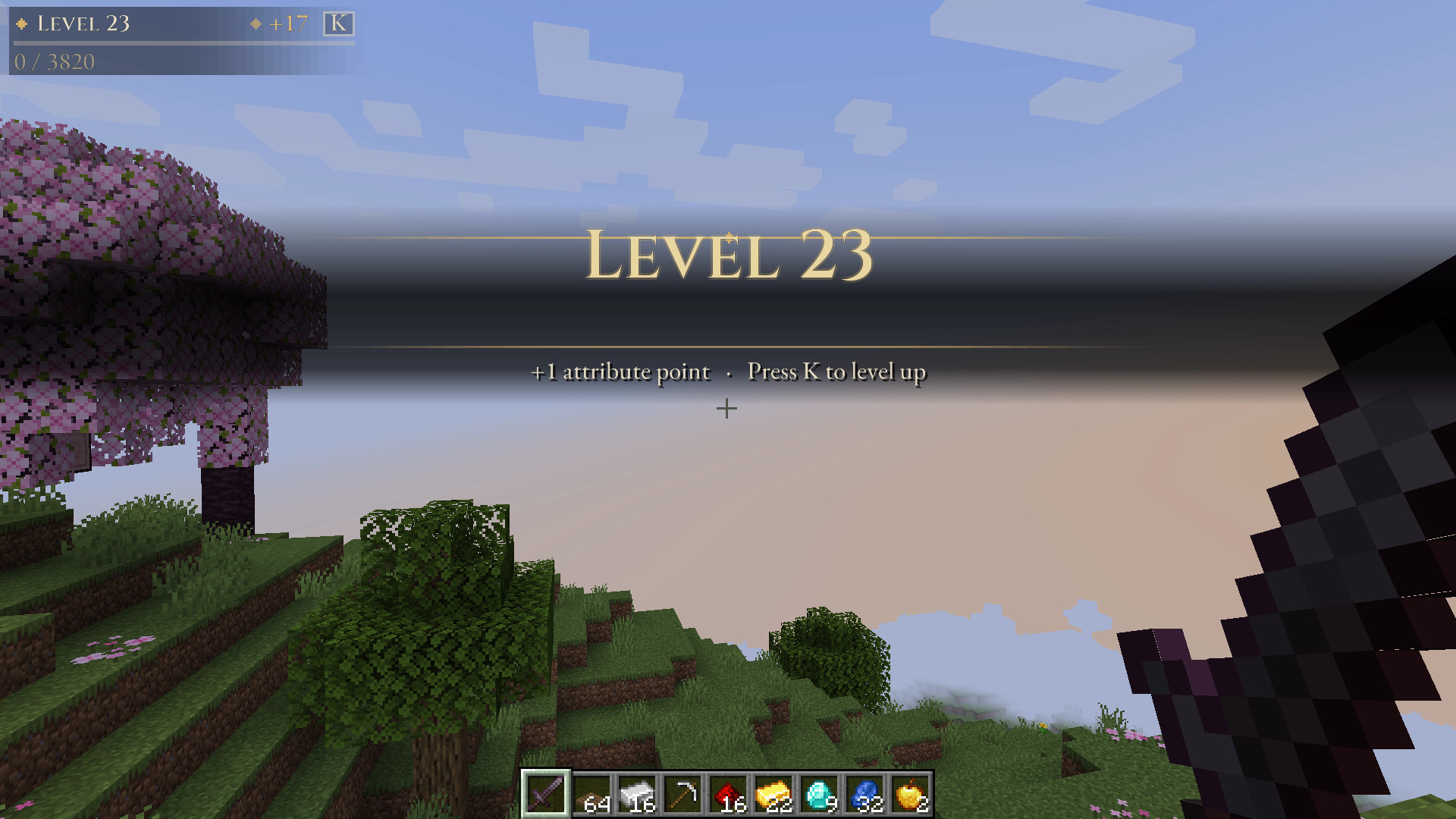
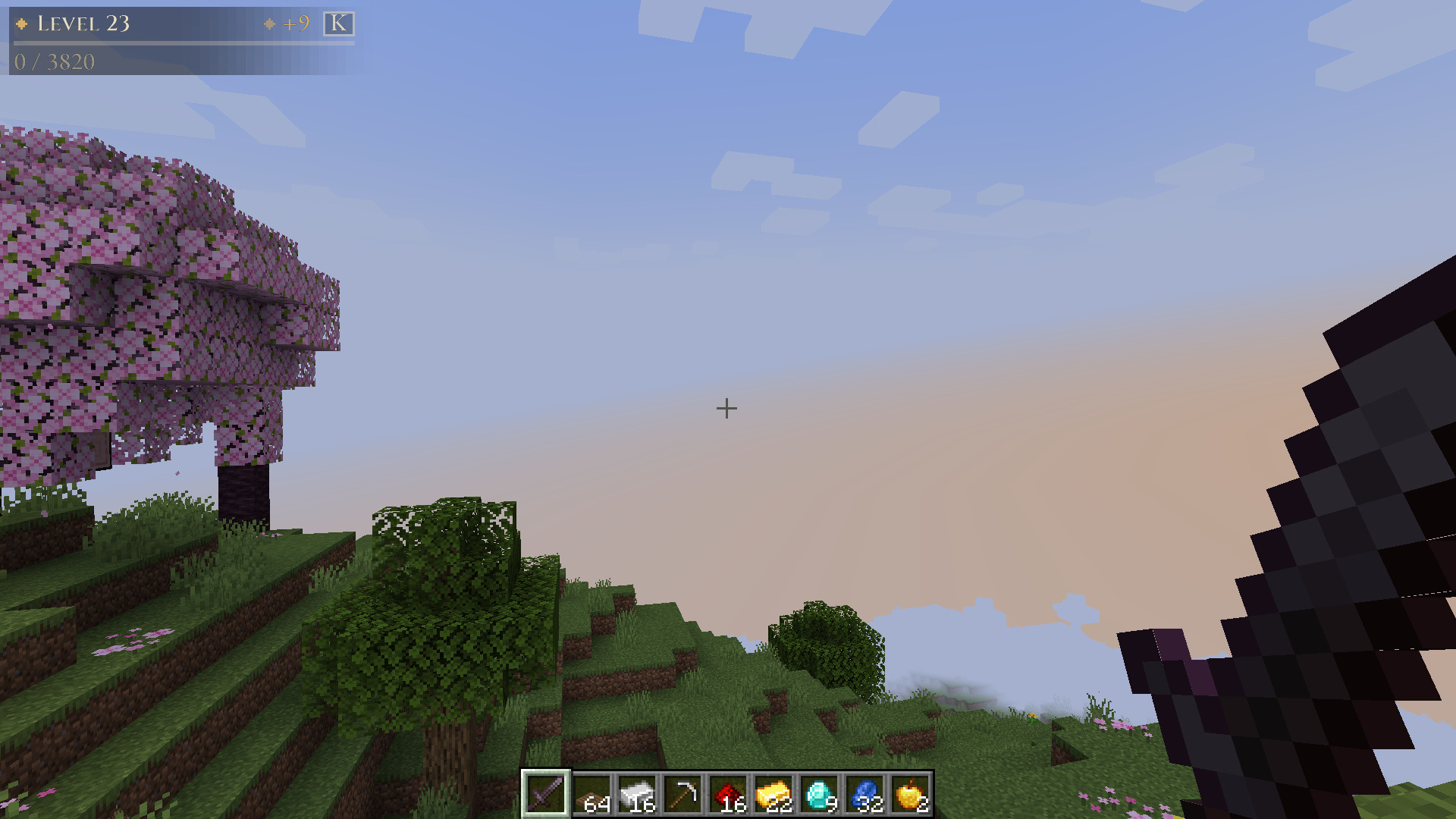
Level up and a gold banner sweeps across the screen, with expanding rules, a shimmer and a deep bell. It shows the levels and points you gained and which key opens the Level Up screen. A slim HUD in the same style keeps your level, experience and unspent points in view.

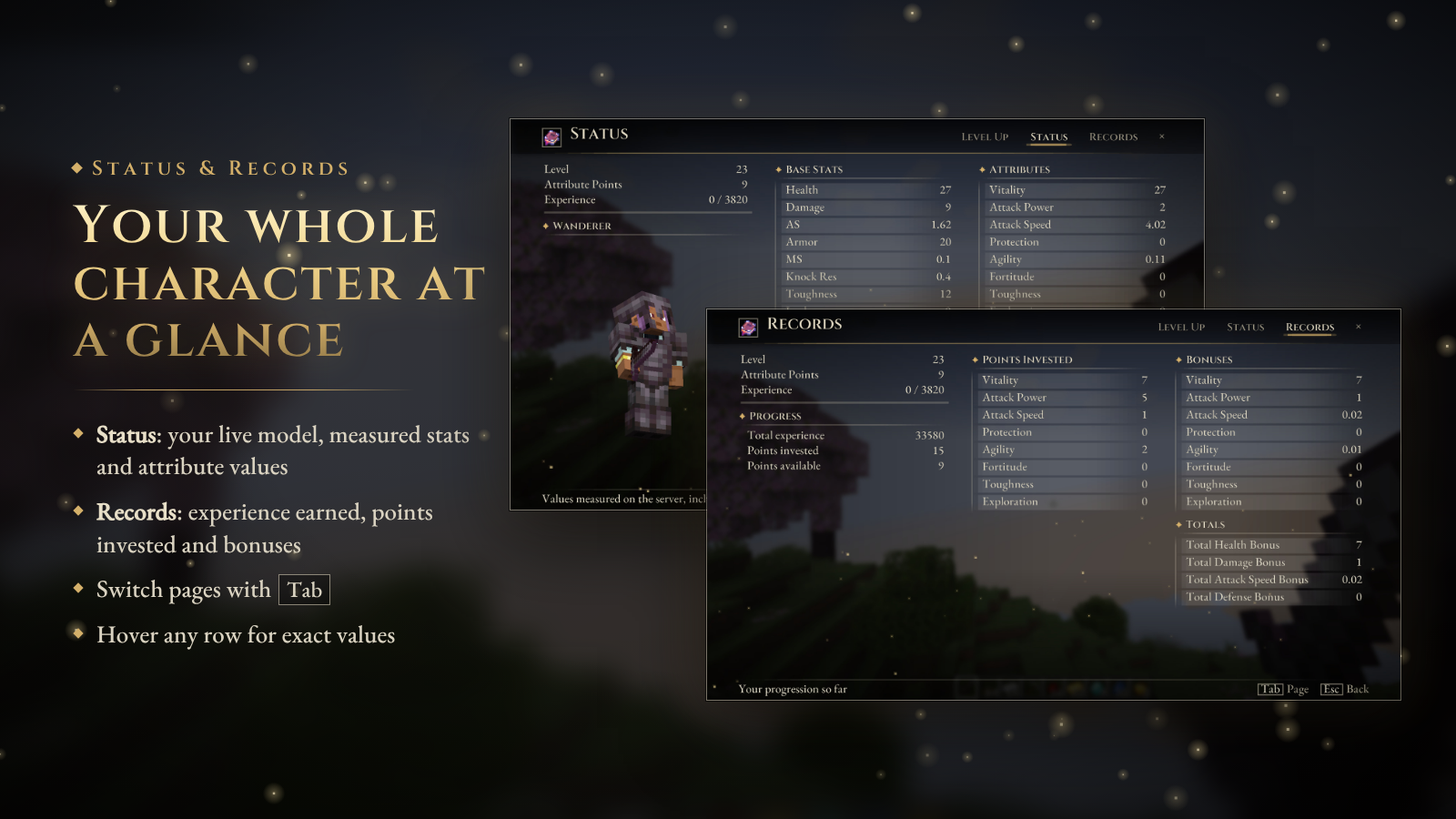
- Status: your live character model, measured stats and attribute values.
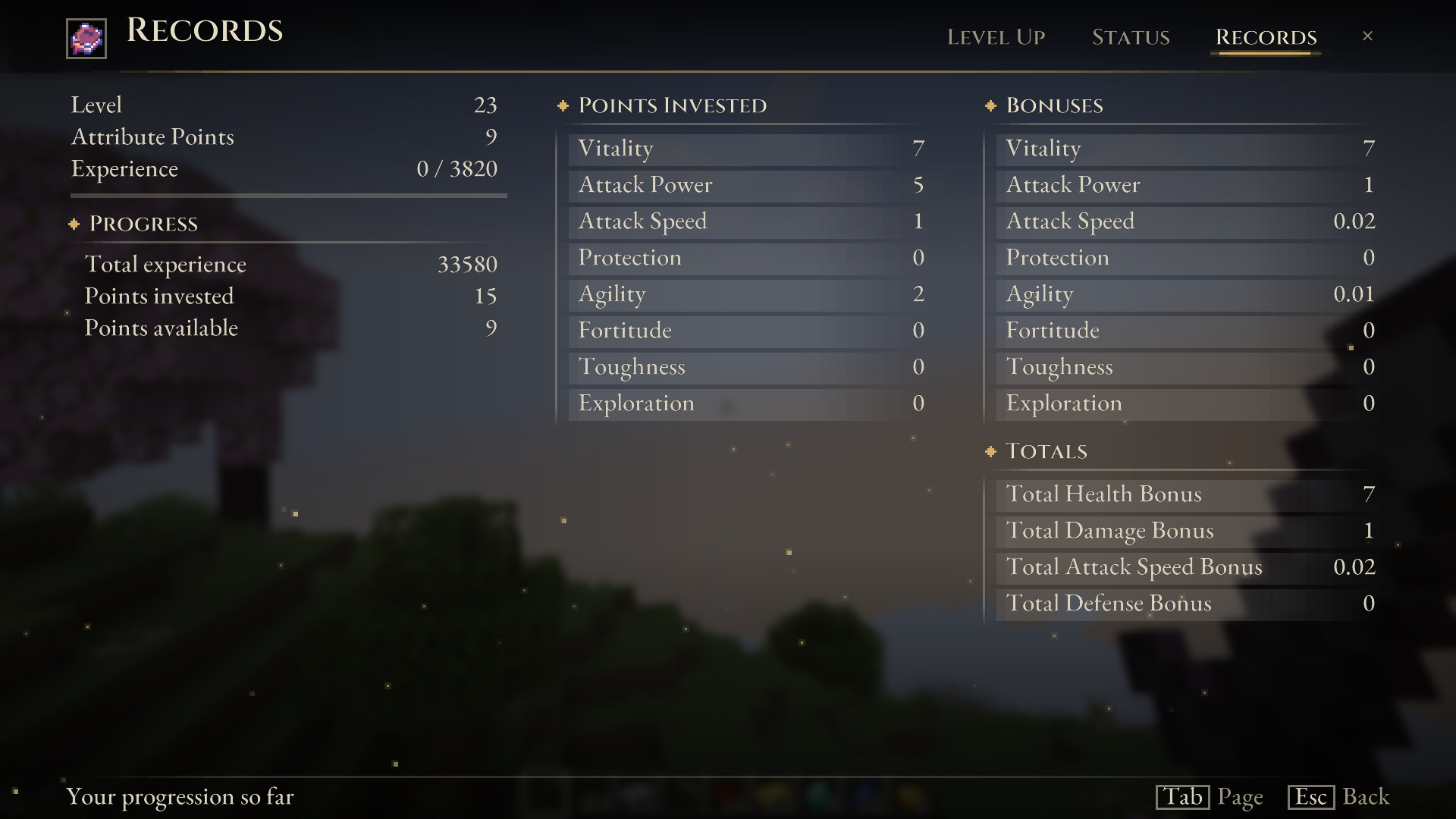
- Records: experience earned, points invested and available, bonuses per attribute, and your configured totals.
- Press Tab to switch pages. Hover any row for exact values.
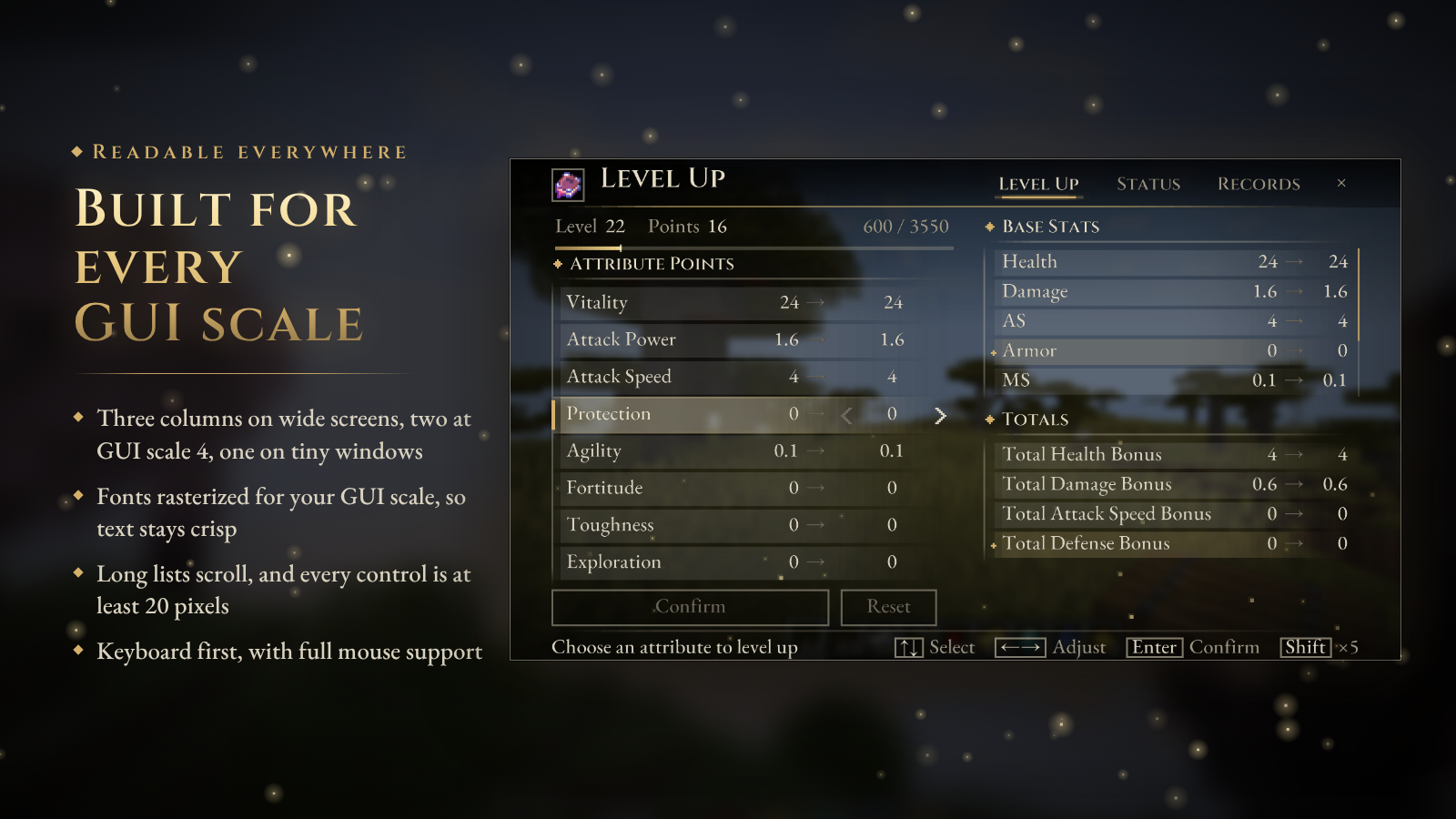
- Three columns on wide screens, two at GUI scale 4 on 1080p, one on very small windows.
- The bundled serif fonts are rasterized for your GUI scale, so text stays sharp instead of blurry.
- Long lists scroll, every control is at least 20 GUI pixels, and every action works from the keyboard.
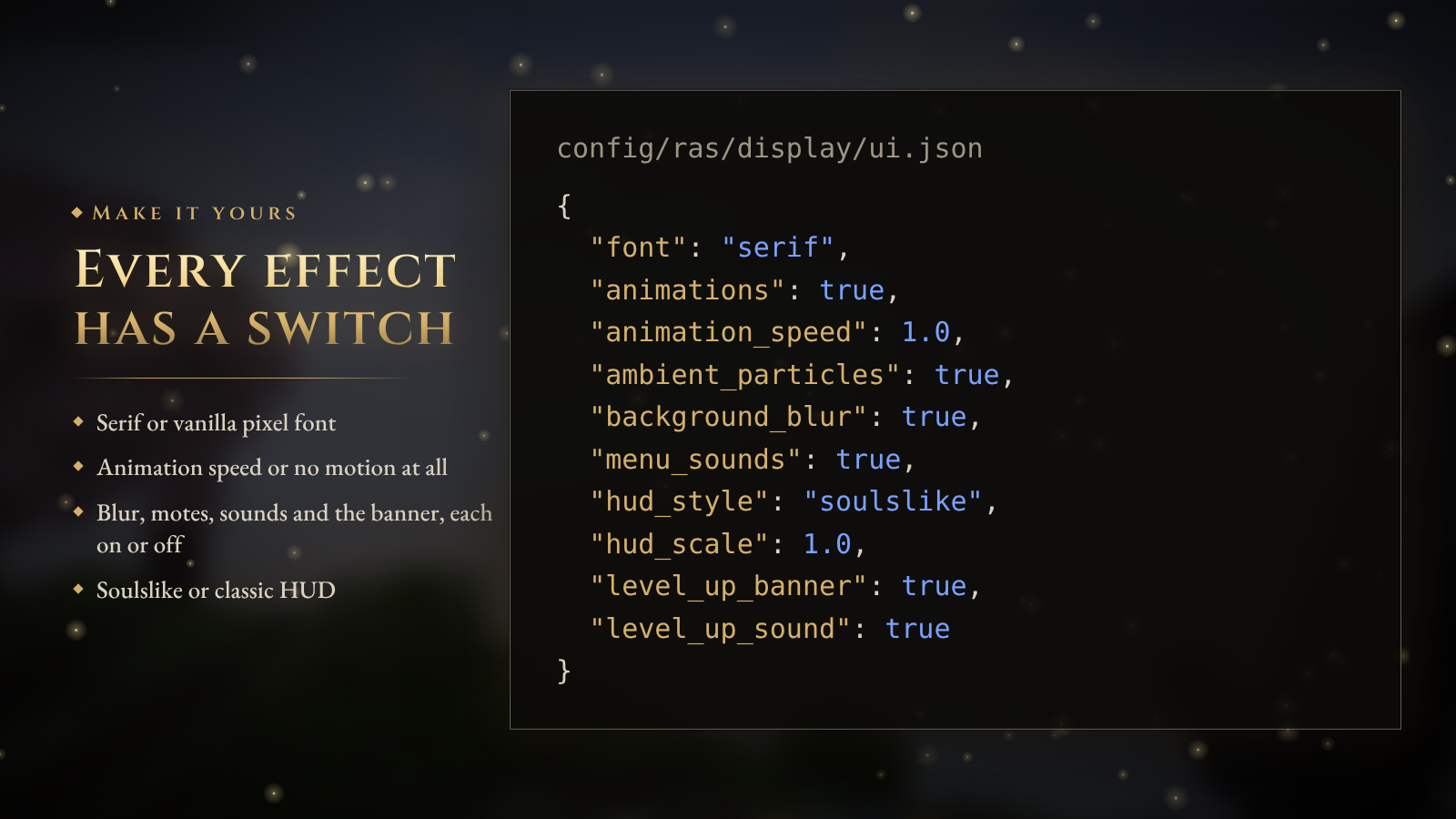
Prefer the vanilla look? Set "font": "minecraft" and "hud_style": "classic". Want no motion at all? Set "animations": false. Blur, motes, sounds and the banner can each be switched off in config/ras/display/ui.json.

The progression system under the new screen:
- Valor Points from combat. Earn VP based on a mob's max health, with per-dimension multipliers and optional per-mob and per-tag rules, difficulty weighting and armor weighting.
- Your own curve. Configure the XP curve, per-level overrides, scale intervals, maximum level and points per level.
- Data-driven attributes. Eight attributes ship by default, and up to 15 are supported. Each has a base value, per-point gain, cap, lock state, icon, description and commands, so it can drive any vanilla or modded attribute.
- Respec with
/ras respecor the Scroll of Rebirth, with optional costs, cooldowns and permissions. - Build templates players apply with one command, such as
/ras template apply warrior. - Item and block locks tied to attribute or RPG level, with colored requirement tooltips.
- Level-up rewards: items, effects or commands at fixed levels or by chance.
- Tome of Ascension: an item that grants levels.
- Shared XP for nearby players, fully server-authoritative multiplayer, and a public API for other mods.
- Configuration studio: a standalone, local web editor for RAS configuration, with previews, validation and safe exports.

| Minecraft | Loaders | Also install |
|---|---|---|
| 1.20.1 | Fabric, Forge | Fabric API (Fabric), jauml (both loaders) |
| 1.21.1 | Fabric, NeoForge | Fabric API (Fabric), jauml (both loaders) |
| 26.1.2 · 26.2 · 26.3 | Fabric, NeoForge | Fabric API (Fabric) |
- Download the file whose name matches your loader:
-fabric-,-forge-(1.20.1) or-neoforge-. - Install RAS on both the server and every client, at the same version. 5.0.0 adds new network messages.
- Updating from 4.x keeps your configuration and player data. New client settings are added in
ui.json. - RAS is a mod. It does not work as a Paper, Spigot or Folia plugin.

Can I keep the Minecraft look?
Yes. "font": "minecraft" uses the vanilla pixel font, "hud_style": "classic" restores the old HUD bar, and "animations": false removes all motion.
Does the preview know about my other mods?
The stats are measured on the server, so other mods' attribute modifiers are included. Previews cover attributes that use RAS's attribute ... base set [param] command form, which every default attribute uses. Other command forms still apply when you confirm.
What if my client and the server disagree?
They can't spend points differently. The server validates the whole request and applies it with its own rules. Your screen updates when the server confirms.
Is it heavy?
Measurements run while a RAS menu is open, twice a second, and are sent just when they change. The HUD and banner draw once per frame.
Where are the docs?
On our website: Documentation · Level Up screen guide · Configuration · Commands · API · Issues

RPG Attribute System is licensed under Apache-2.0. The bundled EB Garamond and Cinzel fonts are licensed under the SIL Open Font License 1.1. RAS is an independent project and is not affiliated with any game it takes inspiration from.
Play it in Remnants: Ashen Legacy, NightBeam's story-driven soulslike RPG modpack. It builds RPG Stats, Skills & Progression into one rule set with the rest of the Remnants series.
More from NightBeam Studio
- Remnants: Ashen Legacy: the story-driven soulslike RPG modpack built on NightBeam's mods
- Premium server plugins: anti-cheat, ranked PvP, SMP setups and more on BuiltByBit
- NightBeam Pro: the model library and NightBeam Forge credits, from $5 a month
- Discord: support, bug reports, suggestions and early looks
- Support NightBeam: help keep every mod free
Remnants | RPG Stats, Skills & Progression Server crasht beim Start – was tun?
Häufige Ursachen: Loader- oder Minecraft-Version passen nicht zur Mod-Datei, eine Abhängigkeit fehlt oder der RAM reicht nicht. Such im Log (latest.log) nach „OutOfMemoryError“, „Mixin“ oder fehlenden Mods. Bei Mado wertet die KI-Crash-Analyse das Log aus und schlägt eine Ursache vor. Loader und Version änderst du im Panel.
Mit welchem Loader läuft Remnants | RPG Stats, Skills & Progression?
Laut Modrinth unterstützt Remnants | RPG Stats, Skills & Progression Fabric, Forge, NeoForge für Minecraft 26.3, 26.2, 26.1.2. Forge- und Fabric-Dateien sind nicht untereinander austauschbar: Wähl einen Loader für Server und Clients.
Wie viel RAM braucht ein Server mit Remnants | RPG Stats, Skills & Progression?
Als Orientierung 3–4 GB für einen Server mit dieser Mod. Das ist eine Schätzung, keine gemessene Mindestanforderung. Weitere Mods, viele Spieler und große Sichtweiten brauchen mehr. Ob eine Mod die Tick-Zeit belastet, siehst du mit dem spark-Profiler.
Ähnliche Mods
Beliebte Mods aus derselben Kategorie
 Server-fähig

Xaero's Minimap
von thexaero
Displays a map of the nearby world terrain, players, mobs, entities in the corner of your screen. Lets you create waypoints which help you find the locations you've marked.
 Server-fähig

Xaero's World Map
von thexaero
Adds a full screen world map which shows you what you have explored in the world. Works great together with Xaero's Minimap.
 Nur Client

Not Enough Animations
von tr7zw
Bringing first-person animations to the third-person
 Nur Client

3D Skin Layers
von tr7zw
Render the player skin layer in 3d!
Bereit für deinen Server mit Remnants | RPG Stats, Skills & Progression?
4 GB RAM ab 8,00 € im Monat. 35 % auf den 1. Monat mit MADO35.