
Ripples of the Past: King Crimson Addon
A Ripples of the Past addon, adding King Crimson
Screenshots

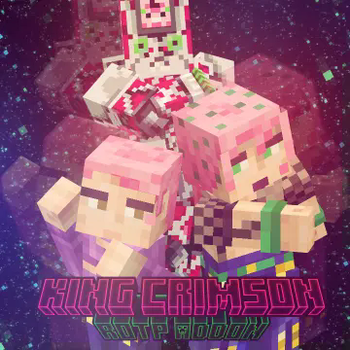
Über diese Mod
ATTENTION! Before installing the King Crimson Addon, you must install the Ripples of The Past mod!
Moveset:
Left Click Hotbar (Stand Summoned):
Punch / Heavy Punch / Groundpunch Finisher ≈≈ Desperate Eyejab (If under 50% health)
Barrage (conditional, configurable) / Heavy Punch / Groundpunch Finisher
Chop / Impale
Left Click Hotbar (Stand Unsummoned):
Punch / Ground Slam / Groundpunch Finisher ≈≈ Desperate Eyejab (If under 50% health)
Barrage (conditional, configurable) / Heavy Punch / Groundpunch Finisher
Projectile Throw / Tripple Projectile Throw
Right Click Hotbar (Stand both Summoned and Unsummoned):
Block
Epitaph
Time Skip
Time Erase
Some information about the abilities:
Barrage is highly configurable, however by default it can only be used once the user is below 50% health. In the config file however there is a detailed instruction on how to make the attack always be usable, regardless of the user's health. (Or never, if that is more your thing of course)
Chop gives an effect to players upon hit, where their body will be (temporarily) mangled. This makes them unable to use items and break blocks. It also instakills players without any armor.
Impale will give entites/players the Gaping Wound effect, which will make them more suseptable to damage. This works in synergy with Chop, and if you Impale someone first, you have a likely chance to kill them upon a successful chop afterwards.
Desperate Eyejab will blind players on one eye for a short amount of time. As said in above, it will replace Ground Punch Finisher once the player is bellow 50% health. That is configurable aswell.
Epitaph is basically a dodge ability (because I can't actually predict the future, at least not in a way that wouldn't be annoying to other players). So while you hold it, you are looking into the future, and if you are attacked you skip time behind the attacker. It also saves you from falling to your death, as it is technically a "time erase" (unless you are bellow resolve 3, where you dodge instead of Time Erase)
Time Erase also needs a bit more of an explanation to be understood. In the addon, when you hold Time Erase, you will see the future movements of entites (two red entites. Why two? Basically because I thought it looks nice), as well as the "present" entity which will be outlined in red and will be doing the future actions. This is done through afterimages. The real entity is always the red one that is in front all the time. The one you need to attack or plan against is the one that is not red, but has a red outline.
Time Skip advances entities and players for 10 seconds (or whatever you configure it to) worth of time. This works differently for players and mobs. Mobs do thier next 10 seconds worth of "goals" (looking around, walking, attacking, fleeing, eating grass, etc) that they were meant to in an instant. Players will do the action they were doing at the moment the ability was activated for the next 10 seconds. So if they were walking forwards, they walk forward 10 seconds, if they were jumping, they do that. This does NOT extend to building and block breaking, because I couldn't get it to work.
CREDITS (to the people in the Discord server of RotP):
@makutazeml - For helping with rendering and many many other parts of the code that I didn't have the experience to do/fix.
@standobyte - For helping with Time Erase sky rendering, fixing a lot of problems I couldn't fix, and just generally giving a helping hand for whenever I got stuck in the coding.
@hk47bit & @thedoggys - For helping with rendering/model/other issues I had during coding.
@weeverlegend - For helping with the epitaph shader, as well as other bits and pieces.
@mlgmcmarioplayer - For recreating the action icons to be more pleasant, as well as for creating the Stand Skins for the addon.
@coop001 - For giving very insightful and creative ideas/feedback for the addon during the creation process.
@deezquartz - For laying the base of the project out at the very start, for helping with a lot of the sounds, and for making the model for the addon.
Further credit to the 1.15.2 / 1.16.5 mod, Diamond Is Uncraftable, where I got the images for King Crimson's Time Skip from.
Verfügbare Versionen
Ripples of the Past: King Crimson Addon auf dem Server installieren
Server bestellen
Bestelle einen Minecraft Java Server mit mindestens 3 GB RAM (4 GB empfohlen).
forge Loader setzen
Wähle im Panel unter "Egg" den forge-Loader und die passende Minecraft-Version (1.16.5).
Mod installieren
Öffne den Mod-Browser im Dashboard und suche nach "Ripples of the Past: King Crimson Addon". Klicke "Installieren" – fertig! Alternativ: Lade die .jar via SFTP in den /mods Ordner.
Kompatibilität
Mod-Loader
Minecraft-Versionen
1.16.5
Server-seitig
✓ ErforderlichEmpfohlener RAM
4 GB(min. 3 GB)Häufige Fragen
Ripples of the Past: King Crimson Addon Server crasht beim Start – was tun?
Häufigste Ursache: falsche forge-Version oder zu wenig RAM. Prüfe im Server-Log (latest.log), ob ein "OutOfMemoryError" oder "Mixin"-Fehler auftritt. Bei Mado Hosting: Stelle sicher, dass mindestens 3 GB RAM zugewiesen sind und der Loader zur Mod-Version passt (1.16.5). Über das Panel kannst du den Loader mit einem Klick wechseln.
Ist Ripples of the Past: King Crimson Addon mit forge kompatibel?
Ripples of the Past: King Crimson Addon unterstützt offiziell forge für Minecraft 1.16.5. Im Mado Dashboard werden inkompatible Loader-Kombinationen automatisch erkannt.
Server laggt mit Ripples of the Past: King Crimson Addon – wie optimiere ich die Performance?
Empfohlener RAM: 4 GB (+1 GB pro 8 Spieler). Prüfe mit /spark profiler, ob Ripples of the Past: King Crimson Addon den meisten Tick-Time verbraucht. Häufige Fixes: Server-View-Distance auf 8-10 reduzieren, bei Forge "performant" oder "starlight" als Zusatz-Mod installieren. Bei Mado Hosting läuft dein Server auf NVMe-SSDs mit dedizierten CPU-Kernen für minimale Latenz.
Ähnliche Mods






Modded Server mieten
Installiere Ripples of the Past: King Crimson Addon mit nur einem Klick auf deinem Server.