
RPG-HUD
A mod to change the Heads-Up-Display (HUD, i.e. ingame user interface) to one more akin to popular RPGs or MMORPGs while being very customisable.
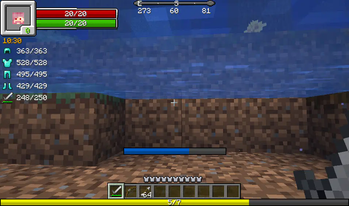
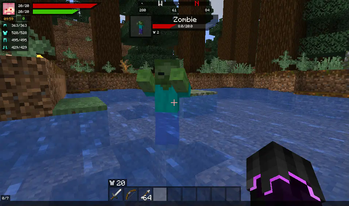
Screenshots
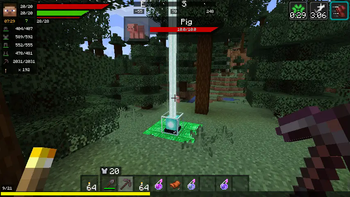
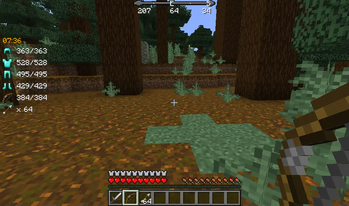
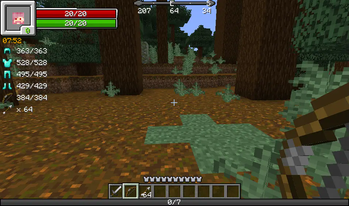
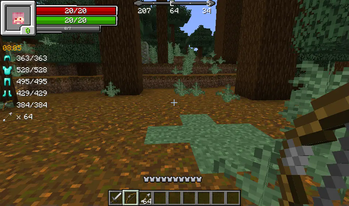
Über diese Mod
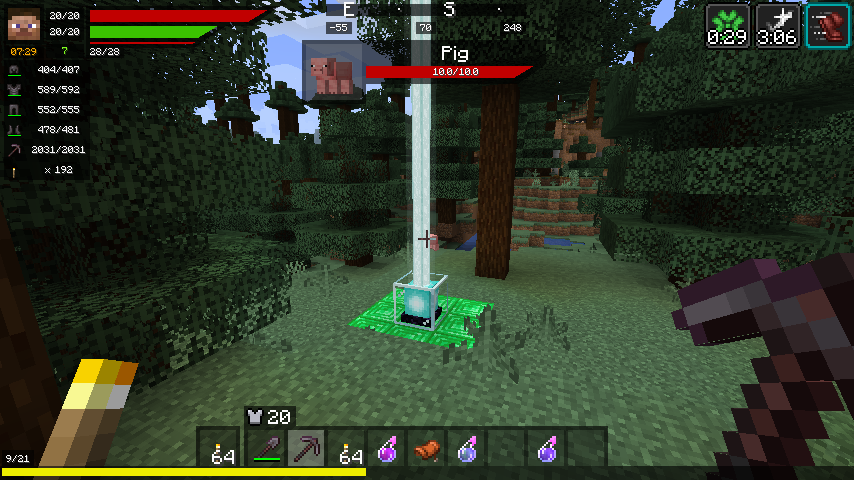
This mod will change your HUD (Heads Up Display) and add a few new features to it!
Features:
- Health bar
- Hunger bar
- Experience bar
- Breath bar
- Horse jump bar
- Character widget
- Numeric values
- Health
- Stamina
- Experience
- Clock widget (See the world's time!)
- Different time formats (24h,12h)
- Immersive (Set it to only display if you carry a clock!)
- Compass widget (See the direction you are going)
- Immersive (Set it to only display if you carry a compass)
- Item details
- Display the item durability of your armor and equipped items
- Display how many of the equipped block you have in your inventory
- Display which arrow will be shot and how many of that type you carry
- EntityInspect
- Display Health and armor of the Creature you are looking at
- Status Effects
- See your active Status Effects with a timer
- Resize the Status Effects to your liking
- Render the Status Effects vertically instead
- Free repositioning
- You can reposition every single element of the mod
- Debug settings (If this mod conflicts with another)
- Disable anything you want of this mod
- Disable the event other mods use to render certain elements (e.g. the health event)
- Different HUD types (plus possible plugins!) - see Media for screenshots!
- Vanilla HUD (you only want the other features, not the RPG-styled HUDs)
- Simple HUD (My favorite - similar to vanilla but with bars!)
- Default HUD (simple, effective)
- Extended HUD (also simple, also effective)
- Full Texture HUD (if you want to re-texture the entire thing)
- Modern HUD (smooth, simple, transparent)
Verfügbare Versionen
RPG-HUD auf deinem Client installieren
Mod-Loader lokal installieren
Installiere fabric für deine lokale Minecraft-Version.
Passende Datei herunterladen
Wähle die RPG-HUD-Datei für fabric und Minecraft 26.2.
Mod installieren
Lege die .jar-Datei in deinem lokalen .minecraft/mods-Ordner ab und starte Minecraft neu. Eine Installation auf dem Server ist nicht nötig.
Kompatibilität
Mod-Loader
Minecraft-Versionen
26.2, 26.1.2, 26.1.1 (+9 weitere)
Server-seitig
✗ Nicht unterstütztEmpfohlener RAM
4 GB(min. 3 GB)Häufige Fragen
Muss RPG-HUD auf dem Minecraft Server installiert werden?
Nein. Modrinth kennzeichnet RPG-HUD serverseitig als nicht unterstützt. Installiere die Mod nur im lokalen Minecraft-Mods-Ordner. Dein Server kann unverändert bleiben, sofern die Mod-Seite keine zusätzliche Abhängigkeit nennt.
Welche Version und welchen Loader braucht RPG-HUD?
Nutze eine Datei für fabric, forge, neoforge und exakt deine Minecraft-Version. Unterstützte Versionen sind unter anderem 26.2, 26.1.2, 26.1.1. Loader-Dateien sind nicht untereinander austauschbar.
RPG-HUD funktioniert nicht – was kann ich prüfen?
Prüfe zuerst Minecraft-Version, Loader-Version und erforderliche Abhängigkeiten. Lege die .jar-Datei im lokalen .minecraft/mods-Ordner ab und entferne ältere Duplikate. Da die Mod clientseitig ist, löst mehr Server-RAM dieses Problem nicht.
Ähnliche Mods




![[ETF] Entity Texture Features](https://cdn.modrinth.com/data/BVzZfTc1/af683d206d50b05258d865b0d6e4aa2f2cee12f2_96.webp)

Minecraft Server für deine Gruppe
RPG-HUD bleibt auf deinem Client. Hoste dazu eine kompatible Welt für deine Mitspieler.
Details
- Lizenz
- GNU General Public License v3.0 or later
- Server-seitig
- Nicht unterstützt