
Modrinth · Fabric, Forge, NeoForge, Quilt
Rubinated Nether auf deinem Minecraft Server
Rubinated Nether läuft auf Minecraft Servern mit Fabric oder Forge oder NeoForge oder Quilt. Bestell deinen Server, stell den Loader im Panel ein und installiere die Mod mit einem Klick im Mod-Browser.
Rubinated Nether is a Vanilla+ mod which adds Nether Ruby into the game for utility, decoration and redstone.
- Downloads
- 61.6K
- Autor
- –
- Loader
- Fabric, Forge, NeoForge, Quilt
- Minecraft
- 1.20.1 – 1.21.1
- Aktualisiert
- –
Screenshots
So sieht Rubinated Nether aus
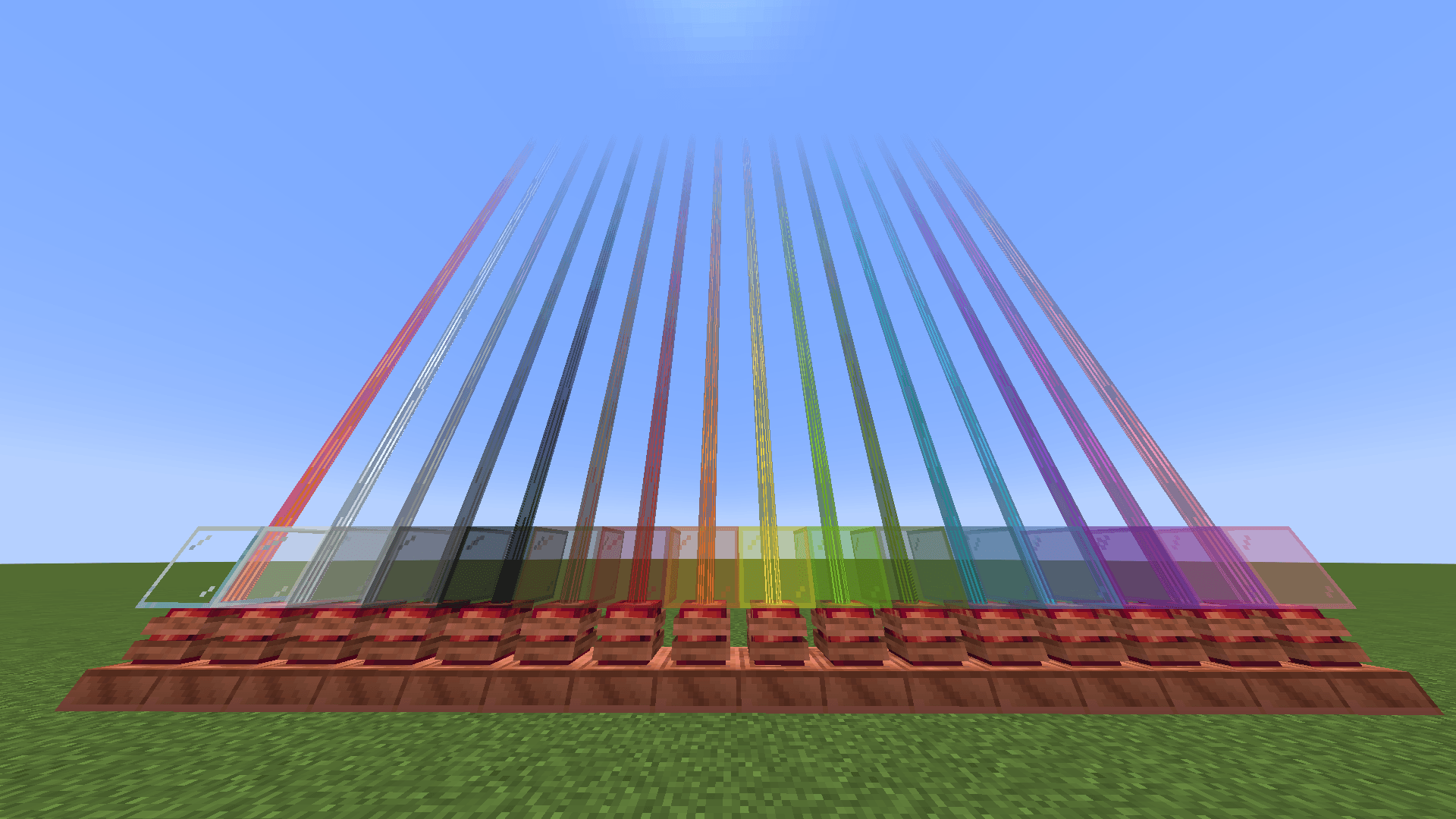
 Ruby Lasers being colored
 Rubinated Nether: Mix 'n' Match
 Rubinated Nether
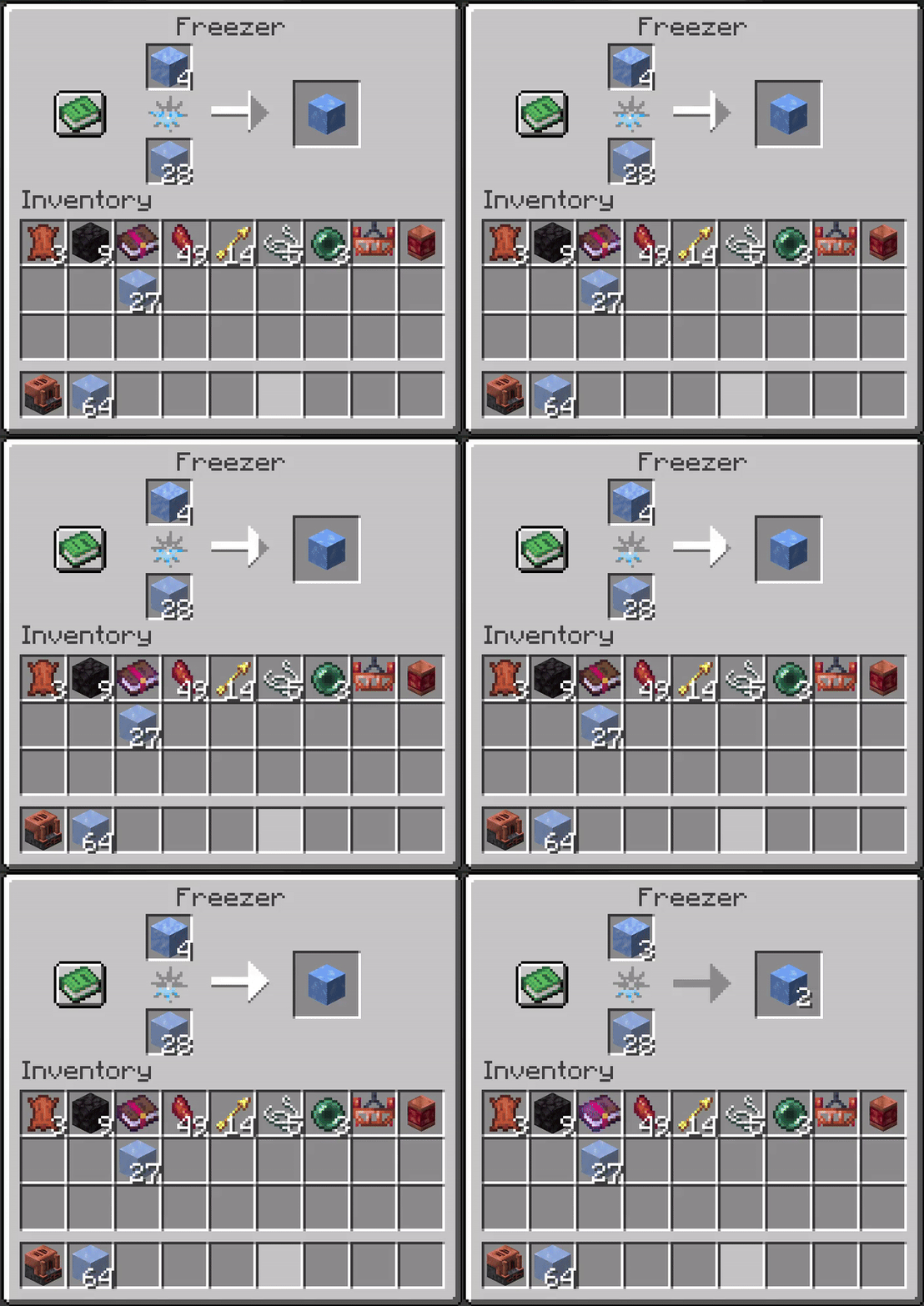 Freezer Showcase
 Ruby Laser shape detection
Bilder: Rubinated Nether auf Modrinth, vom Projektteam veröffentlicht.
Einrichtung
Rubinated Nether auf dem Server installieren
Server und Spieler brauchen denselben Loader und dieselbe Minecraft-Version. Sichere die Welt, bevor du Mods hinzufügst oder aktualisierst.
- 01
Konfigurieren
4 GB RAM sind vorausgewählt. Laufzeit und Add-ons wählst du selbst, bezahlt wird per Kreditkarte oder PayPal.
- 02
Loader einstellen
Stell im Panel die Serversoftware auf Fabric oder Forge oder NeoForge oder Quilt und wähl die passende Minecraft-Version, zum Beispiel 1.21.1.
- 03
Mod installieren
Such im Mod-Browser nach „Rubinated Nether“ und installiere die Version für deinen Loader. Alternativ lädst du die .jar per SFTP in den Ordner mods. Erforderliche Abhängigkeiten stehen auf der Projektseite.
- 04
Verbinden
Alle Spieler installieren Rubinated Nether in derselben Version lokal und verbinden sich über die Serveradresse aus dem Panel.
- Auf dem Server
- Erforderlich
- Auf dem Client
- Erforderlich
- Loader
- Fabric, Forge, NeoForge, Quilt
- Minecraft
- 1.21.1, 1.20.1
- Lizenz
- Creative Commons Attribution Share Alike 4.0 International
Das Panel
Mods installieren, Fehler finden.
Echte Screenshots aus dem Mado Panel. Beides ist bei jedem Minecraft Server enthalten.
Mod-Browser
Modrinth und CurseForge direkt im Panel.
Der Browser filtert nach deiner Minecraft-Version. Mods installierst du mit einem Klick, ohne .jar-Dateien hochzuladen.

KI-Crash-Analyse
Wenn ein Mod crasht, liest die Analyse das Log.
Mods scheitern oft an einer falschen Loader-Version, Java-Version oder fehlenden Abhängigkeit. Die Analyse nennt eine wahrscheinliche Ursache und einen Lösungsvorschlag.

Versionen
Veröffentlichte Versionen
Nimm die Datei, die zu Loader und Minecraft-Version deines Servers passt. Server und Spieler brauchen dieselbe Version.
Rubinated Nether · ModrinthOriginalbeschreibung des Projektautors
Rubinated Nether is a Vanilla+ mod adding Minecraft's scrapped Ruby. This mod adds several utility and decoration blocks, with a revamped Nether Progression.
Current Features

Within the Nether you may find Rubies near the Lava Ocean, near the Nether Roof or in Piglin Bastions. Harvest them with a Diamond Pickaxe.

Using the Freezer, you can freeze Molten Rubies into Rubies, Ice into its colder variants, Magma Cream into Slimeballs and Magma Blocks into Obsidian. Freezing Snow yields the (un)obtainable Frosted Ice.

Craft the Ruby Laser to detect entities and blocks in its path. Its beam is invisible unless you wear Ruby Lenses on your head. Alternatively, place Glass directly in front of the Ruby Laser to make its beam visible. Stained Glass tints the laser beam. Its block output is proportional to how close the block or entity is. The laser beam detects block hitboxes.
Right-clicking the laser will turn it Tinted, making it only detect blocks and not entities.
Placing Tinted Glass in the path of the laser will shorten it's range without redstone output. Currently only works with Tinted mode.

Break Rubies into Ruby Shards for a more economical and efficient way to Barter with Piglins.

Use Soakstones to soak up lava like a sponge, or craft a Ruby Brazier to have Fire Resistance applied to you.

Craft Ruby Glass for a blast-proof window, or Bleeding Obsidian to invite nightmares. You can Rubinate obsidian by right clicking any Crying Obsidian with a Ruby Shard.

Ruby Chandeliers, Ruby Lanterns and Ruby Lava Lamps are all stylish decorations to light up your surroundings! Blocks of Molten Ruby and Molten Ruby Glass also glow! Ruby Chandeliers can be dropped onto enemies and players like Dripstone Spikes.
Vanilla armor also supports Ruby Armor Trims for an orange-hue trim.

Rubinated Nether is compatible with Spelunkery (Rough Ruby variants), Jaden's Nether Expansion, The Aether, and other libraries. The mod also offers a variety of config features to customize the mod.
To disable the Rubinated Netherite Recipe, type the following command:
/datapack disable "rubinated_nether/better_netherite_template"
Upcoming Features
- Overhauled, Unique Piglin Bartering
- Rubination Divination (Better Enchantments with a costly downside!)
- Sacred Shrine (Nether Trial Chambers)
- The Bronze, Sentinel, and other mobs
- Bronze
- The Wrought bullet-hell boss fight
- Nether/Dimensional Reactors
- Mod Compatibility
- ???
Other Information
Can I use this mod within my modpack?
Yes you can! We'd be more than happy for you to do so!
What versions and launchers is Rubinated Nether compatible with?
1.21.1 for Neoforge is the maintained version where updates are released. 1.20.1 for Forge and Fabric is an older version which is no longer updated.
Dependencies?
Rubinated Nether is furthermore compatible with JEI, EMI, Curios, Trinkets, and Jaden's Nether Expansion
Developers?
- Artienia - Lead Developer
- Juniii - Modeller and Co-developer
- Darksonic - Co-developer
- Bon - Artist
Join our Discord Server to receive support and give feedback!
Ruby Armor and Tools Please?
No, this is never going to be added. This is not that type of mod.
Rubinated Nether Server crasht beim Start – was tun?
Häufige Ursachen: Loader- oder Minecraft-Version passen nicht zur Mod-Datei, eine Abhängigkeit fehlt oder der RAM reicht nicht. Such im Log (latest.log) nach „OutOfMemoryError“, „Mixin“ oder fehlenden Mods. Bei Mado wertet die KI-Crash-Analyse das Log aus und schlägt eine Ursache vor. Loader und Version änderst du im Panel.
Mit welchem Loader läuft Rubinated Nether?
Laut Modrinth unterstützt Rubinated Nether Fabric, Forge, NeoForge, Quilt für Minecraft 1.21.1, 1.20.1. Forge- und Fabric-Dateien sind nicht untereinander austauschbar: Wähl einen Loader für Server und Clients.
Wie viel RAM braucht ein Server mit Rubinated Nether?
Als Orientierung 3–4 GB für einen Server mit dieser Mod. Das ist eine Schätzung, keine gemessene Mindestanforderung. Weitere Mods, viele Spieler und große Sichtweiten brauchen mehr. Ob eine Mod die Tick-Zeit belastet, siehst du mit dem spark-Profiler.
Ähnliche Mods
Beliebte Mods aus derselben Kategorie
 Server-fähig

Xaero's Minimap
von thexaero
Displays a map of the nearby world terrain, players, mobs, entities in the corner of your screen. Lets you create waypoints which help you find the locations you've marked.
 Server-fähig

Xaero's World Map
von thexaero
Adds a full screen world map which shows you what you have explored in the world. Works great together with Xaero's Minimap.
 Nur Client

Not Enough Animations
von tr7zw
Bringing first-person animations to the third-person
 Nur Client

3D Skin Layers
von tr7zw
Render the player skin layer in 3d!
Bereit für deinen Server mit Rubinated Nether?
4 GB RAM ab 8,00 € im Monat. 35 % auf den 1. Monat mit MADO35.