
Modrinth · Fabric, Forge, NeoForge, Quilt
Scorched auf deinem Minecraft Server
Scorched läuft auf Minecraft Servern mit Fabric oder Forge oder NeoForge oder Quilt. Bestell deinen Server, stell den Loader im Panel ein und installiere die Mod mit einem Klick im Mod-Browser.
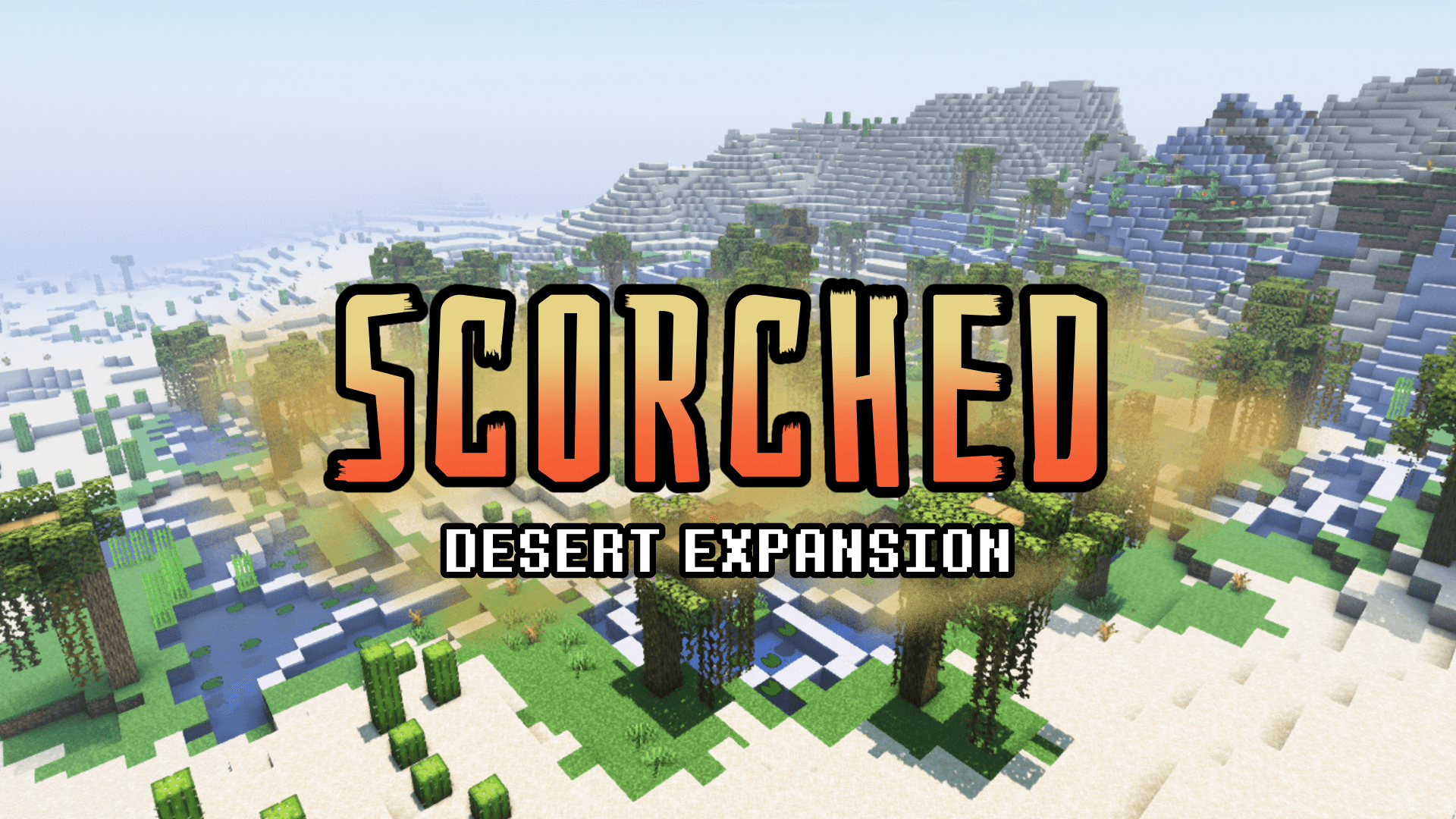
Additions to the Deserts and Badlands to make them more interesting to explore
- Downloads
- 461.1K
- Autor
- limesplatus
- Loader
- Fabric, Forge, NeoForge, Quilt
- Minecraft
- 1.19 – 1.21.9
- Aktualisiert
- –
Screenshots
So sieht Scorched aus


Bilder: Scorched auf Modrinth, vom Projektteam veröffentlicht.
Einrichtung
Scorched auf dem Server installieren
Server und Spieler brauchen denselben Loader und dieselbe Minecraft-Version. Sichere die Welt, bevor du Mods hinzufügst oder aktualisierst.
- 01
Konfigurieren
6 GB RAM sind vorausgewählt. Laufzeit und Add-ons wählst du selbst, bezahlt wird per Kreditkarte oder PayPal.
- 02
Loader einstellen
Stell im Panel die Serversoftware auf Fabric oder Forge oder NeoForge oder Quilt und wähl die passende Minecraft-Version, zum Beispiel 23w18a.
- 03
Mod installieren
Such im Mod-Browser nach „Scorched“ und installiere die Version für deinen Loader. Alternativ lädst du die .jar per SFTP in den Ordner mods. Erforderliche Abhängigkeiten stehen auf der Projektseite.
- 04
Verbinden
Scorched ist auf dem Client optional. Spieler verbinden sich über die Serveradresse aus dem Panel.
- Auf dem Server
- Erforderlich
- Auf dem Client
- Optional
- Loader
- Fabric, Forge, NeoForge, Quilt
- Minecraft
- 23w18a, 1.21.9, 1.21.8 +26 weitere
- Lizenz
- LicenseRef-Custom
Das Panel
Mods installieren, Fehler finden.
Echte Screenshots aus dem Mado Panel. Beides ist bei jedem Minecraft Server enthalten.
Mod-Browser
Modrinth und CurseForge direkt im Panel.
Der Browser filtert nach deiner Minecraft-Version. Mods installierst du mit einem Klick, ohne .jar-Dateien hochzuladen.

KI-Crash-Analyse
Wenn ein Mod crasht, liest die Analyse das Log.
Mods scheitern oft an einer falschen Loader-Version, Java-Version oder fehlenden Abhängigkeit. Die Analyse nennt eine wahrscheinliche Ursache und einen Lösungsvorschlag.

Versionen
Veröffentlichte Versionen
Nimm die Datei, die zu Loader und Minecraft-Version deines Servers passt. Server und Spieler brauchen dieselbe Version.
Scorched · Modrinth- 1.1.4e11. Januar 2026Minecraft 1.21.10, 1.21.11, 1.21.5, 1.21.6, 1.21.7, 1.21.8, 1.21.9 · Fabric, Forge, NeoForge, Quilt
- 1.1.4e11. Januar 2026Minecraft 1.21.10, 1.21.11, 1.21.5, 1.21.6, 1.21.7, 1.21.8, 1.21.9 · datapack
- 1.1.4b8. Dezember 2024Minecraft 1.21.2, 1.21.3, 1.21.4 · Fabric, Forge, NeoForge, Quilt
- 1.1.4b8. Dezember 2024Minecraft 1.21.2, 1.21.3, 1.21.4 · datapack
- 1.1.4a Mod1. September 2024Minecraft 1.21, 1.21.1 · Fabric, Forge, NeoForge, Quilt
Originalbeschreibung des Projektautors
About:
Originally concepted together with Naomi, _humanoid, Apollo, and MidasDaEpik
Scorched adds small additions to Deserts and Badlands. It aims to maintain the difficulty of these biomes, but reward the player for treading through them. It also provides new ways to survive in these biomes so if you were to spawn in one, you wouldn't be totally doomed.
This project modifies world generation however, it does not modify biome layout so you should be able to use this on an existing world. This project has been tested and works with world generation mods like Tectonic and Terralith, including spawning its structures and mobs in their respective biomes.
Features:
Show Features
- Better Desert Pyramid - The Desert Pyramids have received a magical glowup. To obtain the loot inside, you must explore the pyramid, find all three frame pieces, and then assemble them to enter the basement where the chests are guarded by bindings and a golem.
- Badlands Pyramid: A variant of the new Desert Pyramids, thats larger, more difficult, and filled with fire. The loot inside is better than that of the Desert Pyramid, but its significantly more dangerous to obtain.
- Sandcrawlers: A new spider variant found in deserts and badlands. These can dig into the sand fast and have more health, but they move slightly slower when not digging, and if on non sand blocks will move even slower
-Pyramid Golems: Mobs found inside Badlands and Desert pyramids which defend their basement. If they're causing you trouble, splash them with a splash water bottle to stun and reset them for 5 seconds. - Better Desert Wells: Desert Wells have been given 10 new variants! Alongside this, the wells now have a small cave at the bottom with some ores, and occasionally a lush pocket of moss.
- Cactus Juice: A new food source created in a cauldron with 6 cactus, 6 sugar, and a water bottle. These wont fill you up by much, but you'll be given resistance I for 10 seconds.
- Beach Sand Crabs: Found on beaches, you'll know ones near when you see little sand particles emerging from the ground. Break the sand and a Sand Crab spring out and give you items like bones, iron, and sometimes treasure.
Worldgen
- Desert Oasis: A sub-biome of the desert called the Desert Oasis can be found with lush grass, flowers, water, and azalea trees. This area of life can greatly aid you in obtaining wood inside deserts.
- Better Wooded Badlands: New dark oak trees, large bushes and open terracotta areas can now be found in this improved Wooded Badlands. You'll also still find oak trees.
- Sparse Wooded Badlands: A more low land and decayed Wooded Badlands. These badlands have quite a few trees but most are decayed
- Improved Vanilla Features: Cactus now generate in larger patches, and dead bushes are less spammed in Badlands.
- Scattered Oak Trees: Rarely in deserts and badlands you'll find dead oak trees scattered to give you small bits of wood
- Oasis Tree Sapling: Plant an oak sapling and drop an azalea on top of it to make it grow into an Oasis Tree
- Badlands Dark Oak Sapling: Plant a dark oak sapling and drop red sand on top of it to make it grow into a a new dark oak tree! You can also grow it by just placing a dark oak sapling in a wooded badlands biome.
Wiki
Click here to see the Scorched Wiki

Join the Discord Server to chat, discuss, and get help with my mods!

Help support the making of my datapacks with memberships or donations on Ko-fi!
Scorched Server crasht beim Start – was tun?
Häufige Ursachen: Loader- oder Minecraft-Version passen nicht zur Mod-Datei, eine Abhängigkeit fehlt oder der RAM reicht nicht. Such im Log (latest.log) nach „OutOfMemoryError“, „Mixin“ oder fehlenden Mods. Bei Mado wertet die KI-Crash-Analyse das Log aus und schlägt eine Ursache vor. Loader und Version änderst du im Panel.
Mit welchem Loader läuft Scorched?
Laut Modrinth unterstützt Scorched Fabric, Forge, NeoForge, Quilt für Minecraft 23w18a, 1.21.9, 1.21.8. Forge- und Fabric-Dateien sind nicht untereinander austauschbar: Wähl einen Loader für Server und Clients.
Wie viel RAM braucht ein Server mit Scorched?
Als Orientierung 4–6 GB für einen Server mit dieser Mod. Das ist eine Schätzung, keine gemessene Mindestanforderung. Weitere Mods, viele Spieler und große Sichtweiten brauchen mehr. Ob eine Mod die Tick-Zeit belastet, siehst du mit dem spark-Profiler.
Ähnliche Mods
Beliebte Mods aus derselben Kategorie
 Server-fähig

Xaero's Minimap
von thexaero
Displays a map of the nearby world terrain, players, mobs, entities in the corner of your screen. Lets you create waypoints which help you find the locations you've marked.
 Server-fähig

Xaero's World Map
von thexaero
Adds a full screen world map which shows you what you have explored in the world. Works great together with Xaero's Minimap.
 Nur Client

Not Enough Animations
von tr7zw
Bringing first-person animations to the third-person
 Nur Client

3D Skin Layers
von tr7zw
Render the player skin layer in 3d!
Bereit für deinen Server mit Scorched?
6 GB RAM ab 12,00 € im Monat. 35 % auf den 1. Monat mit MADO35.