
Scoreboard Health Indicators
Displays scoreboard-based health values as clean, visible health bars above players and entities, even when internal health is hidden.
Screenshots
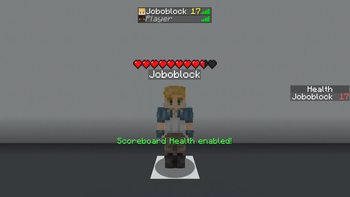
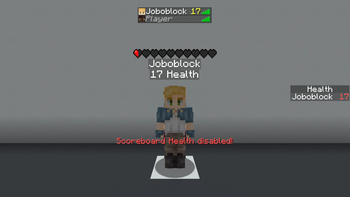
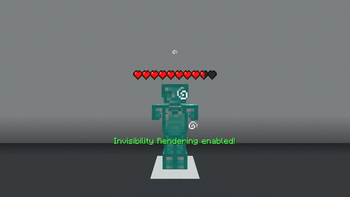
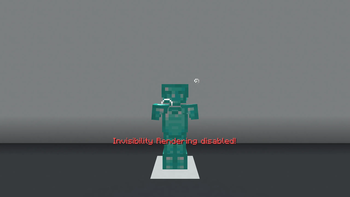
Über diese Mod
Scoreboard Health Indicators
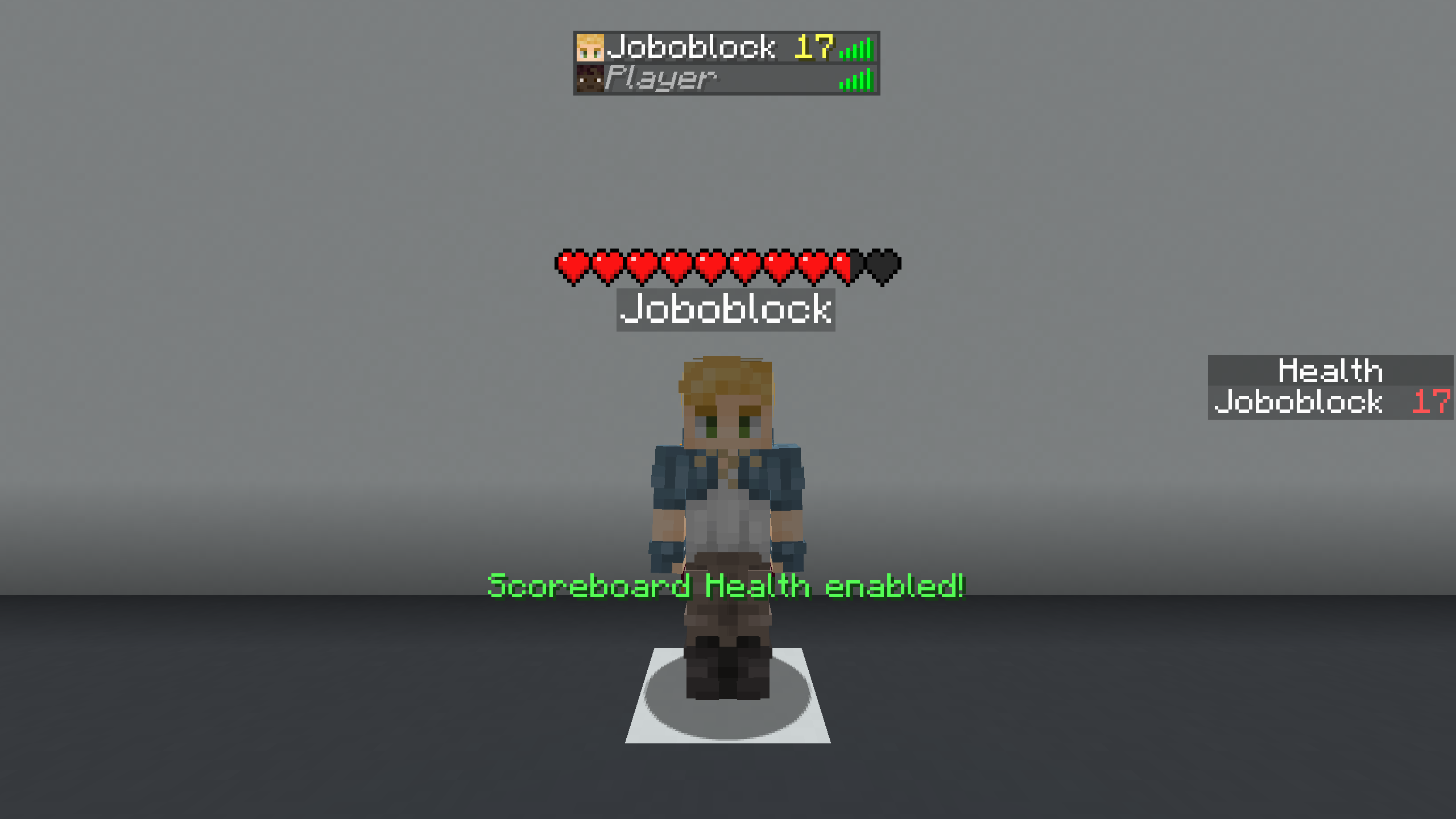
📋 Overview:
🎮 Multiplayer
This mod works in both single-player and multiplayer.
Important: Confirm that you are allowed to use this mod on the multiplayer server you are playing on, as it may be considered cheating.
❓ What It Does
This mod displays the scoreboard-based health of players and entities as a health bar above them.
It works even if the server hides the internal health value or the entity is invisible.
❓ Why does it exist?
Many servers hide real health values and instead display custom values using the scoreboard (for example below player names or in the player list).
These values can be harder to read, look cluttered, and disappear when players are too far away or invisible.
This mod solves that by converting the scoreboard value into a clean and consistent health bar.
🚀 Getting Started
- Bind the "Toggle Scoreboard Health" key from the "Scoreboard Health Indicators" category to a key of your choice.
- Press the key. (You should see the message: "Scoreboard Health enabled!")
- Enjoy the mod.
🔍 How It Works
Instead of using the health value sent by the server, the mod reads the scoreboard value used to represent health (such as below-name, sidebar, or player list).
This value is then passed to the health indicator mod, which handles rendering the health bar.
⚙️ Technical:
❌ Does it not work like you want it to?
The mod must be toggled.
No enable text appears when you press the key:
Did you set the correct keybind? (The mod is unbound by default.)
Enable text appears, but no health is rendered:
Did you select the correct scoreboard type (Below Name, Sidebar, Player List)?
You can cycle through them using the "Cycle Scoreboard Type" key from the "Scoreboard Health Indicators" category.
(Remember: a scoreboard value must exist for the mod to work.)
The health bar disappears for invisible players:
Did you enable "Invisibility Rendering"?
The game crashes:
Do you have all dependencies installed? (Fabric API, Health Indicators)
Did you download the correct mod version for your game version?
Something else:
Open an issue or request a version here:
https://github.com/Joboblock/Bridge-Guard/issues
(If your game crashes, please confirm that this mod is the cause.)
📝 Example
Scenario: Internal health is hidden, and the health value is shown in the player list.
- Bind "Toggle Scoreboard Health" to a key and press it.
- Bind "Cycle Scoreboard Type Up" and cycle until you see "Scoreboard type: List".
The player list value will now be displayed as a health bar.
Verfügbare Versionen
Scoreboard Health Indicators auf deinem Client installieren
Mod-Loader lokal installieren
Installiere fabric für deine lokale Minecraft-Version.
Passende Datei herunterladen
Wähle die Scoreboard Health Indicators-Datei für fabric und Minecraft 1.21.11.
Mod installieren
Lege die .jar-Datei in deinem lokalen .minecraft/mods-Ordner ab und starte Minecraft neu. Eine Installation auf dem Server ist nicht nötig.
Kompatibilität
Mod-Loader
Minecraft-Versionen
1.21.11, 1.21.10, 1.21.9
Server-seitig
✗ Nicht unterstütztEmpfohlener RAM
4 GB(min. 3 GB)Häufige Fragen
Muss Scoreboard Health Indicators auf dem Minecraft Server installiert werden?
Nein. Modrinth kennzeichnet Scoreboard Health Indicators serverseitig als nicht unterstützt. Installiere die Mod nur im lokalen Minecraft-Mods-Ordner. Dein Server kann unverändert bleiben, sofern die Mod-Seite keine zusätzliche Abhängigkeit nennt.
Welche Version und welchen Loader braucht Scoreboard Health Indicators?
Nutze eine Datei für fabric und exakt deine Minecraft-Version. Unterstützte Versionen sind unter anderem 1.21.11, 1.21.10, 1.21.9. Loader-Dateien sind nicht untereinander austauschbar.
Scoreboard Health Indicators funktioniert nicht – was kann ich prüfen?
Prüfe zuerst Minecraft-Version, Loader-Version und erforderliche Abhängigkeiten. Lege die .jar-Datei im lokalen .minecraft/mods-Ordner ab und entferne ältere Duplikate. Da die Mod clientseitig ist, löst mehr Server-RAM dieses Problem nicht.
Ähnliche Mods
![[EMF] Entity Model Features](https://cdn.modrinth.com/data/4I1XuqiY/6e5bbd0d06b1741bfdab6c0cfab6de8fdaf0064c_96.webp)


Minecraft Server für deine Gruppe
Scoreboard Health Indicators bleibt auf deinem Client. Hoste dazu eine kompatible Welt für deine Mitspieler.