
Nearby Inventory Crafting
Craft using items from nearby chest's without moving them
Screenshots


Über diese Mod





About
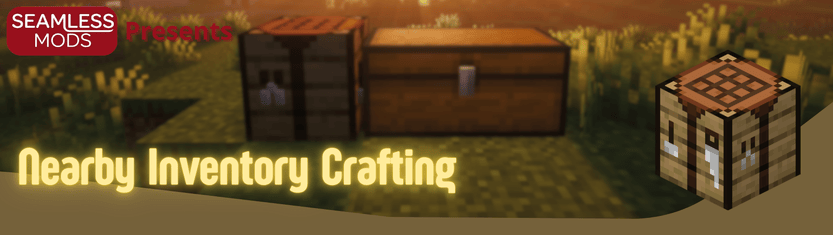
Nearby Item Crafting lets you craft with items stored in nearby chests and other inventories instead of moving every ingredient into your player inventory first.
Features
- Craft using ingredients from nearby inventories while keeping vanilla crafting flow
- Updates the recipe book so recipes become craftable when nearby storage contains items
- Adds a nearby-items panel with item counts, search, scrolling, and sorted entries
- Click items in the nearby panel to locate their storage
- Highlights chests in the world, including double chests
- Optional distance labels and locate-trail effects for faster chest finding
- Cancel button returns nearby-sourced ingredients back to storage
- Quick spacebar shortcut to fill one set from the selected recipe
- Configurable refresh timing, scan radius, highlight color, and panel defaults
How It Works
- Open a crafting table or your inventory recipe book
- The mod scans nearby inventories within the configured radius
- Nearby items appear in the side panel and count toward recipe availability
- When you craft, ingredients are pulled from nearby storage
- Use the cancel button to send nearby items back if needed
Requirements
- Minecraft 1.21.11
- Fabric Loader 0.18.4+
- Fabric API 0.141.1+1.21.11
- Optional: Mod Menu for in-game config screen
Configuration
If Mod Menu is installed, you can configure:
- Nearby scan radius
- Highlight color and opacity
- Highlight duration
- Distance labels and locate-trail effects
- Nearby panel default open state
- Auto-refresh interval
Notes
The mod is built around vanilla crafting screens rather than adding a global shared inventory. On singleplayer, your local config controls scan radius. On a dedicated server, the server config controls the actual nearby-inventory range.
Bugs and Support
For bug reports, please open an issue on GitHub or message through Discord:
- Issues: https://github.com/DerkOttersberg/bluethooth-chest/issues
- Source: https://github.com/DerkOttersberg/bluethooth-chest
Bug reports are easier to fix if you include:
- Minecraft version
- Fabric Loader version
- Fabric API version
- Mod version
- Steps to reproduce
- Latest log or crash report, if available
Also Check out!
Verfügbare Versionen
Nearby Inventory Crafting auf dem Server installieren
Server bestellen
Bestelle einen Minecraft Java Server mit mindestens 3 GB RAM (4 GB empfohlen).
fabric Loader setzen
Wähle im Panel unter "Egg" den fabric-Loader und die passende Minecraft-Version (1.21.11).
Mod installieren
Öffne den Mod-Browser im Dashboard und suche nach "Nearby Inventory Crafting". Klicke "Installieren" – fertig! Alternativ: Lade die .jar via SFTP in den /mods Ordner.
Kompatibilität
Mod-Loader
Minecraft-Versionen
1.21.11, 1.21.1, 1.21 (+2 weitere)
Server-seitig
✓ ErforderlichEmpfohlener RAM
4 GB(min. 3 GB)Häufige Fragen
Nearby Inventory Crafting Server crasht beim Start – was tun?
Häufigste Ursache: falsche fabric-Version oder zu wenig RAM. Prüfe im Server-Log (latest.log), ob ein "OutOfMemoryError" oder "Mixin"-Fehler auftritt. Bei Mado Hosting: Stelle sicher, dass mindestens 3 GB RAM zugewiesen sind und der Loader zur Mod-Version passt (1.21.11). Über das Panel kannst du den Loader mit einem Klick wechseln.
Ist Nearby Inventory Crafting mit fabric und forge und neoforge kompatibel?
Nearby Inventory Crafting unterstützt offiziell fabric, forge, neoforge für Minecraft 1.21.11, 1.21.1, 1.21. Achtung: Forge- und Fabric-Mods sind NICHT untereinander kompatibel – wähle einen Loader und bleibe dabei. Im Mado Dashboard werden inkompatible Loader-Kombinationen automatisch erkannt.
Server laggt mit Nearby Inventory Crafting – wie optimiere ich die Performance?
Empfohlener RAM: 4 GB (+1 GB pro 8 Spieler). Prüfe mit /spark profiler, ob Nearby Inventory Crafting den meisten Tick-Time verbraucht. Häufige Fixes: Server-View-Distance auf 8-10 reduzieren, bei Forge "performant" oder "starlight" als Zusatz-Mod installieren. Bei Mado Hosting läuft dein Server auf NVMe-SSDs mit dedizierten CPU-Kernen für minimale Latenz.
Ähnliche Mods






Modded Server mieten
Installiere Nearby Inventory Crafting mit nur einem Klick auf deinem Server.