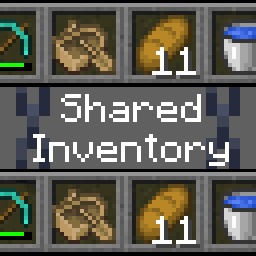
Shared Inventory
Linked inventory with other players
Über diese Mod
True inventory syncing
Players on the server can share the same inventory, hotbar, armour and offhand slot
Current features
- True synced inventories
- Seamless joining/leaving up to date with inventory
- Groups, each with their own shared inventories
How to use?
Simply install this mod on your fabric server, and join with the client of your choice (no client side mods needed)
Help
Update Warning!!!
If you had the previous version of the mod installed (1.1.2->1.2.0), the data will not transfer over. You may have to remove sharedinv.nbt.
Common Questions
| Question | Answer |
|---|---|
| Is there support for LAN/Essential? | Yes, but tenuously: expect bugs. Only the hosting player is required to have the mod |
| My items disappeared after installing the mod | You have joined the default shared inventory, your inventory is not lost. Leave the group or clear the default:/sharedinv default clear |
/sharedinv command does not exist |
The /sharedinv command is restricted to operators only. |
| How do I make inventory groups? | New inventory groups are created with /sharedinv group add <name>, players can be added to that group with /sharedinv join <group> <player(s)>. |
How does the default group work? |
When you install the mod, a default group will be created. The default group is special in that when a player not already assigned to a group logs on, they will automatically join that group. You may change the default group with /sharedinv default set <group>, and whenever a new player logs on, they will join that group. |
If you have any questions please contact us on: Discord
Verfügbare Versionen
Shared Inventory auf dem Server installieren
Server bestellen
Bestelle einen Minecraft Java Server mit mindestens 3 GB RAM (4 GB empfohlen).
fabric Loader setzen
Wähle im Panel unter "Egg" den fabric-Loader und die passende Minecraft-Version (26.3).
Mod installieren
Öffne den Mod-Browser im Dashboard und suche nach "Shared Inventory". Klicke "Installieren" – fertig! Alternativ: Lade die .jar via SFTP in den /mods Ordner.
Kompatibilität
Mod-Loader
Minecraft-Versionen
26.3, 26.2, 26.1.2 (+7 weitere)
Server-seitig
✓ ErforderlichEmpfohlener RAM
4 GB(min. 3 GB)Häufige Fragen
Shared Inventory Server crasht beim Start – was tun?
Häufigste Ursache: falsche fabric-Version oder zu wenig RAM. Prüfe im Server-Log (latest.log), ob ein "OutOfMemoryError" oder "Mixin"-Fehler auftritt. Bei Mado Hosting: Stelle sicher, dass mindestens 3 GB RAM zugewiesen sind und der Loader zur Mod-Version passt (26.3). Über das Panel kannst du den Loader mit einem Klick wechseln.
Ist Shared Inventory mit fabric kompatibel?
Shared Inventory unterstützt offiziell fabric für Minecraft 26.3, 26.2, 26.1.2. Im Mado Dashboard werden inkompatible Loader-Kombinationen automatisch erkannt.
Server laggt mit Shared Inventory – wie optimiere ich die Performance?
Empfohlener RAM: 4 GB (+1 GB pro 8 Spieler). Prüfe mit /spark profiler, ob Shared Inventory den meisten Tick-Time verbraucht. Häufige Fixes: Server-View-Distance auf 8-10 reduzieren, bei Forge "performant" oder "starlight" als Zusatz-Mod installieren. Bei Mado Hosting läuft dein Server auf NVMe-SSDs mit dedizierten CPU-Kernen für minimale Latenz.
Ähnliche Mods




Modded Server mieten
Installiere Shared Inventory mit nur einem Klick auf deinem Server.