
Show Me Your Skin! (Neoforge Port)
A mod that allows hiding armor
Screenshots
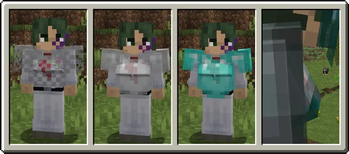
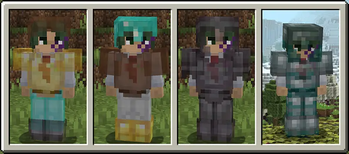
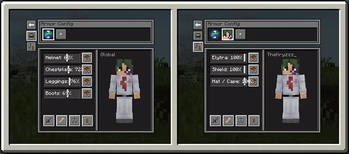
Über diese Mod
Show Me Your Skin! (neoforged)
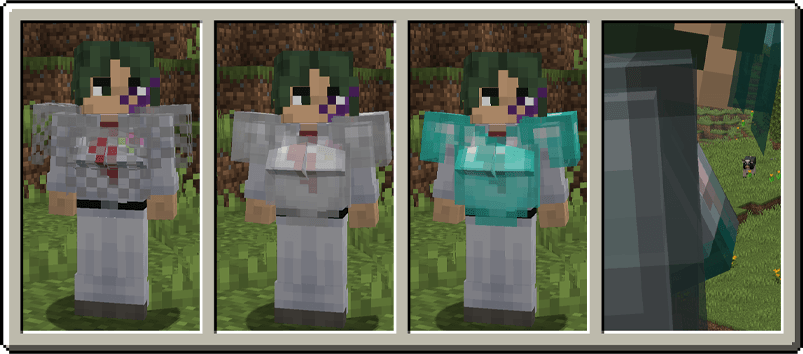
Show Me Your Skin! (the exclamation mark is important) is a client-side mod with optional server-side support that enables extensive customization of armor rendering. Every feature is toggleable and designed to be as flexible as possible.
Sliders galore
All the armor hiding options you could ever need, in one intuitive GUI. Including:
Individual configuration of each armor piece and elytra/shield:
- Arbitrary transparency
- Invisibility
- Enchant glint hiding
Server-based syncing of settings
Player name tag display toggle
Context-sensitive armor hiding
Per-player settings overrides
Truly flexible
Below are a few examples of the flexibility this mod offers. You can fully cater the settings to your preference, and change them on the fly if needed.
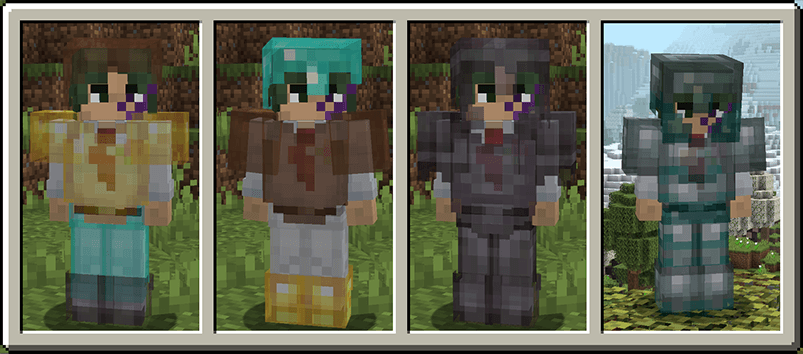
Female Gender Mod support
Context-sensitive hiding
Armor can be restored to vanilla behavior based on certain conditions, such as being in combat. This means the armor will be shown for a configurable amount of seconds after a player is damaged.
Multiplayer support
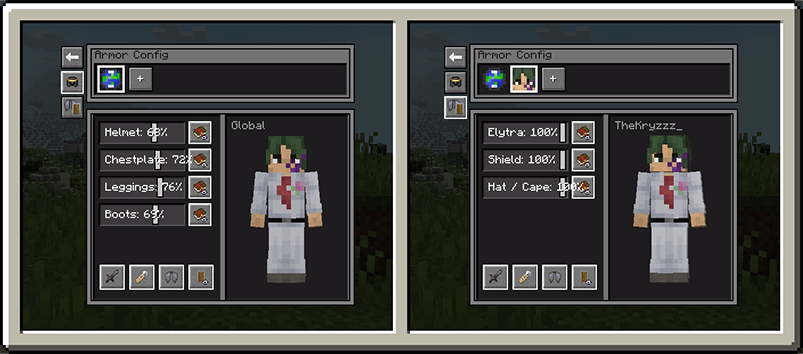
When the mod is installed on a server, it'll enter "server mode" and any settings you configure for yourself will be visible in real-time to other players. Though admins can enforce certain restrictions on what settings are available if they feel the need for it.
 )
)
When the mod is only installed on your client however, you'll be able to configure personal settings for every player on the server. Though these are only visible to you.
Verfügbare Versionen
Show Me Your Skin! (Neoforge Port) auf dem Server installieren
Server bestellen
Bestelle einen Minecraft Java Server mit mindestens 3 GB RAM (4 GB empfohlen).
neoforge Loader setzen
Wähle im Panel unter "Egg" den neoforge-Loader und die passende Minecraft-Version (1.21.11).
Mod installieren
Öffne den Mod-Browser im Dashboard und suche nach "Show Me Your Skin! (Neoforge Port)". Klicke "Installieren" – fertig! Alternativ: Lade die .jar via SFTP in den /mods Ordner.
Kompatibilität
Mod-Loader
Minecraft-Versionen
1.21.11, 1.21.10, 1.21.9 (+9 weitere)
Server-seitig
~ OptionalEmpfohlener RAM
4 GB(min. 3 GB)Häufige Fragen
Show Me Your Skin! (Neoforge Port) Server crasht beim Start – was tun?
Häufigste Ursache: falsche neoforge-Version oder zu wenig RAM. Prüfe im Server-Log (latest.log), ob ein "OutOfMemoryError" oder "Mixin"-Fehler auftritt. Bei Mado Hosting: Stelle sicher, dass mindestens 3 GB RAM zugewiesen sind und der Loader zur Mod-Version passt (1.21.11). Über das Panel kannst du den Loader mit einem Klick wechseln.
Ist Show Me Your Skin! (Neoforge Port) mit neoforge kompatibel?
Show Me Your Skin! (Neoforge Port) unterstützt offiziell neoforge für Minecraft 1.21.11, 1.21.10, 1.21.9. Im Mado Dashboard werden inkompatible Loader-Kombinationen automatisch erkannt.
Server laggt mit Show Me Your Skin! (Neoforge Port) – wie optimiere ich die Performance?
Empfohlener RAM: 4 GB (+1 GB pro 8 Spieler). Prüfe mit /spark profiler, ob Show Me Your Skin! (Neoforge Port) den meisten Tick-Time verbraucht. Häufige Fixes: Server-View-Distance auf 8-10 reduzieren, bei Forge "performant" oder "starlight" als Zusatz-Mod installieren. Bei Mado Hosting läuft dein Server auf NVMe-SSDs mit dedizierten CPU-Kernen für minimale Latenz.
Ähnliche Mods






Modded Server mieten
Installiere Show Me Your Skin! (Neoforge Port) mit nur einem Klick auf deinem Server.