
Simple Hp Bar
This mod adds highly customizable hp bars above the mobs and players.
Screenshots
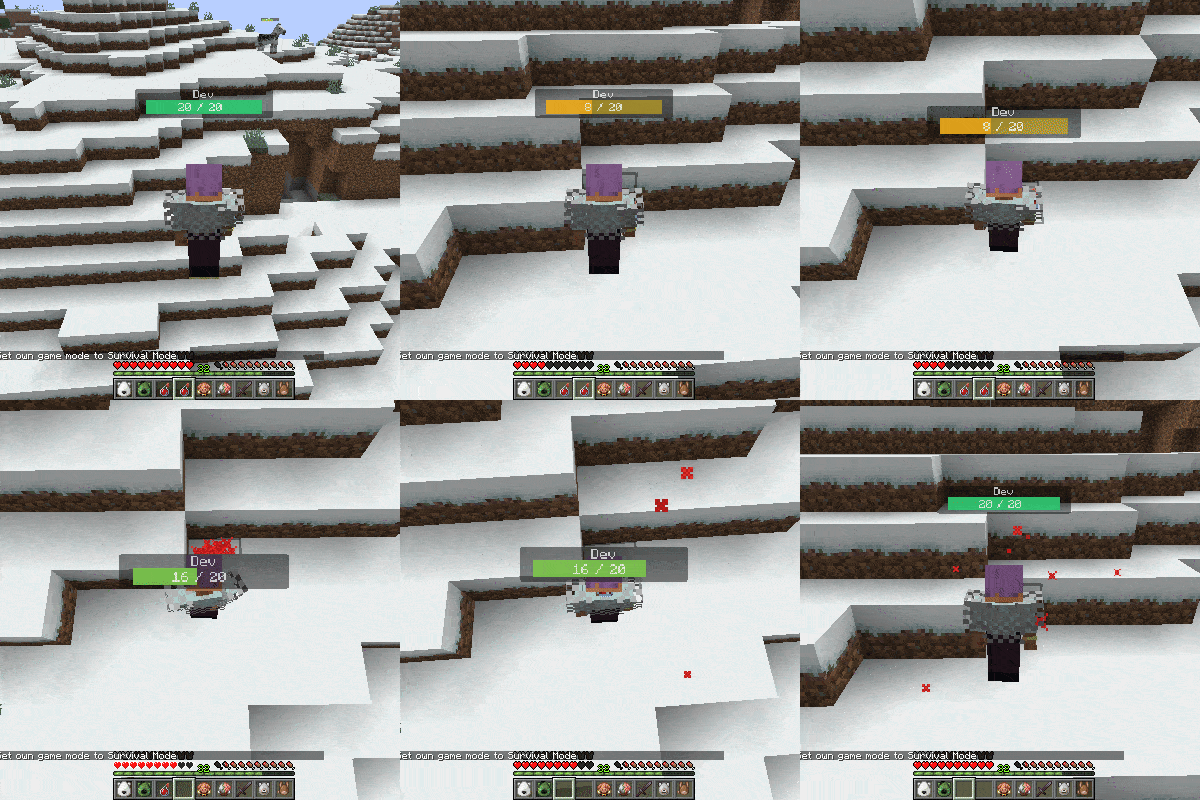
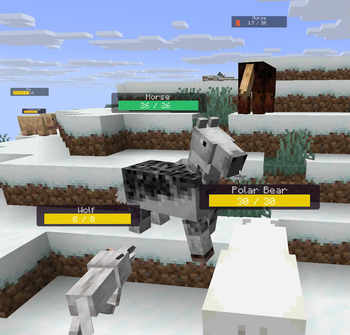
Über diese Mod
This mod adds highly customizable hp bars above the mobs and players.
The health bar looks very simple, but has many inbuilt config options.
Configs will be generated after running the game at least once.
They can be found in the config/simplehpbar folder.
You can create as many config files as you want by copying one and rewriting the values in it, if you want mobs by your choice to have different bars.
By default only a default config will be generated that applies to every mob, one for some vanilla neutral mobs and one for some monsters (to show how whitelist/blacklist and other features works)
You can change the settings by the following
-max distance to render mobs
-position
-scale (width, height of everything)
-background (size, color, transparency, border-radius)
-hp bar (size, 3 colors for low-mid-high health value, transparency, border-radius)
-smooth hp bar for lost health (3 colors for low-mid-high health value, transparency, start time to change the smooth hp bar, decrease value)
-name (add text before the name, add text after the name, text-align, color, transparency, position, scale)
-current health text (add text before the health value, add text after the health value, text-align, color, transparency, position, scale)
-max health text (add text before the health value, add text after the health value, text-align, color, transparency, position, scale)
-health in percentage text (add text before the health percentage value, add text after the health percentage value, text-align, color, transparency, position, scale)
You can edit, create or delete configs in game within the editor that comes with this mod. (press H to open it by default)
Supported versions:
Forge 1.21.6 | 1.21.7 | 1.21.8
Fabric1.21.6 | 1.21.7 | 1.21.8
Neoforge 1.21.6 | 1.21.7 | 1.21.8
Only the latest minecraft version gets support.
Verfügbare Versionen
Simple Hp Bar auf deinem Client installieren
Mod-Loader lokal installieren
Installiere fabric für deine lokale Minecraft-Version.
Passende Datei herunterladen
Wähle die Simple Hp Bar-Datei für fabric und Minecraft 1.21.8.
Mod installieren
Lege die .jar-Datei in deinem lokalen .minecraft/mods-Ordner ab und starte Minecraft neu. Eine Installation auf dem Server ist nicht nötig.
Kompatibilität
Mod-Loader
Minecraft-Versionen
1.21.8, 1.21.7, 1.21.6
Server-seitig
✗ Nicht unterstütztEmpfohlener RAM
4 GB(min. 3 GB)Häufige Fragen
Muss Simple Hp Bar auf dem Minecraft Server installiert werden?
Nein. Modrinth kennzeichnet Simple Hp Bar serverseitig als nicht unterstützt. Installiere die Mod nur im lokalen Minecraft-Mods-Ordner. Dein Server kann unverändert bleiben, sofern die Mod-Seite keine zusätzliche Abhängigkeit nennt.
Welche Version und welchen Loader braucht Simple Hp Bar?
Nutze eine Datei für fabric, forge, neoforge und exakt deine Minecraft-Version. Unterstützte Versionen sind unter anderem 1.21.8, 1.21.7, 1.21.6. Loader-Dateien sind nicht untereinander austauschbar.
Simple Hp Bar funktioniert nicht – was kann ich prüfen?
Prüfe zuerst Minecraft-Version, Loader-Version und erforderliche Abhängigkeiten. Lege die .jar-Datei im lokalen .minecraft/mods-Ordner ab und entferne ältere Duplikate. Da die Mod clientseitig ist, löst mehr Server-RAM dieses Problem nicht.
Ähnliche Mods


Minecraft Server für deine Gruppe
Simple Hp Bar bleibt auf deinem Client. Hoste dazu eine kompatible Welt für deine Mitspieler.