Simple Stages
A simple staging mod to slow/lock progression
Screenshots
Über diese Mod
Simple Stages
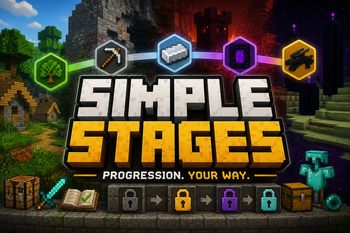
A lightweight, powerful progression framework for NeoForge modpacks
Simple Stages allows modpack creators to lock content behind custom progression stages using simple, data-driven JSON configuration.
Create progression systems where players unlock new items, recipes, dimensions, mobs, structures, and more as they advance through your modpack.
Features
✔ JSON-driven stage definitions
✔ Persistent player stages
✔ Stage commands
✔ Item locking
✔ Recipe locking
✔ Armor locking
✔ Block interaction & mining locking
✔ Dimension locking
✔ Mob locking
✔ Structure locking
✔ Loot staging
✔ Tooltip masking as Unidentified Item
✔ Client/server stage syncing
✔ Multiplayer support
Fully Data-Driven
Simple Stages is designed with flexibility in mind.
Everything is configurable through JSON files, making it easy to integrate into custom progression systems without scripting.
Examples of what you can lock behind stages:
-Items
-Recipes
-Blocks
-Dimensions
-Mobs
-Structures
-Loot
Get an example datapack here:
https://www.curseforge.com/minecraft/data-packs/simplestagesexamplepack
You can use and alter this datapack.
Designed For Modpack Creators
Whether you want simple age progression or complex gated progression systems, Simple Stages gives you the tools to control player progression with minimal setup.
Examples:
-Stone Age → Iron Age → Diamond Age
-Lock dimensions until progression milestones
-Prevent access to dangerous mobs or structures early game
-Gate powerful loot behind progression
Thank you for using Simple Stages.
You are allowed to use this mod in private and public modpacks. Downloads must come directly from the official Modrinth or CurseForge pages. Redistribution, reuploading, modification, or reuse of code/assets without explicit permission is prohibited.
Verfügbare Versionen
Simple Stages auf dem Server installieren
Server bestellen
Bestelle einen Minecraft Java Server mit mindestens 3 GB RAM (4 GB empfohlen).
neoforge Loader setzen
Wähle im Panel unter "Egg" den neoforge-Loader und die passende Minecraft-Version (26.2).
Mod installieren
Öffne den Mod-Browser im Dashboard und suche nach "Simple Stages". Klicke "Installieren" – fertig! Alternativ: Lade die .jar via SFTP in den /mods Ordner.
Kompatibilität
Mod-Loader
Minecraft-Versionen
26.2
Server-seitig
✓ ErforderlichEmpfohlener RAM
4 GB(min. 3 GB)Häufige Fragen
Simple Stages Server crasht beim Start – was tun?
Häufigste Ursache: falsche neoforge-Version oder zu wenig RAM. Prüfe im Server-Log (latest.log), ob ein "OutOfMemoryError" oder "Mixin"-Fehler auftritt. Bei Mado Hosting: Stelle sicher, dass mindestens 3 GB RAM zugewiesen sind und der Loader zur Mod-Version passt (26.2). Über das Panel kannst du den Loader mit einem Klick wechseln.
Ist Simple Stages mit neoforge kompatibel?
Simple Stages unterstützt offiziell neoforge für Minecraft 26.2. Im Mado Dashboard werden inkompatible Loader-Kombinationen automatisch erkannt.
Server laggt mit Simple Stages – wie optimiere ich die Performance?
Empfohlener RAM: 4 GB (+1 GB pro 8 Spieler). Prüfe mit /spark profiler, ob Simple Stages den meisten Tick-Time verbraucht. Häufige Fixes: Server-View-Distance auf 8-10 reduzieren, bei Forge "performant" oder "starlight" als Zusatz-Mod installieren. Bei Mado Hosting läuft dein Server auf NVMe-SSDs mit dedizierten CPU-Kernen für minimale Latenz.
Ähnliche Mods






Modded Server mieten
Installiere Simple Stages mit nur einem Klick auf deinem Server.