
Sit!
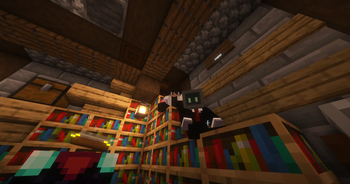
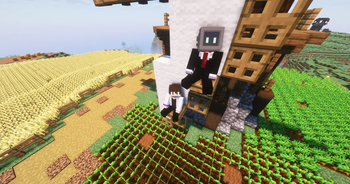
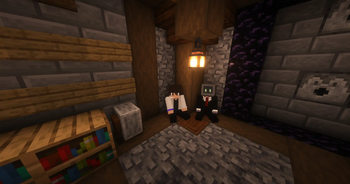
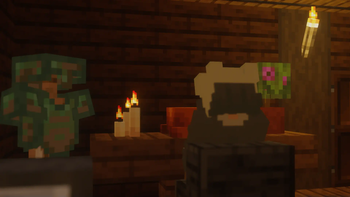
Adds sitting to minecraft! Make any block a chair with endless customizability for hand restrictions and sittable blocks.
Screenshots


Über diese Mod




Sit! is a vanilla+ mod that adds sitting in minecraft.
- Sit on stairs, slabs, carpets by default, and sit on everything else by tweaking the config!
- You can also customize hand restrictions to stop accidentally sitting down!
- The mod also has full Geyser support! Enjoy sitting with everyone, whether they are on Bedrock or Java!
- If Sit! clients join a Sit! server they can use their own hand settings to sit.
Where to install?
Sit! works on the server, without the players needing to install the mod (singleplayer included!).
Fabric API and OtterLib is required to for the mod to load.
Help localize Sit! on Crowdin!
Sit! is currently in English, Traditional Chinese, Italian, Brazilian Portuguese, and Turkish! Help expand this list via Crowdin so reach more people!
Check out my other Projects!



Features
🤚 Hand Restrictions
Don't want to accidentally sit down? Set custom restrictions for each hand in the config!
Use player unique hand restrictions when connecting to a Sit! server on a Sit! Client!

🟩 Custom Blocks
Want to sit on EVERY block? With the config you can add more sitting options!
With the new config system, block tags and custom blockstates can be used to mass select blocks at ease.

⌨️ Keybinds
Don't want to sit with just the hand? Use a keybind or type a command to sit instead!

📃 Customizable Config
Don't like the default settings? Go wild in the config for yourself or your players!

🎯 Future Goals
- NeoForge Port
- Full config via OtterLib
🔗 Where to download


Verfügbare Versionen
Sit! auf dem Server installieren
Server bestellen
Bestelle einen Minecraft Java Server mit mindestens 3 GB RAM (4 GB empfohlen).
fabric Loader setzen
Wähle im Panel unter "Egg" den fabric-Loader und die passende Minecraft-Version (26.3).
Mod installieren
Öffne den Mod-Browser im Dashboard und suche nach "Sit!". Klicke "Installieren" – fertig! Alternativ: Lade die .jar via SFTP in den /mods Ordner.
Kompatibilität
Mod-Loader
Minecraft-Versionen
26.3, 26.2, 26.1.2 (+45 weitere)
Server-seitig
✓ ErforderlichEmpfohlener RAM
4 GB(min. 3 GB)Häufige Fragen
Sit! Server crasht beim Start – was tun?
Häufigste Ursache: falsche fabric-Version oder zu wenig RAM. Prüfe im Server-Log (latest.log), ob ein "OutOfMemoryError" oder "Mixin"-Fehler auftritt. Bei Mado Hosting: Stelle sicher, dass mindestens 3 GB RAM zugewiesen sind und der Loader zur Mod-Version passt (26.3). Über das Panel kannst du den Loader mit einem Klick wechseln.
Ist Sit! mit fabric und quilt kompatibel?
Sit! unterstützt offiziell fabric, quilt für Minecraft 26.3, 26.2, 26.1.2. Im Mado Dashboard werden inkompatible Loader-Kombinationen automatisch erkannt.
Server laggt mit Sit! – wie optimiere ich die Performance?
Empfohlener RAM: 4 GB (+1 GB pro 8 Spieler). Prüfe mit /spark profiler, ob Sit! den meisten Tick-Time verbraucht. Häufige Fixes: Server-View-Distance auf 8-10 reduzieren, bei Forge "performant" oder "starlight" als Zusatz-Mod installieren. Bei Mado Hosting läuft dein Server auf NVMe-SSDs mit dedizierten CPU-Kernen für minimale Latenz.
Ähnliche Mods






Modded Server mieten
Installiere Sit! mit nur einem Klick auf deinem Server.
Details
- Lizenz
- GNU Lesser General Public License v3.0 only
- Server-seitig
- Erforderlich