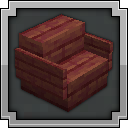
Sit Anywhere!
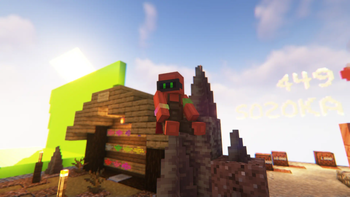
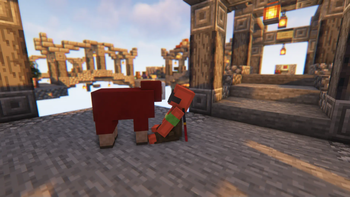
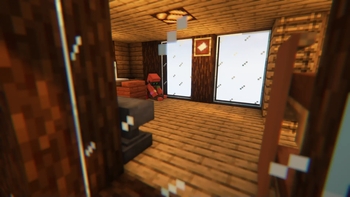
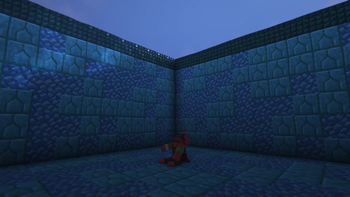
Sit anywhere you want! Look down, double tap sneak and right click and you sit. As easy as that. Or you can just sit on stair/slab or via "/trigger sit". Work on vanilla servers, or any other setup.
Screenshots


Über diese Mod
🪑 Sit Anywhere!
Sit on stairs, slabs, or literally any surface in Minecraft!
✨ Key Features
- Server-Side Only: Install it on your server or LAN. Players don't need to install anything to join and use it.
- Datapack & Mod Available: Use the datapack for specific worlds, or the mod for global activation across all worlds.
- Accident-Proof: Smart triggers prevent you from sitting down unintentionally.
- Future-Proof: Designed as a lightweight datapack logic, making it less likely to break with Minecraft updates. (But I'll make sure to fix it if it ever happens!
📖 How to Use
- On Stairs & Slabs: Stand on top of the block and right-click it.
- Anywhere Else: Look straight down, double-tap sneak (Shift), and right-click.
- Via Command: Type /trigger sit.
⤵️ Installation
📦 Datapack
- Download the
.zipfile. - Place it into your world's
datapacks/folder.
🌐 Translations: Also place the same
.zipfile into yourresourcepacks/folder (and enable it) to get translated texts.
⚙️ Mod
- Download the
.jarfile. - Place it into your Minecraft
mods/folder.
🌐 Translations: Built-in automatically, no extra steps needed!
Available languages (9): English (US), Français (France), Español (España), Deutsch (Deutschland), Português (Portugal), Italiano (Italia), 日本語 (日本), 한국어 (대한민국), 简体中文 (中国大陆).
The translation may be inaccurate as I only speak English and French. If you notice any errors, please let me know! If you would like to translate this project into your own language, feel free to create the translation file and send it to me!
💬 Feedback & Support
Have questions, suggestions, or found a bug? Join the community on Discord in the #mods-and-datapacks channel:
👉 Join Discord Server
Verfügbare Versionen
Sit Anywhere! auf dem Server installieren
Server bestellen
Bestelle einen Minecraft Java Server mit mindestens 3 GB RAM (4 GB empfohlen).
datapack Loader setzen
Wähle im Panel unter "Egg" den datapack-Loader und die passende Minecraft-Version (26.3).
Mod installieren
Öffne den Mod-Browser im Dashboard und suche nach "Sit Anywhere!". Klicke "Installieren" – fertig! Alternativ: Lade die .jar via SFTP in den /mods Ordner.
Kompatibilität
Mod-Loader
Minecraft-Versionen
26.3, 26.3-snapshot-9, 26.3-snapshot-7 (+34 weitere)
Server-seitig
✓ ErforderlichEmpfohlener RAM
4 GB(min. 3 GB)Häufige Fragen
Sit Anywhere! Server crasht beim Start – was tun?
Häufigste Ursache: falsche datapack-Version oder zu wenig RAM. Prüfe im Server-Log (latest.log), ob ein "OutOfMemoryError" oder "Mixin"-Fehler auftritt. Bei Mado Hosting: Stelle sicher, dass mindestens 3 GB RAM zugewiesen sind und der Loader zur Mod-Version passt (26.3). Über das Panel kannst du den Loader mit einem Klick wechseln.
Ist Sit Anywhere! mit datapack und fabric und forge und neoforge und quilt kompatibel?
Sit Anywhere! unterstützt offiziell datapack, fabric, forge, neoforge, quilt für Minecraft 26.3, 26.3-snapshot-9, 26.3-snapshot-7. Achtung: Forge- und Fabric-Mods sind NICHT untereinander kompatibel – wähle einen Loader und bleibe dabei. Im Mado Dashboard werden inkompatible Loader-Kombinationen automatisch erkannt.
Server laggt mit Sit Anywhere! – wie optimiere ich die Performance?
Empfohlener RAM: 4 GB (+1 GB pro 8 Spieler). Prüfe mit /spark profiler, ob Sit Anywhere! den meisten Tick-Time verbraucht. Häufige Fixes: Server-View-Distance auf 8-10 reduzieren, bei Forge "performant" oder "starlight" als Zusatz-Mod installieren. Bei Mado Hosting läuft dein Server auf NVMe-SSDs mit dedizierten CPU-Kernen für minimale Latenz.
Ähnliche Mods






Modded Server mieten
Installiere Sit Anywhere! mit nur einem Klick auf deinem Server.