
SkyVision
Elytra Pitch Bar, Fall Distance, Attribute Swap Indicator, Pearl Prediction, and Shield Renderer for precise Mace pvp gameplay. It tells the future XD
Screenshots

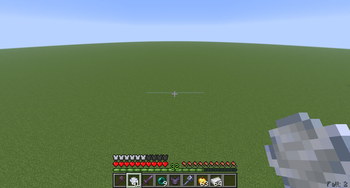


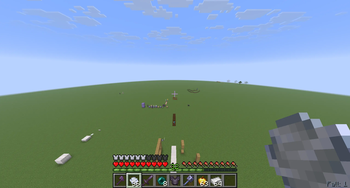

Über diese Mod
Description:
SkySight is a client-side HUD mod that provides useful visual feedback and highlights certain blocks to help you with pvp related mechanics
Features:
Elytra Flight Timer: Tracks how long you’ve worn an Elytra and displays a fading HUD above the hotbar when you remove it. Older values shift upwards and fade out smoothly. This is usefull to train a techniq called elytra preservation that lets you presever durability if the timer stays under 20 ticks.
Atribute Swap: It tells you if you atribute swap was sucessful.
Damage Indicator: Displays a red screen border whenever the player takes damage, this is usefull if you have damagetilt turned off.
Fall Distance HUD: Shows your current fall distance, and goes red if you distance to ground will kill you with further falling.
Block Highlights: Highlights the blocks directly beneath you when standing on the ground, so you always know where you can't place blocks -> for a hitcrystal. 1.21.1 Only
Pearl catch prediction: Tells you if your pearl catch will suced after throwing a pearl and a windcharge behind your pearl. Can be inacurate on servers.
Shield Area Renderer: Render an outline around the shield blocking areas of your two nearest opponents. Usefull for backstabs. 1.21.1 Only
Elytra Pitch:A bar that indicates your pitch while Flying with elytra, is at 0 when your pitch is 40 aka enough to build up falldistance.
Player Damgage: A indicator under your corsshair that shows how much damage u will deal to a maxed player with you current y-diference to him +falldistance. Turns red when its fatal.
It DOES NOT expects critical hits for calculation -> Perfect swap and no sprinting.
Enemy Damage: Same as PLayer damage just that it indicates the dmg the enemy can deal to you.
Configurable HUD: Toggle HUDs on and off using the commands /ToggleFutureHud and /TogglePresentHud and /ToggleShieldArea.
In new versions its /SkyVision toggle...
Important:I dont realy know but some servers could consider this as cheats so consider yourself warned.
Current Projekt: A HUD that predicts if you die of fire and a hud that pre simulates anemy bowshots. Creating an actual AI that predicts movement with maschinal learning
Check out my mod about AI movement prediction:PvpSense
Get help and talk about the mod: discord.gg/MX4y9Nsk
Verfügbare Versionen
SkyVision auf deinem Client installieren
Mod-Loader lokal installieren
Installiere fabric für deine lokale Minecraft-Version.
Passende Datei herunterladen
Wähle die SkyVision-Datei für fabric und Minecraft 1.21.11.
Mod installieren
Lege die .jar-Datei in deinem lokalen .minecraft/mods-Ordner ab und starte Minecraft neu. Eine Installation auf dem Server ist nicht nötig.
Kompatibilität
Mod-Loader
Minecraft-Versionen
1.21.11, 1.21.1
Server-seitig
✗ Nicht unterstütztEmpfohlener RAM
4 GB(min. 3 GB)Häufige Fragen
Muss SkyVision auf dem Minecraft Server installiert werden?
Nein. Modrinth kennzeichnet SkyVision serverseitig als nicht unterstützt. Installiere die Mod nur im lokalen Minecraft-Mods-Ordner. Dein Server kann unverändert bleiben, sofern die Mod-Seite keine zusätzliche Abhängigkeit nennt.
Welche Version und welchen Loader braucht SkyVision?
Nutze eine Datei für fabric und exakt deine Minecraft-Version. Unterstützte Versionen sind unter anderem 1.21.11, 1.21.1. Loader-Dateien sind nicht untereinander austauschbar.
SkyVision funktioniert nicht – was kann ich prüfen?
Prüfe zuerst Minecraft-Version, Loader-Version und erforderliche Abhängigkeiten. Lege die .jar-Datei im lokalen .minecraft/mods-Ordner ab und entferne ältere Duplikate. Da die Mod clientseitig ist, löst mehr Server-RAM dieses Problem nicht.
Ähnliche Mods






Minecraft Server für deine Gruppe
SkyVision bleibt auf deinem Client. Hoste dazu eine kompatible Welt für deine Mitspieler.