
Splinecart
Minecart roller coasters
Screenshots
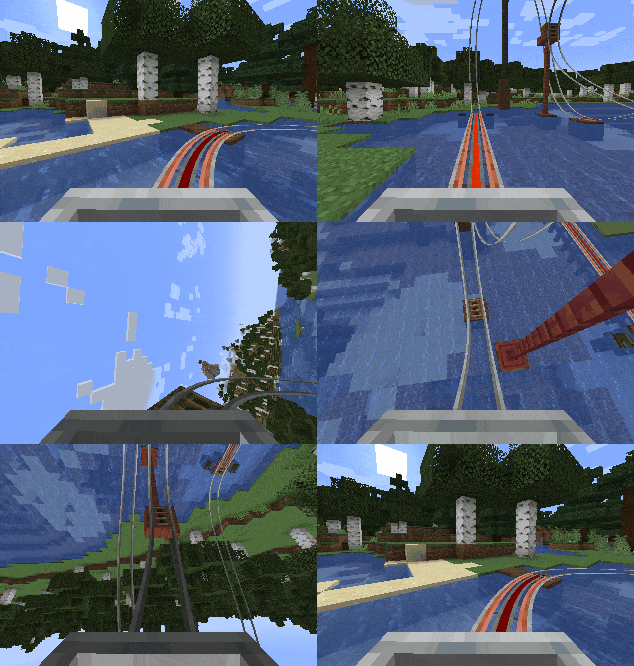
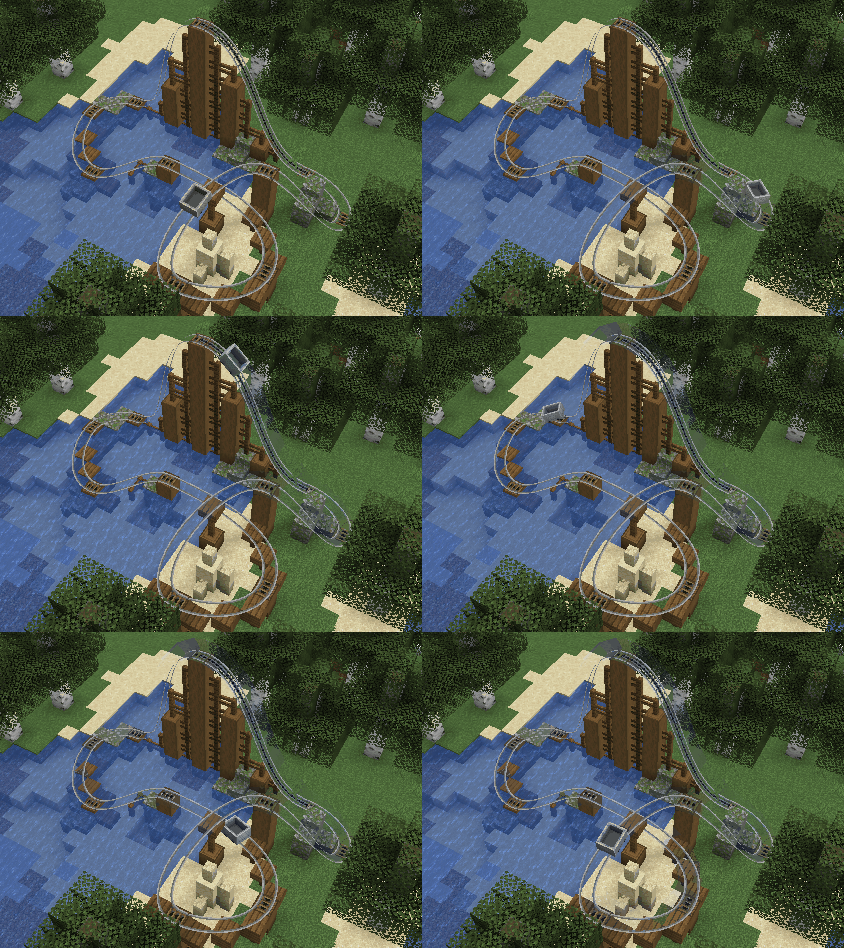
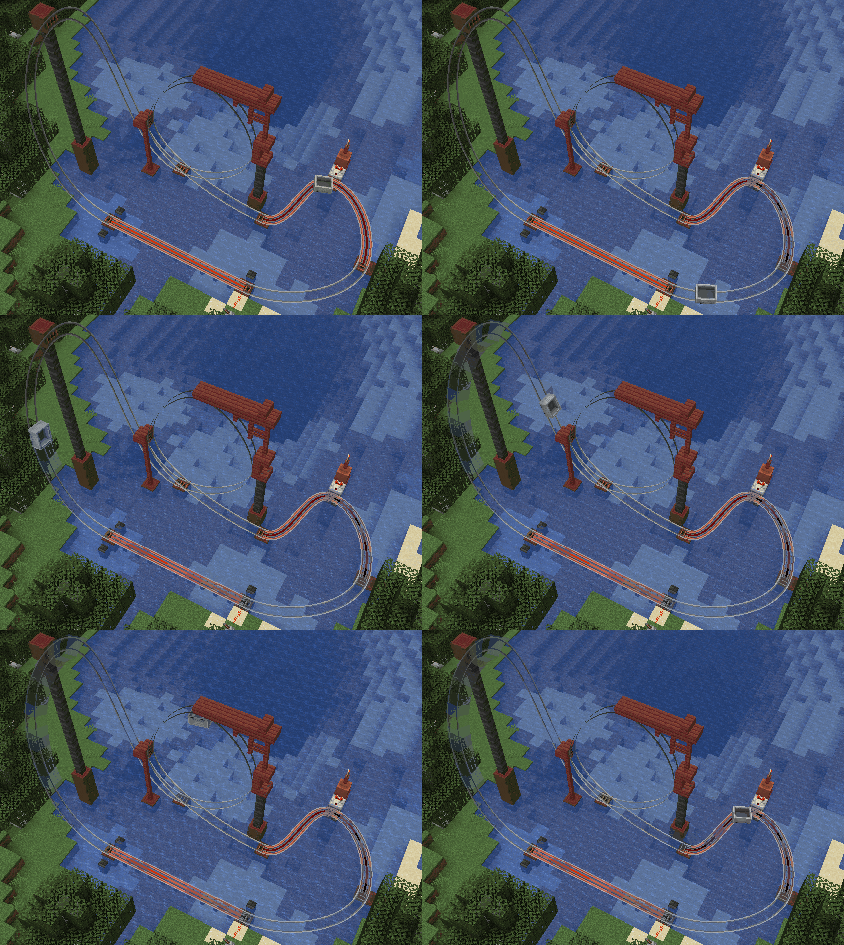
Über diese Mod
Splinecart
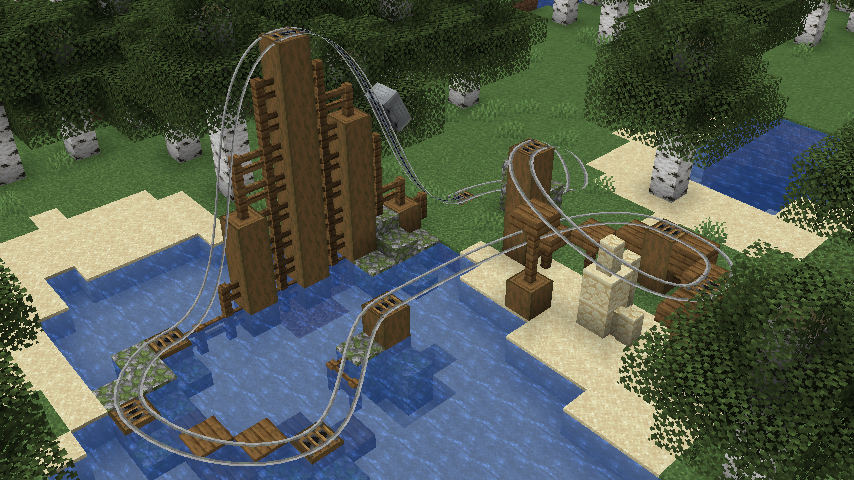
This mod adds a new type of rail block that can be used to create smooth curved railways for minecart roller coasters.
Originally made for ModFest: Carnival
Getting Started
- Place a Track Ties block on any face of another block.
- Right click the track ties to rotate them.
- Important: Track ties have a "forward" direction, as indicated by the sequence of dark arrows on the block. This determines which direction outgoing tracks will originate from, and incoming tracks will end in.
- Place a second Track Ties block in an appropriate orientation, elsewhere.
- Use a Track item on the first Track Ties block, and then on the second one to create a track connecting them. The order that you click on each track tie block matters.
- Use vanilla rails to run a minecart into the first track tie block.
Track Types
- Track: A regular track that minecarts can travel along
- Chain Drive Track: A track that always carries minecarts forward. Can be used to move minecarts up steep inclines.
- Magnetic Track: A speed control track whose strength is controlled by the redstone signal powering its track tie. Can be used for powered launches or braking segments. Does not work well on steep inclines.
Motion Sickness Warning
- If you are prone to motion sickness, run the following command before riding a Splinecart track:
/splinecartc config rotate_camera false - Splinecart features jarring camera rotation (see Gallery for example) that may cause motion sickness or affect photosensitive users.
- Running the above command prevents the camera from rotating while riding Splinecart tracks to try and reduce this risk.
- Further ways to reduce motion sickness include enabling third person mode in addition to what is described above.
- You can re-enable camera rotation with
/splinecartc config rotate_camera true.
Verfügbare Versionen
Splinecart auf dem Server installieren
Server bestellen
Bestelle einen Minecraft Java Server mit mindestens 3 GB RAM (4 GB empfohlen).
fabric Loader setzen
Wähle im Panel unter "Egg" den fabric-Loader und die passende Minecraft-Version (1.21.3).
Mod installieren
Öffne den Mod-Browser im Dashboard und suche nach "Splinecart". Klicke "Installieren" – fertig! Alternativ: Lade die .jar via SFTP in den /mods Ordner.
Kompatibilität
Mod-Loader
Minecraft-Versionen
1.21.3, 1.21.2, 1.21.1 (+1 weitere)
Server-seitig
✓ ErforderlichEmpfohlener RAM
4 GB(min. 3 GB)Häufige Fragen
Splinecart Server crasht beim Start – was tun?
Häufigste Ursache: falsche fabric-Version oder zu wenig RAM. Prüfe im Server-Log (latest.log), ob ein "OutOfMemoryError" oder "Mixin"-Fehler auftritt. Bei Mado Hosting: Stelle sicher, dass mindestens 3 GB RAM zugewiesen sind und der Loader zur Mod-Version passt (1.21.3). Über das Panel kannst du den Loader mit einem Klick wechseln.
Ist Splinecart mit fabric kompatibel?
Splinecart unterstützt offiziell fabric für Minecraft 1.21.3, 1.21.2, 1.21.1. Im Mado Dashboard werden inkompatible Loader-Kombinationen automatisch erkannt.
Server laggt mit Splinecart – wie optimiere ich die Performance?
Empfohlener RAM: 4 GB (+1 GB pro 8 Spieler). Prüfe mit /spark profiler, ob Splinecart den meisten Tick-Time verbraucht. Häufige Fixes: Server-View-Distance auf 8-10 reduzieren, bei Forge "performant" oder "starlight" als Zusatz-Mod installieren. Bei Mado Hosting läuft dein Server auf NVMe-SSDs mit dedizierten CPU-Kernen für minimale Latenz.
Ähnliche Mods






Modded Server mieten
Installiere Splinecart mit nur einem Klick auf deinem Server.