
Server-Side Waystones
Polymer-based server sided Waystone mod, with Geyser and vanilla client support.
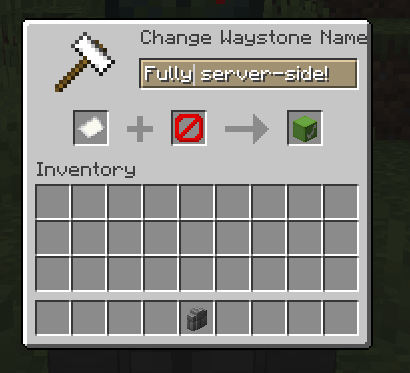
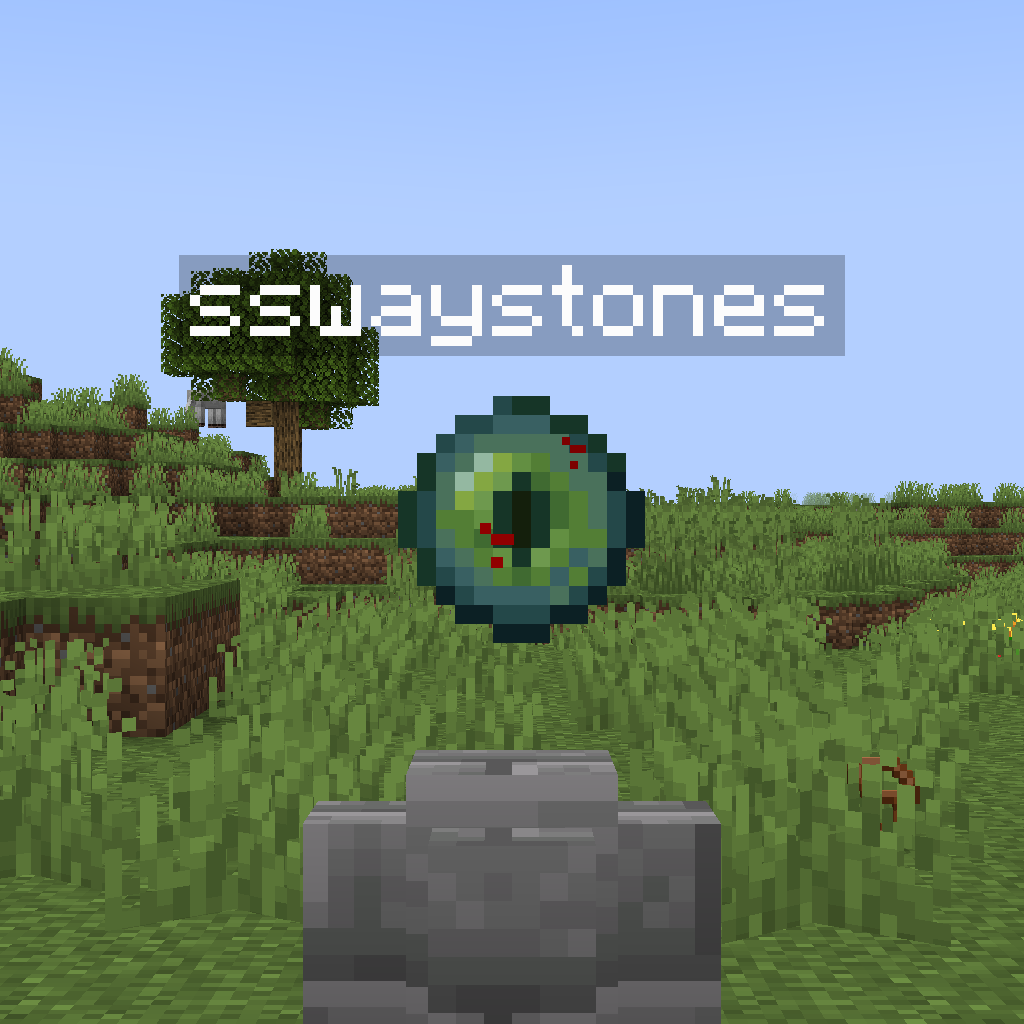
Screenshots
Über diese Mod
Server-Side Waystones (sswaystones)
Polymer-based server sided Waystone mod, with Geyser and vanilla client support. (inspired by the now-archived Wraith Waystones Polymer Port)
Features
- Server-side Waystone blocks that allow you to teleport long distances and across dimensions.
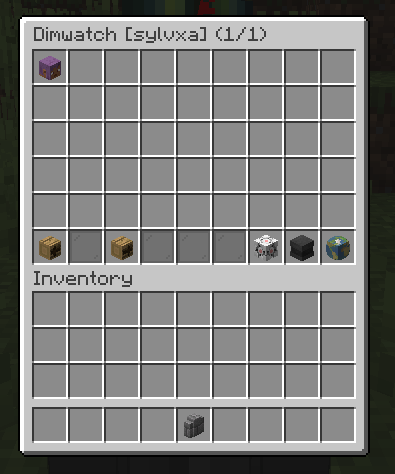
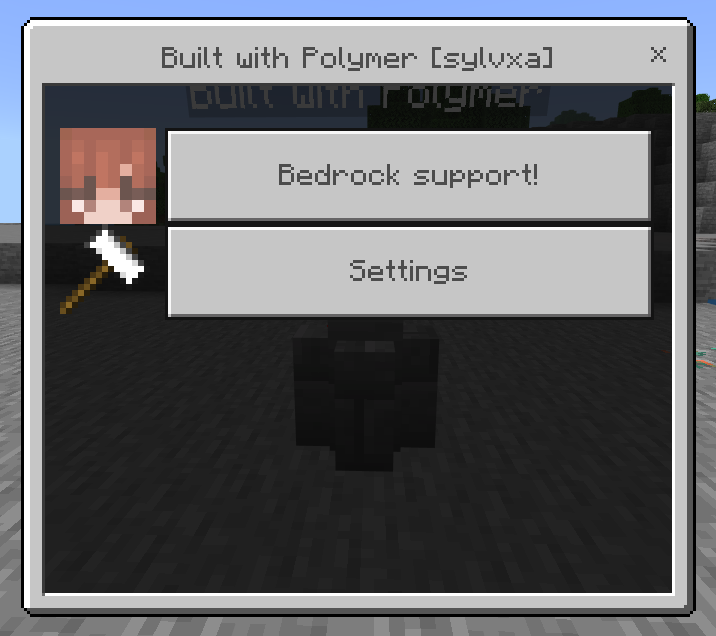
- Feature-full GUIs for both Bedrock and Java players, using forms and chest GUIs respectively.
- Waystones can have up to 32 character long names and can be set to "global" to allow for anybody on the server to use them.
- The mod works on both servers and singleplayer worlds, and all storage data is held in the world itself.
Recipes
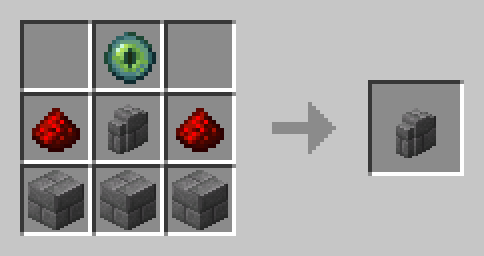
Recipe for the Waystone
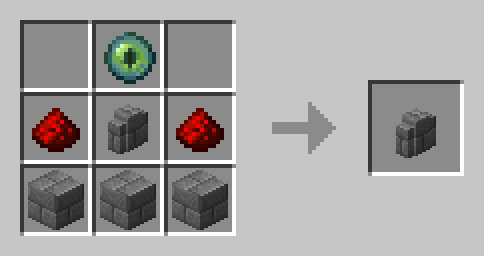
(Stone Bricks and Stone Brick Wall can be replaced with several other brick variants to get their respective waystone)
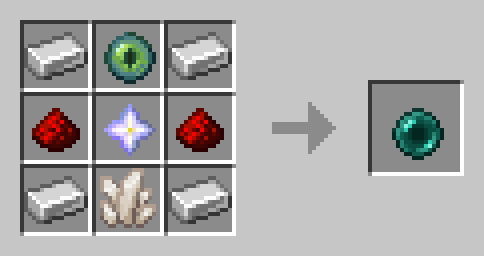
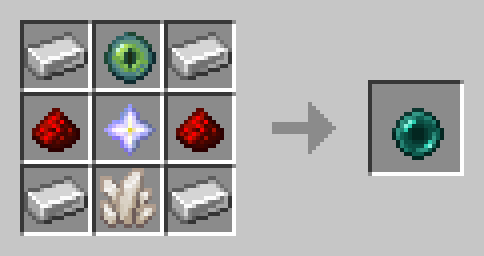
Recipe for the Portable Waystone
Configuration
The file is saved in config/sswaystones.json, and can be edited either manually or by commands.
/sswaystones config set [key] [value](sets a configuration option)/sswaystones config get [key](gets the value of a configuration option)/sswaystones config help(lists all configuration options)/sswaystones config reload(loads configuration from disk)/sswaystones config save(saves configuration to disk)
Permissions
sswaystones.manager: Allows the player to edit and steal all waystones. (requires op by default)sswaystones.create.place: Allows the player to create waystones. (enabled by default)sswaystones.create.global: Allows the player to create global waystones. (enabled by default)sswaystones.create.team: Allows the player to create team-available waystones. (enabled by default)sswaystones.create.server: Allows the player to create and break "server-owned" waystones. (requires op by default)
Verfügbare Versionen
Server-Side Waystones auf dem Server installieren
Server bestellen
Bestelle einen Minecraft Java Server mit mindestens 3 GB RAM (4 GB empfohlen).
fabric Loader setzen
Wähle im Panel unter "Egg" den fabric-Loader und die passende Minecraft-Version (26.3).
Mod installieren
Öffne den Mod-Browser im Dashboard und suche nach "Server-Side Waystones". Klicke "Installieren" – fertig! Alternativ: Lade die .jar via SFTP in den /mods Ordner.
Kompatibilität
Mod-Loader
Minecraft-Versionen
26.3, 26.2, 26.1.2 (+14 weitere)
Server-seitig
✓ ErforderlichEmpfohlener RAM
4 GB(min. 3 GB)Häufige Fragen
Server-Side Waystones Server crasht beim Start – was tun?
Häufigste Ursache: falsche fabric-Version oder zu wenig RAM. Prüfe im Server-Log (latest.log), ob ein "OutOfMemoryError" oder "Mixin"-Fehler auftritt. Bei Mado Hosting: Stelle sicher, dass mindestens 3 GB RAM zugewiesen sind und der Loader zur Mod-Version passt (26.3). Über das Panel kannst du den Loader mit einem Klick wechseln.
Ist Server-Side Waystones mit fabric kompatibel?
Server-Side Waystones unterstützt offiziell fabric für Minecraft 26.3, 26.2, 26.1.2. Im Mado Dashboard werden inkompatible Loader-Kombinationen automatisch erkannt.
Server laggt mit Server-Side Waystones – wie optimiere ich die Performance?
Empfohlener RAM: 4 GB (+1 GB pro 8 Spieler). Prüfe mit /spark profiler, ob Server-Side Waystones den meisten Tick-Time verbraucht. Häufige Fixes: Server-View-Distance auf 8-10 reduzieren, bei Forge "performant" oder "starlight" als Zusatz-Mod installieren. Bei Mado Hosting läuft dein Server auf NVMe-SSDs mit dedizierten CPU-Kernen für minimale Latenz.
Ähnliche Mods






Modded Server mieten
Installiere Server-Side Waystones mit nur einem Klick auf deinem Server.