
Modrinth · Fabric, Forge, NeoForge, Quilt
Stack Refill auf deinem Minecraft Server
Stack Refill läuft auf Minecraft Servern mit Fabric oder Forge oder NeoForge oder Quilt. Bestell deinen Server, stell den Loader im Panel ein und installiere die Mod mit einem Klick im Mod-Browser.
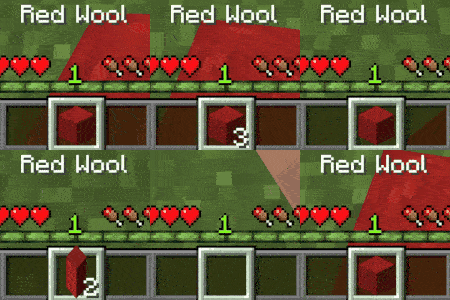
📚 Automatically refills the player's hand when using the final item if a replacement exists.
- Downloads
- 2.3M
- Autor
- Serilum
- Loader
- Fabric, Forge, NeoForge, Quilt
- Minecraft
- 1.16.5 – 26.3
- Aktualisiert
- –
Einrichtung
Stack Refill auf dem Server installieren
Server und Spieler brauchen denselben Loader und dieselbe Minecraft-Version. Sichere die Welt, bevor du Mods hinzufügst oder aktualisierst.
- 01
Konfigurieren
4 GB RAM sind vorausgewählt. Laufzeit und Add-ons wählst du selbst, bezahlt wird per Kreditkarte oder PayPal.
- 02
Loader einstellen
Stell im Panel die Serversoftware auf Fabric oder Forge oder NeoForge oder Quilt und wähl die passende Minecraft-Version, zum Beispiel 26.3.
- 03
Mod installieren
Such im Mod-Browser nach „Stack Refill“ und installiere die Version für deinen Loader. Alternativ lädst du die .jar per SFTP in den Ordner mods. Erforderliche Abhängigkeiten stehen auf der Projektseite.
- 04
Verbinden
Alle Spieler installieren Stack Refill in derselben Version lokal und verbinden sich über die Serveradresse aus dem Panel.
- Auf dem Server
- Erforderlich
- Auf dem Client
- Erforderlich
- Loader
- Fabric, Forge, NeoForge, Quilt
- Minecraft
- 26.3, 26.2, 26.1.2 +26 weitere
- Lizenz
- LicenseRef-All-Rights-Reserved
Das Panel
Mods installieren, Fehler finden.
Echte Screenshots aus dem Mado Panel. Beides ist bei jedem Minecraft Server enthalten.
Mod-Browser
Modrinth und CurseForge direkt im Panel.
Der Browser filtert nach deiner Minecraft-Version. Mods installierst du mit einem Klick, ohne .jar-Dateien hochzuladen.

KI-Crash-Analyse
Wenn ein Mod crasht, liest die Analyse das Log.
Mods scheitern oft an einer falschen Loader-Version, Java-Version oder fehlenden Abhängigkeit. Die Analyse nennt eine wahrscheinliche Ursache und einen Lösungsvorschlag.

Versionen
Veröffentlichte Versionen
Nimm die Datei, die zu Loader und Minecraft-Version deines Servers passt. Server und Spieler brauchen dieselbe Version.
Stack Refill · Modrinth- [Fabric/Forge/Neo] 26.1.2-6.228. Oktober 2026Minecraft 26.1.2 · Fabric, Forge, NeoForge, Quilt
- [Fabric/Forge/Neo] 26.3.0-6.221. Oktober 2026Minecraft 26.3 · Fabric, Forge, NeoForge, Quilt
- [Fabric/Forge/Neo] 26.2.0-6.221. Oktober 2026Minecraft 26.2 · Fabric, Forge, NeoForge, Quilt
- [Fabric/Forge/Neo] 1.21.1-6.221. Oktober 2026Minecraft 1.21, 1.21.1 · Fabric, Forge, NeoForge, Quilt
- [Fabric/Forge/Neo] 1.20.1-6.221. Oktober 2026Minecraft 1.20.1 · Fabric, Forge, NeoForge, Quilt
Originalbeschreibung des Projektautors


Stack Refill is a utility mod which automatically refills the itemstack in the player's hand if there is any of the same item in the inventory. It works for weapons in combat, tools used on blocks, stacks when placing blocks, eating food, using potions, tossing items on the ground, drinking milk buckets, when breaking a fishing rod and should work with all modded blocks. Thrown items like tridents and splash potions are refilled too. One of my personal favourite quality of life tweaks.
Has to be installed on the server, as that's where the refilling happens. Players don't need it on their client. What gets refilled can be changed in the config, including a blacklist and whitelist for specific items. With /stackrefill every player can also turn it off for themselves.


All available config options:
Show Spoiler
refillBlocksAndItems default true
Whether the hand is refilled when the last item of a stack is placed, used, eaten or thrown. For example blocks, food, bone meal, eggs and potions.
refillToolsAndWeapons default true
Whether an item with durability is replaced by the same item from the inventory when it breaks or is thrown. For example tools, swords, fishing rods and tridents.
refillAfterDroppingLastItem default true
Whether the main hand is refilled when its last item is dropped with the drop key.
refillBuckets default true
Whether buckets are refilled. When disabled, a bucket that is emptied or filled stays in the hand instead of being swapped for another bucket from the inventory.
refillFromOtherHotbarSlots default false
Whether the other hotbar slots are searched as well. When disabled, only the main inventory is used to refill the hand.
itemBlacklist default ""
A comma separated list of item ids that are never refilled. Use * as a wildcard. An id without a namespace matches items of every mod. For example 'minecraft:totem_of_undying,*shulker_box'.
itemWhitelist default ""
When not empty, only the items in this comma separated list are refilled. Same format as itemBlacklist, for example 'minecraft:*_planks,cobblestone'.

/stackrefill toggle - Turns Stack Refill on or off for yourself.
/stackrefill enable - Turns Stack Refill on for yourself.
/stackrefill disable - Turns Stack Refill off for yourself.
/stackrefill help - Shows the usage of commands.

A sword being replaced during combat:
Show Spoiler

A shovel being replaced when digging dirt:
Show Spoiler

Log blocks being replaced while placing them down:
Show Spoiler

Bread being replaced after consumption:
Show Spoiler

Potions being replaced after consumption:
Show Spoiler

Items replaced after being tossed:
Show Spoiler

A milk bucket being replaced after being consumed:
Show Spoiler

A fresh fishing rod after its last use:
Show Spoiler

When using items on (modded) blocks, such as a sieve from Ex Nihilo:
Show Spoiler


You may freely use this mod in any modpack, as long as the download remains hosted within the CurseForge or Modrinth ecosystem.
Serilum.com contains an overview and more information on all mods available.
For issues, ideas, suggestions or anything else there is the Github repo. Thanks!
Stack Refill Server crasht beim Start – was tun?
Häufige Ursachen: Loader- oder Minecraft-Version passen nicht zur Mod-Datei, eine Abhängigkeit fehlt oder der RAM reicht nicht. Such im Log (latest.log) nach „OutOfMemoryError“, „Mixin“ oder fehlenden Mods. Bei Mado wertet die KI-Crash-Analyse das Log aus und schlägt eine Ursache vor. Loader und Version änderst du im Panel.
Mit welchem Loader läuft Stack Refill?
Laut Modrinth unterstützt Stack Refill Fabric, Forge, NeoForge, Quilt für Minecraft 26.3, 26.2, 26.1.2. Forge- und Fabric-Dateien sind nicht untereinander austauschbar: Wähl einen Loader für Server und Clients.
Wie viel RAM braucht ein Server mit Stack Refill?
Als Orientierung 3–4 GB für einen Server mit dieser Mod. Das ist eine Schätzung, keine gemessene Mindestanforderung. Weitere Mods, viele Spieler und große Sichtweiten brauchen mehr. Ob eine Mod die Tick-Zeit belastet, siehst du mit dem spark-Profiler.
Ähnliche Mods
Beliebte Mods aus derselben Kategorie
 Server-fähig

FerriteCore
von malte0811
Memory usage optimizations
 Nur Client

Mod Menu
von Prospector
Adds a mod menu to view the list of mods you have installed.
 Server-fähig

YetAnotherConfigLib (YACL)
von isxander
A builder-based configuration library for Minecraft!
 Server-fähig

Xaero's Minimap
von thexaero
Displays a map of the nearby world terrain, players, mobs, entities in the corner of your screen. Lets you create waypoints which help you find the locations you've marked.
Bereit für deinen Server mit Stack Refill?
4 GB RAM ab 8,00 € im Monat. 35 % auf den 1. Monat mit MADO35.