
Modrinth · Forge, NeoForge
Structure Gel API auf deinem Minecraft Server
Structure Gel API läuft auf Minecraft Servern mit Forge oder NeoForge. Bestell deinen Server, stell den Loader im Panel ein und installiere die Mod mit einem Klick im Mod-Browser.
An API for simplifying the developer end of creating generated structures.
- Downloads
- 5.5M
- Autor
- KingPhygieBoo
- Loader
- Forge, NeoForge
- Minecraft
- 1.16.5 – 26.1.2
- Aktualisiert
- –
Screenshots
So sieht Structure Gel API aus


Bilder: Structure Gel API auf Modrinth, vom Projektteam veröffentlicht.
Einrichtung
Structure Gel API auf dem Server installieren
Server und Spieler brauchen denselben Loader und dieselbe Minecraft-Version. Sichere die Welt, bevor du Mods hinzufügst oder aktualisierst.
- 01
Konfigurieren
4 GB RAM sind vorausgewählt. Laufzeit und Add-ons wählst du selbst, bezahlt wird per Kreditkarte oder PayPal.
- 02
Loader einstellen
Stell im Panel die Serversoftware auf Forge oder NeoForge und wähl die passende Minecraft-Version, zum Beispiel 26.1.2.
- 03
Mod installieren
Such im Mod-Browser nach „Structure Gel API“ und installiere die Version für deinen Loader. Alternativ lädst du die .jar per SFTP in den Ordner mods. Erforderliche Abhängigkeiten stehen auf der Projektseite.
- 04
Verbinden
Alle Spieler installieren Structure Gel API in derselben Version lokal und verbinden sich über die Serveradresse aus dem Panel.
- Auf dem Server
- Erforderlich
- Auf dem Client
- Erforderlich
- Loader
- Forge, NeoForge
- Minecraft
- 26.1.2, 1.21.4, 1.20.4 +5 weitere
- Lizenz
- LicenseRef-All-Rights-Reserved
Das Panel
Mods installieren, Fehler finden.
Echte Screenshots aus dem Mado Panel. Beides ist bei jedem Minecraft Server enthalten.
Mod-Browser
Modrinth und CurseForge direkt im Panel.
Der Browser filtert nach deiner Minecraft-Version. Mods installierst du mit einem Klick, ohne .jar-Dateien hochzuladen.

KI-Crash-Analyse
Wenn ein Mod crasht, liest die Analyse das Log.
Mods scheitern oft an einer falschen Loader-Version, Java-Version oder fehlenden Abhängigkeit. Die Analyse nennt eine wahrscheinliche Ursache und einen Lösungsvorschlag.

Versionen
Veröffentlichte Versionen
Nimm die Datei, die zu Loader und Minecraft-Version deines Servers passt. Server und Spieler brauchen dieselbe Version.
Structure Gel API · Modrinth- Structure Gel API v2.22.010. September 2026Minecraft 26.1.2 · NeoForge
- Structure Gel API v2.20.026. Januar 2025Minecraft 1.21.4 · NeoForge
- Structure Gel API v2.19.121. Juni 2024Minecraft 1.20.4 · NeoForge
- Structure Gel API v2.16.221. April 2024Minecraft 1.20.1 · Forge, NeoForge
- Structure Gel API v2.4.818. Oktober 2023Minecraft 1.18.2 · Forge
Originalbeschreibung des Projektautors







An API for simplifying the developer end of creating generated structures.
Structure Gel is an API mod designed to make creating structures easier on the developers, specifically ones using the jigsaw system. All code is open source and documented.
Some of its features include:
📚 Read the Structure Gel API Documentation Here
For an open source working example of this api, check out Dungeons PlusYou can find detailed information on how to develop and use this API by Minecraft version.
Latest Documentation
🧪 Latest Features
🛠️ Building Tools
The Building Tool is a new creative mode only item used to perform various large scale block alterations.- It can be found in the Structure Items creative mode tab.
- Right click the Building Tool in the air to open the GUI. Once open, you can select what mode you want to use, undo, redo, select your position, and more.

GUI
The GUI contains various buttons to modify the Building Tool's settings, as well as some convienent tools.- Pressing,
enter,e,escape, or clicking anywhere on the screen that isn't a button will close the GUI. - Hovering over any item on the GUI will display a tooltip on the right side to explain what it does and how to use it.
- Using the radial menu, you can select which mode you want to use.
- Some modes support positions. If they do, a button will appear on the top left to select a position based on your current location. This is mainly useful when right clicking a block isn't possible or is highly inconvenient.
- The Undo and Redo buttons on the left exist to do exactly what they say. They attempt to undo or redo the last action you performed with the Building Tool. Up to 32 actions are saved and can be undone.
- Some modes have additional settings, these settings will appear below the undo and redo buttons.
- The button in the middle is used to select what block you want to use. When you click it, a text box will open for you to type a block state. This can be done in game as well, but some blocks like water are more than difficult to click on.
Controls
- Middle Click: Selects the current block state you're looking at (also can be done in the GUI).
- Left Click: This is the general key for "do the thing" depending on what mode you're in.
- Right Click Air: Opens the GUI.
- Right Click Block: Some modes use this to set positions, but ones that don't also allow this to "do the thing" as well.
- Shift + Right Click: Clears the currently selected positions.
Modes
Building Tool Modes are different operations that the Building Tool can perform.-
Extend: Detects a pattern based on the side of the block you click, and attempts to place blocks in front of that to continue that pattern. If you're familiar with the old Builder's Wands mod, it's essentially the same idea.

-
Flood: Fills all air blocks within the y level slice that you click, until it hits a border, then continues to fill going downward. This is useful for filling a lake with water for example.
-
Fill: Very similar to the vanilla fill command. Select two corners and then left click to fill the area between with the currently selected block. Has options for replacing specific blocks and only placing a frame or hollow box.
-
Line: Places a line of blocks between the selected positions using the currently selected block.
-
Clone: Copies the selected region and pastes it where you click. Allows for rotating, mirroring, and cutting instead of copying.

-
Move: Moves the selected region in the direction that you punch.
-
Clear: Removes all blocks within the selected positions.
-
Shape: Places a shape where you click. The shape and what blocks will be replaced can be changed though the mode's properties in the GUI.

Mode Properties
Some modes support additional settings to modify their behavior. Some examples include:- Integrity: Determines how many blocks will actually place.
- Replace: Determines what the mode will replace when placing blocks. All replaces everything, Air replaces only air, and Clicked replaces the block you clicked on.
- Rotation and Mirror: Rotates or mirrors the cloned region. Allows for selecting a random value as well.
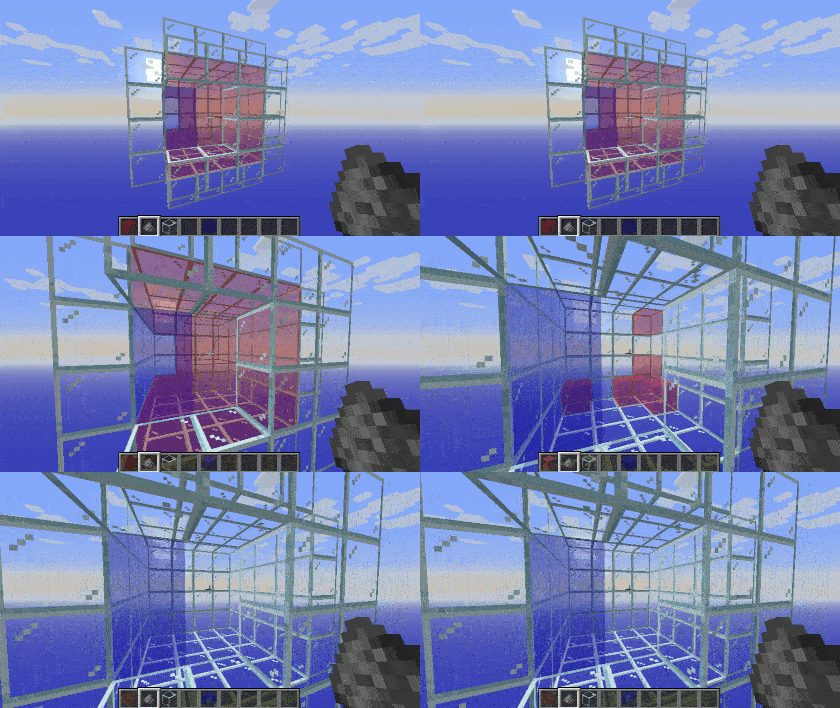
🍡 Structure Gel Block
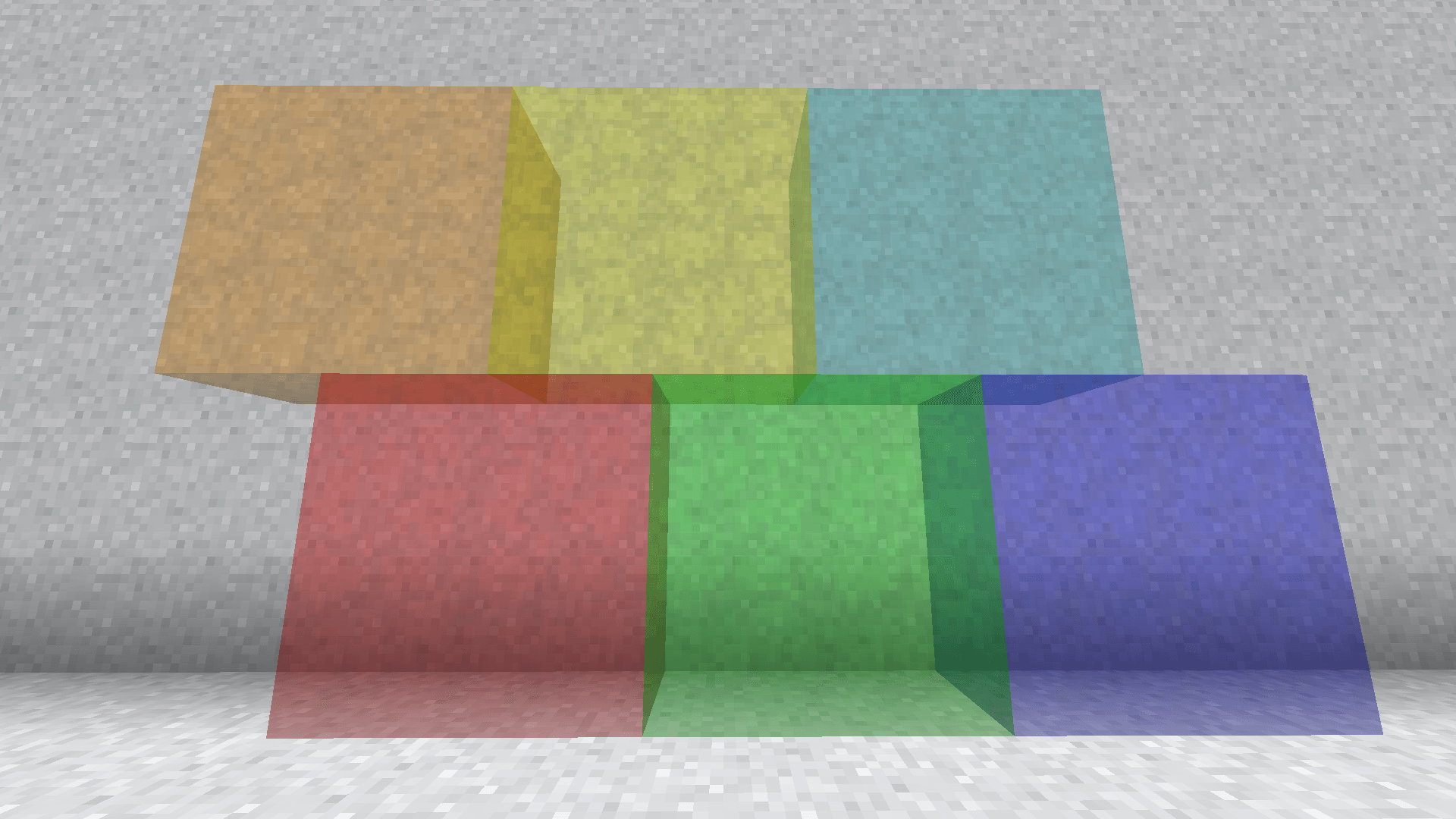
This block is a creative tool to fill the insides of structures easily. The gel is replaced with air when your structure generates while all air is ignored when being placed. This ensures that your structures won't have natural terrain where it shouldn't be. The gel block behaves similarly to structure voids in that you can walk through it, while actually being visible.When placing gel while sneaking, you can trigger the spreading mechanic. Each gel spreads differently, and you can read how they work by hovering over the item.
🍮 Meet the Gels!
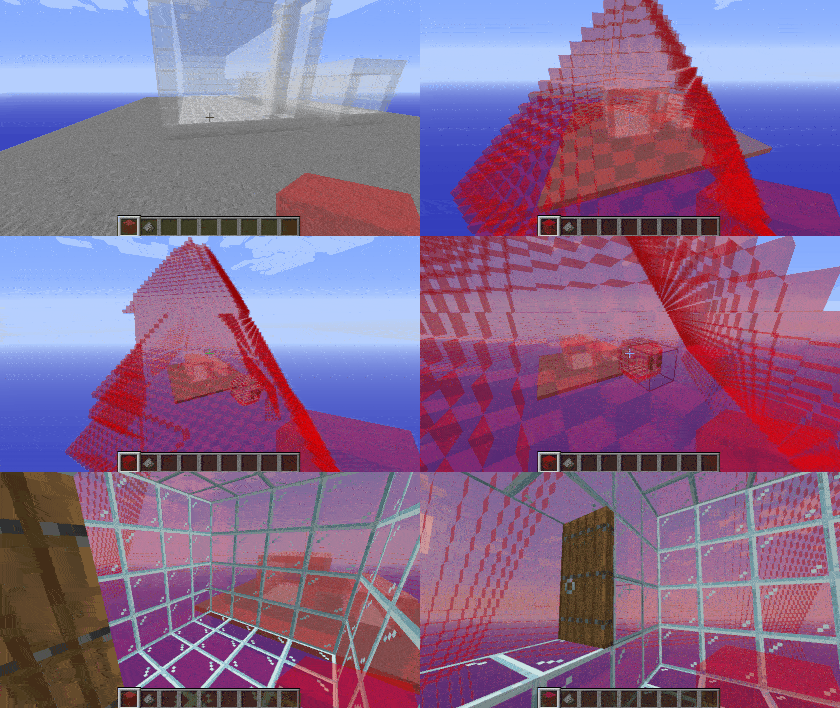
🟥 Red Gel
Red gel uses the default spreading mechanic, spreading along the cardinal directions, only replacing air.Spoiler
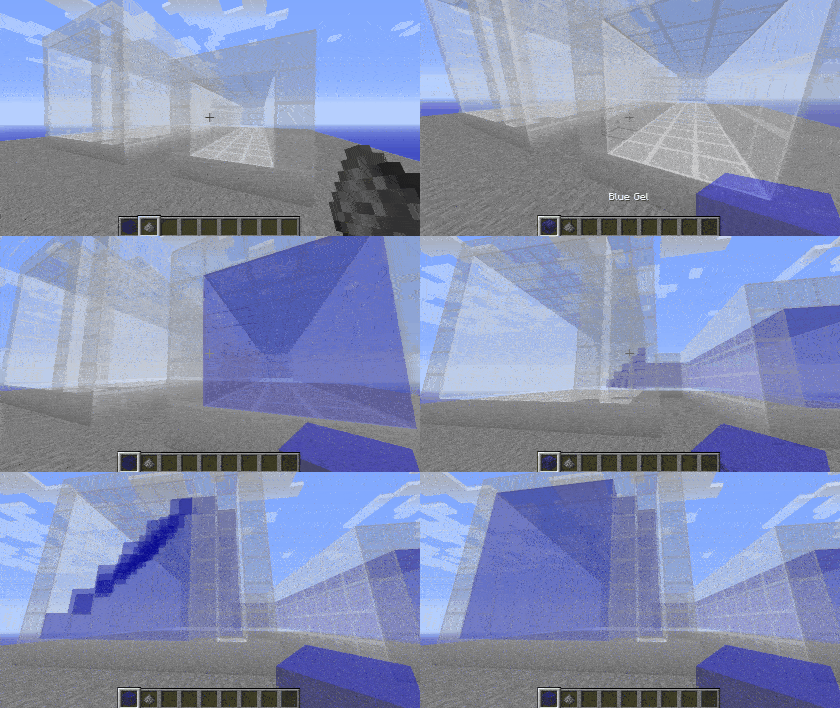
🟦 Blue Gel
Blue gel functions similarly to red, except it won't spread into locations where the sky can be seen.Spoiler
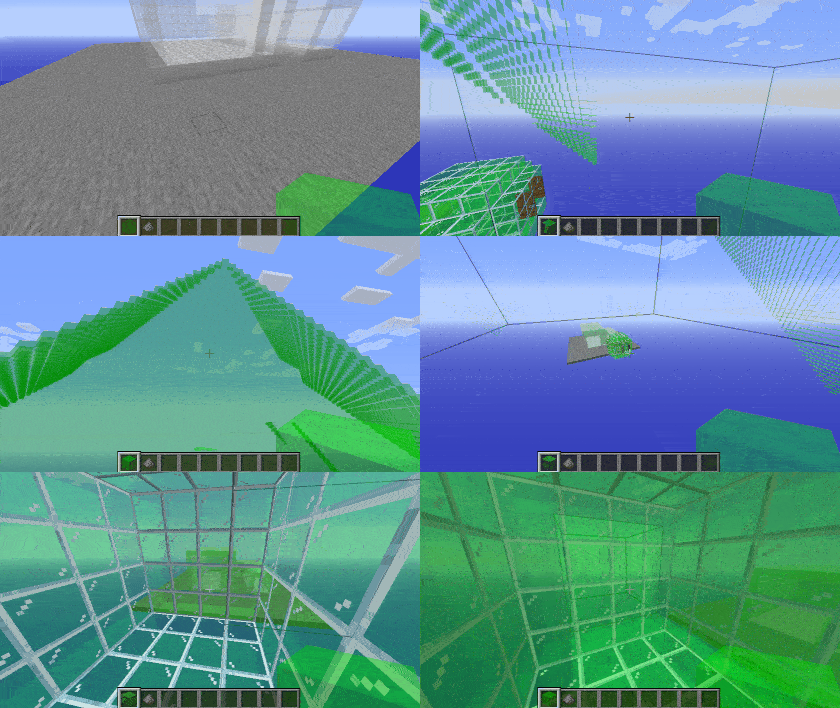
🟩 Green Gel
Green gel spreads the same as red gel, with the addition of also spreading diagonally. This allows it to get through corners created by vines or other complex builds. Be careful not to let it leak outside of your build.Spoiler
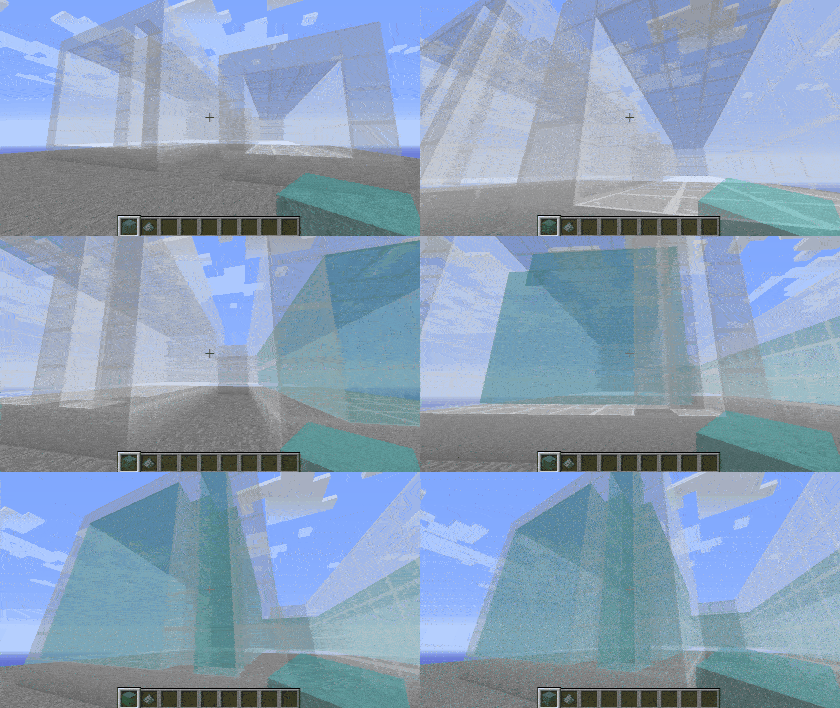
🟦 Cyan Gel
Cyan gel acts as a combination of green and blue gel, by both spreading diagonally and avoiding the sky.Spoiler
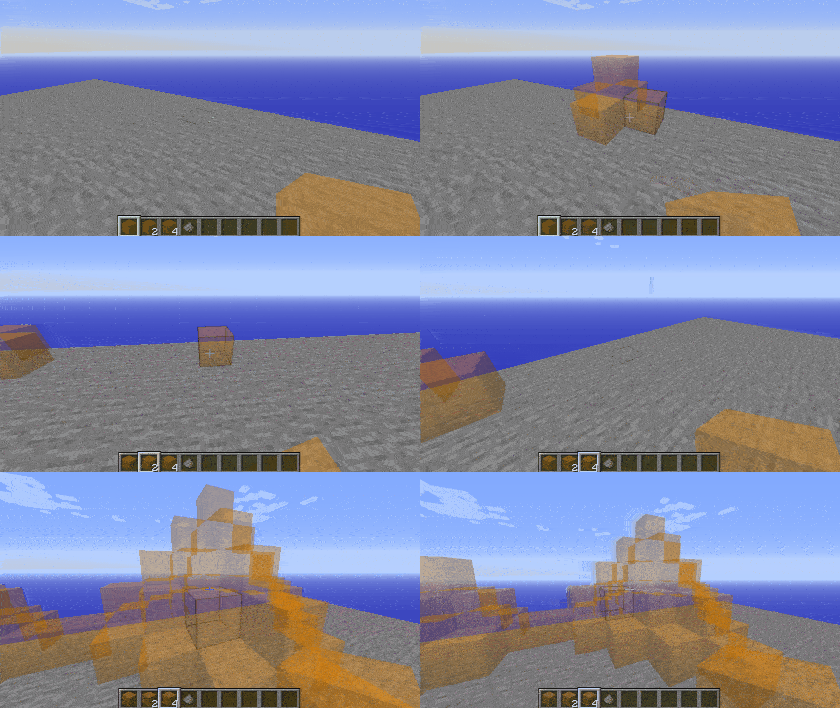
🟧 Orange Gel
Orange gel behaves the same as red gel, but the distance it spreads is determined by how many you're holding when you place it, making it handy for builds in open areas.Spoiler
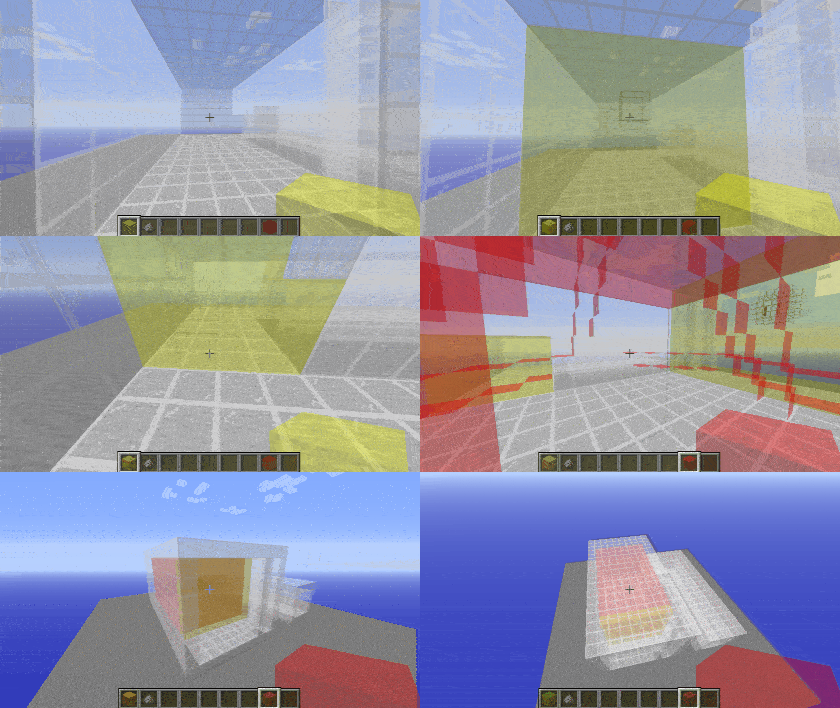
🟨 Yellow Gel
Yellow gel will only spread along the plane that you're facing when you place it, making it great for sealing off walls, windows, or other holes that the gel would otherwise go through.Spoiler
Removing Gels
Gel can be removed by using gunpowder on it. Doing this will trigger a chain reaction, removing all connected gels of the same type.Spoiler
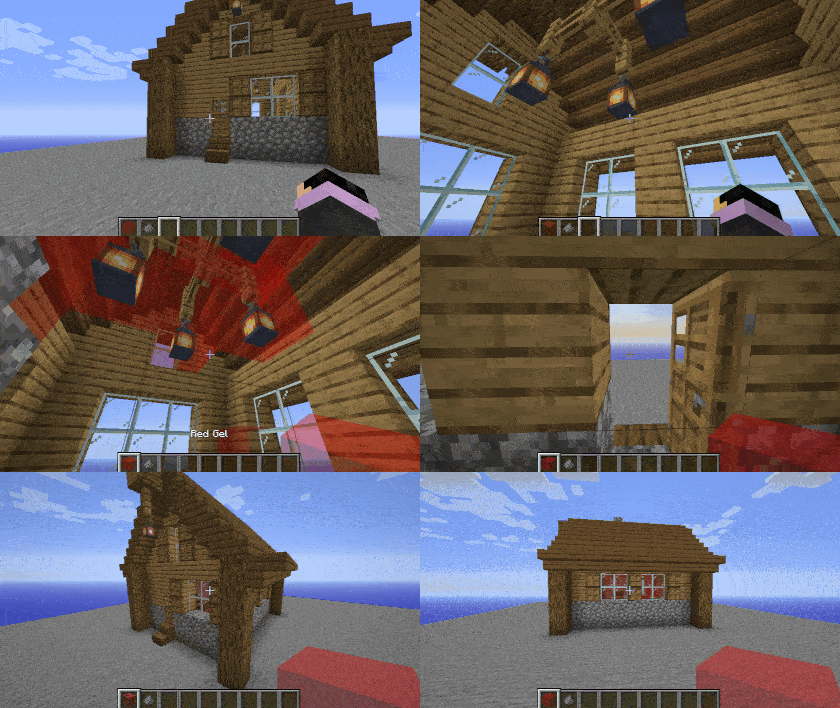
Examples
Here's an example of how it could be used in a build. If this structure were loaded into the game, the gel inside would be replaced with air, while the air outside would not be placed.Spoiler
This is a core mod that modifies a few internal classes. If you get a crash with this mod that only occurs when mixed with another mod, this may be the cause. Please test before reporting.
🌐 Translate Structure Gel API - Help break the language barrier!
All translators are credited here. Thank you to everyone who helps make this mod accessible!| Flag | Language | Translators |
|---|---|---|
 |
Deutsch | A1403, Barion |
 |
Português (Brasil) | gabisaoo, simsgameboh |
 |
Nederlands (Nederland) | faas.mr |
 |
Español (España) | Minaderm , guillermojuegostablet, juggernogk |
 |
Українська (Ukrayins'ka) | Queez |
 |
Türkçe (Türkiye) | asimemir58, demirgokler406 |
 |
עברית ('Ivriyþ) | pecan1245 |
 |
Español (Argentina) | patriciofagetti |
 |
Italiano (Italia) | antonioauciello226 |
 |
Lietuvių | WaryRGMCA |
🤚 Support: If you have questions or any issues with our mods, read the FAQ! You can also either submit an issue on the issue tracker, or come into our Discord server where we can help you!

Structure Gel API Server crasht beim Start – was tun?
Häufige Ursachen: Loader- oder Minecraft-Version passen nicht zur Mod-Datei, eine Abhängigkeit fehlt oder der RAM reicht nicht. Such im Log (latest.log) nach „OutOfMemoryError“, „Mixin“ oder fehlenden Mods. Bei Mado wertet die KI-Crash-Analyse das Log aus und schlägt eine Ursache vor. Loader und Version änderst du im Panel.
Mit welchem Loader läuft Structure Gel API?
Laut Modrinth unterstützt Structure Gel API Forge, NeoForge für Minecraft 26.1.2, 1.21.4, 1.20.4.
Wie viel RAM braucht ein Server mit Structure Gel API?
Als Orientierung 3–4 GB für einen Server mit dieser Mod. Das ist eine Schätzung, keine gemessene Mindestanforderung. Weitere Mods, viele Spieler und große Sichtweiten brauchen mehr. Ob eine Mod die Tick-Zeit belastet, siehst du mit dem spark-Profiler.
Ähnliche Mods
Beliebte Mods aus derselben Kategorie
 Server-fähig

FerriteCore
von malte0811
Memory usage optimizations
 Nur Client

Mod Menu
von Prospector
Adds a mod menu to view the list of mods you have installed.
 Server-fähig

YetAnotherConfigLib (YACL)
von isxander
A builder-based configuration library for Minecraft!
 Server-fähig

Xaero's Minimap
von thexaero
Displays a map of the nearby world terrain, players, mobs, entities in the corner of your screen. Lets you create waypoints which help you find the locations you've marked.
Bereit für deinen Server mit Structure Gel API?
4 GB RAM ab 8,00 € im Monat. 35 % auf den 1. Monat mit MADO35.