
Sword Utils
Real-time Java sword PvP feedback - recalibrated cooldown overlay, combo tracker, kill counter, auto sprint, reach display, damage immunity timer, and jump reset grader. 1.21.11 | Client-side only.
Screenshots
Über diese Mod
⚔️ SwordUtils
The ultimate client-side Java sword PvP toolkit for Minecraft 1.21.11.
No bloat. No cheats. Pure information — works on any multiplayer server with zero server-side installation.
🕐 Attack Cooldown Overlay
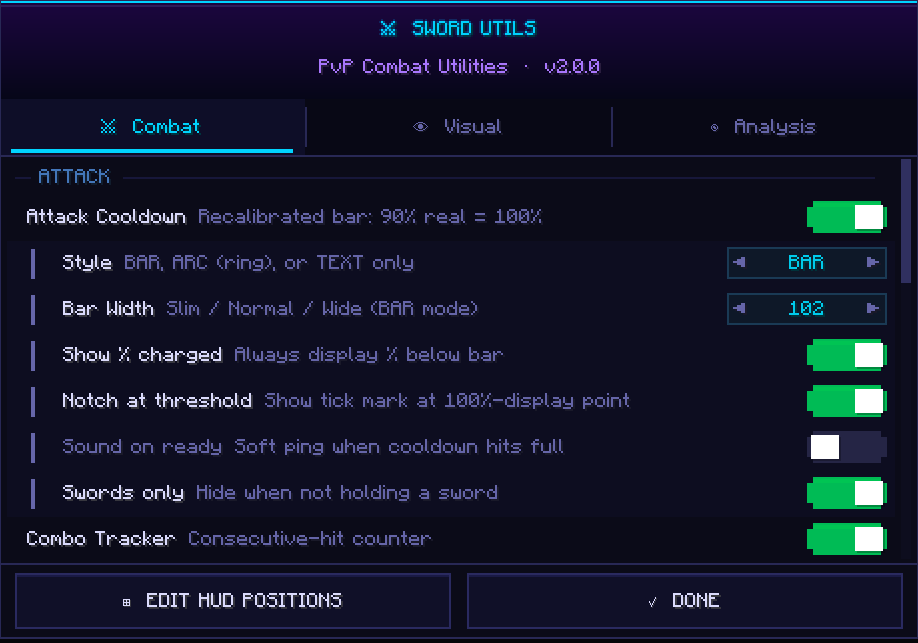
Forget the vanilla bar. SwordUtils recalibrates it so 90% real cooldown = 100% display — because 90% is the actual threshold for full damage, crits, sprint-KB, and sweeps. Choose between BAR, ARC, or TEXT style. Optional READY pulse and sound ping when you're good to go.
🔥 Combo Tracker
Counts every consecutive hit you land on a player. Configurable reset window, three display styles, three colour tiers, and independently toggleable resets on miss or on taking damage. Know your streak at a glance.
💀 Kill Counter
Tracks your session K / D / KD ratio with a +1 KILL flash on every credited kill. Four display styles to suit your HUD. Press K to reset between rounds.
🏃 Auto Sprint
Automatic forward sprint so you never drop it mid-fight. Optional cooldown-aware cancel for crit chains, sword-only mode, and a permanent sprint status badge on your HUD. Toggle on and off with V.
📏 Reach Display
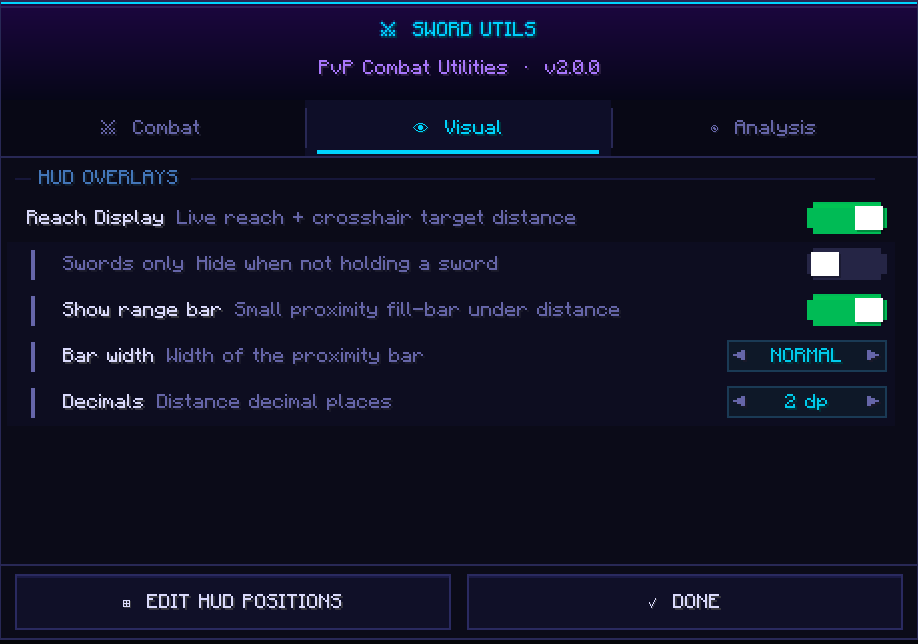
Shows your live reach attribute every tick and colour-codes your target distance — 🟢 green (in reach), 🟡 yellow (borderline), 🔴 red (out of reach). Optional proximity fill-bar. Can be set to only show while holding a sword.
⏱️ Damage Immunity Timer
After landing a hit, your target gets a 10-tick (0.5s) immunity window where follow-up hits deal zero damage. SwordUtils tracks this per target and shows draining HUD pips and optional world-space bars above nameplates — so you always know exactly when to swing again.
🎯 Jump Reset Accuracy Grader
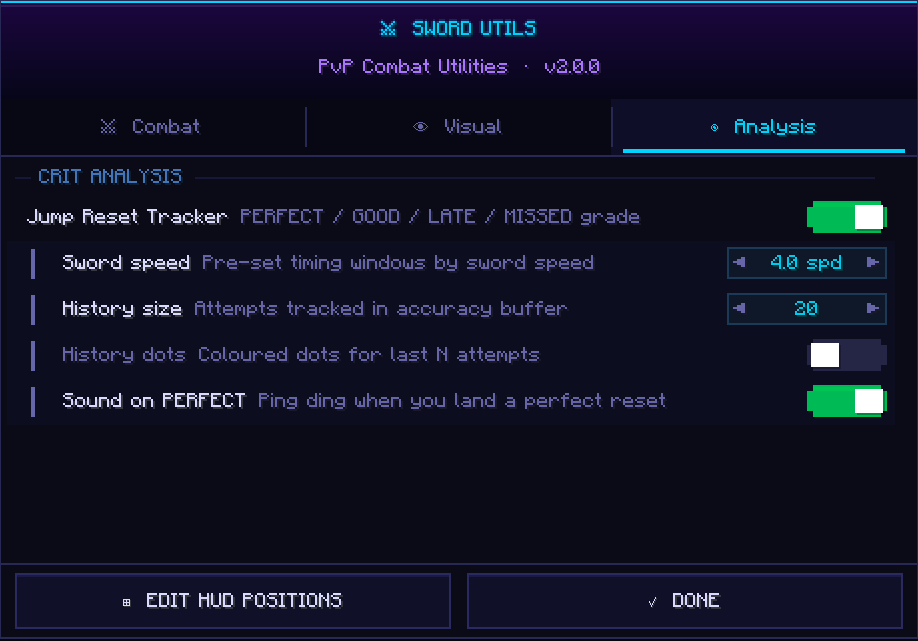
Grades the timing of every crit jump: PERFECT, GOOD, LATE, or MISSED. Pre-set windows for 4.0 and 3.6 speed swords, fully configurable otherwise. History dots show your last N attempts so you can see your consistency at a glance. Optional ping on PERFECT.
📦 Installation
Install Fabric Loader 0.18.1, drop in Fabric API 0.140.2+1.21.11 and the SwordUtils .jar into your mods/ folder, then launch Minecraft 1.21.11. That's it.
⚙️ Config
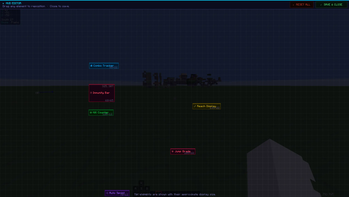
Press G in-game to open the full config screen — three tabs: Combat, Visual, Analysis. Every HUD element is drag-to-reposition. All settings auto-save to .minecraft/config/sword_utils.json.
Verfügbare Versionen
Sword Utils auf deinem Client installieren
Mod-Loader lokal installieren
Installiere fabric für deine lokale Minecraft-Version.
Passende Datei herunterladen
Wähle die Sword Utils-Datei für fabric und Minecraft 1.21.11.
Mod installieren
Lege die .jar-Datei in deinem lokalen .minecraft/mods-Ordner ab und starte Minecraft neu. Eine Installation auf dem Server ist nicht nötig.
Kompatibilität
Mod-Loader
Minecraft-Versionen
1.21.11
Server-seitig
✗ Nicht unterstütztEmpfohlener RAM
4 GB(min. 3 GB)Häufige Fragen
Muss Sword Utils auf dem Minecraft Server installiert werden?
Nein. Modrinth kennzeichnet Sword Utils serverseitig als nicht unterstützt. Installiere die Mod nur im lokalen Minecraft-Mods-Ordner. Dein Server kann unverändert bleiben, sofern die Mod-Seite keine zusätzliche Abhängigkeit nennt.
Welche Version und welchen Loader braucht Sword Utils?
Nutze eine Datei für fabric und exakt deine Minecraft-Version. Unterstützte Versionen sind unter anderem 1.21.11. Loader-Dateien sind nicht untereinander austauschbar.
Sword Utils funktioniert nicht – was kann ich prüfen?
Prüfe zuerst Minecraft-Version, Loader-Version und erforderliche Abhängigkeiten. Lege die .jar-Datei im lokalen .minecraft/mods-Ordner ab und entferne ältere Duplikate. Da die Mod clientseitig ist, löst mehr Server-RAM dieses Problem nicht.
Ähnliche Mods


Minecraft Server für deine Gruppe
Sword Utils bleibt auf deinem Client. Hoste dazu eine kompatible Welt für deine Mitspieler.