
Modrinth · Fabric
The Backrooms Mod (OUTDATED) auf deinem Minecraft Server
The Backrooms Mod (OUTDATED) läuft auf Minecraft Servern mit Fabric. Bestell deinen Server, stell den Loader im Panel ein und installiere die Mod mit einem Klick im Mod-Browser.
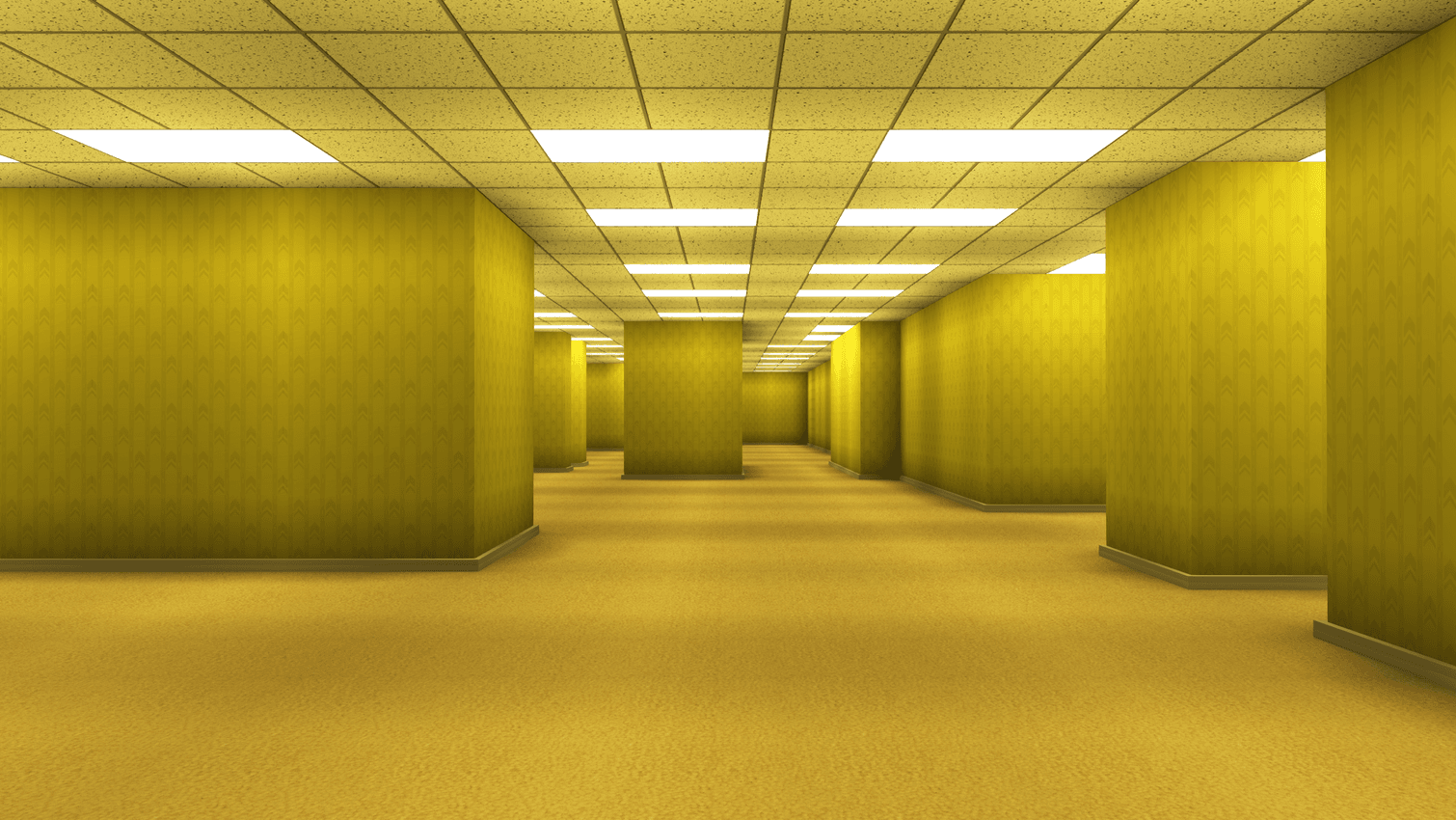
Explore THREE different levels as you fall deeper into madness. Watch out for what lurks in the darkness...
- Downloads
- 82.2K
- Autor
- SpacePotato
- Loader
- Fabric
- Minecraft
- 1.20.1
- Aktualisiert
- –


Einrichtung
The Backrooms Mod (OUTDATED) auf dem Server installieren
Server und Spieler brauchen denselben Loader und dieselbe Minecraft-Version. Sichere die Welt, bevor du Mods hinzufügst oder aktualisierst.
- 01
Konfigurieren
6 GB RAM sind vorausgewählt. Laufzeit und Add-ons wählst du selbst, bezahlt wird per Kreditkarte oder PayPal.
- 02
Loader einstellen
Stell im Panel die Serversoftware auf Fabric und wähl die passende Minecraft-Version, zum Beispiel 1.20.1.
- 03
Mod installieren
Such im Mod-Browser nach „The Backrooms Mod (OUTDATED)“ und installiere die Version für deinen Loader. Alternativ lädst du die .jar per SFTP in den Ordner mods. Erforderliche Abhängigkeiten stehen auf der Projektseite.
- 04
Verbinden
Alle Spieler installieren The Backrooms Mod (OUTDATED) in derselben Version lokal und verbinden sich über die Serveradresse aus dem Panel.
- Auf dem Server
- Erforderlich
- Auf dem Client
- Erforderlich
- Loader
- Fabric
- Minecraft
- 1.20.1
- Lizenz
- LicenseRef-All-Rights-Reserved
Das Panel
Mods installieren, Fehler finden.
Echte Screenshots aus dem Mado Panel. Beides ist bei jedem Minecraft Server enthalten.
Mod-Browser
Modrinth und CurseForge direkt im Panel.
Der Browser filtert nach deiner Minecraft-Version. Mods installierst du mit einem Klick, ohne .jar-Dateien hochzuladen.

KI-Crash-Analyse
Wenn ein Mod crasht, liest die Analyse das Log.
Mods scheitern oft an einer falschen Loader-Version, Java-Version oder fehlenden Abhängigkeit. Die Analyse nennt eine wahrscheinliche Ursache und einen Lösungsvorschlag.

Versionen
Veröffentlichte Versionen
Nimm die Datei, die zu Loader und Minecraft-Version deines Servers passt. Server und Spieler brauchen dieselbe Version.
The Backrooms Mod (OUTDATED) · ModrinthOriginalbeschreibung des Projektautors
THIS IS NOT THE FOUND FOOTAGE MOD. IF YOU'RE LOOKING FOR MINECRAFT FOUND FOOTAGE CHECK HERE
Read the instructions CAREFULLY. DO NOT USE THIS MOD IN AN EXISTING WORLD. It can cause irreversible damage. Good Luck
This is my first ever Mod for Java Edition. THERE WILL LIKELY BE A LOT OF BUGS. Don't expect a masterpiece :D
This Mod adds in 3 Levels for you and your friends to explore, with a few entities sprinkled in. Grab your lantern, head into the darkness, and try not to go insane!
The shaders and their settings are found on the Discord Modding Channel! (check the pinned comments)
Requires:
Sodium
Iris
Cloth Config
Entity Texture Features
Additional Mods (For performance):
Additional Mods (For gameplay):
Dynamic Lights Especially for multiplayer
Camera Overhaul Needs to be enabled with mod menu
Mod Menu For changing some Backrooms game settings
and their dependencies.
DO NOT ADD SOUND PHYSICS REMASTERED
It will mess with the sounds of the game, making them too quiet. You can download it only if you're ok with messing around with the settings
DO NOT LEAVE THE WORLD WHILE PLAYING
It will reset your progress and cause a TON of issues. If you leave accidentally, start a new world.
This mod also disables the experience bar, the crosshair, and the F3 Menu which can be disabled using Mod Menu
If you are playing with friends, try to generally stick together, as splitting up can cause a lot of bugs.
Tip: If you are playing multiplayer, standing near another player that is holding a lantern will prevent the darkness from damaging you. So only one person needs a lantern for everyone to continue.
Setup
Create a new super flat world WITH THE REDSTONE READY PRESET (if the world isn't made of sandstone, you didn't use the preset) and generate structures turned OFF. Other settings will be set automatically
When you're in the world, type /reload and you'll see a menu appear in the chat.
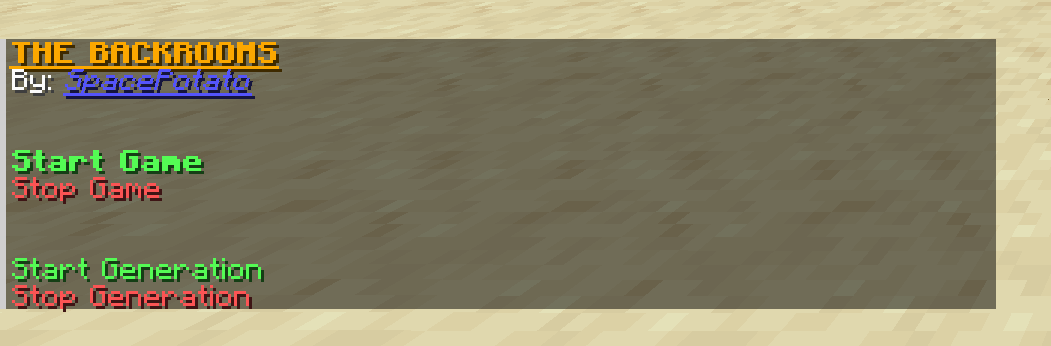
Click on Start Game to start the entire game. Clicking it again after the game has already started DOES NOT RESET THE GAME
Click on Stop Game to stop the entire game and generation. This will NOT get rid of the structures
Click on Start Generation to ONLY generate the rooms
Click on Stop Generation to ONLY stop generating the rooms
You will also see some extra options:
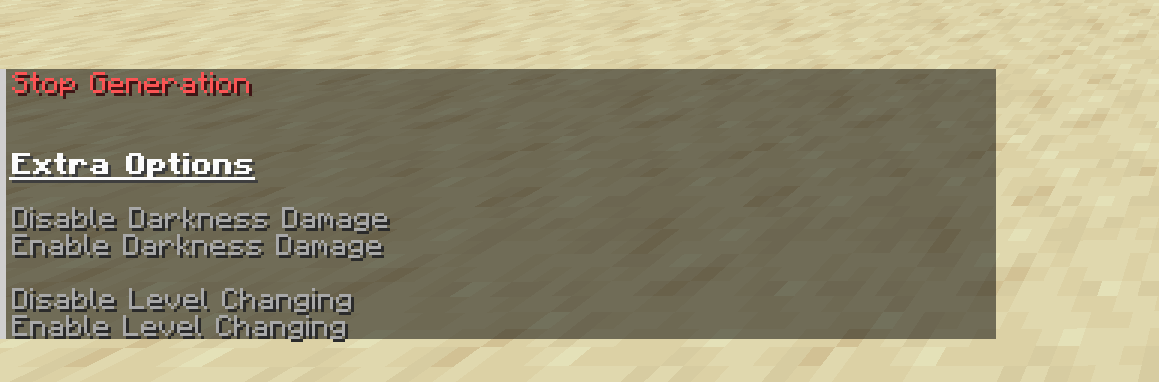
Hover over them for more info
Settings
- Render Distance of 16+
- Simulation Distance same as render distance
- Smooth Lighting
Some Notes:
Besides fixing a few bugs (see changelog), the mod is given as seen in the video, minus the ending. No additional features, items, monsters, herobrines, or events were added...
I will not be updating this specific mod further unless there are some absolutely game breaking bugs (This includes porting to other loaders or versions).
Although with the Sinytra Connector and Forgified Api, you may be able to play this on Forge. Haven't tested it yet.
I will however be creating a completely revamped backrooms mod in the future. So keep an eye out for that :D
You can use this mod in a video, as long as you credit my channel and this mod page.
Good luck >:D
The Backrooms Mod (OUTDATED) Server crasht beim Start – was tun?
Häufige Ursachen: Loader- oder Minecraft-Version passen nicht zur Mod-Datei, eine Abhängigkeit fehlt oder der RAM reicht nicht. Such im Log (latest.log) nach „OutOfMemoryError“, „Mixin“ oder fehlenden Mods. Bei Mado wertet die KI-Crash-Analyse das Log aus und schlägt eine Ursache vor. Loader und Version änderst du im Panel.
Mit welchem Loader läuft The Backrooms Mod (OUTDATED)?
Laut Modrinth unterstützt The Backrooms Mod (OUTDATED) Fabric für Minecraft 1.20.1.
Wie viel RAM braucht ein Server mit The Backrooms Mod (OUTDATED)?
Als Orientierung 4–6 GB für einen Server mit dieser Mod. Das ist eine Schätzung, keine gemessene Mindestanforderung. Weitere Mods, viele Spieler und große Sichtweiten brauchen mehr. Ob eine Mod die Tick-Zeit belastet, siehst du mit dem spark-Profiler.
Ähnliche Mods
Beliebte Mods aus derselben Kategorie
 Server-fähig

Xaero's Minimap
von thexaero
Displays a map of the nearby world terrain, players, mobs, entities in the corner of your screen. Lets you create waypoints which help you find the locations you've marked.
 Server-fähig

Xaero's World Map
von thexaero
Adds a full screen world map which shows you what you have explored in the world. Works great together with Xaero's Minimap.
 Nur Client

Not Enough Animations
von tr7zw
Bringing first-person animations to the third-person
 Nur Client

3D Skin Layers
von tr7zw
Render the player skin layer in 3d!
Bereit für deinen Server mit The Backrooms Mod (OUTDATED)?
6 GB RAM ab 12,00 € im Monat. 35 % auf den 1. Monat mit MADO35.