
Thermal Endergy
Adding more of the balanced content you love to Thermal!
Screenshots
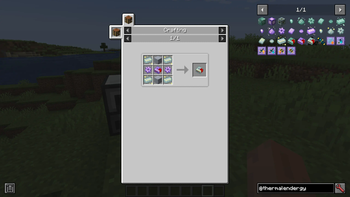
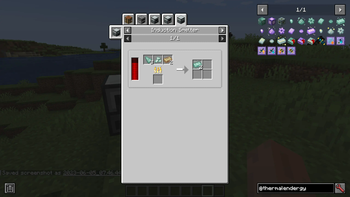
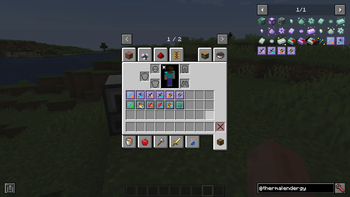
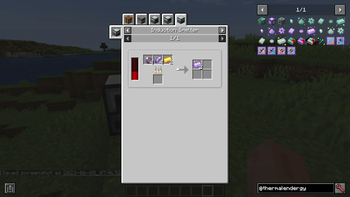
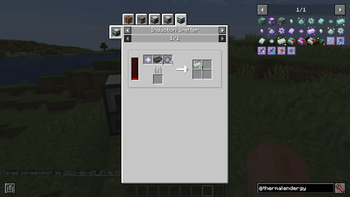
Über diese Mod
Inspired by my old Ender IO addon (Ender IO Endergy), Thermal Endergy adds more of the balanced content* you love to Thermal. If you want faster machines, bigger drills and lower fuel consumption, then this is the mod for you!
*Warning: Content may not actually be balanced.
Thermal Endergy has over-powered content that expands on Thermal into the late game using the augments system with 3 new metals, inspired by the metals from Ender IO Endergy. It adds:
- 3 new tiers of integral components, with 6x, 8.5x and 12x modifiers respectively, requiring resources from the End and beyond.
- Nullifier Augments that massively improve certain attributes of your machines and dynamos, but at a great cost....
.. and more to come!
Upcoming updates will include:
- Cross-mod integration for recipes and new augments
- Enchanced tools with more upgrades expanding on Thermal Innovation

I am an official Akliz partner. Akliz provides fantastic support for all their servers, and has incredibly fast single-thread servers. If you want to support me, and net yourself a server, use the link above for a discount on an Akliz server.
If you have any other questions, ask them in our discord here.
Follow EpicSquid here for frequent progress updates!
Verfügbare Versionen
Thermal Endergy auf dem Server installieren
Server bestellen
Bestelle einen Minecraft Java Server mit mindestens 4 GB RAM (6 GB empfohlen).
forge Loader setzen
Wähle im Panel unter "Egg" den forge-Loader und die passende Minecraft-Version (1.20.1).
Mod installieren
Öffne den Mod-Browser im Dashboard und suche nach "Thermal Endergy". Klicke "Installieren" – fertig! Alternativ: Lade die .jar via SFTP in den /mods Ordner.
Kompatibilität
Mod-Loader
Minecraft-Versionen
1.20.1, 1.19.2
Server-seitig
✓ ErforderlichEmpfohlener RAM
6 GB(min. 4 GB)Häufige Fragen
Thermal Endergy Server crasht beim Start – was tun?
Häufigste Ursache: falsche forge-Version oder zu wenig RAM. Prüfe im Server-Log (latest.log), ob ein "OutOfMemoryError" oder "Mixin"-Fehler auftritt. Bei Mado Hosting: Stelle sicher, dass mindestens 4 GB RAM zugewiesen sind und der Loader zur Mod-Version passt (1.20.1). Über das Panel kannst du den Loader mit einem Klick wechseln.
Ist Thermal Endergy mit forge und neoforge kompatibel?
Thermal Endergy unterstützt offiziell forge, neoforge für Minecraft 1.20.1, 1.19.2. Im Mado Dashboard werden inkompatible Loader-Kombinationen automatisch erkannt.
Server laggt mit Thermal Endergy – wie optimiere ich die Performance?
Empfohlener RAM: 6 GB (+1 GB pro 5 Spieler). Prüfe mit /spark profiler, ob Thermal Endergy den meisten Tick-Time verbraucht. Häufige Fixes: Server-View-Distance auf 8-10 reduzieren, bei Forge "performant" oder "starlight" als Zusatz-Mod installieren. Bei Mado Hosting läuft dein Server auf NVMe-SSDs mit dedizierten CPU-Kernen für minimale Latenz.
Ähnliche Mods




Modded Server mieten
Installiere Thermal Endergy mit nur einem Klick auf deinem Server.