
Time Control
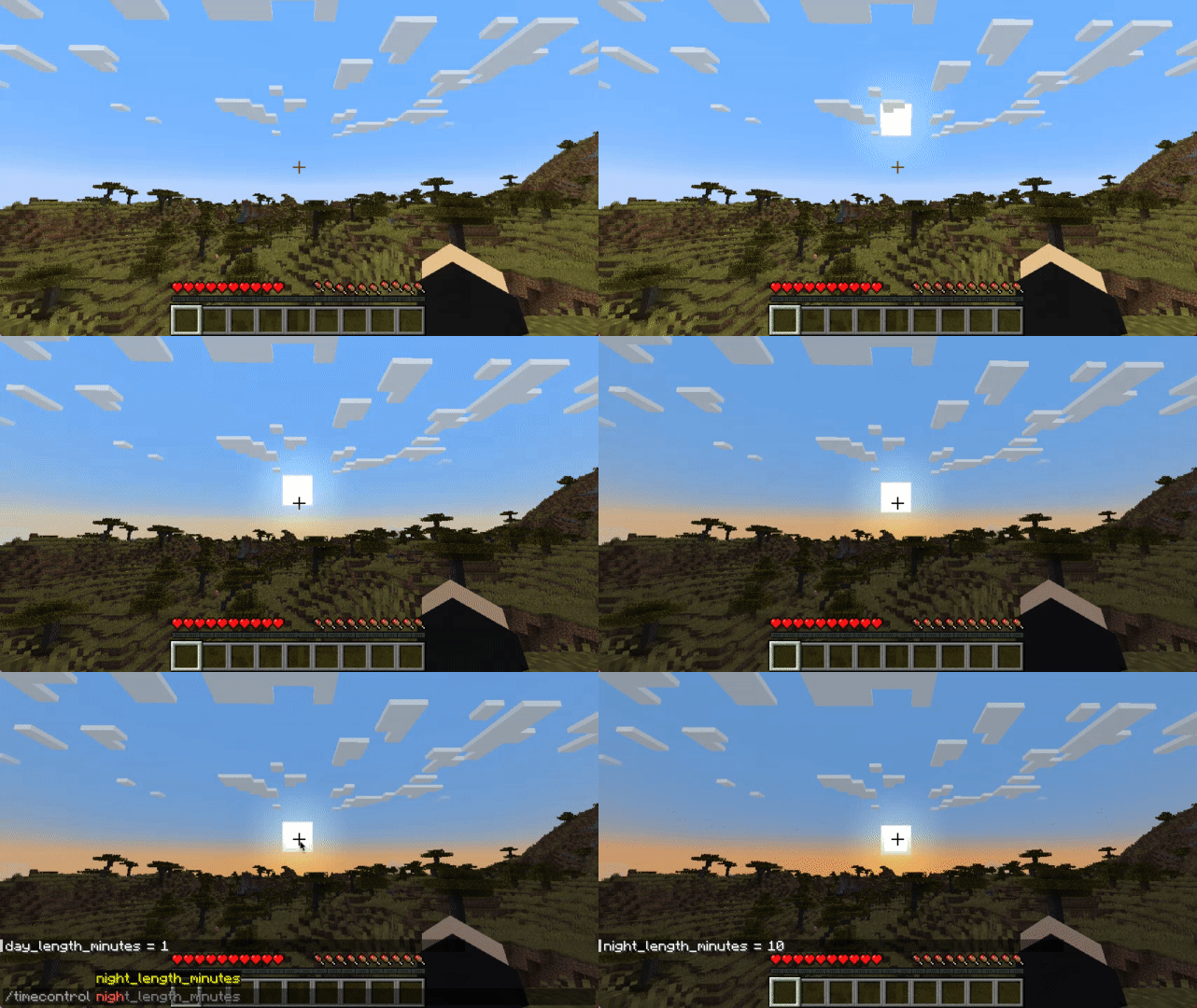
Want longer or shorter in-game days/nights? So did I.
Über diese Mod




Since 1.20.1 there is also a version for Fabric!
Control Minecraft’s day-night cycle using a simple config file, choosing either:
- Set length for day and night in minutes (can be configured independently)
- Or sync in-game time with system clock
No base classes are modified, no ASM/mixin transformations (on the Forge version) and no touching tick lengths.
For years when playing the game I couldn't stand vanilla day length.
No other mod that tried to implement a similar feature satisfied me, either due to breaking other mods or having unnecessary features.
This is my simplistic, non-invasive implementation that relies on the vanilla "doDaylightCycle" gamerule being off.
The mod will set it to false on it's own during world startup.
/time command works, sleeping works (sleep should be mostly handled by vanilla)
There is also compatibility with Comforts and Vampirism's day sleeping

Configuration
File:
Starting with 1.20.1 on Forge configuration is saved per-world (serverside config):
.minecraft/saves/{world}/serverconfig/timecontrol-server.toml
On Fabric 1.20.1+:
.minecraft/config/timecontrol.json
If you're using Forge, on Minecraft versions up to and including 1.19.4 you can find it at:
.minecraft/config/timecontrol-common.toml
[system_time]
	#Synchronize game world time with system time
	sync_to_system_time = true
	#Sync time every n ticks
	#Range: 1 ~ 864000
	sync_to_system_time_rate = 20

[arbitrary_time]
	#How long daytime lasts (0 - 12000)
	#Range: 1 ~ 178956
	day_length_minutes = 30
	#How long nighttime lasts (12000 - 24000)
	#Range: 1 ~ 178956
	night_length_minutes = 25

[miscellaneous]
	debug = true
The Fabric version json does not have comments, so you can refer to the above example.
Commands:
There is also an in-game command:
In 1.20+
/timecontrol day_length_minutes [<value>]
/timecontrol night_length_minutes [<value>]
/timecontrol sync_to_system_time_rate [<value>]
/timecontrol sync_to_system_time [<value>]
Up to 1.19.4:
/timecontrol get < sync_to_system_time | night_length_minutes | day_length_minutes >
/timecontrol set < night_length_minutes | day_length_minutes > <value>
At this time it works with both multiplayer and singleplayer (must be installed on both), but on Dedicated Servers due to possible ping and ticks per second discrepancies slight skybox jitter may be noticeable.
FAQ
Q: Forge?
A: Forge, and since 1.20.1 - Fabric.
Q: Can I include your mod in a video?
A: As long as you include a link to the mod/modpack (if it happens to be in one), absolutely
Q: Can I add your mod to a modpack?
A: CurseForge/Modrinth modpacks are cool.
P.S.
If you don't feel confident enough about my mod and may have also become distrustful of all the previously existing mods attempting to give control to daylight cycle length:
I've been using it myself since 1.12.2, always in heavily modded packs (200+ mods), (usually) on a multiplayer server. This should be a vanilla feature in my opinion.
The mod also doesn't have any permanent effects on the game or save, so if you install/remove it without worry.
Verfügbare Versionen
Time Control auf dem Server installieren
Server bestellen
Bestelle einen Minecraft Java Server mit mindestens 3 GB RAM (4 GB empfohlen).
fabric Loader setzen
Wähle im Panel unter "Egg" den fabric-Loader und die passende Minecraft-Version (1.20.4).
Mod installieren
Öffne den Mod-Browser im Dashboard und suche nach "Time Control". Klicke "Installieren" – fertig! Alternativ: Lade die .jar via SFTP in den /mods Ordner.
Kompatibilität
Mod-Loader
Minecraft-Versionen
1.20.4, 1.20.1, 1.20 (+8 weitere)
Server-seitig
✓ ErforderlichEmpfohlener RAM
4 GB(min. 3 GB)Häufige Fragen
Time Control Server crasht beim Start – was tun?
Häufigste Ursache: falsche fabric-Version oder zu wenig RAM. Prüfe im Server-Log (latest.log), ob ein "OutOfMemoryError" oder "Mixin"-Fehler auftritt. Bei Mado Hosting: Stelle sicher, dass mindestens 3 GB RAM zugewiesen sind und der Loader zur Mod-Version passt (1.20.4). Über das Panel kannst du den Loader mit einem Klick wechseln.
Ist Time Control mit fabric und forge und neoforge kompatibel?
Time Control unterstützt offiziell fabric, forge, neoforge für Minecraft 1.20.4, 1.20.1, 1.20. Achtung: Forge- und Fabric-Mods sind NICHT untereinander kompatibel – wähle einen Loader und bleibe dabei. Im Mado Dashboard werden inkompatible Loader-Kombinationen automatisch erkannt.
Server laggt mit Time Control – wie optimiere ich die Performance?
Empfohlener RAM: 4 GB (+1 GB pro 8 Spieler). Prüfe mit /spark profiler, ob Time Control den meisten Tick-Time verbraucht. Häufige Fixes: Server-View-Distance auf 8-10 reduzieren, bei Forge "performant" oder "starlight" als Zusatz-Mod installieren. Bei Mado Hosting läuft dein Server auf NVMe-SSDs mit dedizierten CPU-Kernen für minimale Latenz.
Ähnliche Mods




![[ETF] Entity Texture Features](https://cdn.modrinth.com/data/BVzZfTc1/af683d206d50b05258d865b0d6e4aa2f2cee12f2_96.webp)

Modded Server mieten
Installiere Time Control mit nur einem Klick auf deinem Server.