
Tinkers' Gears
[TConstruct & Create]Add some fancy linkage for two mods
Screenshots
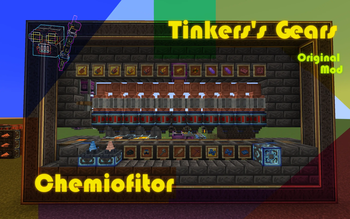
Über diese Mod
Tinkers' Gears
Greetings, Engineers and Tinkers!
Welcome to the world of Tinkers' Gears!
Reminder
This mod is currently being split and not yet completed.
You can try Engineers Materials and Tinkers' Ponder first.
Introduction
Tinkers' Gears is a dedicated cross-mod tailored for Create and Tinkers' Construct 3,with the goal of creating unique, innovative content that bridges these two mods.
Currently, the mod is still in the Early Preview phase—some content remains unfinished and unpolished, but it still offers a solid level of playability.
This mod is open-source under the MIT License, allowing modification, secondary development, and free inclusion in modpacks.
Content Overview
- Cobalt Casing Series: Upgraded machinery for artisans, featuring reduced stress, faster operation speed, and exclusive special effects (including Silk Touch Drill, Fortune Drill, and Redstone Control).
- Tinker Casing Series: Currently unfinished (stay tuned for updates!).
- New TiC Materials & Traits: Rose Quartz, Cardboard, Brass and Andesite Alloy.
- New TiC Modifiers: Auto-Crushing, Polishing, Engineer's Goggles, Diving Weights, Engineer's Manipulator Arm, and more.
- Recipe Compatibility:
- Ore Multiplier Smelting for crushed ores;
- Dough Mixing Recipes for three types of Slimeballs in TiC;
- Alloy Mixing Recipes (compatible with Metallurgy);
- Smelting Recipes for components and small items in Create;
- Industrial Production Line Recipes for components (compatible with Sturdy Mixer);
- And many more! (Too numerous to list—we recommend experiencing them firsthand!)
- Ingenious Compatibility:
- Enables the Burner to support Melters and Alloyers;
- Allows the Fan to adjust the cooling speed of Casting (supports Create: Henry);
- Goggles Enhancement: Lets players view key information for certain blocks in Tinkers' Construct (including recipe outputs, crafting progress, and contents).
- Content Completion: Adds Crushed Cobalt Ore, Cobalt Plate, Blaze Chocolate, and related items (compatible with Create: Liquid Fuels).
- Original Object: Blazing Chocolate, Soul Cardboard and so on.
Verfügbare Versionen
Tinkers' Gears auf dem Server installieren
Server bestellen
Bestelle einen Minecraft Java Server mit mindestens 3 GB RAM (4 GB empfohlen).
forge Loader setzen
Wähle im Panel unter "Egg" den forge-Loader und die passende Minecraft-Version (1.20.6).
Mod installieren
Öffne den Mod-Browser im Dashboard und suche nach "Tinkers' Gears". Klicke "Installieren" – fertig! Alternativ: Lade die .jar via SFTP in den /mods Ordner.
Kompatibilität
Mod-Loader
Minecraft-Versionen
1.20.6, 1.20.5, 1.20.4 (+3 weitere)
Server-seitig
✓ ErforderlichEmpfohlener RAM
4 GB(min. 3 GB)Häufige Fragen
Tinkers' Gears Server crasht beim Start – was tun?
Häufigste Ursache: falsche forge-Version oder zu wenig RAM. Prüfe im Server-Log (latest.log), ob ein "OutOfMemoryError" oder "Mixin"-Fehler auftritt. Bei Mado Hosting: Stelle sicher, dass mindestens 3 GB RAM zugewiesen sind und der Loader zur Mod-Version passt (1.20.6). Über das Panel kannst du den Loader mit einem Klick wechseln.
Ist Tinkers' Gears mit forge kompatibel?
Tinkers' Gears unterstützt offiziell forge für Minecraft 1.20.6, 1.20.5, 1.20.4. Im Mado Dashboard werden inkompatible Loader-Kombinationen automatisch erkannt.
Server laggt mit Tinkers' Gears – wie optimiere ich die Performance?
Empfohlener RAM: 4 GB (+1 GB pro 8 Spieler). Prüfe mit /spark profiler, ob Tinkers' Gears den meisten Tick-Time verbraucht. Häufige Fixes: Server-View-Distance auf 8-10 reduzieren, bei Forge "performant" oder "starlight" als Zusatz-Mod installieren. Bei Mado Hosting läuft dein Server auf NVMe-SSDs mit dedizierten CPU-Kernen für minimale Latenz.
Ähnliche Mods




Modded Server mieten
Installiere Tinkers' Gears mit nur einem Klick auf deinem Server.