
Tinkers Tool Leveling 2
A remake of the original Tinker's Tool Leveling for 1.12.2, now updated for modern versions!
Screenshots
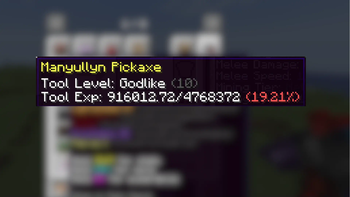
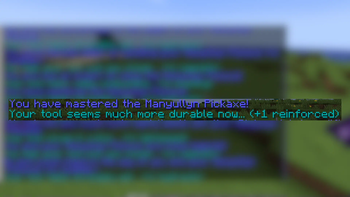
Über diese Mod
This is a remake of the original Tinker's Tool Leveling made for 1.12.2.
WARNING: This mod removes all semblance of balance on Tinker's Construct. The whole mod is based upon the limited amount of modifiers, and this mod removes that.
That being said, this mod grants your tool a random modifier upon leveling up. Each successive level requires more and more experience, which can be gained throughout different methods for each tool.
CUSTOMIZATION
This mod is centralized around customization -- nearly every feature can be customized. Using the folder in the standard config folder, you can change which tools have exp, how they gain it, which modifiers they gain, and how long it takes to level up.
FEATURES
- Support for most Tinker's tools and armor.
- Adds a random modifier to your tool each levelup.
- Adds a bonus modifier to your tool every 3rd levelup.
- Commands to handle tool exp
- Each levelup requires 2.5x the exp than the previous one.
- At the moment just upgrades (no abilities) can be gotten.
MODIFIER WORKTABLE
The modifier worktable is a recently added part of Tinker's Construct that allows you to remove modifiers from a tool and get the upgrade back. While this does disrupt the point of the entire mod (random upgrade that you have no control over), there is nothing I can do to stop this other than completely removing the modifier worktable altogether. I encourage you not to remove the level-granted modifiers, but it's entirely up to you.
Credits
- You are allowed to use this mod in your modpack :P
- Level up sound effect, level names, base icon, and level up messages from the original mod: Tinkers' Tool Leveling
Report bugs on the issue tracker at github.com/RedFox86/Tinkers-Tool-Leveling
Verfügbare Versionen
Tinkers Tool Leveling 2 auf dem Server installieren
Server bestellen
Bestelle einen Minecraft Java Server mit mindestens 3 GB RAM (4 GB empfohlen).
forge Loader setzen
Wähle im Panel unter "Egg" den forge-Loader und die passende Minecraft-Version (1.20.6).
Mod installieren
Öffne den Mod-Browser im Dashboard und suche nach "Tinkers Tool Leveling 2". Klicke "Installieren" – fertig! Alternativ: Lade die .jar via SFTP in den /mods Ordner.
Kompatibilität
Mod-Loader
Minecraft-Versionen
1.20.6, 1.20.5, 1.20.4 (+6 weitere)
Server-seitig
✓ ErforderlichEmpfohlener RAM
4 GB(min. 3 GB)Häufige Fragen
Tinkers Tool Leveling 2 Server crasht beim Start – was tun?
Häufigste Ursache: falsche forge-Version oder zu wenig RAM. Prüfe im Server-Log (latest.log), ob ein "OutOfMemoryError" oder "Mixin"-Fehler auftritt. Bei Mado Hosting: Stelle sicher, dass mindestens 3 GB RAM zugewiesen sind und der Loader zur Mod-Version passt (1.20.6). Über das Panel kannst du den Loader mit einem Klick wechseln.
Ist Tinkers Tool Leveling 2 mit forge kompatibel?
Tinkers Tool Leveling 2 unterstützt offiziell forge für Minecraft 1.20.6, 1.20.5, 1.20.4. Im Mado Dashboard werden inkompatible Loader-Kombinationen automatisch erkannt.
Server laggt mit Tinkers Tool Leveling 2 – wie optimiere ich die Performance?
Empfohlener RAM: 4 GB (+1 GB pro 8 Spieler). Prüfe mit /spark profiler, ob Tinkers Tool Leveling 2 den meisten Tick-Time verbraucht. Häufige Fixes: Server-View-Distance auf 8-10 reduzieren, bei Forge "performant" oder "starlight" als Zusatz-Mod installieren. Bei Mado Hosting läuft dein Server auf NVMe-SSDs mit dedizierten CPU-Kernen für minimale Latenz.
Ähnliche Mods






Modded Server mieten
Installiere Tinkers Tool Leveling 2 mit nur einem Klick auf deinem Server.