
Torch hit!
Attack with torches!
Screenshots
Über diese Mod








📝 Description
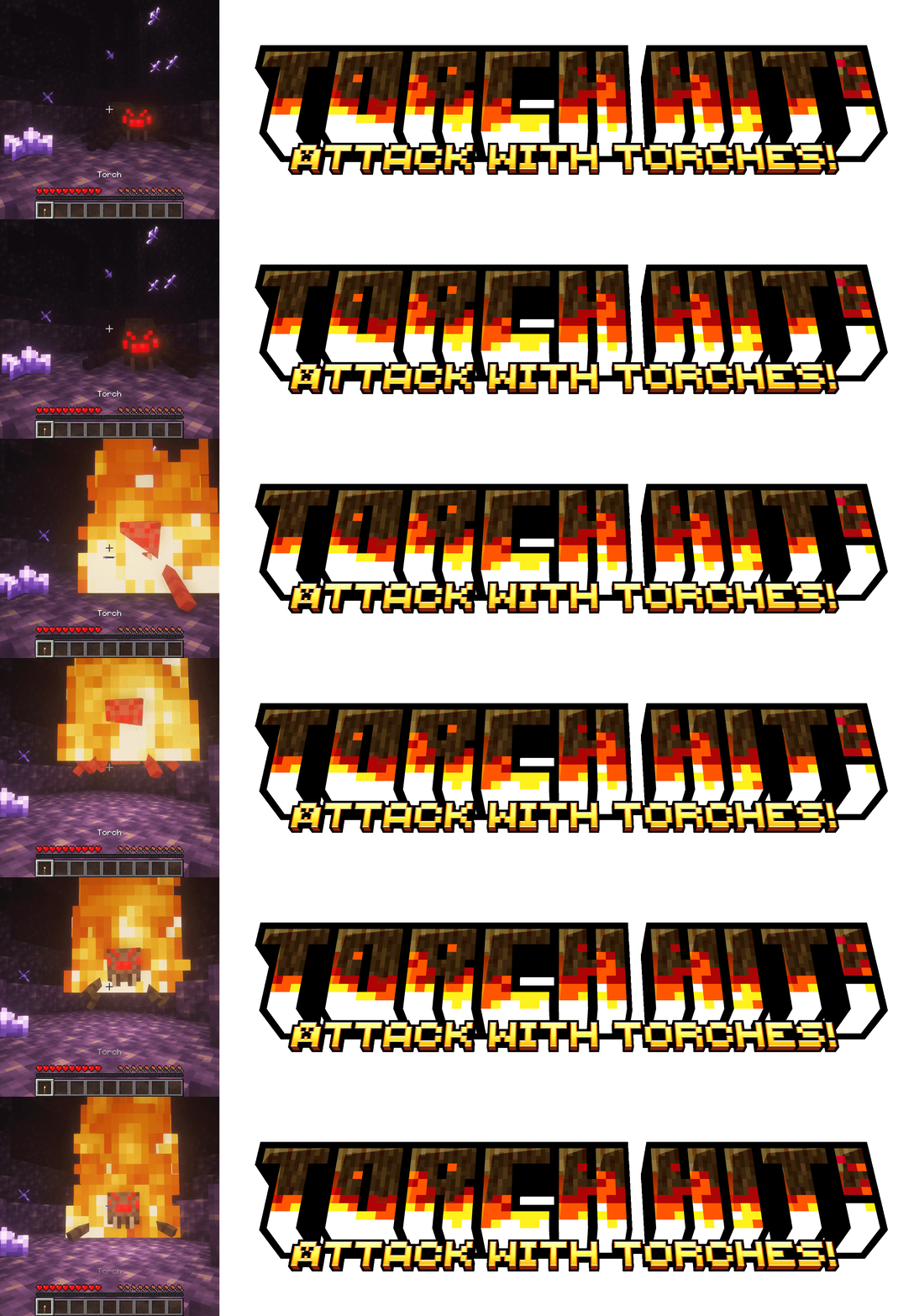
Exploring caves gives you a choice: hold a torch in your offhand to light up the place or hold a shield to fight off against mobs.
With this mod you won't have to choose anymore! Torches will give you a combat advantage!
While holding a torch you can set on fire your enemies, for an easier exploration or an early-game alternative to Fire Aspect.

⚙️ Compatibility
Compatible with Soul Fire'd, Copper Fire, and with any modded torch!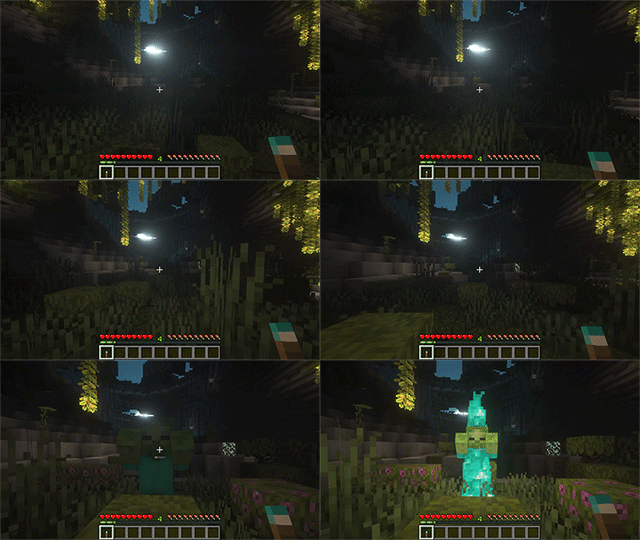
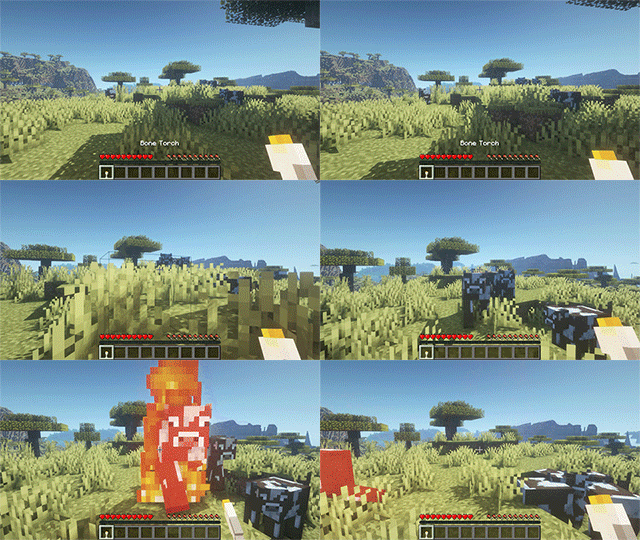
Furthermore, if the modded torch is compatible with Prometheus, striking with it will set on the correct kind of fire!
✨ Features
- Hit with a torch in your main hand to deal fire damage!
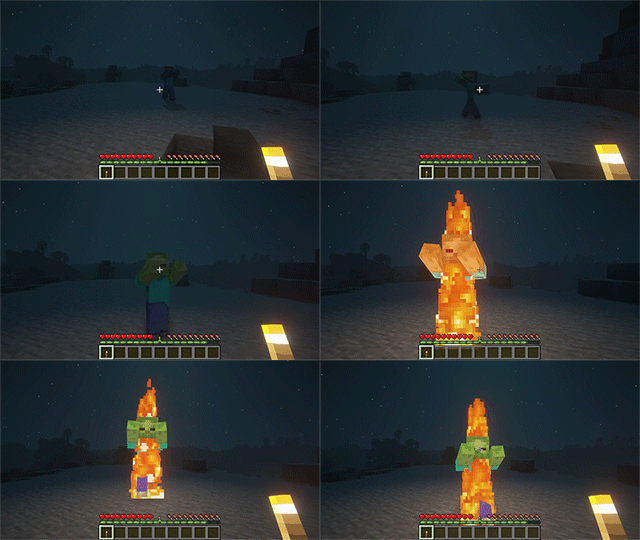
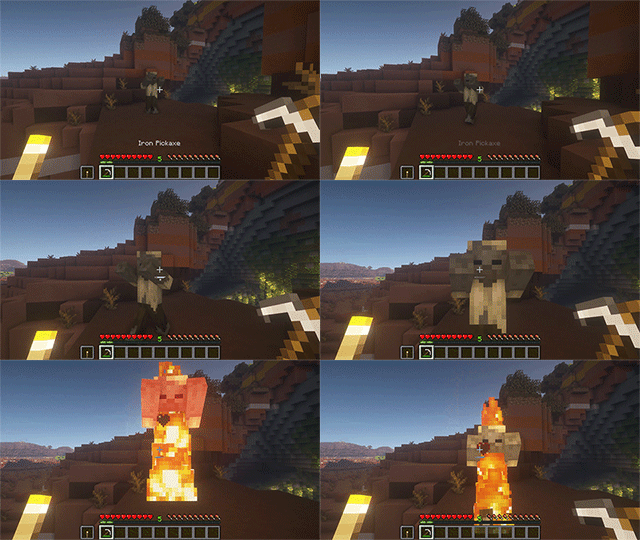
- Hit with a tool in your main hand and a torch in your offhand to deal fire damage!
- If Soul Fire'd is installed, soul torches set mobs on soul fire!
If it's not installed, soul torches lit Piglins on fire for double the time and any other entity for 2 seconds more! - If Copper Fire is installed, copper torches set mobs on copper fire!
If it's not installed, copper torches lit Copper Golems on fire for double the time and any other entity for 1 additional second! - Highly configurable! See next section for more details.
Configuration
- By default, direct (main hand) torch hits deal fire damage for 4 seconds, same as Fire Aspect I.
The duration can be configured. - By default, indirect (offhand) torch hits are enabled and work with any tool, dealing fire damage for 2 seconds.
The duration, tool list, how much to damage wooden tools, and whether enabling this feature can all be configured. - New items can be made to behave as torches, defaults to a list of the most common modded torches.
- By default, candles work as torches too! However, they break if used to attack.
Whether candles break when used and whether to enable this feature at all can be configured. - By default, torches and candles always set targets on fire and only candles break upon use.
Whether torches should break too, the likelihood of setting targets on fire, and the option to break items can all be configured. - By default, Vanilla torches can be used to deal fire damage.
If you wish to tweak the game balance, Vanilla torches can be prevented from dealing fire damage and only the extra items in the configuration will work. - By default, mobs wielding torches can set other entities (players included) on fire.
This option can be disabled.
🔗 Dependencies
| Mod | Loader | Requirement |
|---|---|---|
| Cobweb | All | Required |
| Forge Config API Port | Fabric | Required |
| Soul Fire'd | All | Optional |
| Copper Fire | All | Optional |
| Prometheus | All | Optional |
📜 License and right of use
Feel free to use this mod for any modpack or video, just be sure to give credit and possibly link here.
This project is published under the Crystal Nest Community License v1.
❤️ Support us





Verfügbare Versionen
Torch hit! auf dem Server installieren
Server bestellen
Bestelle einen Minecraft Java Server mit mindestens 3 GB RAM (4 GB empfohlen).
fabric Loader setzen
Wähle im Panel unter "Egg" den fabric-Loader und die passende Minecraft-Version (26.1.2).
Mod installieren
Öffne den Mod-Browser im Dashboard und suche nach "Torch hit!". Klicke "Installieren" – fertig! Alternativ: Lade die .jar via SFTP in den /mods Ordner.
Kompatibilität
Mod-Loader
Minecraft-Versionen
26.1.2, 26.1.1, 26.1 (+18 weitere)
Server-seitig
✓ ErforderlichEmpfohlener RAM
4 GB(min. 3 GB)Häufige Fragen
Torch hit! Server crasht beim Start – was tun?
Häufigste Ursache: falsche fabric-Version oder zu wenig RAM. Prüfe im Server-Log (latest.log), ob ein "OutOfMemoryError" oder "Mixin"-Fehler auftritt. Bei Mado Hosting: Stelle sicher, dass mindestens 3 GB RAM zugewiesen sind und der Loader zur Mod-Version passt (26.1.2). Über das Panel kannst du den Loader mit einem Klick wechseln.
Ist Torch hit! mit fabric und forge und neoforge kompatibel?
Torch hit! unterstützt offiziell fabric, forge, neoforge für Minecraft 26.1.2, 26.1.1, 26.1. Achtung: Forge- und Fabric-Mods sind NICHT untereinander kompatibel – wähle einen Loader und bleibe dabei. Im Mado Dashboard werden inkompatible Loader-Kombinationen automatisch erkannt.
Server laggt mit Torch hit! – wie optimiere ich die Performance?
Empfohlener RAM: 4 GB (+1 GB pro 8 Spieler). Prüfe mit /spark profiler, ob Torch hit! den meisten Tick-Time verbraucht. Häufige Fixes: Server-View-Distance auf 8-10 reduzieren, bei Forge "performant" oder "starlight" als Zusatz-Mod installieren. Bei Mado Hosting läuft dein Server auf NVMe-SSDs mit dedizierten CPU-Kernen für minimale Latenz.
Ähnliche Mods




Modded Server mieten
Installiere Torch hit! mit nur einem Klick auf deinem Server.
Details
- Lizenz
- LicenseRef-Crystal-Nest-Community-License-v1
- Server-seitig
- Erforderlich