Trace Bullet
Export Minecraft server metrics — TPS, player count, chunk count, and entity count — to any OTLP-compatible observability backend via OpenTelemetry.
Screenshots
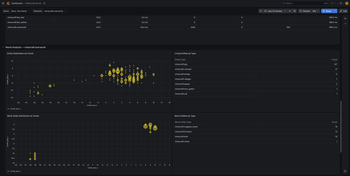
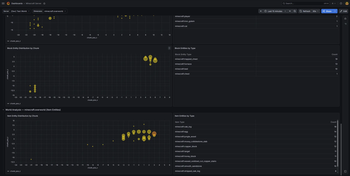
Über diese Mod

Instrument your Minecraft server with OpenTelemetry and export real-time metrics to any OTLP-compatible observability platform.
What It Does
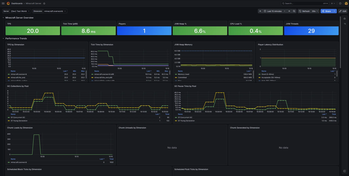
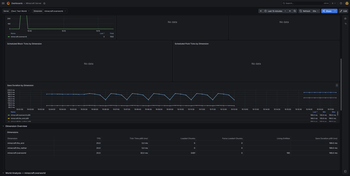
TraceBullet runs alongside your server and continuously collects performance and gameplay metrics, exporting them via OTLP so you can visualize trends, set up alerts, and catch problems before your players notice.
Metrics Collected
| Metric | Description |
|---|---|
| TPS | Tick time histogram — see how your server performs across the full distribution, not just the average |
| Player Count | Online player count over time |
| Chunk Count | Loaded chunk count per dimension |
| Entity Count | Entity count per dimension |
| World Save Duration | Histogram of how long each world save takes per dimension |
| Scheduled Tick Queue | Pending block and fluid tick queue size per dimension — a leading indicator of lag |
| Chunk Generation | Count of newly generated chunks per dimension, distinguishing expensive generation from cheap disk loads |
Setup
- Drop the mod JAR into your
mods/folder (no other mods required — OpenTelemetry is bundled) - Start the server once to generate the config file
- Set your OTLP endpoint URL and service name in the config
- Point your observability stack at the endpoint and start collecting
A **Grafana dashboard** is included in each release for a ready-to-use starting point.
Configuration
All options are available in the NeoForge mod config (tracebullet-common.toml):
- OTLP endpoint URL
- Service name
- Custom resource attributes
- Per-metric enable/disable toggles
- Thread pool sizing
Wiki
Find a getting start guide, a list of all metrics and configuration on the wiki:
https://github.com/korti11/tracebullet/wiki
Verfügbare Versionen
Trace Bullet auf dem Server installieren
Server bestellen
Bestelle einen Minecraft Java Server mit mindestens 3 GB RAM (4 GB empfohlen).
neoforge Loader setzen
Wähle im Panel unter "Egg" den neoforge-Loader und die passende Minecraft-Version (26.1.2).
Mod installieren
Öffne den Mod-Browser im Dashboard und suche nach "Trace Bullet". Klicke "Installieren" – fertig! Alternativ: Lade die .jar via SFTP in den /mods Ordner.
Kompatibilität
Mod-Loader
Minecraft-Versionen
26.1.2
Server-seitig
✓ ErforderlichEmpfohlener RAM
4 GB(min. 3 GB)Häufige Fragen
Trace Bullet Server crasht beim Start – was tun?
Häufigste Ursache: falsche neoforge-Version oder zu wenig RAM. Prüfe im Server-Log (latest.log), ob ein "OutOfMemoryError" oder "Mixin"-Fehler auftritt. Bei Mado Hosting: Stelle sicher, dass mindestens 3 GB RAM zugewiesen sind und der Loader zur Mod-Version passt (26.1.2). Über das Panel kannst du den Loader mit einem Klick wechseln.
Ist Trace Bullet mit neoforge kompatibel?
Trace Bullet unterstützt offiziell neoforge für Minecraft 26.1.2. Im Mado Dashboard werden inkompatible Loader-Kombinationen automatisch erkannt.
Server laggt mit Trace Bullet – wie optimiere ich die Performance?
Empfohlener RAM: 4 GB (+1 GB pro 8 Spieler). Prüfe mit /spark profiler, ob Trace Bullet den meisten Tick-Time verbraucht. Häufige Fixes: Server-View-Distance auf 8-10 reduzieren, bei Forge "performant" oder "starlight" als Zusatz-Mod installieren. Bei Mado Hosting läuft dein Server auf NVMe-SSDs mit dedizierten CPU-Kernen für minimale Latenz.
Ähnliche Mods




![[ETF] Entity Texture Features](https://cdn.modrinth.com/data/BVzZfTc1/af683d206d50b05258d865b0d6e4aa2f2cee12f2_96.webp)

Modded Server mieten
Installiere Trace Bullet mit nur einem Klick auf deinem Server.