
TslatEntityStatus
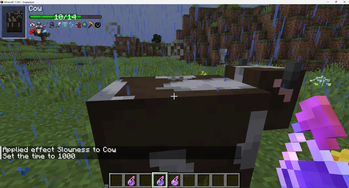
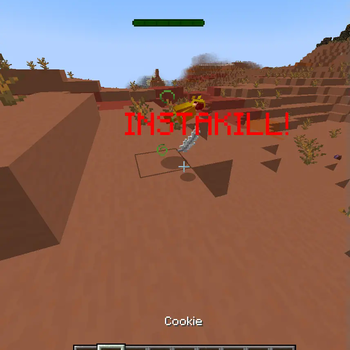
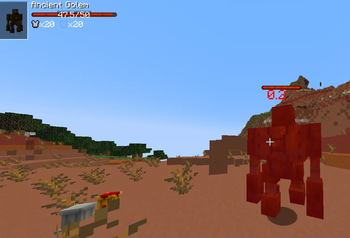
View entity health and other statuses. Make smacking things fun again!
Screenshots
Über diese Mod
TslatEntityStatus (TES)
View entity health and other statuses. Make smacking things fun again!
TES
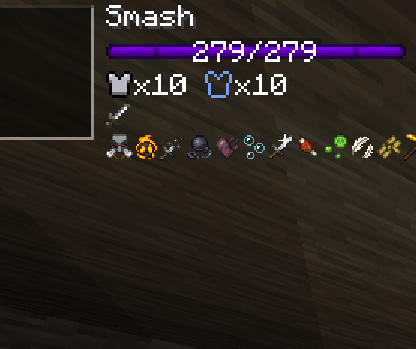
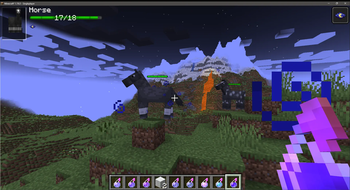
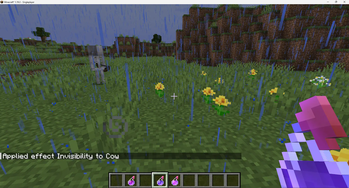
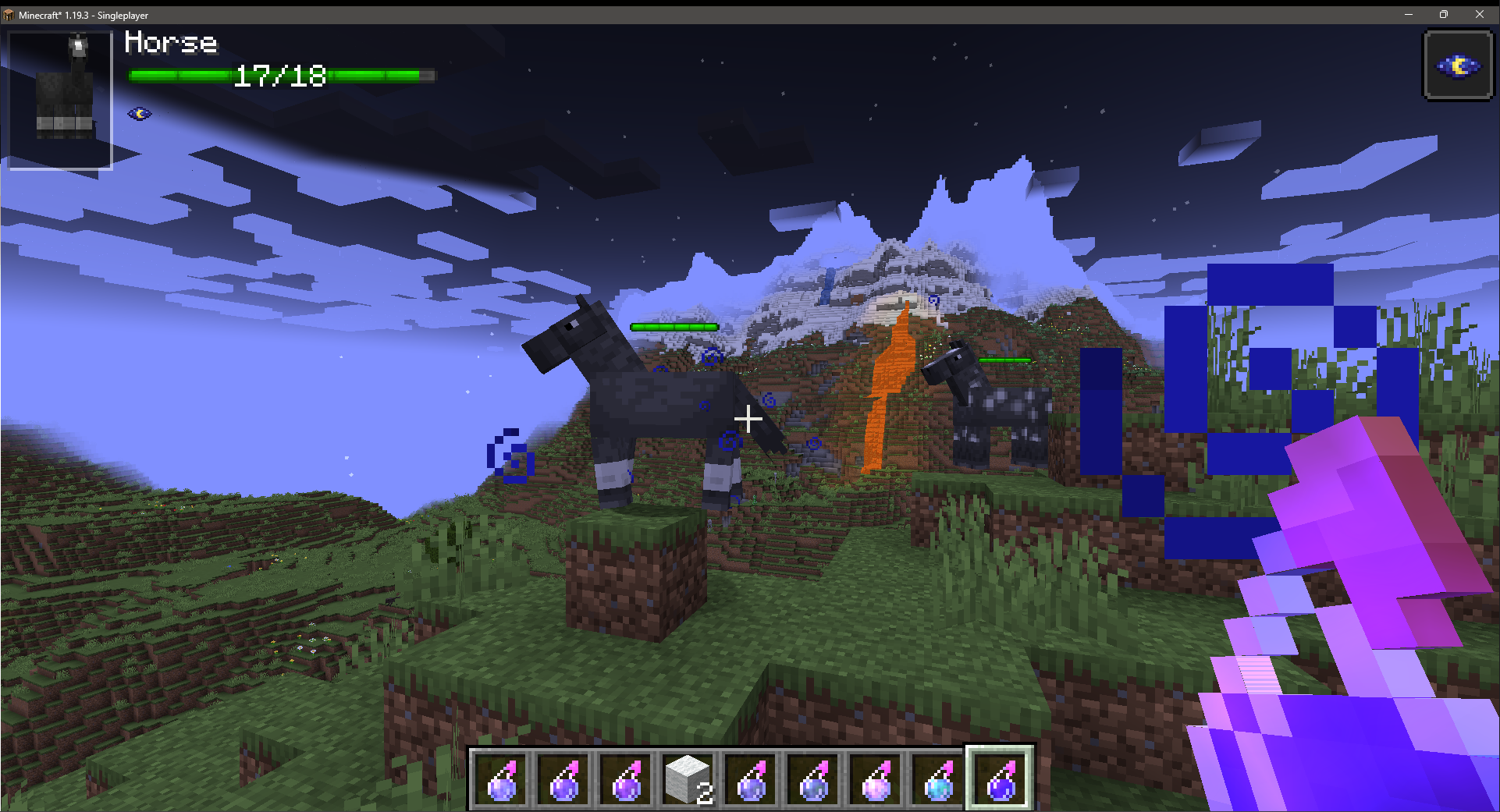
TES is a 'damage-indicators' style mod designed to add vital information to the world about the entities in it.
It aims to encompass as many facets of information as practical, in a fully-configurable manner so that anyone can use it for any information slice they want.
It is also built with third-party integration in mind, allowing for other mods to configure or utilise the systems provided to their fullest extent
Dependencies
1.16.5-1.21.1:
Fabric: MidnightLib
1.21.3+:
Fabric/Forge: ForgeConfigAPIPort
Features
- HUD-style entity status interface
- In-world overhead entity status interface
- In-world damage and healing 'pop-off' particles
- Team-colour based damage particles (1.20+)
- Multi-facet status elements
- Entity name
- Entity health
- Entity armour & toughness
- Entity type alignments (fire immunity, melee, ranged, etc)
- Entity potion effect icons
- Fully-user configurable
- Toggle on/off any element on an individual basis
- Toggle any feature on/off on an individual basis
- Adjust the automated features to balance performance to your liking
- Choose how and when you want the HUDs to appear
- Configure the render style of the health bar(s)
- Adjust the size of the on-screen and in-world HUDs
- Change the default colours of the damage and healing particles
- Adjust the opacity of the HUDs to your liking
- Public-facing mod API
- Trigger your own in-world particles of any type
- Use the defaults or define your own animation style
- Render as text, numbers, or any other custom rendering style you choose
- Add your own HUD elements
- Render whatever information you choose, in your own free space in the existing hud
- Decide whether you want in-world or just HUD rendering
- Replace/modify/expand/remove on the builtin or other mods' HUD elements
- Dynamically determine your element's visibility and usage
- Custom client-side particle handling from the server-side depending on your own conditions
- Custom particle handling for damage events based on their DamageSource on the client (1.20+)
- Easily retrieve TES' config options from anywhere
- Fully-documented implementation for all dev-facing classes, fields, and methods
- Mutliloader implementation for all-platform support
FAQ
Is this mod server side or client side?
This mod is almost entirely client-side! However, the potion icons will only work if the server has the mod aswell, and has potion icons enabled in the config
Will you support X version?
I only ever really intend to support the following versions: 1.18.2, 1.19.2, 1.19.3+
If someone is willing to port the mod to another version and submit a PR, I can upload it for that version too
Is X feature configurable?
Yes. Almost everything is configurable in this mod, right inside the config.
Can you add X feature?
Maybe! Make a suggestion in the Discord server and if I think it might be useful, there's a decent chance I'll add it
Come Chat!
Want to talk about TES or just ask me more questions? Jump in the Discord and ask away!
Donate
Want to support what I do? Consider becoming a Patron!
Verfügbare Versionen
TslatEntityStatus auf dem Server installieren
Server bestellen
Bestelle einen Minecraft Java Server mit mindestens 3 GB RAM (4 GB empfohlen).
fabric Loader setzen
Wähle im Panel unter "Egg" den fabric-Loader und die passende Minecraft-Version (26.3).
Mod installieren
Öffne den Mod-Browser im Dashboard und suche nach "TslatEntityStatus". Klicke "Installieren" – fertig! Alternativ: Lade die .jar via SFTP in den /mods Ordner.
Kompatibilität
Mod-Loader
Minecraft-Versionen
26.3, 26.2, 26.1.2 (+26 weitere)
Server-seitig
~ OptionalEmpfohlener RAM
4 GB(min. 3 GB)Häufige Fragen
TslatEntityStatus Server crasht beim Start – was tun?
Häufigste Ursache: falsche fabric-Version oder zu wenig RAM. Prüfe im Server-Log (latest.log), ob ein "OutOfMemoryError" oder "Mixin"-Fehler auftritt. Bei Mado Hosting: Stelle sicher, dass mindestens 3 GB RAM zugewiesen sind und der Loader zur Mod-Version passt (26.3). Über das Panel kannst du den Loader mit einem Klick wechseln.
Ist TslatEntityStatus mit fabric und forge und neoforge kompatibel?
TslatEntityStatus unterstützt offiziell fabric, forge, neoforge für Minecraft 26.3, 26.2, 26.1.2. Achtung: Forge- und Fabric-Mods sind NICHT untereinander kompatibel – wähle einen Loader und bleibe dabei. Im Mado Dashboard werden inkompatible Loader-Kombinationen automatisch erkannt.
Server laggt mit TslatEntityStatus – wie optimiere ich die Performance?
Empfohlener RAM: 4 GB (+1 GB pro 8 Spieler). Prüfe mit /spark profiler, ob TslatEntityStatus den meisten Tick-Time verbraucht. Häufige Fixes: Server-View-Distance auf 8-10 reduzieren, bei Forge "performant" oder "starlight" als Zusatz-Mod installieren. Bei Mado Hosting läuft dein Server auf NVMe-SSDs mit dedizierten CPU-Kernen für minimale Latenz.
Ähnliche Mods






Modded Server mieten
Installiere TslatEntityStatus mit nur einem Klick auf deinem Server.