
Modrinth · Fabric, Forge, NeoForge
Universal Optimization auf deinem Minecraft Server
Universal Optimization läuft auf Minecraft Servern mit Fabric oder Forge oder NeoForge. Bestell deinen Server, stell den Loader im Panel ein und installiere die Mod mit einem Klick im Mod-Browser.
☆ Optimization of TPS and FPS. Limits the appearance of mobs. Disables entity collisions and the achievement system. Caches chunks to reduce microfreezes. Most of the functions are configured in the configuration. There are fan functions.
- Downloads
- 41.7K
- Autor
- Gvoper
- Loader
- Fabric, Forge, NeoForge
- Minecraft
- 1.20.1 – 1.21.1
- Aktualisiert
- –
Screenshots
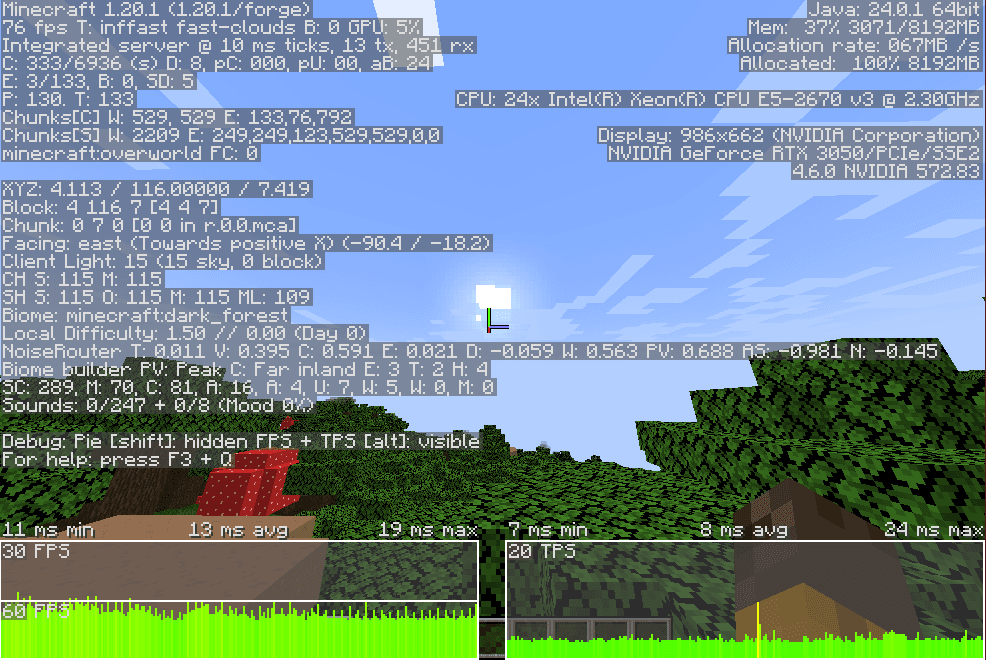
So sieht Universal Optimization aus
 Vanilla generated world with seed 111
 With mod generated world with seed 111
 Vanilla I look at mobs
 With the mod I look at mobs
 Vanilla looking at the mobs with my back
Bilder: Universal Optimization auf Modrinth, vom Projektteam veröffentlicht.
Einrichtung
Universal Optimization auf dem Server installieren
Server und Spieler brauchen denselben Loader und dieselbe Minecraft-Version. Sichere die Welt, bevor du Mods hinzufügst oder aktualisierst.
- 01
Konfigurieren
4 GB RAM sind vorausgewählt. Laufzeit und Add-ons wählst du selbst, bezahlt wird per Kreditkarte oder PayPal.
- 02
Loader einstellen
Stell im Panel die Serversoftware auf Fabric oder Forge oder NeoForge und wähl die passende Minecraft-Version, zum Beispiel 1.21.1.
- 03
Mod installieren
Such im Mod-Browser nach „Universal Optimization“ und installiere die Version für deinen Loader. Alternativ lädst du die .jar per SFTP in den Ordner mods. Erforderliche Abhängigkeiten stehen auf der Projektseite.
- 04
Verbinden
Alle Spieler installieren Universal Optimization in derselben Version lokal und verbinden sich über die Serveradresse aus dem Panel.
- Auf dem Server
- Erforderlich
- Auf dem Client
- Erforderlich
- Loader
- Fabric, Forge, NeoForge
- Minecraft
- 1.21.1, 1.20.1
- Lizenz
- LicenseRef-All-Rights-Reserved
Das Panel
Mods installieren, Fehler finden.
Echte Screenshots aus dem Mado Panel. Beides ist bei jedem Minecraft Server enthalten.
Mod-Browser
Modrinth und CurseForge direkt im Panel.
Der Browser filtert nach deiner Minecraft-Version. Mods installierst du mit einem Klick, ohne .jar-Dateien hochzuladen.

KI-Crash-Analyse
Wenn ein Mod crasht, liest die Analyse das Log.
Mods scheitern oft an einer falschen Loader-Version, Java-Version oder fehlenden Abhängigkeit. Die Analyse nennt eine wahrscheinliche Ursache und einen Lösungsvorschlag.

Versionen
Veröffentlichte Versionen
Nimm die Datei, die zu Loader und Minecraft-Version deines Servers passt. Server und Spieler brauchen dieselbe Version.
Universal Optimization · Modrinth- Universal Optimization 3.029. September 2026Minecraft 1.21.1 · Fabric
- Universal Optimization 3.029. September 2026Minecraft 1.21.1 · NeoForge
- Universal Optimization 3.029. September 2026Minecraft 1.20.1 · Fabric
- Universal Optimization 3.029. September 2026Minecraft 1.20.1 · Forge
Originalbeschreibung des Projektautors
📌 English Description for Modrinth
Universal Optimization is a powerful tool designed to improve your server or singleplayer performance by drastically reducing the load caused by mobs.
This mod combines multiple advanced optimization techniques into one seamless system.
- It is recommended to use with Embeddium
- The speed effect works for flight
🧠 Main features:
- Removing mob collisions: Mobs do not collide with each other. This reduces CPU load and can even increase FPS. Improved version - slow movement bug fixed.
- In some cases, fixes prizes when moving from chunk to chunk:
- Caches some chunk data for quick access
- Speeds up recipes:
- Caches all recipes in the game, which can help avoid freezes when using JEI and EMI
- Also some other optimizations, caching in small ways
- Remote spawn limit: Mobs do not spawn further than a certain number of chunks from the player (default: 7 chunks). Fully customizable.
- Freeze mobs:
- Horizontal and vertical limit by X/Y
- Exceptions for mobs (eg Creeper, Phantom)
- Block and limit mobs:
- You can block or limit spawning of certain entities (
"minecraft:cow"or"minecraft:pig 5") - Global limit of all entities in the world (
AllMobsLimit = 100)
📁This is what the mod configuration looks like:
["Collision Settings"]
	#Disable all entity collisions (entities will not push each other or be affected by collision)
	disableEntityCollisions = true

[NoAdvancements]
	#Disable advancements and their checks
	disableAdvancements = true

["Recipe Cache"]
	#Cache parsed recipes on disk (config/universaloptimization/recipe_cache.json)
	#Cache is ignored and rewritten when the set of mods or data packs changes
	#Delete the file to force a full reload
	enableRecipeCache = true

["Bunnyhop Settings"]
	#Enables Bunnyhop: automatic jumping when holding space
	enableBunnyhop = false
	#Base speed multiplier for bunnyhop
	#Range: 0.1 ~ 5.0
	baseSpeedMultiplier = 1.0
	#Sprint speed multiplier
	#Range: 1.0 ~ 3.0
	sprintMultiplier = 1.1
	#Speed effect bonus per level
	#Range: 0.0 ~ 1.0
	speedEffectPerLevel = 0.1
	#Air control sensitivity (0.0 - 1.0)
	#Range: 0.0 ~ 1.0
	airControlFactor = 0.41

["Airhop Settings"]
	#Enables Airhop: allows jumping in the air
	enableAirhop = false
	#Airhop mode: true = automatic (every X ms), false = manual (press space each time)
	airhopAutoMode = true
	#Delay between automatic airhops in milliseconds
	#Range: 0 ~ 2000
	airhopDelayMs = 515

["Mob Blocking Settings"]
	#Enable mob blocking system
	enableMobBlocking = true
	#List of mobs to block with optional limits (format: "mob_id limit" or just "mob_id" for complete block)
	blockedMobs = ["minecraft:zombie 40", "minecraft:skeleton 40", "minecraft:creeper 12", "minecraft:spider 25", "minecraft:cave_spider 15", "minecraft:ghast 6", "minecraft:wither_skeleton 25", "minecraft:bat", "minecraft:rabbit", "minecraft:ocelot", "minecraft:parrot 5", "minecraft:tropical_fish 5", "minecraft:pufferfish 4", "minecraft:cod 5", "minecraft:salmon 5", "minecraft:axolotl 5", "minecraft:frog", "minecraft:tadpole", "minecraft:glow_squid 5", "minecraft:squid 15", "minecraft:strider", "minecraft:bee", "minecraft:endermite 7", "minecraft:phantom 4", "minecraft:guardian 7", "minecraft:silverfish 7", "minecraft:vex 7", "minecraft:drowned 20", "minecraft:elder_guardian 5", "minecraft:warden"]
	#Global limit for all mobs (-1 to disable)
	#Range: > -1
	allMobsLimit = 700

["Mob Blocking AiLod Settings"]
	#Enable advanced AI LOD culling for mobs
	enableMobBlockingAiLod = true
	#Vertical distance (Y axis) beyond which mobs are frozen if not ignored
	#Range: 1 ~ 512
	mobBlockingYDistance = 16
	#Horizontal distance (X/Z axis) beyond which mobs are frozen if not ignored
	#Range: 1 ~ 512
	mobBlockingXDistance = 32
	#List of mobs that are completely excluded from the AI LOD/Frustum culling system
	mobBlockingExcludedMobs = []
	#List of mobs that ignore the vertical (Y) distance check for freezing
	mobBlockingYIgnoredMobs = ["minecraft:ender_dragon", "minecraft:wither", "minecraft:ghast", "minecraft:phantom", "minecraft:vex"]
	#List of mobs that ignore the horizontal (X) distance check for freezing
	mobBlockingXIgnoredMobs = []

["Limit Far Spawn"]
	#Enable the spawn limiter system
	enableSpawnLimiter = false
	#The radius in chunks around the player at what distance entities can appear
	#Range: 1 ~ 64
	SpawnRadiusChunks = 7
	#List of entity types to ignore for spawn limiting
	IgnoredEntities = []
If you find bugs
- 💬 Discord
🏆 Support the Author
- 🎯 Boosty
🌐 Third-Party Hosting and distribution
You are not permitted to host this mod on third-party platforms or distribute it via third-party websites; the only authorized source for downloading the mod is Modrinth.
You may feature this mod on third-party websites, provided you do not rehost the files. All download buttons or links must point directly to this Modrinth page (https://modrinth.com/mod/universal-optimization) or use official Modrinth download URLs so that downloads are properly counted on Modrinth.
Universal Optimization Server crasht beim Start – was tun?
Häufige Ursachen: Loader- oder Minecraft-Version passen nicht zur Mod-Datei, eine Abhängigkeit fehlt oder der RAM reicht nicht. Such im Log (latest.log) nach „OutOfMemoryError“, „Mixin“ oder fehlenden Mods. Bei Mado wertet die KI-Crash-Analyse das Log aus und schlägt eine Ursache vor. Loader und Version änderst du im Panel.
Mit welchem Loader läuft Universal Optimization?
Laut Modrinth unterstützt Universal Optimization Fabric, Forge, NeoForge für Minecraft 1.21.1, 1.20.1. Forge- und Fabric-Dateien sind nicht untereinander austauschbar: Wähl einen Loader für Server und Clients.
Wie viel RAM braucht ein Server mit Universal Optimization?
Als Orientierung 3–4 GB für einen Server mit dieser Mod. Das ist eine Schätzung, keine gemessene Mindestanforderung. Weitere Mods, viele Spieler und große Sichtweiten brauchen mehr. Ob eine Mod die Tick-Zeit belastet, siehst du mit dem spark-Profiler.
Ähnliche Mods
Beliebte Mods aus derselben Kategorie
 Server-fähig

VeinMiner
von Miraculixx
Mine the whole vein on mining a single ore/block. Make the tedious mining experience to something satisfying and fun! FTB Ultimine alternative
 Server-fähig

Geckolib
von Gecko
A 3D animation library for entities, blocks, items, armor, and more!
 Nur Client

VeinMiner Hotkey
von Miraculixx
Veinminer Addon - Use a hotkey to veinmine with a dynamic crosshair & block highlighting
 Server-fähig

Fzzy Config
von fzzyhmstrs
Config API with automatic GUIs, powerful validation options, server-client sync, and more!
Bereit für deinen Server mit Universal Optimization?
4 GB RAM ab 8,00 € im Monat. 35 % auf den 1. Monat mit MADO35.