
Warp Portals ─ Portal teleportation
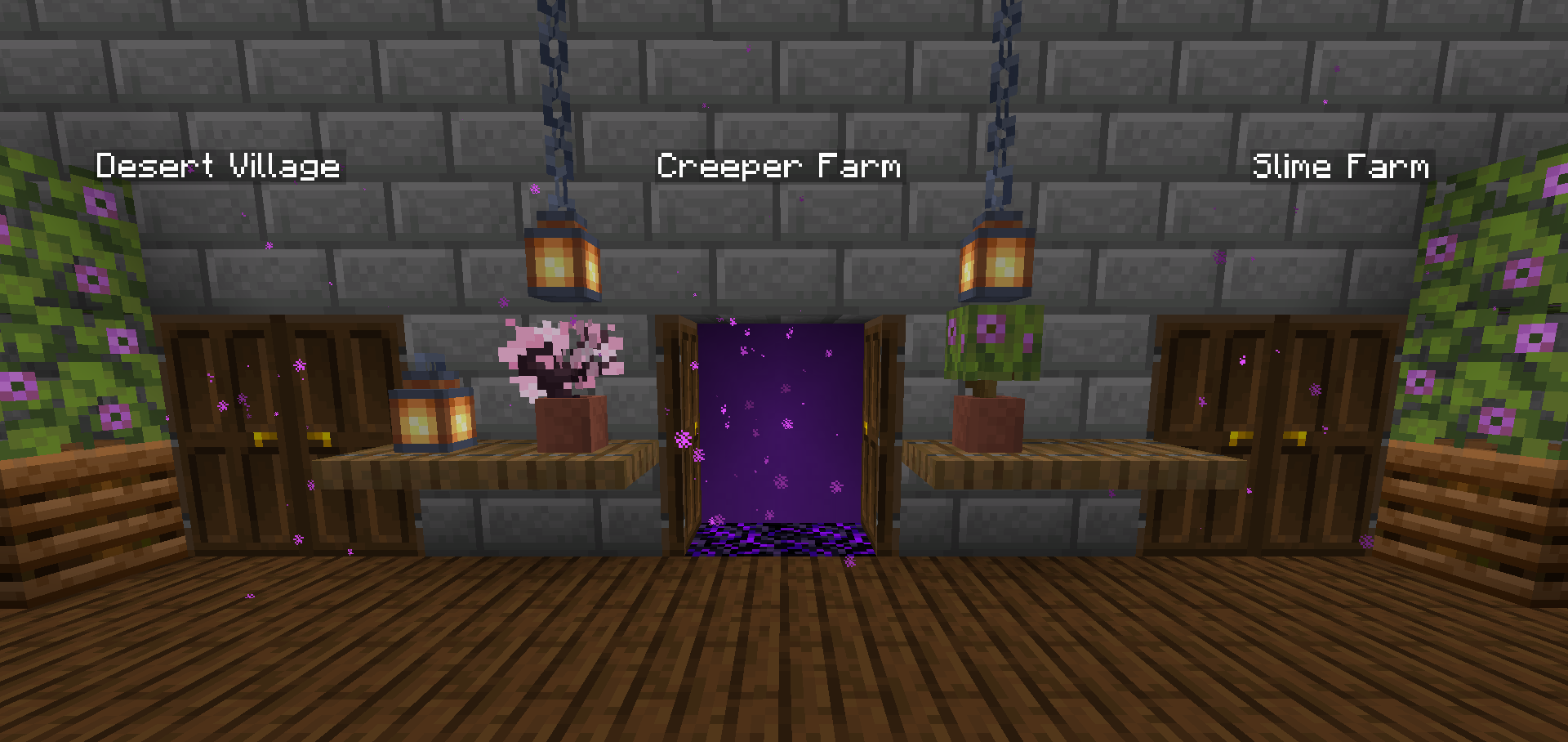
Create Warp Portals between your favorite locations. This datapack is made to be balanced, simple to use and lightweight.
Screenshots
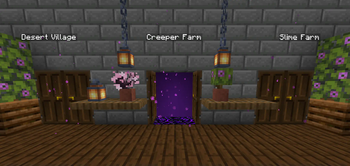
Über diese Mod
Warp Portals
Create Warp Portals between your favorite locations. This datapack is made to be balanced, simple to use and lightweight.
Warp Portals supports Multiplayer and uses the best practices for datapacks to insure compatibility with other datapacks.
This datapack doesn't use chunk loading, unlike most teleportation datapacks, which makes it lightweight no matter how many portals you have.
Usage
Forging the Portal Wand
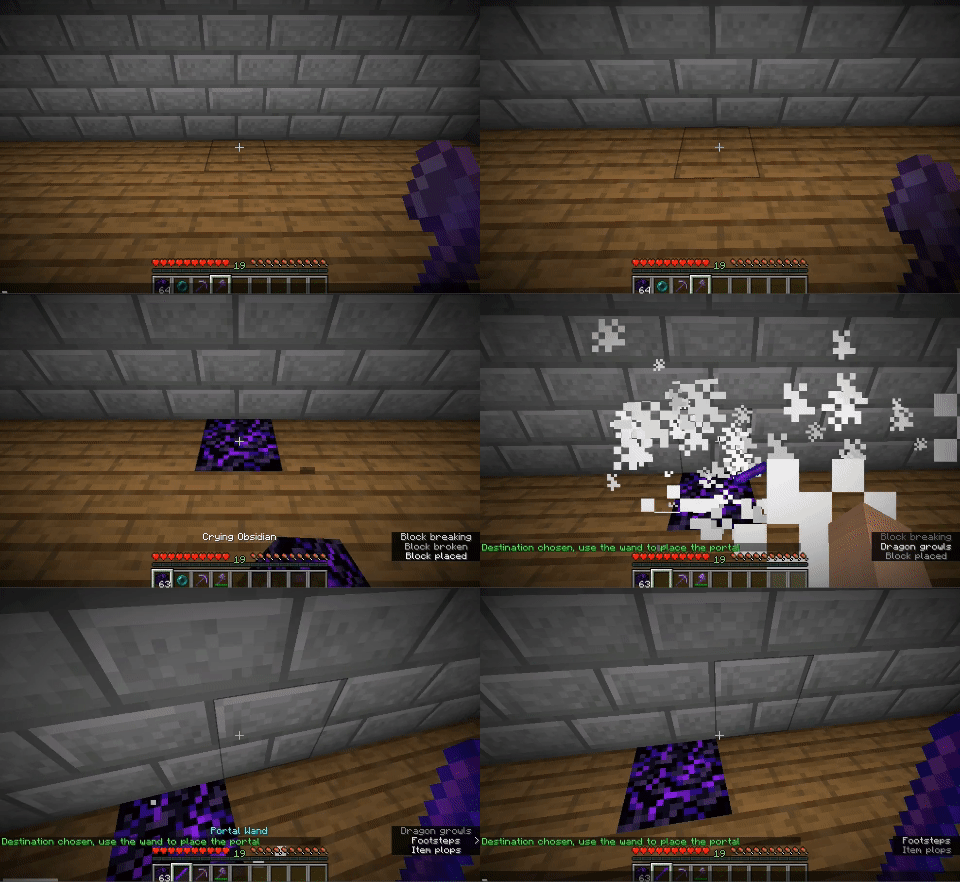
To create a Warp Portal, you need to forge a Portal Wand. To do so, you need to drop an Ender Pearl in a Crying Obsidian block. They will turn into a portal and and the Crying Obsidian will be the destination of the portal created by the wand.

Creating the Portal
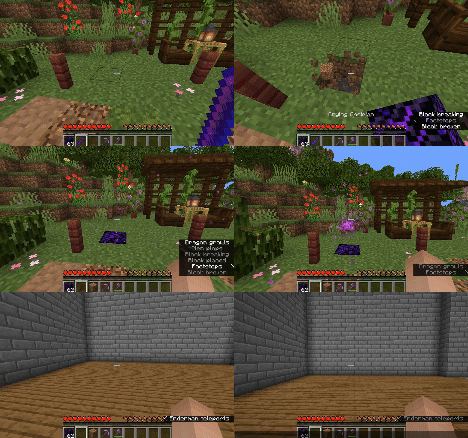
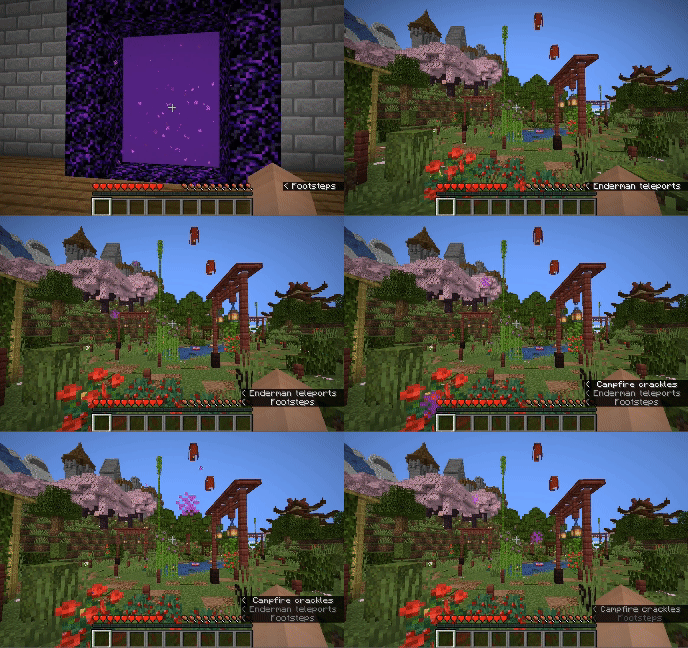
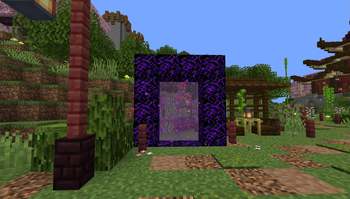
To create a portal, you need to right-click above a Crying Obsidian block with the Portal Wand. The portal will be created and stepping into it will teleport you to the place where that Wand was forged. You can add more Crying Obsidian or Obsidian blocks around the portal to make it bigger, they will also teleport you when you step on them, you can use any shape, pads, rectangles, etc.

Destroying the Portal
To destroy the portal, simply break the Crying Obsidian block in the entrance (where you see the particles) and the portal will be destroyed. The Ender Pearl used to create the wand will drop above.
Installation
After downloading the Warp Portals vX.Y.Z.zip file (vX.Y.Z is the version number), you can install it by one of the following methods:
- New SinglePlayer World: When creating a new world, in the
Moretab, click onData Packs, and drop theWarp Portals vX.Y.Z.zipfile. The datapack will appear in theAvailablelist, click in the arrow to add it to theSelectedlist and clickDone. - Existing SinglePlayer World: Click
Editin the world selection screen, clickOpen World Folder, go to thedatapacksfolder and drop theWarp Portals vX.Y.Z.zipfile. - Multiplayer Server: Drop the
Warp Portals vX.Y.Z.zipfile in thedatapacksfolder inside the world folder.
Uninstalling
To uninstall Warp Portals, execute the command /function warp_portals:uninstall in the world where you installed the datapack, then remove the Warp Portals vX.Y.Z.zip file from the datapacks folder.
Note that Minecraft doesn't provide the necessary tools to actually remove the entirety of a datapack. This function will break (and drop the Ender Pearls) of all portals in currently loaded chunks.
Verfügbare Versionen
Warp Portals ─ Portal teleportation auf dem Server installieren
Server bestellen
Bestelle einen Minecraft Java Server mit mindestens 3 GB RAM (4 GB empfohlen).
datapack Loader setzen
Wähle im Panel unter "Egg" den datapack-Loader und die passende Minecraft-Version (1.21).
Mod installieren
Öffne den Mod-Browser im Dashboard und suche nach "Warp Portals ─ Portal teleportation". Klicke "Installieren" – fertig! Alternativ: Lade die .jar via SFTP in den /mods Ordner.
Kompatibilität
Mod-Loader
Minecraft-Versionen
1.21, 1.20.6, 1.20.5 (+14 weitere)
Server-seitig
✓ ErforderlichEmpfohlener RAM
4 GB(min. 3 GB)Häufige Fragen
Warp Portals ─ Portal teleportation Server crasht beim Start – was tun?
Häufigste Ursache: falsche datapack-Version oder zu wenig RAM. Prüfe im Server-Log (latest.log), ob ein "OutOfMemoryError" oder "Mixin"-Fehler auftritt. Bei Mado Hosting: Stelle sicher, dass mindestens 3 GB RAM zugewiesen sind und der Loader zur Mod-Version passt (1.21). Über das Panel kannst du den Loader mit einem Klick wechseln.
Ist Warp Portals ─ Portal teleportation mit datapack und fabric und forge und quilt kompatibel?
Warp Portals ─ Portal teleportation unterstützt offiziell datapack, fabric, forge, quilt für Minecraft 1.21, 1.20.6, 1.20.5. Achtung: Forge- und Fabric-Mods sind NICHT untereinander kompatibel – wähle einen Loader und bleibe dabei. Im Mado Dashboard werden inkompatible Loader-Kombinationen automatisch erkannt.
Server laggt mit Warp Portals ─ Portal teleportation – wie optimiere ich die Performance?
Empfohlener RAM: 4 GB (+1 GB pro 8 Spieler). Prüfe mit /spark profiler, ob Warp Portals ─ Portal teleportation den meisten Tick-Time verbraucht. Häufige Fixes: Server-View-Distance auf 8-10 reduzieren, bei Forge "performant" oder "starlight" als Zusatz-Mod installieren. Bei Mado Hosting läuft dein Server auf NVMe-SSDs mit dedizierten CPU-Kernen für minimale Latenz.
Ähnliche Mods






Modded Server mieten
Installiere Warp Portals ─ Portal teleportation mit nur einem Klick auf deinem Server.