
Modrinth · Fabric, Forge, NeoForge · Client-Mod
WATERMeDIA: Multimedia API
WATERMeDIA: Multimedia API ist eine clientseitige Mod. Du installierst sie auf deinem Rechner, auf dem Server ist sie nicht nötig.
Multimedia Library with a well designed API. Play Video, Audio and Images, fast HW decoding, Vulkan and OpenGL rendering.
- Downloads
- 1.9M
- Autor
- SrRapero720
- Loader
- Fabric, Forge, NeoForge
- Minecraft
- 1.16.5 – 26.3
- Aktualisiert
- –
Einrichtung
WATERMeDIA: Multimedia API auf deinem Client installieren
Clientseitige Mods laufen nur auf deinem Rechner. Mehr Server-RAM ändert an ihrer Leistung nichts.
- 01
Loader lokal installieren
Installiere Fabric oder Forge oder NeoForge für deine Minecraft-Version in deinem Launcher.
- 02
Datei herunterladen
Lade die WATERMeDIA: Multimedia API-Datei für deinen Loader und exakt deine Minecraft-Version herunter, zum Beispiel 26.3.
- 03
In den Mods-Ordner legen
Lege die .jar-Datei in den lokalen Ordner .minecraft/mods und entferne ältere Duplikate.
- 04
Starten
Starte Minecraft mit dem Loader-Profil. Auf dem Server musst du nichts ändern.
- Auf dem Server
- Nicht nötig
- Auf dem Client
- Erforderlich
- Loader
- Fabric, Forge, NeoForge
- Minecraft
- 26.3, 26.2, 26.1.2 +8 weitere
- Lizenz
- LicenseRef-Defensive-Public-Source-Non-Commercial-License-v1.0.1
Versionen
Veröffentlichte Versionen
Nimm die Datei, die zu Loader und Minecraft-Version deines Servers passt. Server und Spieler brauchen dieselbe Version.
WATERMeDIA: Multimedia API · Modrinth- 3.0.219. November 2026Minecraft 1.18.2, 1.19.2, 1.20.1, 1.21.1, 1.21.11, 26.1.2, 26.2, 26.3 · Fabric, Forge, NeoForge
- WM/2.1.371. Dezember 2025Minecraft 1.16.5, 1.18.2, 1.19.2, 1.20.1, 1.21.1, 1.21.5 · Fabric, Forge, NeoForge
- WM/2.1.2326. März 2025Minecraft 1.16.5, 1.18.2, 1.19.2, 1.20.1, 1.21.1, 1.21.4 · Fabric, Forge, NeoForge
Originalbeschreibung des Projektautors



📕 OVERVIEW
WATERMeDIA is a multimedia library with a well designed API: it plays videos, music, live streams, pictures and
animations, and decodes and encodes them, rendering with OpenGL and Vulkan and playing sound through OpenAL.
Pictures go through our own pure-Java decoders and everything else through FFmpeg, bundled in the companion mod
WATERMeDIA: Binaries. Nothing to compile or
install, just plug and play.
Supports Forge, NeoForge and Fabric on every Minecraft version from 1.18.2 to 26.3 that runs on Java 17 or newer,
on clients and dedicated servers. It also runs outside Minecraft: opening the jar launches a full media player, and
any Java app can embed the API.
🛠️ FEATURES
* Depends on the mod you're using and only works when its developer wires it in. Ask its author.
- 🎬 Videos and music play with FFmpeg 9, bundled in WATERMeDIA: Binaries for Windows (x64), Linux (x64,
ARM64) and macOS (Intel, Apple Silicon) - 🖼️ Our own pure-Java picture decoders: PNG, APNG, JPEG, GIF, WebP (animated too), SVG and Netpbm. Safe by
design, they use far less CPU and VRAM, and many animations can play at once without stuttering the game - ⚡ Hardware video decoding on NVIDIA, AMD, Intel and macOS, falling back to software when the GPU struggles
- 🌋 Vulkan rendering next to OpenGL, ready for Minecraft 26.x. On Vulkan, H.264, H.265 and AV1 videos decode and
draw right on the GPU, never touching RAM - 🌈 HDR and 10, 12 and 16-bit videos look natural on regular screens, and every video keeps its real colors, from
old SD clips to wide-color videos and phone or webcam recordings - 💾 Disk cache for videos and pictures: fast and reliable loads that save bandwidth
- 📡 Live streams (HLS and DASH) and IPTV playlists, which open as a channel list
- 🌐 Support for popular online platforms (YouTube, Twitch, Kick, BiliBili, TikTok, Twitter (X) and more), with
safeguards for mature content where the platform exposes it - 🖥️ Runs on dedicated servers. Install it there only when the mod using WATERMeDIA requires it server-side; it
brings an optional file server that shares uploaded media with players throughwater://remote/links - 🗣️ Videos with a separate audio track play in sync, unlocking higher qualities on platforms like YouTube. Dubbed
videos play their original language, or the one you prefer, and you can switch languages while watching* - 🎚️ Pick the quality, change the speed, seek precisely, loop, and lower the resolution of distant screens to save
VRAM* - 🔊 Positional audio that fades with distance. Stereo screens can play each side from its own edge, and extra
speakers can play a screen's sound anywhere without loading it twice* - ⏱️ Synchronized playback through a server clock, so everyone watches the same moment*
- 🔍 Search videos by keyword on YouTube, Twitch, Kick and Imgur*
- 🎥 Record videos with sound to MP4, MOV, MKV, WebM and Ogg, and save pictures and animations as PNG, APNG and GIF (experimental)*
- 🔒 HTTPS media checks certificates, and tokens, passwords and login data never reach the logs
🌐 SUPPORTED PLATFORMS
Supports direct links to static files from file buckets and all next platforms:























🧩 MODS USING WATERMeDIA
| Mod | Author | Link |
|---|---|---|
| 🖼️ WaterFrames | SrRapero720 | CurseForge |
| 📺 WaterVision | SrRapero720 | CurseForge |
| 🧱 FancyMenu | Keksuccino | CurseForge |
| 🖼️ LittlePictureFrames | CreativeMD | CurseForge |
| 🏺 Vista | MehVahdJukaar | CurseForge |
| ⏪ WaterFrames: Backported Edition | Toshayo | CurseForge |
| 📽️ Holographic Renderers | Mysticpasta1 | CurseForge |
| 📽️ BBS CML Edition | McHorse | CurseForge |
| 💻 Conditional Videos | MateoF024 | CurseForge |
| ⏯️ Owleaf PlayBack | Owleaf_Studio | CurseForge |
🏅 Special mentions
- VideoPlayer (not maintained)
📦 WATERMeDIA: BINARIES
FFmpeg natives and a few extra shared libraries ship in the companion mod
WATERMeDIA: Binaries. Its sources live in Github.
- Minecraft requires it for a better experience on client-side, server-side is optional
- Standalone apps is up to the developer
⚡ SUPPORTED OS





Windows ARM and Android aren't supported.
🎮 CREATE YOUR SERVER AT LOW PRICES
your friends with all the mods listed above.

⁉️ FAQ
- ¿Does WATERMeDIA run on servers?
- Yes, since 3.0 it loads on dedicated servers. WATERMeDIA: Binaries is optional there
- ¿Do I still need VLC?
- No. VLC was replaced by FFmpeg, bundled in WATERMeDIA: Binaries, and uninstalling VLC is safe
- ¿Why do videos stutter?
- Turn hardware decoding off in
config/watermedia.toml
- Turn hardware decoding off in
- ¿Can I use my own FFmpeg?
- Yes, FFmpeg can be turned off or swapped for your own compatible build in the settings
- ¿Why are some videos blocked?
- Mature content is blocked by default, and the site whitelist or blacklist can leave a site out; see FOR USERS
- ¿Why does the game stop at startup with TLauncher?
- TLauncher is not supported, and the game stops when it's detected
- ¿Where do I report bugs?
- On GitHub Issues or Discord
🙋 FOR USERS
WATERMeDIA keeps its settings in config/watermedia.toml, inside your game folder (or your server folder on a
dedicated server). It's created on the first launch with a comment above every field. Edit it while the game is
closed, and your changes apply the next time it starts. Each name below is a [section] plus a field:player.cacheBudget is cacheBudget under [player].
📤 ENABLE THE FILE SERVER
The file server lets players upload their own videos, music and pictures to your Minecraft server and share them
with everyone through water://remote/ links, with no outside hosting. It needs WATERMeDIA on the server and a mod
that offers uploads.
- On the server, set these fields in
config/watermedia.toml, with your server's public IP or domain inremoteUrl:[network] server = "DEDICATED" # use ALWAYS to have the server in singleplayer serverBindAddress = "0.0.0.0" # we recommend to use the server address to ensure port availability serverPort = 25572 # ensure port is open in your local machine or in your server remoteUrl = "http://play.example.com:25572/" # Address that points to your file server, same as your server token = "a-long-secret-only-you-know" # a small wall to prevent unwanted queries to your server, rotate it on modpack updates - IMPORTANT: Open that port (TCP) in your firewall, ONT/NAT or your host's panel (KineticHosting makes this easier).
- Copy the same
remoteUrlandtokeninto theconfig/watermedia.tomlof every player. Modpacks can ship it.
- The server won't start for outside players while
tokenkeeps its default value. Change it on every server
update to keep strangers from uploading. - When it starts, the server checks its port: it must be free, and
remoteUrlmust answer from that same server.
If the port is closed or the address is wrong, it stays off and the log says why. - Each upload can weigh up to 8 MB (
maxUploadSize, 0 means no limit) and all of them together up to 1024 MB
(maxStorageSize). - Uploaded files land in
watermedia/filesinside the server folder; delete them there to free space. - It speaks plain HTTP, so put it behind your own HTTPS proxy when it faces the internet.
server = "ALWAYS"also runs it from your own game, for worlds you host yourself.
🖥️ STANDALONE APP
The WATERMeDIA jar is also a desktop media player. With Java 17 or newer installed, double click it, or runjava -jar watermedia-<version>.jar from a terminal.
- Play media opens any link or file path, or searches by keyword. The sample tiles try links from every
supported platform, and Television opens live TV channels by region. - Keep WATERMeDIA: Binaries in the same folder to play videos and music; without it, only pictures and animations
play. - The first launch downloads a few libraries, so it needs internet that time.
- It draws with Vulkan and falls back to OpenGL when Vulkan fails. Write
engine=OPENGLinconfig/app.properties
to always use OpenGL. - Cleanup cache empties the media cache, the same one your game uses.
🐞 BUG REPORTS AND LOGS
Something broke in your game? Open the app from your Minecraft mods folder and pick Upload Logs (U):
- It finds your
latest.log, the newest crash report, the newest JVM crash file (hs_err_pid) and your WATERMeDIA
config files. - It hides tokens, passwords, login data and your user name in folder paths, then uploads the files to
mclo.gs. - Write a title and tell what happened. The issue page opens with the report already filled in, and a copy stays
in your clipboard in case the page comes up empty.
Files over 10 MB or 25,000 lines don't upload, so share those by hand. You can always send logs/latest.log and thecrash-reports folder from your game folder on GitHub Issues or
Discord.
💾 CONFIGURE CACHE SIZE
Downloaded videos and pictures stay on disk, so they load faster next time and save bandwidth. They live inwatermedia/cache inside your system's temporary folder (%TEMP% on Windows, /tmp on Linux), and deleting it
while the game is closed is safe.
player.cacheBudget: disk space for the whole cache, in MB (8192 by default). Once it's full, the oldest files
leave first.codecs.ffmpeg.cacheMaxResponse: the biggest video or music file it keeps, in MB (10 by default). Bigger files
stream every time.player.watertx.cacheandcodecs.ffmpeg.cache: set them tofalseto stop caching pictures or videos.player.watertx.texturesBudget: video memory for smooth animations, in MB (32 by default). Set it to 0 when your
GPU runs short on VRAM.
🚦 WHITELIST, BLACKLIST AND MATURE CONTENT
Choose which sites can play under [player.whitelist] and [player.blacklist]:
[player.whitelist]
  enable = true
  sites = ["youtube.com", "youtu.be", "192.168.0.1"]
  trustLocal = true

[player.blacklist]
  enable = true
  sites = ["pornhub.com"]

[platforms]
  allowMatureContent = true
whitelist: onceenableistrue, only links from itssitesplay. It stays off whilesitesis empty andtrustLocalisfalse.trustLocal: also plays what you host yourself:water://localandwater://remotelinks, local files,localhost, local network IPs and.localnames.blacklist: onceenableistrue, links from itssitesnever play, even when the whitelist allows them.water://globallinks always play, and no list can block them.- Both lists start off. The whitelist already names YouTube, Twitch, Imgur and Kick, sites that mark their mature
content. - A config file from an older version doesn't get these tables by itself: copy them from the example above.
sitestakes hostnames or IPs only, likewebsite.comor192.168.0.1: nohttps://, paths or*.website.comcovers the whole site, subdomains included (some.website.com,another.website.com), whilesome.website.comcovers only that subdomain and neverwebsite.comitself.- Only the link you paste is checked: short links need their own entry (
youtu.benext toyoutube.com), and the
servers a site streams from need none. allowMatureContent: mature videos and streams stay blocked until you set it totrue. It works where the
platform marks them, such as Kick, Twitch or Twitter (X), and PornHub needs it to play at all. To allow mature
streams and still keep a site out, add that site to the blacklist, as in the example above.
💻 FOR DEVELOPERS
Two classes do the work: MRL (Multimedia Resource Location) resolves a link into its sources, qualities and
metadata, and MediaPlayer plays it through the engines you pick (GLEngine, VKEngine, ALEngine and more).
MRL mrl = PlayerAPI.mrl(URI.create("https://imgur.com/gallery/snow-ducks-YcDd9x"));

// IN A TICK-LOOP METHOD
if (mrl.status() == MRL.Status.LOADED) {
    MediaPlayer player = PlayerAPI.player(mrl,
            () -> PlayerAPI.glEngine(renderThread, renderExecutor),
            () -> PlayerAPI.alEngine());
}
PlayerAPI: media playback and displayPlatformAPI: web platform support for loading and searching mediaNetworkAPI: host and remote storage for private mediaCodecsAPI(experimental, don't use it in your mods yet): our own picture and animation codecs, plus
FFmpeg-backed audio and video
The full API guide lives on the wiki in
English,
Español (México),
Español (Argentina),
Português (Brasil),
Русский and
简体中文. Artifacts are on
JitPack.
💰 DONATIONS
Thank you for using WATERMeDIA! 🫶 Every donation, big or small, helps us keep it free, updated and growing with
every new Minecraft version.



Please consider donating to the FFmpeg developers too. Every video
WATERMeDIA plays goes through their work, and this project wouldn't exist without them.
⚖️ LICENSE
WATERMeDIA and WATERMeDIA: Binaries are under the
Defensive Public Source (Non-Commercial) License v1.0.1.
Copyright SrRapero720 (https://github.com/SrRapero720).
Permitted non-commercial usage (included and not limited to modpacks or server packs). Commercial use is forbidden;
contact us to use WATERMeDIA for commercial purposes.
The third-party libraries both mods ship keep their own licenses; read them in the
WATERMeDIA and
WATERMeDIA: Binaries repositories before redistributing.
Muss WATERMeDIA: Multimedia API auf dem Minecraft Server installiert werden?
Nein. Modrinth kennzeichnet WATERMeDIA: Multimedia API serverseitig als nicht unterstützt. Installiere die Mod nur im lokalen Mods-Ordner. Dein Server kann unverändert bleiben, sofern die Projektseite keine zusätzliche Abhängigkeit nennt.
Welche Version und welchen Loader braucht WATERMeDIA: Multimedia API?
Nutze eine Datei für Fabric, Forge, NeoForge und exakt deine Minecraft-Version. Unterstützt werden unter anderem 26.3, 26.2, 26.1.2. Dateien für verschiedene Loader sind nicht austauschbar.
WATERMeDIA: Multimedia API funktioniert nicht – was kann ich prüfen?
Prüfe zuerst Minecraft-Version, Loader-Version und erforderliche Abhängigkeiten. Da die Mod clientseitig ist, löst mehr Server-RAM das Problem nicht.
Ähnliche Mods
Beliebte Mods aus derselben Kategorie
 Server-fähig

Fabric API
von modmuss50
Lightweight and modular API providing common hooks and intercompatibility measures utilized by mods using the Fabric toolchain.
 Server-fähig

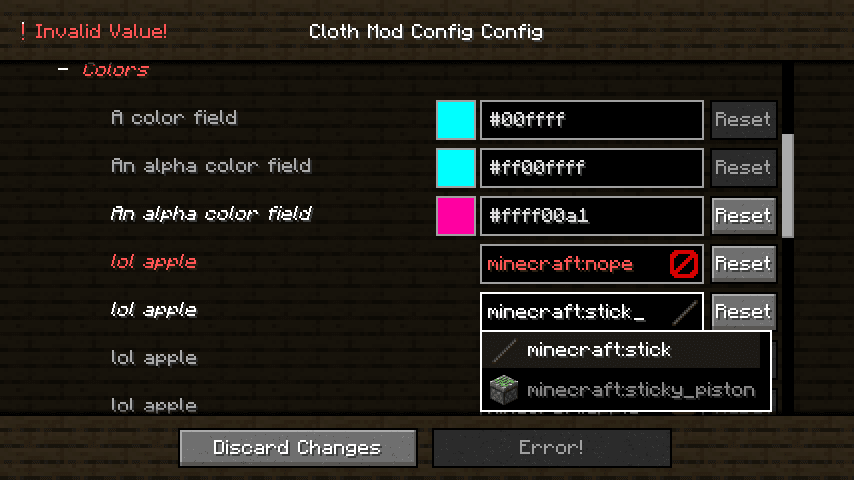
Cloth Config API
von shedaniel
Configuration Library for Minecraft Mods
 Server-fähig

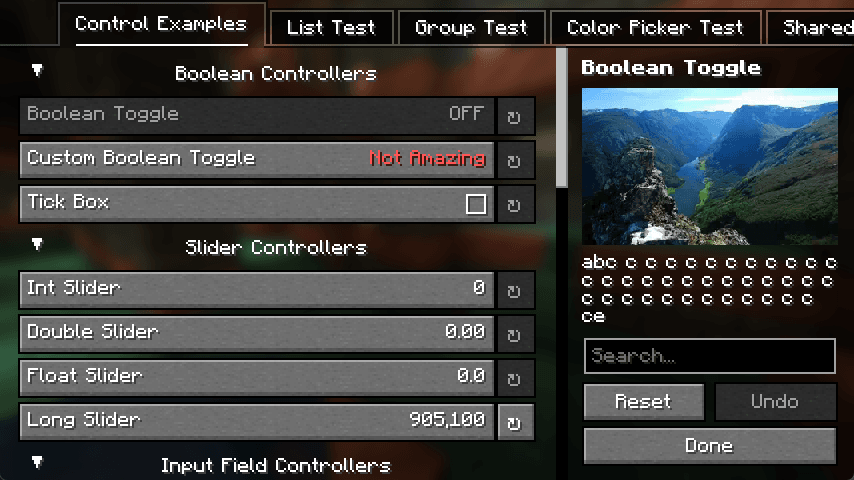
YetAnotherConfigLib (YACL)
von isxander
A builder-based configuration library for Minecraft!
 Server-fähig

Fabric Language Kotlin
von modmuss50
This is a mod that enables usage of the Kotlin programming language for Fabric mods.
Mods für deinen eigenen Server gesucht?
Im Katalog findest du Mods, die auf Minecraft Servern laufen.