
worldpainter
World is your canvas! Create, Place & Color the world world how you'd imagine it!
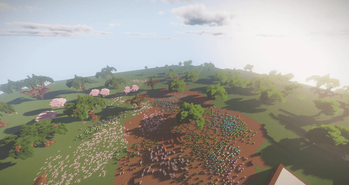
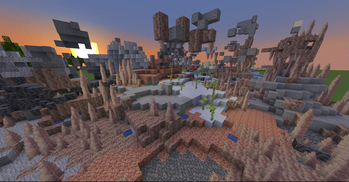
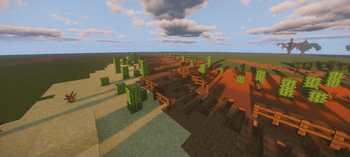
Screenshots
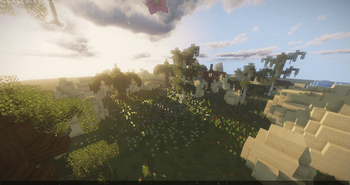

Über diese Mod
Mr_Chibi's World Painter 🖌️
The world is your canvas! Create, Place, & Color the world how you'd imagine it!
Why Should I install this into my world?
The pack is unique in its own way!
- You can basicly create pretty world from scratch.
- Who doesn't love keybinds with "no command" typing!
- I've included some of my custom models into schematic brush, such as "Trees", "Mud Road Patterns", & some "Vanilla Schematics"!
What features does it offer for players?
These tools can only be accessed by Server Operator or Given to player for preventions.
Varity of tools! Players can "paint", "select blocks, and "place" for example, "trees", "flowers", "biome painting", & much more etc.
Tools that have keybind hotkeys example, pressing "F" key prompts tools.
Tools that change "paint brush" sizes from "small", "medium" & "big"!
Commands such as, "paint_outline", "paint_fill", "paint_cube", & "paint_hollow" have a min of 2" & max "23" example, "/trigger paint_fill set 23". Automaticly generates size player requests.
Players can create mountains, hills, or simple smoothen the surface using "sphere brush" & "smooth brush".
If you like to read more information about the keybinds [Click here]
How it was written in:
- Json
- Mcfunction
Verfügbare Versionen
worldpainter auf dem Server installieren
Server bestellen
Bestelle einen Minecraft Java Server mit mindestens 3 GB RAM (4 GB empfohlen).
datapack Loader setzen
Wähle im Panel unter "Egg" den datapack-Loader und die passende Minecraft-Version (26.2).
Mod installieren
Öffne den Mod-Browser im Dashboard und suche nach "worldpainter". Klicke "Installieren" – fertig! Alternativ: Lade die .jar via SFTP in den /mods Ordner.
Kompatibilität
Mod-Loader
Minecraft-Versionen
26.2, 26.1.2, 26.1.1 (+11 weitere)
Server-seitig
✓ ErforderlichEmpfohlener RAM
4 GB(min. 3 GB)Häufige Fragen
worldpainter Server crasht beim Start – was tun?
Häufigste Ursache: falsche datapack-Version oder zu wenig RAM. Prüfe im Server-Log (latest.log), ob ein "OutOfMemoryError" oder "Mixin"-Fehler auftritt. Bei Mado Hosting: Stelle sicher, dass mindestens 3 GB RAM zugewiesen sind und der Loader zur Mod-Version passt (26.2). Über das Panel kannst du den Loader mit einem Klick wechseln.
Ist worldpainter mit datapack und fabric und forge und neoforge und quilt kompatibel?
worldpainter unterstützt offiziell datapack, fabric, forge, neoforge, quilt für Minecraft 26.2, 26.1.2, 26.1.1. Achtung: Forge- und Fabric-Mods sind NICHT untereinander kompatibel – wähle einen Loader und bleibe dabei. Im Mado Dashboard werden inkompatible Loader-Kombinationen automatisch erkannt.
Server laggt mit worldpainter – wie optimiere ich die Performance?
Empfohlener RAM: 4 GB (+1 GB pro 8 Spieler). Prüfe mit /spark profiler, ob worldpainter den meisten Tick-Time verbraucht. Häufige Fixes: Server-View-Distance auf 8-10 reduzieren, bei Forge "performant" oder "starlight" als Zusatz-Mod installieren. Bei Mado Hosting läuft dein Server auf NVMe-SSDs mit dedizierten CPU-Kernen für minimale Latenz.
Ähnliche Mods






Modded Server mieten
Installiere worldpainter mit nur einem Klick auf deinem Server.