
Modrinth · Fabric, Forge, NeoForge · Client-Mod
Zume
Zume ist eine clientseitige Mod. Du installierst sie auf deinem Rechner, auf dem Server ist sie nicht nötig.
An over-engineered Zoom mod by Nolij
- Downloads
- 11.3M
- Autor
- Nolij
- Loader
- Fabric, Forge, NeoForge
- Minecraft
- 1.10 – 1.9.4
- Aktualisiert
- –
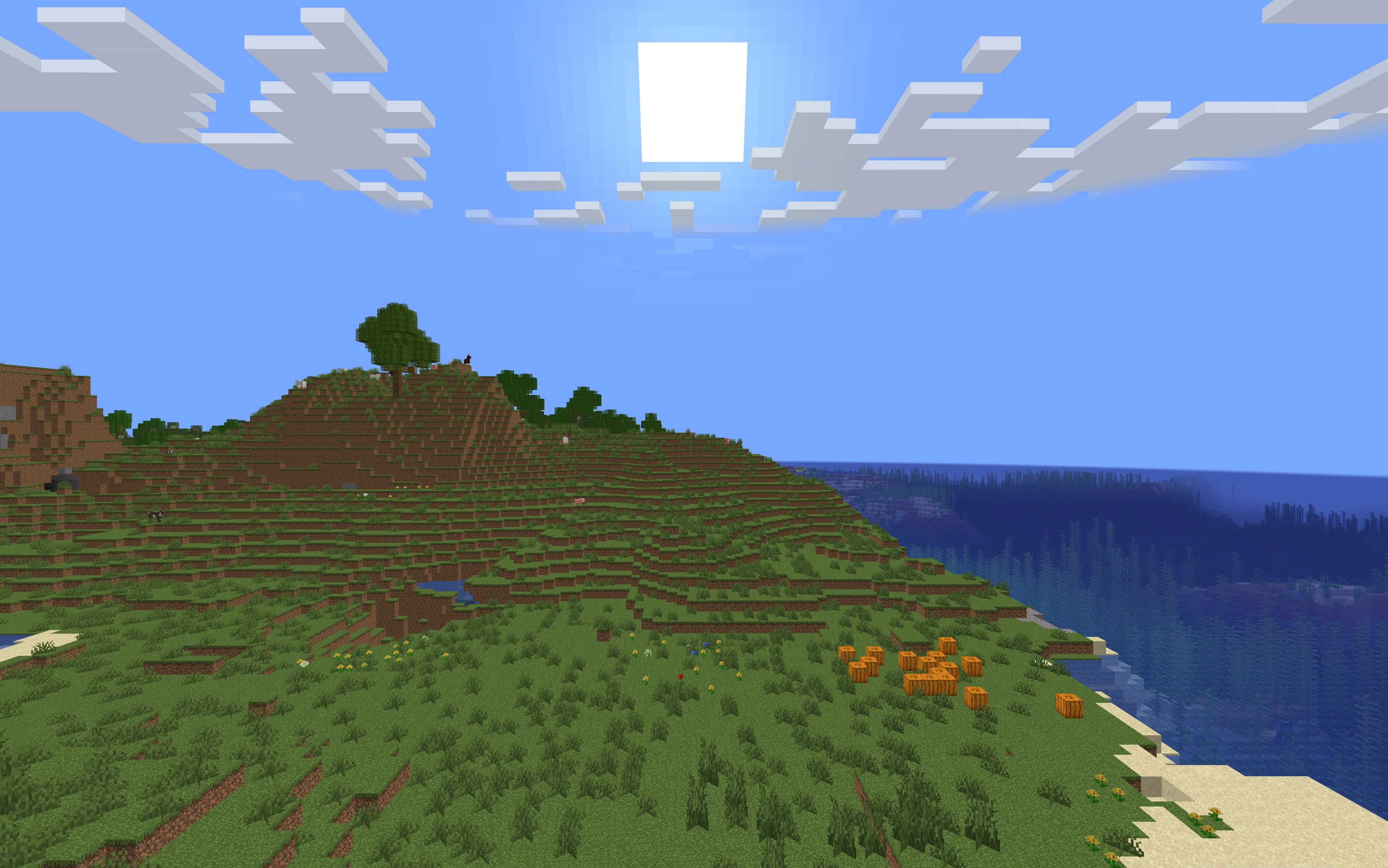
Screenshots
So sieht Zume aus


Bilder: Zume auf Modrinth, vom Projektteam veröffentlicht.
Einrichtung
Zume auf deinem Client installieren
Clientseitige Mods laufen nur auf deinem Rechner. Mehr Server-RAM ändert an ihrer Leistung nichts.
- 01
Loader lokal installieren
Installiere Fabric oder Forge oder NeoForge für deine Minecraft-Version in deinem Launcher.
- 02
Datei herunterladen
Lade die Zume-Datei für deinen Loader und exakt deine Minecraft-Version herunter, zum Beispiel b1.7.3.
- 03
In den Mods-Ordner legen
Lege die .jar-Datei in den lokalen Ordner .minecraft/mods und entferne ältere Duplikate.
- 04
Starten
Starte Minecraft mit dem Loader-Profil. Auf dem Server musst du nichts ändern.
- Auf dem Server
- Nicht nötig
- Auf dem Client
- Erforderlich
- Loader
- Fabric, Forge, NeoForge
- Minecraft
- b1.7.3, 25w46a, 25w45a +629 weitere
- Lizenz
- Open Software License 3.0
Versionen
Veröffentlichte Versionen
Nimm die Datei, die zu Loader und Minecraft-Version deines Servers passt. Server und Spieler brauchen dieselbe Version.
Zume · Modrinth- 1.2.225. April 2026Minecraft 1.10, 1.10-pre1, 1.10-pre2, 1.10.1, 1.10.2, 1.11, 1.11-pre1, 1.11.1, 1.11.2, 1.12, 1.12-pre1, 1.12-pre2, 1.12-pre3, 1.12-pre4, 1.12-pre5, 1.12-pre6, 1.12-pre7, 1.12.1, 1.12.1-pre1, 1.12.2, 1.12.2-pre1, 1.12.2-pre2, 1.14.4, 1.15, 1.15-pre1, 1.15-pre2, 1.15-pre3, 1.15-pre4, 1.15-pre5, 1.15-pre6, 1.15-pre7, 1.15.1, 1.15.1-pre1, 1.15.2, 1.15.2-pre1, 1.15.2-pre2, 1.16, 1.16-pre1, 1.16-pre2, 1.16-pre3, 1.16-pre4, 1.16-pre5, 1.16-pre6, 1.16-pre7, 1.16-pre8, 1.16-rc1, 1.16.1, 1.16.2, 1.16.2-pre1, 1.16.2-pre2, 1.16.2-pre3, 1.16.2-rc1, 1.16.2-rc2, 1.16.3, 1.16.3-rc1, 1.16.4, 1.16.4-pre1, 1.16.4-pre2, 1.16.4-rc1, 1.16.5, 1.16.5-rc1, 1.17, 1.17-pre1, 1.17-pre2, 1.17-pre3, 1.17-pre4, 1.17-pre5, 1.17-rc1, 1.17-rc2, 1.17.1, 1.17.1-pre1, 1.17.1-pre2, 1.17.1-pre3, 1.17.1-rc1, 1.17.1-rc2, 1.18, 1.18-pre1, 1.18-pre2, 1.18-pre3, 1.18-pre4, 1.18-pre5, 1.18-pre6, 1.18-pre7, 1.18-pre8, 1.18-rc1, 1.18-rc2, 1.18-rc3, 1.18-rc4, 1.18.1, 1.18.1-pre1, 1.18.1-rc1, 1.18.1-rc2, 1.18.1-rc3, 1.18.2, 1.18.2-pre1, 1.18.2-pre2, 1.18.2-pre3, 1.18.2-rc1, 1.19, 1.19-pre1, 1.19-pre2, 1.19-pre3, 1.19-pre4, 1.19-pre5, 1.19-rc1, 1.19-rc2, 1.19.1, 1.19.1-pre1, 1.19.1-pre2, 1.19.1-pre3, 1.19.1-pre4, 1.19.1-pre5, 1.19.1-pre6, 1.19.1-rc1, 1.19.1-rc2, 1.19.1-rc3, 1.19.2, 1.19.2-rc1, 1.19.2-rc2, 1.19.3, 1.19.3-pre1, 1.19.3-pre2, 1.19.3-pre3, 1.19.3-rc1, 1.19.3-rc2, 1.19.3-rc3, 1.19.4, 1.19.4-pre1, 1.19.4-pre2, 1.19.4-pre3, 1.19.4-pre4, 1.19.4-rc1, 1.19.4-rc2, 1.19.4-rc3, 1.20, 1.20-pre1, 1.20-pre2, 1.20-pre3, 1.20-pre4, 1.20-pre5, 1.20-pre6, 1.20-pre7, 1.20-rc1, 1.20.1, 1.20.1-rc1, 1.20.2, 1.20.2-pre1, 1.20.2-pre2, 1.20.2-pre3, 1.20.2-pre4, 1.20.2-rc1, 1.20.2-rc2, 1.20.3, 1.20.3-pre1, 1.20.3-pre2, 1.20.3-pre3, 1.20.3-pre4, 1.20.3-rc1, 1.20.4, 1.20.4-rc1, 1.20.5, 1.20.5-pre1, 1.20.5-pre2, 1.20.5-pre3, 1.20.5-pre4, 1.20.5-rc1, 1.20.5-rc2, 1.20.5-rc3, 1.20.6, 1.20.6-rc1, 1.21, 1.21-pre1, 1.21-pre2, 1.21-pre3, 1.21-pre4, 1.21-rc1, 1.21.1, 1.21.1-rc1, 1.21.10, 1.21.10-rc1, 1.21.11, 1.21.11-pre1, 1.21.11-pre2, 1.21.11-pre3, 1.21.11-pre4, 1.21.11-pre5, 1.21.11-rc1, 1.21.11-rc2, 1.21.11-rc3, 1.21.2, 1.21.2-pre1, 1.21.2-pre2, 1.21.2-pre3, 1.21.2-pre4, 1.21.2-pre5, 1.21.2-rc1, 1.21.2-rc2, 1.21.3, 1.21.4, 1.21.4-pre1, 1.21.4-pre2, 1.21.4-pre3, 1.21.4-rc1, 1.21.4-rc2, 1.21.4-rc3, 1.21.5, 1.21.5-pre1, 1.21.5-pre2, 1.21.5-pre3, 1.21.5-rc1, 1.21.5-rc2, 1.21.6, 1.21.6-pre1, 1.21.6-pre2, 1.21.6-pre3, 1.21.6-pre4, 1.21.6-rc1, 1.21.7, 1.21.7-rc1, 1.21.7-rc2, 1.21.8, 1.21.8-rc1, 1.21.9, 1.21.9-pre1, 1.21.9-pre2, 1.21.9-pre3, 1.21.9-pre4, 1.21.9-rc1, 1.6.4, 1.7, 1.7.1, 1.7.10, 1.7.10-pre1, 1.7.10-pre2, 1.7.10-pre3, 1.7.10-pre4, 1.7.2, 1.7.3, 1.7.4, 1.7.5, 1.7.6, 1.7.6-pre1, 1.7.6-pre2, 1.7.7, 1.7.8, 1.7.9, 1.8, 1.8-pre1, 1.8-pre2, 1.8-pre3, 1.8.1, 1.8.1-pre1, 1.8.1-pre2, 1.8.1-pre3, 1.8.1-pre4, 1.8.1-pre5, 1.8.2, 1.8.2-pre1, 1.8.2-pre2, 1.8.2-pre3, 1.8.2-pre4, 1.8.2-pre5, 1.8.2-pre6, 1.8.2-pre7, 1.8.3, 1.8.4, 1.8.5, 1.8.6, 1.8.7, 1.8.8, 1.8.9, 1.9, 1.9-pre1, 1.9-pre2, 1.9-pre3, 1.9-pre4, 1.9.1, 1.9.1-pre1, 1.9.1-pre2, 1.9.1-pre3, 1.9.2, 1.9.3, 1.9.3-pre1, 1.9.3-pre2, 1.9.3-pre3, 1.9.4, 1.RV-Pre1, 13w38a, 13w38b, 13w38c, 13w39a, 13w39b, 13w41a, 13w41b, 13w42a, 13w42b, 13w43a, 13w47a, 13w47b, 13w47c, 13w47d, 13w47e, 13w48a, 13w48b, 13w49a, 14w02a, 14w02b, 14w02c, 14w03a, 14w03b, 14w04a, 14w04b, 14w05a, 14w05b, 14w06a, 14w06b, 14w07a, 14w08a, 14w10a, 14w10b, 14w10c, 14w11a, 14w11b, 14w17a, 14w18a, 14w18b, 14w19a, 14w20a, 14w20b, 14w21a, 14w21b, 14w25a, 14w25b, 14w26a, 14w26b, 14w26c, 14w27a, 14w27b, 14w28a, 14w28b, 14w29a, 14w29b, 14w30a, 14w30b, 14w30c, 14w31a, 14w32a, 14w32b, 14w32c, 14w32d, 14w33a, 14w33b, 14w33c, 14w34a, 14w34b, 14w34c, 14w34d, 15w14a, 15w31a, 15w31b, 15w31c, 15w32a, 15w32b, 15w32c, 15w33a, 15w33b, 15w33c, 15w34a, 15w34b, 15w34c, 15w34d, 15w35a, 15w35b, 15w35c, 15w35d, 15w35e, 15w36a, 15w36b, 15w36c, 15w36d, 15w37a, 15w38a, 15w38b, 15w39a, 15w39b, 15w39c, 15w40a, 15w40b, 15w41a, 15w41b, 15w42a, 15w43a, 15w43b, 15w43c, 15w44a, 15w44b, 15w45a, 15w46a, 15w47a, 15w47b, 15w47c, 15w49a, 15w49b, 15w50a, 15w51a, 15w51b, 16w02a, 16w03a, 16w04a, 16w05a, 16w05b, 16w06a, 16w07a, 16w07b, 16w14a, 16w15a, 16w15b, 16w20a, 16w21a, 16w21b, 16w32a, 16w32b, 16w33a, 16w35a, 16w36a, 16w38a, 16w39a, 16w39b, 16w39c, 16w40a, 16w41a, 16w42a, 16w43a, 16w44a, 16w50a, 17w06a, 17w13a, 17w13b, 17w14a, 17w15a, 17w16a, 17w16b, 17w17a, 17w17b, 17w18a, 17w18b, 17w31a, 19w34a, 19w35a, 19w36a, 19w37a, 19w38a, 19w38b, 19w39a, 19w40a, 19w41a, 19w42a, 19w44a, 19w45a, 19w45b, 19w46a, 19w46b, 20w06a, 20w07a, 20w08a, 20w09a, 20w10a, 20w11a, 20w12a, 20w13a, 20w13b, 20w14a, 20w14infinite, 20w15a, 20w16a, 20w17a, 20w18a, 20w19a, 20w20a, 20w20b, 20w21a, 20w22a, 20w27a, 20w28a, 20w29a, 20w30a, 20w45a, 20w46a, 20w48a, 20w49a, 20w51a, 21w03a, 21w05a, 21w05b, 21w06a, 21w07a, 21w08a, 21w08b, 21w10a, 21w11a, 21w13a, 21w14a, 21w15a, 21w16a, 21w17a, 21w18a, 21w19a, 21w20a, 21w37a, 21w38a, 21w39a, 21w40a, 21w41a, 21w42a, 21w43a, 21w44a, 22w03a, 22w05a, 22w06a, 22w07a, 22w11a, 22w12a, 22w13a, 22w13oneblockatatime, 22w14a, 22w15a, 22w16a, 22w16b, 22w17a, 22w18a, 22w19a, 22w24a, 22w42a, 22w43a, 22w44a, 22w45a, 22w46a, 23w03a, 23w04a, 23w05a, 23w06a, 23w07a, 23w12a, 23w13a, 23w13a_or_b, 23w14a, 23w16a, 23w17a, 23w18a, 23w31a, 23w32a, 23w33a, 23w35a, 23w40a, 23w41a, 23w42a, 23w43a, 23w43b, 23w44a, 23w45a, 23w46a, 23w51a, 23w51b, 24w03a, 24w03b, 24w04a, 24w05a, 24w05b, 24w06a, 24w07a, 24w09a, 24w10a, 24w11a, 24w12a, 24w13a, 24w14a, 24w14potato, 24w18a, 24w19a, 24w19b, 24w20a, 24w21a, 24w21b, 24w33a, 24w34a, 24w35a, 24w36a, 24w37a, 24w38a, 24w39a, 24w40a, 24w44a, 24w45a, 24w46a, 25w02a, 25w03a, 25w04a, 25w05a, 25w06a, 25w07a, 25w08a, 25w09a, 25w09b, 25w10a, 25w14craftmine, 25w15a, 25w16a, 25w17a, 25w18a, 25w19a, 25w20a, 25w21a, 25w31a, 25w32a, 25w33a, 25w34a, 25w34b, 25w35a, 25w36a, 25w36b, 25w37a, 25w41a, 25w42a, 25w43a, 25w44a, 25w45a, 25w46a, b1.7.3 · Fabric, Forge, NeoForge
- 1.0.015. Juni 2024Minecraft 1.10, 1.10-pre1, 1.10-pre2, 1.10.1, 1.10.2, 1.11, 1.11-pre1, 1.11.1, 1.11.2, 1.12, 1.12-pre1, 1.12-pre2, 1.12-pre3, 1.12-pre4, 1.12-pre5, 1.12-pre6, 1.12-pre7, 1.12.1, 1.12.1-pre1, 1.12.2, 1.12.2-pre1, 1.12.2-pre2, 1.14, 1.14.1, 1.14.2, 1.14.3, 1.14.4, 1.15, 1.15-pre1, 1.15-pre2, 1.15-pre3, 1.15-pre4, 1.15-pre5, 1.15-pre6, 1.15-pre7, 1.15.1, 1.15.1-pre1, 1.15.2, 1.15.2-pre1, 1.15.2-pre2, 1.16, 1.16-pre1, 1.16-pre2, 1.16-pre3, 1.16-pre4, 1.16-pre5, 1.16-pre6, 1.16-pre7, 1.16-pre8, 1.16-rc1, 1.16.1, 1.16.2, 1.16.2-pre1, 1.16.2-pre2, 1.16.2-pre3, 1.16.2-rc1, 1.16.2-rc2, 1.16.3, 1.16.3-rc1, 1.16.4, 1.16.4-pre1, 1.16.4-pre2, 1.16.4-rc1, 1.16.5, 1.16.5-rc1, 1.17, 1.17-pre1, 1.17-pre2, 1.17-pre3, 1.17-pre4, 1.17-pre5, 1.17-rc1, 1.17-rc2, 1.17.1, 1.17.1-pre1, 1.17.1-pre2, 1.17.1-pre3, 1.17.1-rc1, 1.17.1-rc2, 1.18, 1.18-pre1, 1.18-pre2, 1.18-pre3, 1.18-pre4, 1.18-pre5, 1.18-pre6, 1.18-pre7, 1.18-pre8, 1.18-rc1, 1.18-rc2, 1.18-rc3, 1.18-rc4, 1.18.1, 1.18.1-pre1, 1.18.1-rc1, 1.18.1-rc2, 1.18.1-rc3, 1.18.2, 1.18.2-pre1, 1.18.2-pre2, 1.18.2-pre3, 1.18.2-rc1, 1.19, 1.19-pre1, 1.19-pre2, 1.19-pre3, 1.19-pre4, 1.19-pre5, 1.19-rc1, 1.19-rc2, 1.19.1, 1.19.1-pre1, 1.19.1-pre2, 1.19.1-pre3, 1.19.1-pre4, 1.19.1-pre5, 1.19.1-pre6, 1.19.1-rc1, 1.19.1-rc2, 1.19.1-rc3, 1.19.2, 1.19.2-rc1, 1.19.2-rc2, 1.19.3, 1.19.3-pre1, 1.19.3-pre2, 1.19.3-pre3, 1.19.3-rc1, 1.19.3-rc2, 1.19.3-rc3, 1.19.4, 1.19.4-pre1, 1.19.4-pre2, 1.19.4-pre3, 1.19.4-pre4, 1.19.4-rc1, 1.19.4-rc2, 1.19.4-rc3, 1.20, 1.20-pre1, 1.20-pre2, 1.20-pre3, 1.20-pre4, 1.20-pre5, 1.20-pre6, 1.20-pre7, 1.20-rc1, 1.20.1, 1.20.1-rc1, 1.20.2, 1.20.2-pre1, 1.20.2-pre2, 1.20.2-pre3, 1.20.2-pre4, 1.20.2-rc1, 1.20.2-rc2, 1.20.3, 1.20.3-pre1, 1.20.3-pre2, 1.20.3-pre3, 1.20.3-pre4, 1.20.3-rc1, 1.20.4, 1.20.4-rc1, 1.20.5, 1.20.5-pre1, 1.20.5-pre2, 1.20.5-pre3, 1.20.5-pre4, 1.20.5-rc1, 1.20.5-rc2, 1.20.5-rc3, 1.20.6, 1.20.6-rc1, 1.21, 1.21-pre1, 1.21-pre2, 1.21-pre3, 1.21-pre4, 1.21-rc1, 1.7.10, 1.8, 1.8-pre1, 1.8-pre2, 1.8-pre3, 1.8.1, 1.8.1-pre1, 1.8.1-pre2, 1.8.1-pre3, 1.8.1-pre4, 1.8.1-pre5, 1.8.2, 1.8.2-pre1, 1.8.2-pre2, 1.8.2-pre3, 1.8.2-pre4, 1.8.2-pre5, 1.8.2-pre6, 1.8.2-pre7, 1.8.3, 1.8.4, 1.8.5, 1.8.6, 1.8.7, 1.8.8, 1.8.9, 1.9, 1.9-pre1, 1.9-pre2, 1.9-pre3, 1.9-pre4, 1.9.1, 1.9.1-pre1, 1.9.1-pre2, 1.9.1-pre3, 1.9.2, 1.9.3, 1.9.3-pre1, 1.9.3-pre2, 1.9.3-pre3, 1.9.4, 1.RV-Pre1, 14w20a, 14w20b, 14w21a, 14w21b, 14w25a, 14w25b, 14w26a, 14w26b, 14w26c, 14w27a, 14w27b, 14w28a, 14w28b, 14w29a, 14w29b, 14w30a, 14w30b, 14w30c, 14w31a, 14w32a, 14w32b, 14w32c, 14w32d, 14w33a, 14w33b, 14w33c, 14w34a, 14w34b, 14w34c, 14w34d, 15w14a, 15w31a, 15w31b, 15w31c, 15w32a, 15w32b, 15w32c, 15w33a, 15w33b, 15w33c, 15w34a, 15w34b, 15w34c, 15w34d, 15w35a, 15w35b, 15w35c, 15w35d, 15w35e, 15w36a, 15w36b, 15w36c, 15w36d, 15w37a, 15w38a, 15w38b, 15w39a, 15w39b, 15w39c, 15w40a, 15w40b, 15w41a, 15w41b, 15w42a, 15w43a, 15w43b, 15w43c, 15w44a, 15w44b, 15w45a, 15w46a, 15w47a, 15w47b, 15w47c, 15w49a, 15w49b, 15w50a, 15w51a, 15w51b, 16w02a, 16w03a, 16w04a, 16w05a, 16w05b, 16w06a, 16w07a, 16w07b, 16w14a, 16w15a, 16w15b, 16w20a, 16w21a, 16w21b, 16w32a, 16w32b, 16w33a, 16w35a, 16w36a, 16w38a, 16w39a, 16w39b, 16w39c, 16w40a, 16w41a, 16w42a, 16w43a, 16w44a, 16w50a, 17w06a, 17w13a, 17w13b, 17w14a, 17w15a, 17w16a, 17w16b, 17w17a, 17w17b, 17w18a, 17w18b, 17w31a, 19w34a, 19w35a, 19w36a, 19w37a, 19w38a, 19w38b, 19w39a, 19w40a, 19w41a, 19w42a, 19w44a, 19w45a, 19w45b, 19w46a, 19w46b, 20w06a, 20w07a, 20w08a, 20w09a, 20w10a, 20w11a, 20w12a, 20w13a, 20w13b, 20w14a, 20w14infinite, 20w15a, 20w16a, 20w17a, 20w18a, 20w19a, 20w20a, 20w20b, 20w21a, 20w22a, 20w27a, 20w28a, 20w29a, 20w30a, 20w45a, 20w46a, 20w48a, 20w49a, 20w51a, 21w03a, 21w05a, 21w05b, 21w06a, 21w07a, 21w08a, 21w08b, 21w10a, 21w11a, 21w13a, 21w14a, 21w15a, 21w16a, 21w17a, 21w18a, 21w19a, 21w20a, 21w37a, 21w38a, 21w39a, 21w40a, 21w41a, 21w42a, 21w43a, 21w44a, 22w03a, 22w05a, 22w06a, 22w07a, 22w11a, 22w12a, 22w13a, 22w13oneblockatatime, 22w14a, 22w15a, 22w16a, 22w16b, 22w17a, 22w18a, 22w19a, 22w24a, 22w42a, 22w43a, 22w44a, 22w45a, 22w46a, 23w03a, 23w04a, 23w05a, 23w06a, 23w07a, 23w12a, 23w13a, 23w13a_or_b, 23w14a, 23w16a, 23w17a, 23w18a, 23w31a, 23w32a, 23w33a, 23w35a, 23w40a, 23w41a, 23w42a, 23w43a, 23w43b, 23w44a, 23w45a, 23w46a, 23w51a, 23w51b, 24w03a, 24w03b, 24w04a, 24w05a, 24w05b, 24w06a, 24w07a, 24w09a, 24w10a, 24w11a, 24w12a, 24w13a, 24w14a, 24w14potato, 24w18a, 24w19a, 24w19b, 24w20a, 24w21a, 24w21b, b1.7.3 · Fabric, Forge, NeoForge
Originalbeschreibung des Projektautors
IMPORTANT LICENSE NOTICE
By using this project in any form, you hereby give your "express assent" for the terms of the license of this project (see LICENSE), and acknowledge that I (the author of this project) have fulfilled my obligation under the license to "make a reasonable effort under the circumstances to obtain the express assent of recipients to the terms of this License".
Zume
An over-engineered simple zoom mod.
This mod adds a keybind which zooms in your FOV while it's held down, allowing you to see further away, and keybinds
for increasing and decreasing the zoom level.
FAQ
Q: Where is the config?
A: You'll find the config at .minecraft/global/zume.json5 (note that this is the default .minecraft folder, not
the instance .minecraft). You can modify the file while the game is running, and the config will be automatically
reloaded. On platforms which have mod menus (such as Forge, and Fabric with Mod Menu
installed), the config button for Zume will open this file in your system text editor.
Q: discord where
A: https://discord.gg/6ZjX4mvCMR
Q: What version is this for?
A: Zume supports the following platforms:
- Fabric: Any version supported by Fabric Keybinding API v1 (currently 14.4+)
- NeoForge: 20.4+ (requires NeoForge 20.4.195+)
- LexForge: 14.4 - 20.5 (requires MixinBootstrap before 16.1) (there are currently no plans to support 20.6+)
- Legacy Fabric: Any version supported by Legacy Fabric Keybinding API v1 (currently 7.10 - 12.2)
- Babric (Fabric for Minecraft Beta): Any version supported by Station API (currently b7.3)
- Vintage Forge: 8.9 - 12.2 (requires MixinBooter or UniMixins)
- Archaic Forge: 7.10 (requires UniMixins)
Q: Can you add support for <insert platform here>?
A: Every platform I intend to add support for myself is already supported. PRs are welcome for other platforms if
the following conditions are met:
- Must not break single-jar compatibility with any already supported platform (obviously).
- Must not be for a platform that has a 1st-party compatibility layer for an already supported platform - explicit
Quilt support will not be accepted so long as Quilt maintains a Fabric compatibility layer; it'd be a waste of CI
time. Sinytra Connector is a 3rd-party compatibility layer, so explicit
Forge support will be provided. - Must not manually maintain overridden game options; implementations that look like
Mooz's
will not be accepted - no offense embeddedt. Direct ASM is fine as long as functionality is similar enough. - Must make a reasonable effort to be maximize compatibility with existing mods on target platforms - see use of
Neo/LexForge API over mixins in Neo/LexForge implementations, and use of@WrapWithConditionand@ModifyExpressionValueand such from MixinExtras over@Redirectin most implementations. - Must follow existing format - add a Unimined subproject for each newly supported platform.
- Must not have exclusive features without significant justification - if you're adding a feature, add it to every
version.
Q: What kind of weird license is this?
A: OSL-3.0 is the closest equivalent to a LAGPL I could find. AGPL and GPL are incompatible with Minecraft, and LGPL
doesn't protect network use. OSL-3.0 protects network use and is compatible with Minecraft.
Q: Why though? It's so strict!!!!
A: This is, and will remain, free, copyleft software. Any requests to change the license other than to make it even
stronger will be denied immediately (unfortunately GPL and AGPL aren't compatible with Minecraft due to linking
restrictions, as much as I'd like to use them). Even in situations where I use parts of other projects with more
"permissive" licenses, I will treat them as copyleft, free software.
License
This project is licensed under OSL-3.0. For more information, see LICENSE.
Need a Minecraft server? Consider CreeperHost!
Muss Zume auf dem Minecraft Server installiert werden?
Nein. Modrinth kennzeichnet Zume serverseitig als nicht unterstützt. Installiere die Mod nur im lokalen Mods-Ordner. Dein Server kann unverändert bleiben, sofern die Projektseite keine zusätzliche Abhängigkeit nennt.
Welche Version und welchen Loader braucht Zume?
Nutze eine Datei für Fabric, Forge, NeoForge und exakt deine Minecraft-Version. Unterstützt werden unter anderem b1.7.3, 25w46a, 25w45a. Dateien für verschiedene Loader sind nicht austauschbar.
Zume funktioniert nicht – was kann ich prüfen?
Prüfe zuerst Minecraft-Version, Loader-Version und erforderliche Abhängigkeiten. Da die Mod clientseitig ist, löst mehr Server-RAM das Problem nicht.
Ähnliche Mods
Beliebte Mods aus derselben Kategorie
 Server-fähig

FerriteCore
von malte0811
Memory usage optimizations
 Nur Client

Mod Menu
von Prospector
Adds a mod menu to view the list of mods you have installed.
 Server-fähig

YetAnotherConfigLib (YACL)
von isxander
A builder-based configuration library for Minecraft!
 Server-fähig

Xaero's Minimap
von thexaero
Displays a map of the nearby world terrain, players, mobs, entities in the corner of your screen. Lets you create waypoints which help you find the locations you've marked.
Mods für deinen eigenen Server gesucht?
Im Katalog findest du Mods, die auf Minecraft Servern laufen.