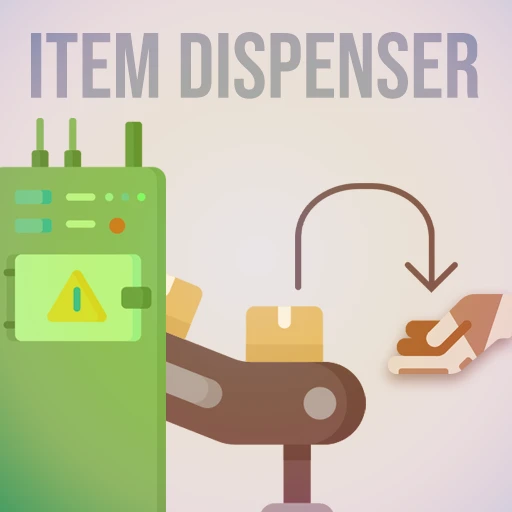
Item Dispenser
A special storage container that can place stacks of items directly in your inventory.
Beschreibung
If you enjoy my work and want to support it, you can donate via paypal or credit here
<a href="https://www.paypal.com/donate/?cmd=_s-xclick&hosted_button_id=89Q6FRMSDA8DA&source=url">
<img src="https://www.paypalobjects.com/en_US/i/btn/btn_donate_SM.gif" border="0" name="submit" title="PayPal - The safer, easier way to pay online!" alt="Donate with PayPal button"/></a>
I take mod commissions sometimes, check the contact info below.
<h1>Item Dispenser Mod</h1>
The Item Dispenser is a new type of Storage Container that will instantly deposit stacks of items at a time into your player inventory every time you interact with it from the front. Interacting with any other part will instead open the dispenser's storage inventory/configuration UI, where you can set things like how many stacks at a time it should dispense. I can't believe I need to say this, but this is not a cheat mod, you actually have to put items into the dispenser (preferably with a belt), it does not magically create items.
<b>REGARDING MANUAL INSTALLATION: </b> First of all, just don't. Use the <a href="https://smm.ficsit.app/">Mod Manager</a> instead. If you insist on manual installation you also need to install <a href="https://ficsit.app/mod/gvJKni1VJQ1Cc">this mod</a>. If you are using the mod manager, it will download this dependency for you automatically.
This project has a companion mod, the <a href="https://ficsit.app/mod/AH5HY1jQ62Vb9J">Item Hopper</a>. It lets you instantly take full stacks of filtered items out of your player inventory, and put them on a belt.
<h2>Feature summary</h2>
All dispensers are paintable, stackable, and display the next item they are going to dispense (always the item in the 1st slot of their inventory) as a physical model and as an icon on the front screen. Dispensers prefer to fill partial stacks of items in your inventory first. They will also have at least one belt input. They are all unlocked through HUB milestones and found in the build menu under Organization>Storage.
<img src="https://raw.githubusercontent.com/deantendo/community/master/com_mp_yes.png">
This mod is fully multiplayer-compatible. Pretty good, right? Modded items are also supported as long as the modmaker set a Big Icon and Conveyor Mesh for their item.
Item Dispensers have <a href="https://ficsit.app/mod/8d8gk4imvFanRs">Ficsit Networks</a> integration. A network adapter connection will apppear on the dispenser if you have that mod installed. Using that, you can configure the dispenser and look at it's inventory from the network (use :getMembers() to see all available functions).
You can edit the inventory size of each class of dispenser from the Main Menu>Mods>Dispenser, or from the config file located at \<gameinstall\>\FactoryGame\Configs\Dispenser.cfg . This counts as cheating and one day you will have to answer for your crimes.
<h3>Item Dispenser</h3>
<img src="https://grinch.neocities.org/dispenser%20256.png" width=64>
The standard Item Dispenser is unlocked through it's Tier 2 HUB milestone. It has a 16 slot inventory and 1 belt input. It is exactly as wide as a Storage Container, ~2/3rds of the length and short enough to fit under a 1 wall high 1m foundation. There is no clearance on the front of the Item Dispenser, so you can freely clip it through a conveyor hole wall.
From the custom storage UI, you can configure the Item Dispenser to toggle the partial stack filling feature, give you multiple stacks per use, or activate Threshold Mode, which will make the dispenser only give you _up to_ a certain
of item stacks, then stop. All of these settings can also be configured via Ficsit Networks.
<h3>Mini Dispenser</h3>
<img src="https://grinch.neocities.org/minidispenser%20256.png" width=64>
Mini dispensers are unlocked along with Item Dispensers at Tier 2 and have the same features as an Item Dispenser. They have a 4 slot inventory, 1 belt input and are the size of a splitter.
<h3>Industrial Dispenser</h3>
<img src="https://grinch.neocities.org/industrial%20dispenser%20256.png" width=64>
The Industrial Dispenser is unlocked in HUB Tier 5. It has all of the features of an Item Dispenser, but it is taller, and boasts a 48 slot inventory with a 2nd belt input.
<h2>Contact</h2>
You can find me on the <a href="https://discord.gg/xkVJ73E">ficsit.app modding discord</a> (Avery#5241) if you have any feedback or bug reports.
<h2>Credit</h2>
Milestone icon uses an asset from <a href="https://www.flaticon.com/authors/freepik" title="Freepik">Freepik</a> from <a href="https://www.flaticon.com/" title="Flaticon">www.flaticon.com</a>
Model and texture assets 'ethically recycled'™ from the Coffee Stain Studios' dumpsters (I still put a ton of work towards making that frankenmachine not look terrible).
Ficsit Networks' Network Adapter model is made by the <a href="https://ficsit.app/mod/8d8gk4imvFanRs">Ficsit Networks</a> team and used with permission.
Icon, MP compatibility image and UI assets by Deantendo#4265
<h2>Media</h2>
Mod spotlight by TotalXclipse [OUTDATED - does not include new UI update] https://www.youtube.com/watch?v=TXRWztkHhKU
Mod spotlight by RandomGamer [MORE OUTDATED] https://youtu.be/9Y2uneJJkrY
<h4>Screenshots</h4>
<img src="https://grinch.neocities.org/Screenshot20200918-13050900000.png">
<h4>(older models below)<h4/>
<img src="https://grinch.neocities.org/dispenser%20grab.png">
<img src="https://grinch.neocities.org/Screenshot20200621-11264600000.png">
Versionen
Item Dispenser auf dem Server installieren
Satisfactory Server bestellen
Bestelle einen Satisfactory Server mit mindestens 4 GB RAM (6 GB empfohlen). Bei Multiplayer: +1 GB pro 4 Spieler.
Mod installieren
Öffne den Mod-Manager im Dashboard und suche nach "Item Dispenser". Installations-Dependencies werden automatisch mitinstalliert.
Server neu starten
Starte den Server neu, damit die Mod geladen wird. Spieler müssen die Mod ebenfalls lokal installiert haben.
Häufige Fragen
Item Dispenser funktioniert nicht nach Update – was tun?
Nach einem Satisfactory-Update müssen Mods aktualisiert werden. Prüfe auf ficsit.app, ob Item Dispenser bereits für die neue Game-Version aktualisiert wurde. Bei Mado Hosting: Öffne den Mod-Manager und klicke "Alle aktualisieren". Wenn die Mod noch nicht aktualisiert ist, entferne sie temporär, damit der Server startet.
Item Dispenser verursacht Crashes im Multiplayer – Lösung
Häufigste Ursache: alle Spieler müssen exakt die gleiche Mod-Version installiert haben. Prüfe in den Server-Logs nach "ModMismatch" oder "Version Conflict". Stelle sicher, dass alle Spieler Item Dispenser v3.7.1 und den gleichen SML verwenden. Bei Mado Hosting laufen Satisfactory Server mit 6 GB RAM für stabile Multiplayer-Performance.
Ist Item Dispenser mit anderen Satisfactory Mods kompatibel?
Item Dispenser nutzt den Satisfactory Mod Loader (SML). Generell sind SML-basierte Mods untereinander kompatibel, aber Mods die gleiche Game-Systeme ändern, können Konflikte verursachen. Teste neue Mod-Kombinationen am besten auf einem Backup-Save. Im Mado Dashboard werden bekannte Konflikte automatisch erkannt und du wirst gewarnt.
Item Dispenser Server mieten
Spiele Item Dispenser auf deinem eigenen Satisfactory Server mit Mod-Support.
Mod Informationen
- Ersteller
- BlogmasterAvery
- Neueste Version
- v3.7.1
- Erstellt am
- 5. Juni 2020
- Zuletzt aktualisiert
- 7. Oktober 2026
- Quellcode
- GitHub →