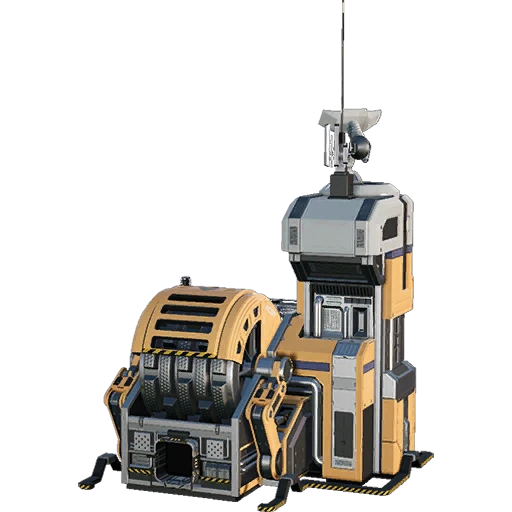
Fix Client Resource Sink Points
Dependency mod. Causes multiplayer clients to correctly load the AWESOME Sink point values for base-game items.
Beschreibung
Fix Client Resource Sink Points
This mod causes multiplayer clients to load the AWESOME Sink point values for base-game items,
which are normally skipped during the client's loading process.
This allows other mods to perform operations with these values without having to ask the server for this data.
This mod is intended as a dependency for other mods to require if they want access to this information,
there is no reason to install this mod on its own as an end user.
For example, [TFIT](https://ficsit.app/mod/TFIT) depends on this mod for the Sink Points Tooltip to function on multiplayer clients.
The only thing this mod does is load the sink point values for clients,
it does not change the values in any way.
Modded items are unaffected as their sink point values are already loaded.
This mod only needs to exist on the client side to function,
however, server versions of the mod are published
so that mods which must be installed on both sides can safely depend on this mod.
The mod has no effect if loaded server side.
Credits
- Th3Fanbus for writing basically all of the mod
- Th3Fanbus and Mircea for doing the code digging required to figure this out
Versionen
Fix Client Resource Sink Points auf dem Server installieren
Satisfactory Server bestellen
Bestelle einen Satisfactory Server mit mindestens 6 GB RAM (8 GB empfohlen). Bei Multiplayer: +1 GB pro 2 Spieler.
Mod installieren
Öffne den Mod-Manager im Dashboard und suche nach "Fix Client Resource Sink Points". Installations-Dependencies werden automatisch mitinstalliert.
Server neu starten
Starte den Server neu, damit die Mod geladen wird. Spieler müssen die Mod ebenfalls lokal installiert haben.
Häufige Fragen
Fix Client Resource Sink Points funktioniert nicht nach Update – was tun?
Nach einem Satisfactory-Update müssen Mods aktualisiert werden. Prüfe auf ficsit.app, ob Fix Client Resource Sink Points bereits für die neue Game-Version aktualisiert wurde. Bei Mado Hosting: Öffne den Mod-Manager und klicke "Alle aktualisieren". Wenn die Mod noch nicht aktualisiert ist, entferne sie temporär, damit der Server startet.
Fix Client Resource Sink Points verursacht Crashes im Multiplayer – Lösung
Häufigste Ursache: alle Spieler müssen exakt die gleiche Mod-Version installiert haben. Prüfe in den Server-Logs nach "ModMismatch" oder "Version Conflict". Stelle sicher, dass alle Spieler Fix Client Resource Sink Points v1.2.1 und den gleichen SML verwenden. Bei Mado Hosting laufen Satisfactory Server mit 8 GB RAM für stabile Multiplayer-Performance.
Ist Fix Client Resource Sink Points mit anderen Satisfactory Mods kompatibel?
Fix Client Resource Sink Points nutzt den Satisfactory Mod Loader (SML). Generell sind SML-basierte Mods untereinander kompatibel, aber Mods die gleiche Game-Systeme ändern, können Konflikte verursachen. Teste neue Mod-Kombinationen am besten auf einem Backup-Save. Im Mado Dashboard werden bekannte Konflikte automatisch erkannt und du wirst gewarnt.
Fix Client Resource Sink Points Server mieten
Spiele Fix Client Resource Sink Points auf deinem eigenen Satisfactory Server mit Mod-Support.
Mod Informationen
- Ersteller
- Rex (Th3Fanbus), Robb, Jarno458
- Neueste Version
- v1.2.1
- Erstellt am
- 21. Februar 2024
- Zuletzt aktualisiert
- 7. Oktober 2026
- Quellcode
- GitHub →