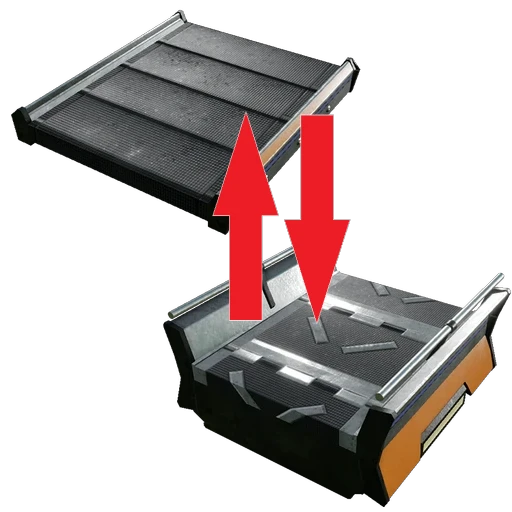
Mass Upgrade
Mass upgrade/downgrade your belts and pipes
Beschreibung
<h1 style="color: orange">A base-game bug previously broke the mod, but since it has been fixed, the mod seems to be working again. Use with caution and <a href="https://discord.com/channels/555424930502541343/1384356109778813009">please report back on the Discord with your findings (link)</a>.</h1>
<hr>
<br>
<br>
<h1 style="color: red">I am aware of the different FOV scaling issue with the hand tool. Sadly, I don't have the necessary knowledge to fix it nor any time to learn how to. So, it will stay as it is</h1>
<h2>A mod to mass upgrade a series of connected belts and lifts.</h2>
<h3>This mod is still experimental. If you are having crashes after commanding upgrades/downgrades, disable it and contact me at <a href="https://discord.gg/A9bFvkbav4">Satisfactory Modding</a> Discord server</h3>
<img alt="Multiplayer compatible" src="https://raw.githubusercontent.com/deantendo/community/master/com_mp_yes.png"/>
<br/>
<br/>
This mod is completely free. But if you wish to donate a value as a “thank you”, feel free to click on the button below.
<a href="https://www.paypal.com/donate/?business=Y4X6QWYA9QYAU&no_recurring=1" target="_blank"><img src="https://www.paypalobjects.com/en_US/i/btn/btn_donateCC_LG.gif" border="0" name="submit" title="PayPal - The safer, easier way to pay online!" alt="Donate with PayPal button" ></a>
Find me at <a href="https://discord.gg/A9bFvkbav4">Satisfactory Modding</a> Discord server (@MarcioHuser)
<br/>
<br/>
<h3>How to use it:</h3>
<ul>
<li>A Hand Tool to allow you to aim and select a belt or lift the belongs to the system you want to upgrade. It can be unlocked in the HUB at Tier 5</li>
<li>Uppon selecting a belt/lift, a poup will be presented with all the available belt and lift speeds you have already unlocked</li>
<li>It will list all kind of belts and lifts in the system, with refundable items and necessary cost to make the upgrad</li>
<li>If you want to track the necessary resources, you can click at the "Add to List" button to to the To-Do list</li>
<li>You can choose if you want to traverse through Splitters, Mergers, Storage Teleporters, Modular Load Ballancers, Underground Belts, Train Cargo Platoforms, Pipe Junctions and Power Switches</li>
<li>If you have all the necessary resources for the selected recipes, the "Upgrade" button will be enabled</li>
</ul>
<br/>
<br/>
Changelog
- Version 1.2.9- Upgrades done throught train stations now only upgrades throught the connected cargo plataforms, instead of all platforms in all stations at the same track group
- Version 1.2.8
- Added support to traverse the Throughput Counter And Limiter mod
- Version 1.2.7
- Recompiled to keep compatible with MarcioCommonLibs
- Recompiled due to new game patch
- Version 1.2.6
- Added support to upgrade itens inside blueprints
- Updated the equipment's icon
- Version 1.2.5
- Item icon modified to better identify the checker
- Version 1.2.4
- Multiplayer support
- Version 1.2.3
- Recompiled due to new game patch
- Version 1.2.2
- Added checkbox to select wich items to upgrade/downgrade. Selections are remembered within the same session
- Version 1.2.1
- Fixed milestone icon
- Version 1.2.0
- Satisfactory 1.0 and SML 3.8.0
- Version 1.1.1
- Added support to Cable Choices+
- Version 1.1.0
- Added support to mass upgrade Storage Containers as well. If switching from Mk2 to MK1, the excess inventory stacks will be moved into the player's inventory. Any excess that could not be moved into the player inventory will be droped on a crate in the ground
- Added support to mass upgrade Pipes and Pumps. Be aware that MK1 and MK2 pumps have different sizes, so downgrading from the later into the former will leave a visual "gap" between one of the pipes and the MK1 pump. Also, the production indicator will be stuck in red, but the pump will work just fine. It will fix itself upon reloding or when the cable is removed and recreated
- Added support to mass upgrade Power Poles/Walls/Walls Double/Towers
- Upgrade now go accross Train Stations to search for conveyors, pipes and power poles
- Version 1.0.3
- Fixed invalid cross-references with Blueprint Functions from Efficiency Checker Mod
- Version 1.0.2
- Recompiled to try fixing unknown crash uppon loading/creating a World
- Version 1.0.1
- Recompiled to try fixing possible invalid references
- Version 1.0.0
- Initial release
All meshes are based from the original ones from the game; no content was copied from any other mod
Versionen
Mass Upgrade auf dem Server installieren
Satisfactory Server bestellen
Bestelle einen Satisfactory Server mit mindestens 4 GB RAM (6 GB empfohlen). Bei Multiplayer: +1 GB pro 4 Spieler.
Mod installieren
Öffne den Mod-Manager im Dashboard und suche nach "Mass Upgrade". Installations-Dependencies werden automatisch mitinstalliert.
Server neu starten
Starte den Server neu, damit die Mod geladen wird. Spieler müssen die Mod ebenfalls lokal installiert haben.
Häufige Fragen
Mass Upgrade funktioniert nicht nach Update – was tun?
Nach einem Satisfactory-Update müssen Mods aktualisiert werden. Prüfe auf ficsit.app, ob Mass Upgrade bereits für die neue Game-Version aktualisiert wurde. Bei Mado Hosting: Öffne den Mod-Manager und klicke "Alle aktualisieren". Wenn die Mod noch nicht aktualisiert ist, entferne sie temporär, damit der Server startet.
Mass Upgrade verursacht Crashes im Multiplayer – Lösung
Häufigste Ursache: alle Spieler müssen exakt die gleiche Mod-Version installiert haben. Prüfe in den Server-Logs nach "ModMismatch" oder "Version Conflict". Stelle sicher, dass alle Spieler Mass Upgrade v1.2.12 und den gleichen SML verwenden. Bei Mado Hosting laufen Satisfactory Server mit 6 GB RAM für stabile Multiplayer-Performance.
Ist Mass Upgrade mit anderen Satisfactory Mods kompatibel?
Mass Upgrade nutzt den Satisfactory Mod Loader (SML). Generell sind SML-basierte Mods untereinander kompatibel, aber Mods die gleiche Game-Systeme ändern, können Konflikte verursachen. Teste neue Mod-Kombinationen am besten auf einem Backup-Save. Im Mado Dashboard werden bekannte Konflikte automatisch erkannt und du wirst gewarnt.
Mass Upgrade Server mieten
Spiele Mass Upgrade auf deinem eigenen Satisfactory Server mit Mod-Support.
Mod Informationen
- Ersteller
- MarcioHuser
- Neueste Version
- v1.2.12
- Erstellt am
- 8. Dezember 2023
- Zuletzt aktualisiert
- 7. Oktober 2026
- Quellcode
- GitHub →