Teleporter
Teleport you from a teleporter to another one! Works in Multiplayer
Beschreibung
Construct Teleporter buildings to quickly transfer you (and other creatures) to other Teleporter buildings!
<u>Donations:</u>
This mod currently maintained by Robb. If you enjoy my work, please consider my [completely optional tip jar](https://ko-fi.com/robb4).
Boyshall: If you like my jobs please consider checking my PayPal : <br>
<a href="https://www.paypal.com/cgi-bin/webscr?cmd=_s-xclick&hosted_button_id=YMT6T58MFFE7Y&source=url">
<img height="100px" src="https://www.paypalobjects.com/webstatic/icon/pp258.png"></a>
Thanks for your support
Screenshots:
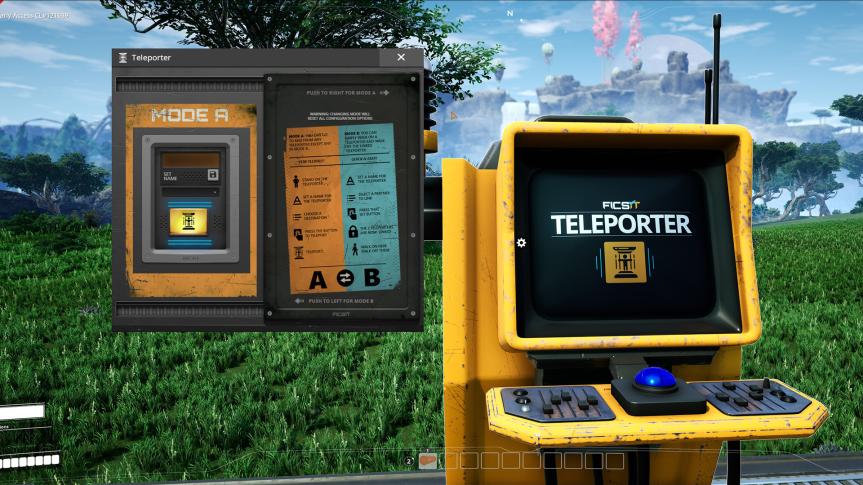
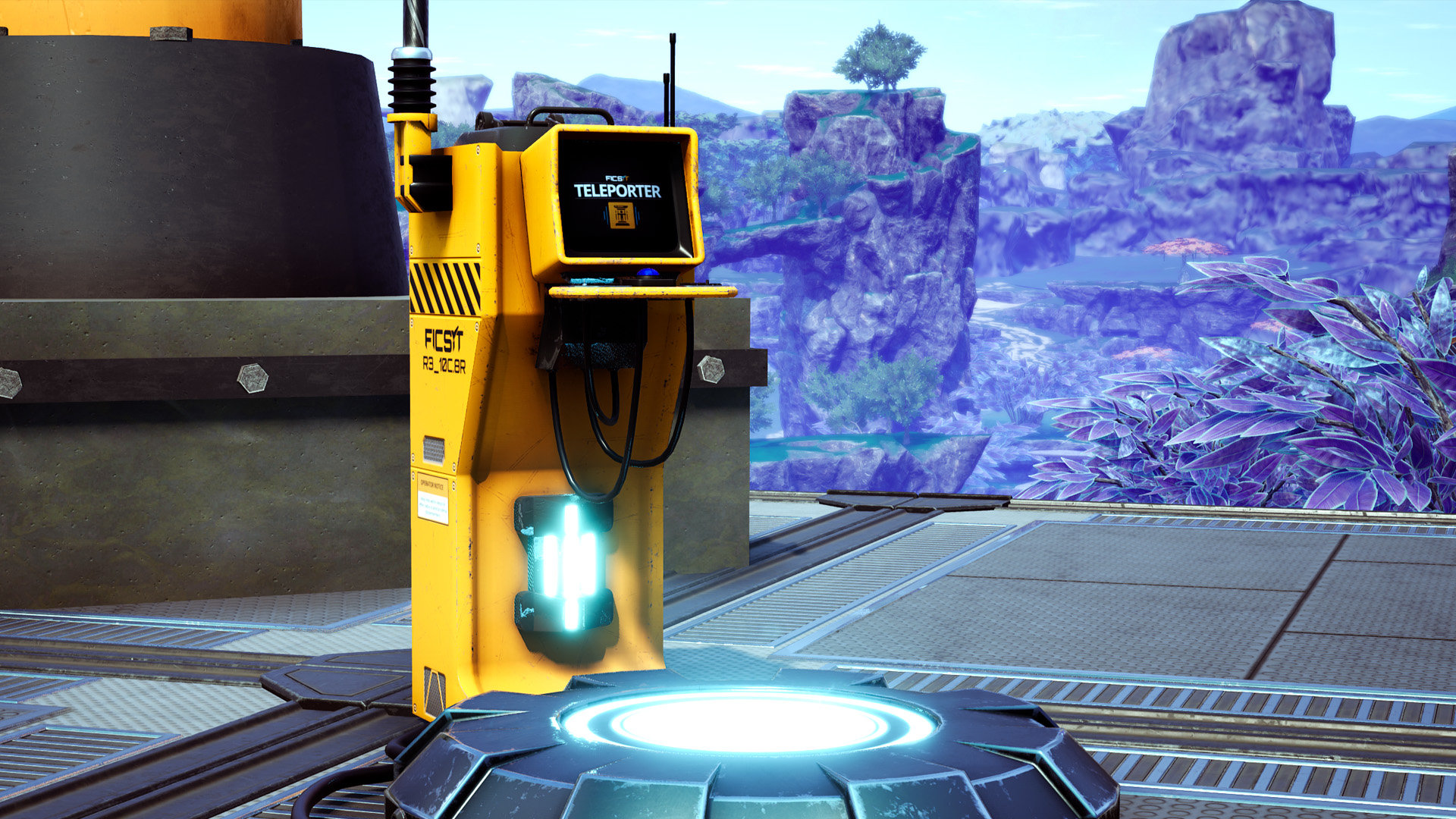

First, unlock the teleporter in tier 5, then build two, hook them up to power, and give each a name.
Slide the panel in the UI to select a mode:
- Mode A: Select another teleporter in the dropdown, press the button and it'll take you there
- Mode B: Select another teleporter and press link, now whenever you (or creatures!) walk over this teleporter it will automatically take you there
There are two styles of teleporter, they are functionally identical.
Known Bugs
- Multiplayer clients may still have to rejoin after teleporting long distances. There have been multiple attempts to fix this by multiple mod devs, but none seem to work consistently. You may have success using the "Sif Teleporter" mod instead. Maybe Boyshall can take another crack at fixing this after he's back.
Contact
If you have any idea or suggestion feel free to add me on discord (`boyshallll`) and I also created a server if you want to give feedback or suggestions or report a bug:
https://discord.gg/HECuA2yaRH
HUGE Thanks to Feyko, MrHid6, Pleasure and deantendo#4265
"Robust Teleporter" model, GUI design, and Icons from deantendo#4265
Thanks Robb for updating to support dedicated servers and multiplayer
Thanks D4rk for helping with the materials on the "Robust Teleporter" model
Thanks to Random Gamer for his showcase of this mod: https://www.youtube.com/watch?v=lZQxnCkLM8A
Attribution link for the icon: https://www.flaticon.com/free-icon/teleportation_2010168
Versionen
Teleporter auf dem Server installieren
Satisfactory Server bestellen
Bestelle einen Satisfactory Server mit mindestens 6 GB RAM (8 GB empfohlen). Bei Multiplayer: +1 GB pro 2 Spieler.
Mod installieren
Öffne den Mod-Manager im Dashboard und suche nach "Teleporter ". Installations-Dependencies werden automatisch mitinstalliert.
Server neu starten
Starte den Server neu, damit die Mod geladen wird. Spieler müssen die Mod ebenfalls lokal installiert haben.
Häufige Fragen
Teleporter funktioniert nicht nach Update – was tun?
Nach einem Satisfactory-Update müssen Mods aktualisiert werden. Prüfe auf ficsit.app, ob Teleporter bereits für die neue Game-Version aktualisiert wurde. Bei Mado Hosting: Öffne den Mod-Manager und klicke "Alle aktualisieren". Wenn die Mod noch nicht aktualisiert ist, entferne sie temporär, damit der Server startet.
Teleporter verursacht Crashes im Multiplayer – Lösung
Häufigste Ursache: alle Spieler müssen exakt die gleiche Mod-Version installiert haben. Prüfe in den Server-Logs nach "ModMismatch" oder "Version Conflict". Stelle sicher, dass alle Spieler Teleporter v8.2.0 und den gleichen SML verwenden. Bei Mado Hosting laufen Satisfactory Server mit 8 GB RAM für stabile Multiplayer-Performance.
Ist Teleporter mit anderen Satisfactory Mods kompatibel?
Teleporter nutzt den Satisfactory Mod Loader (SML). Generell sind SML-basierte Mods untereinander kompatibel, aber Mods die gleiche Game-Systeme ändern, können Konflikte verursachen. Teste neue Mod-Kombinationen am besten auf einem Backup-Save. Im Mado Dashboard werden bekannte Konflikte automatisch erkannt und du wirst gewarnt.
Teleporter Server mieten
Spiele Teleporter auf deinem eigenen Satisfactory Server mit Mod-Support.
Mod Informationen
- Ersteller
- Boyshall, Robb
- Neueste Version
- v8.2.0
- Erstellt am
- 10. April 2020
- Zuletzt aktualisiert
- 7. Oktober 2026